Accessibility Service Bots vs ADB Bots: Which Is More Stable?
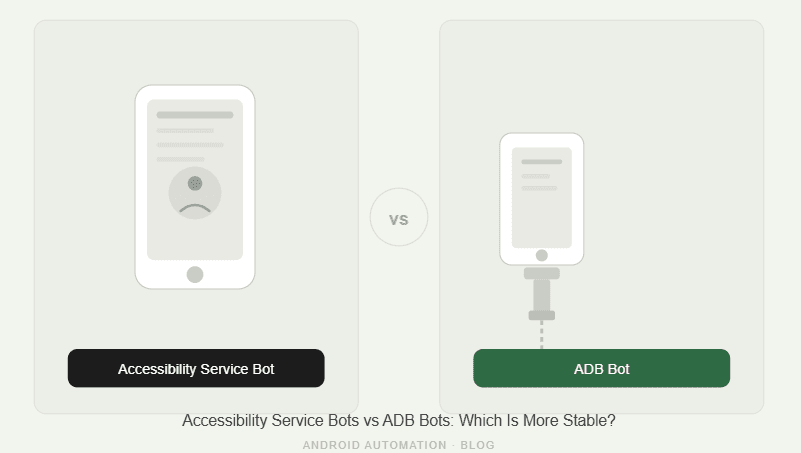
Android automation can be built in different ways, but two of the most common approaches are Accessibility Service bots and ADB bots.
Both can control Android app workflows. Both can tap, navigate, and automate actions. But they are not equally stable when the goal is long-running social media automation, phone farm operations, or multi-account workflows.
ADB bots usually rely on Android Debug Bridge, which means an external computer communicates with the device and sends commands. That can work well for testing, debugging, and technical control, but it often becomes fragile when scaled across many devices.
Accessibility Service bots work closer to the device itself. They can observe UI events, interact with app screens, and automate workflows without depending on a constant ADB control loop from a laptop.
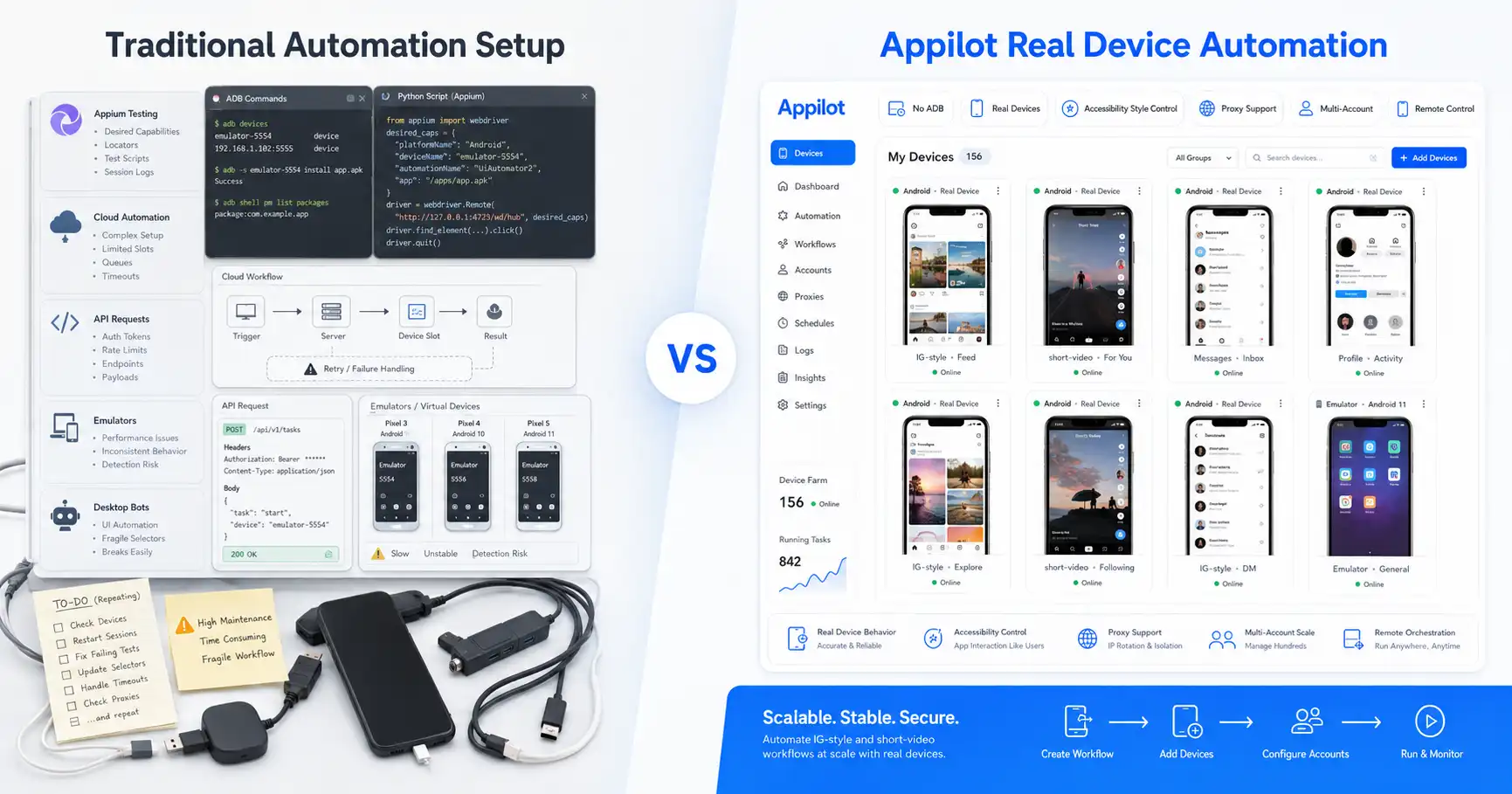
That is why platforms like Appilot use an ADB-free approach built around real Android automation. Users can run bots on Android devices and emulators, manage everything from a web dashboard, and avoid many of the stability problems that come with ADB-based setups.
What Are ADB Bots?
ADB bots are automation systems that use Android Debug Bridge to control an Android device from a computer. ADB is a command-line tool that lets a host machine communicate with a device, install apps, run shell commands, access logs, push files, pull files, and perform device-level actions.
For developers, ADB is extremely useful. If someone is debugging an Android app, testing builds, reading logs, or running local device commands, ADB gives deep control.
For bots, ADB can also simulate actions. A script can send tap commands, input text, swipe, start activities, take screenshots, and control parts of the device from outside.
The issue is that ADB bots depend on an external control layer. The laptop, cable, driver, USB hub, ADB server, device authorization, and connection state all become part of the automation chain.
That chain works fine for small tests. It becomes less stable when the workflow needs to run for hours, across many devices, without human babysitting.
What Are Accessibility Service Bots?
Accessibility Service bots use Android’s Accessibility Service framework to interact with the device UI from inside the Android environment.
Accessibility services were created to help users with disabilities interact with apps and system interfaces. They can observe accessibility events, inspect screen content, and perform actions on behalf of the user when properly enabled.
In automation, this makes Accessibility Service bots useful because they can work closer to the app interface. They do not need to send every action through a host computer over ADB.
A bot can detect UI changes, react to screens, tap elements, navigate flows, and continue running without depending on a USB cable or laptop-based command loop.
This does not mean Accessibility Service bots are perfect. They still need careful permissions, good workflow design, proper error handling, and stable app logic.
But for long-running mobile automation, they often create a more stable operating layer than ADB bots.
Accessibility Service Bots vs ADB Bots: The Main Difference
The biggest difference is where control happens.
ADB bots are controlled from outside the device. A computer sends commands to the Android device through ADB. If the connection breaks, the driver fails, the device becomes unauthorized, the laptop sleeps, or the ADB server has problems, the automation can stop.
Accessibility Service bots work closer to the device and app environment. They can respond to UI events and interact with app screens without constantly depending on an external command channel.
That difference matters most at scale. One ADB-connected device may work fine. Ten devices may create more connection problems. Fifty devices can become a maintenance headache.
For social media bots, stability matters more than raw technical control. An Instagram, TikTok, Telegram, YouTube, Reddit, or Discord workflow needs to keep running smoothly, not constantly wait for someone to fix a disconnected device.
That is why Accessibility Service-style automation is usually more stable for operator workflows.
Why ADB Bots Become Fragile
ADB bots become fragile because too many external pieces must keep working at the same time.
The Android device must stay connected. The host computer must stay awake. The USB cable or network ADB session must stay alive. The driver must behave correctly. The device must remain authorized. The ADB server must not hang. The script must keep communicating with the device correctly.
Each part adds a failure point.
This is manageable for developers running short tests. It is not ideal for phone farm operators running automation across many accounts and devices.
A device can randomly appear offline. A cable can become loose. A USB hub can fail. A reboot can require reauthorization. A laptop update can interrupt automation. A network ADB connection can drop.
When automation depends on ADB, the bot is only as stable as the whole external connection chain.
That is why ADB is powerful but not always operationally stable.
Why Accessibility Service Bots Are More Stable
Accessibility Service bots are usually more stable because they reduce dependence on the external control chain.
Once the service is enabled and the bot workflow is running, automation can respond to app screens from the device side. It does not need every tap, swipe, or UI check to pass through a laptop connection.
This makes it better suited for long-running social media workflows. A bot can observe screen changes, respond to popups, move through app states, and continue operating without constant host-machine control.
For phone farm operators, this is a major advantage. Fewer external dependencies mean fewer things can break.
Accessibility Service bots also feel more natural for mobile app automation because they interact with the UI layer instead of treating the phone as a remote shell target.
That makes the approach better for apps where screen state, timing, and UI behavior matter.
Stability for Social Media Automation
Social media automation needs stability in a different way than software testing does.
A QA test may run for a few minutes and report pass or fail. A social media bot may need to run workflows over long sessions, across multiple accounts, and under changing app conditions.
Instagram may show a popup. TikTok may change a screen. Telegram may load slowly. Reddit may display a notification. YouTube may update part of the UI. A bot needs to handle those changes without collapsing.
ADB bots can do this if the developer builds enough logic, but they still depend on the host connection.
Accessibility Service bots are often better for these workflows because the automation can stay closer to the app state and device environment.
Appilot builds on that idea by giving users an ADB-free way to run bots on Android devices and emulators through a web dashboard.
Laptop Dependency
Laptop dependency is one of the biggest weaknesses of ADB bots.
If a bot needs a laptop to stay connected, that laptop becomes part of the automation infrastructure. It must stay awake, powered, connected, updated, and stable.
That creates problems for teams. If one person’s laptop controls the workflow, the system is fragile. If the laptop sleeps, crashes, or loses connection, the automation may stop.
Accessibility Service bots reduce this dependency because the automation is not controlled entirely through a laptop-to-device command loop.
Appilot removes the laptop dependency from the user’s daily workflow. Users manage bots from a remote dashboard, while automation runs on Android devices and emulators.
For agencies and phone farm operators, this is a much better operating model.
Device Scaling
Scaling ADB bots is harder than it looks.
The first device may be easy. The second and third may still work. But as the number grows, the operator has to manage more cables, ports, USB hubs, drivers, device IDs, authorization states, and ADB sessions.
Every new device adds more friction.
Accessibility Service bots scale more cleanly because the workflow is less dependent on constant host-device control. The automation can run closer to each device environment.
That does not mean scaling is automatic. Users still need device management, proxy strategy, account separation, monitoring, and workflow design.
But compared with ADB bots, Accessibility Service-style automation removes a major source of instability.
This is one reason Appilot’s ADB-free approach is better suited for multi-account social media automation.
Error Handling and UI Changes
Both ADB bots and Accessibility Service bots can break when app UIs change.
If Instagram changes a button, if TikTok changes a layout, or if Telegram moves a menu, the bot logic may need updates.
The difference is how the bot observes and reacts to UI state.
ADB bots often rely on screenshots, coordinates, command output, or external scripts to infer what is happening. This can work, but it can become brittle if screen sizes, app versions, or connection timing vary.
Accessibility Service bots can use UI events and screen content more naturally because they are designed to interact with the accessibility layer.
That can make them more stable for workflows that need to respond to app screens rather than blindly send fixed commands.
Good bot design still matters. A poorly built Accessibility Service bot can fail too. But the approach gives a better foundation for app-aware automation.
Battery, Performance, and Long Sessions
Long sessions expose weaknesses in automation systems.
ADB-based workflows can keep devices active, connected, and controlled through external commands for long periods. This can create battery, heat, and connection problems depending on the setup.
Accessibility Service bots can be more efficient operationally because they do not require constant command traffic from a host machine.
That does not mean they use no resources. Any automation service running on a device consumes some CPU, memory, and battery. But the control loop is usually cleaner because the device is not constantly dependent on an external ADB session.
For social media automation, cleaner long-session behavior matters. Bots often need to run slowly, wait, observe, and react over time rather than blast commands quickly.
Accessibility Service bots are better suited to that pattern.
Where ADB Bots Still Win
ADB bots still win when the user needs deep developer control.
If someone wants to debug an app, collect logs, install builds, run shell commands, manage files, inspect system behavior, or run technical QA workflows, ADB is the right tool.
ADB is also useful for quick experiments. A developer can connect one device, run commands, test a script, and see results quickly.
For short technical tasks, ADB is powerful and flexible.
The issue is not that ADB is bad. The issue is that ADB is not the best long-term control layer for social media bot operations.
Developers may prefer ADB because it gives direct access. Operators usually prefer stability, remote control, and fewer connection failures.
Where Accessibility Service Bots Win
Accessibility Service bots win when the goal is stable app interaction.
They are better for long-running workflows, mobile social media bots, phone farm operations, and automation that needs to respond to changing screens.
They also win when users want to avoid laptop dependency, cable issues, driver problems, and ADB authorization failures.
This makes them a better fit for Instagram, TikTok, Threads, Telegram, Snapchat, YouTube, Reddit, Discord, and other app-based automation workflows.
Appilot uses an ADB-free automation approach because social media operators need stability more than raw command-line control.
For agencies and phone farm operators, that stability is usually more valuable than the extra low-level control ADB provides.
Why Appilot’s Approach Wins
Appilot’s approach wins because it combines real Android automation with remote dashboard control and removes ADB from the daily workflow.
Users do not need to keep a laptop connected. They do not need to manage USB cables, driver issues, ADB sessions, or device authorization problems. They can run bots on Android devices and emulators and manage workflows from a web dashboard.
This is especially useful for non-technical users. A social media agency or phone farm operator should not need to become an Android debugging expert just to run Instagram or TikTok bots.
Appilot also supports ready-to-use bots for platforms like Instagram, TikTok, Twitter/X, LinkedIn, Discord, Reddit, Snapchat, YouTube, Threads, Telegram, Gmail, Chrome, and more.
The result is a more stable operating layer for real-world automation.
Final Verdict
ADB bots are powerful, but they are not always stable for long-running automation.
They work well for developers, debugging, testing, and low-level device control. But they become fragile when users try to scale them across many devices, accounts, and long sessions.
Accessibility Service bots are usually more stable for social media automation because they work closer to the device and app interface, avoid constant external command dependency, and reduce the failure points that come with ADB.
For Instagram bots, TikTok workflows, phone farm operations, and multi-account social media automation, Accessibility Service-style automation is the better foundation.
Appilot builds on that advantage with an ADB-free dashboard-based system for running bots on Android devices and emulators.
You can explore Appilot’s bot store and try it at appilot.app.
FAQ
Q1: What is the biggest difference between Accessibility Service bots and ADB bots?
Accessibility Service bots work closer to the Android UI layer, while ADB bots rely on external commands from a host machine. Accessibility bots are usually more stable for long-running app workflows.
Q2: Are ADB bots bad?
No, ADB bots are useful for developers, testing, debugging, and short technical scripts. They become less practical when scaled across many devices for social media automation.
Q3: Which bot type is more stable for Instagram automation?
Accessibility Service bots are usually more stable for Instagram automation because they reduce cable, driver, laptop, and ADB connection failures.
Q4: Does Appilot use an ADB-free approach?
Yes, Appilot runs bots on Android devices and emulators without requiring users to manage ADB. Workflows are controlled through a remote web dashboard.
Q5: Who should choose Accessibility Service-style automation?
Agencies, phone farm operators, growth teams, and non-technical users should choose it when they need stable mobile app automation without ADB setup problems.