Understanding ADB-less Automation for Non-Technical Users
Understanding ADB-less Automation for Non-Technical Users
If you've ever tried to automate tasks on an Android device, you've probably encountered ADB—Android Debug Bridge. And if you're not a developer, you've probably also encountered frustration.
Traditional ADB automation involves USB cables, driver installations, command-line commands, and constant troubleshooting. For non-technical users, it feels overwhelming.
The good news?
You don’t need ADB anymore.
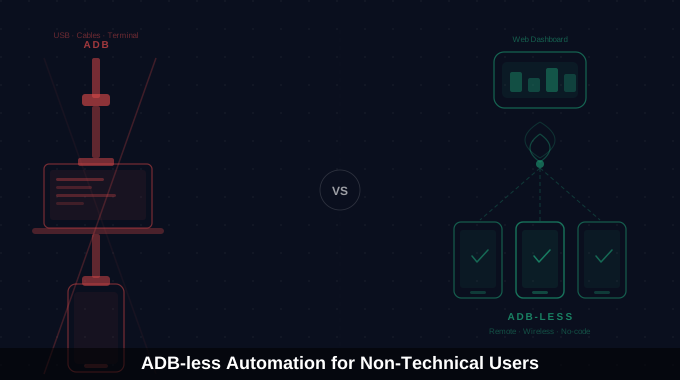
ADB-less automation allows you to automate Android devices without cables, without terminal commands, and without technical complexity.
Let’s break it down in a simple, practical way.
The ADB Problem: Why Traditional Mobile Automation is Painful
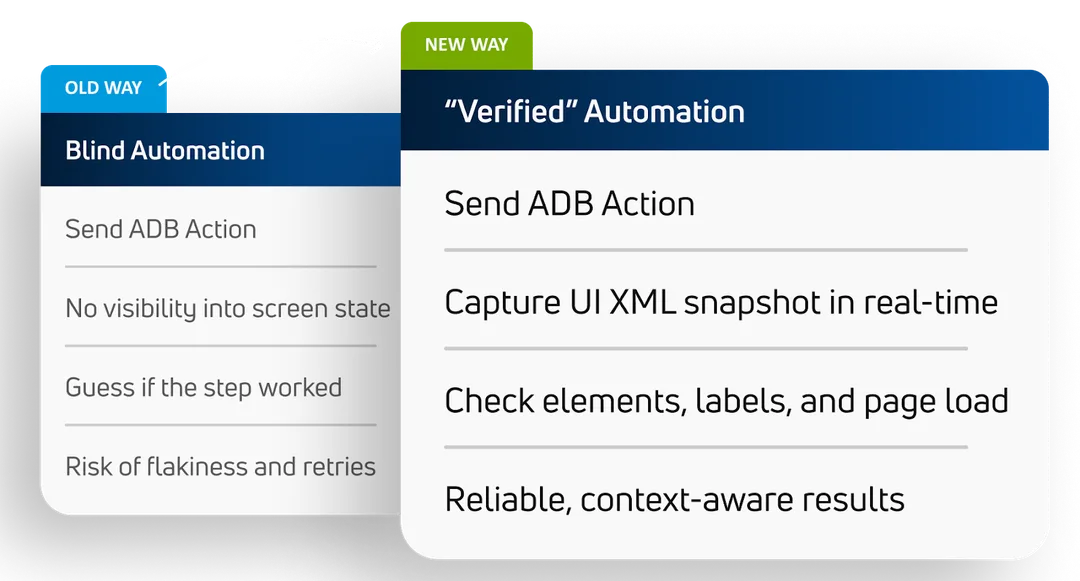
Traditional ADB automation workflow usually looks like this:
Install ADB tools
Install drivers
Enable USB debugging
Connect via USB cable
Authorize device
Run shell commands
Maintain connection 24/7
Every step can fail.
Device not recognized
Drivers not installed
Unauthorized device
USB disconnects
Command errors
For developers, it’s manageable.
For marketers, agency owners, business operators? It’s frustrating and time-consuming.
And if you have multiple devices, complexity multiplies quickly.
What is ADB-less Automation?
ADB-less automation removes the dependency on:
USB cables
Command line tools
Driver installation
Computer dependency
Instead of:
Computer → USB → Device
You get:
Web Dashboard → Internet → Device
The automation runs directly on the Android device using built-in system capabilities (Accessibility Services), while you manage everything remotely from a browser.
No cables. No SDK downloads. No terminal commands.
ADB vs ADB-less: Clear Comparison
|
Feature |
ADB Automation |
ADB-less Automation |
|
USB Required |
Yes |
No |
|
Needs Computer |
Yes |
No |
|
Technical Knowledge |
High |
Low |
|
Remote Access |
No |
Yes |
|
Setup Time |
30–60 mins/device |
5–10 mins/device |
|
Scalability |
Difficult |
Easy |
The difference is massive — especially for non-technical users.
Why ADB-less Automation Matters
If you are:
A Social Media Manager
A Small Business Owner
An E-commerce Seller
An Agency Managing Multiple Accounts
ADB-less automation removes the technical barrier that previously made mobile automation inaccessible.
Instead of learning shell commands like:
adb shell input tap 500 1200
adb shell input text "Caption"
You simply:
Select the app
Choose the action
Configure settings
Save workflow
That’s it.
How It Works
ADB-less automation uses Android’s Accessibility Services.
These services allow apps to:
Detect UI elements
Simulate taps and swipes
Read screen text
Navigate between apps
Trigger workflows
Automation runs locally on the device.
You control it remotely.
This architecture makes it:
More scalable
More stable
Easier to manage
Fully remote
Real-World Example
Imagine managing 50 Instagram accounts.
With Traditional ADB:
50 USB cables
50 devices connected to a computer
Script maintenance
Constant connection monitoring
With ADB-less:
50 devices connected via dashboard
Visual workflow setup
Remote management
Centralized monitoring
Setup time drops dramatically. Complexity disappears.
Getting Started
To use ADB-less automation, you need a platform that handles the backend complexity.
Look for:
Web dashboard
No-code workflow builder
Real device support
Remote management
Monitoring tools
Appilot was built specifically for this purpose — to allow non-technical users to automate Android devices without ADB.
You:
Install the app on the device
Enable accessibility permission
Connect to dashboard
Start building workflows
Total time: ~10 minutes.
Common Misconceptions
“It’s less powerful than ADB”
For 95% of use cases, it’s equally capable.
“You need technical knowledge”
No command line. No drivers. No ADB tools.
“It doesn’t work on Samsung”
It works on any Android device that supports accessibility services.
When ADB-less Makes the Most Sense
ADB-less automation is ideal when:
You manage multiple accounts
You need remote control
You don’t want USB cables everywhere
You lack technical background
You need scalable device management
Final Thoughts
ADB automation was built for developers — ADB-less automation was built for everyone else. If mobile automation has ever felt complicated, that's not because automation itself is hard; it's because the traditional method was. ADB-less removes that friction entirely. No cables, no terminal, no SDK tools, no command-line errors — just workflows, dashboards, and remote control. If you're ready to automate Android tasks without the technical headaches, explore Appilot at appilot.app. Start simple: connect one device, build one workflow, and scale when ready.