AdsPower Local API vs Cloud API: Appilot Integration Guide
AdsPower offers both Local API and Cloud API options for browser automation. These APIs allow users to launch profiles, manage sessions, update browser settings, control workflows, and connect external automation systems.
For teams managing multiple browser profiles, understanding the difference between Local API and Cloud API is important.
Each option has different strengths depending on how you want to manage browser profiles and automation workflows.
This is where Appilot becomes useful.
Appilot helps organize AdsPower workflows from one dashboard, whether you are using Local API, Cloud API, or a mix of both.
What Is AdsPower Local API
The AdsPower Local API is designed for users running browser automation on their own machines or servers.
It works by exposing API endpoints directly from the local AdsPower application.
This allows external systems to launch browser profiles, update settings, manage proxies, retrieve profile information, and control browser actions.
Local API is usually preferred when you want fast response times, direct access to local browser environments, and tighter control over automation infrastructure.
For example, a local server may run scraping workflows, social media tasks, or account warmups using AdsPower profiles connected through the Local API.
Because everything runs locally, it can be faster and more flexible for certain workflows.
What Is AdsPower Cloud API
The AdsPower Cloud API is designed for teams that want remote access to browser profiles and automation infrastructure.
Instead of relying on a local machine, Cloud API allows browser profiles and workflows to be managed through cloud-based systems.
This makes it easier for teams to collaborate across different locations and devices.
Cloud API is often useful for agencies, distributed teams, or businesses that want to manage browser profiles without depending on one local server.
For example, multiple team members may need to access the same browser profiles from different locations.
Cloud API can make this easier because workflows and profile access are not tied to one machine.
Key Differences Between Local API and Cloud API
The main difference is where the browser automation infrastructure runs.
Local API runs through a local AdsPower application on a machine or server. This gives you direct access to browser profiles and usually faster response times.
Cloud API runs through remote systems and is more suitable for teams that need shared access and centralized infrastructure.
Local API is often better for high-speed automation, scraping, and workflows that need low latency.
Cloud API is often better for collaboration, remote access, and managing distributed teams.
Some teams may even use both methods together.
For example, Local API may be used for faster scraping workflows, while Cloud API may be used for profile sharing and remote team management.
How Appilot Works with Both API Types
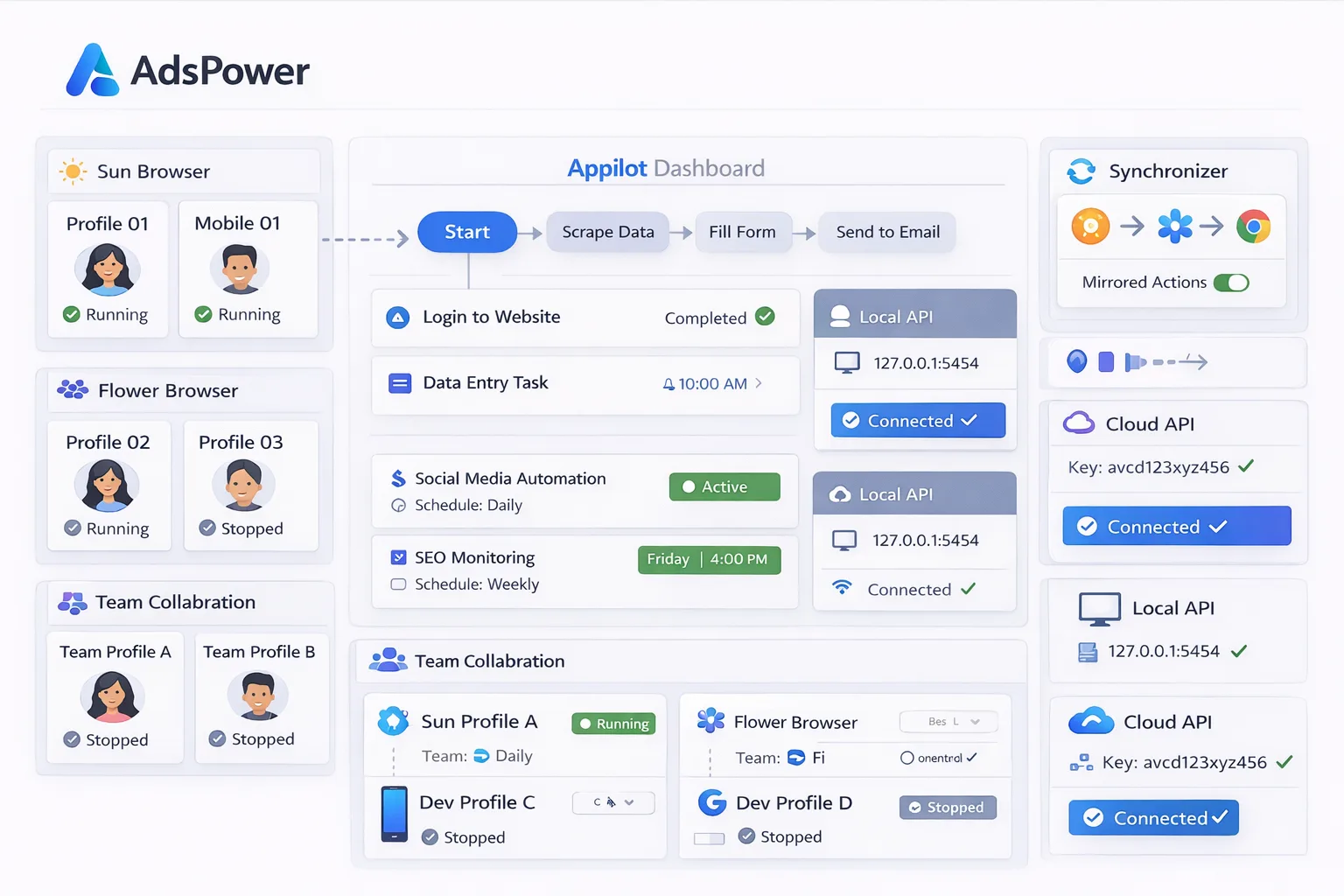
Appilot acts as the workflow and scheduling layer above AdsPower.
Whether profiles are managed through Local API or Cloud API, Appilot can organize them into groups, assign workflows, create schedules, and monitor activity.
For example, one profile group may use Local API for scraping workflows, while another may use Cloud API for team collaboration and remote account management.
Inside Appilot, you can assign different schedules, workflow rules, timing windows, and monitoring systems to each profile group.
This makes it easier to manage mixed environments without switching between separate systems.
Benefits of Using Appilot with Local and Cloud API
One major benefit is centralized control.
Instead of managing Local API and Cloud API workflows separately, Appilot allows you to control everything from one dashboard.
Another major benefit is scheduling.
You can assign different timing rules to different profile groups depending on whether they use Local API or Cloud API.
Automation also becomes easier to scale.
Once workflows are created, they can be applied across additional browser profiles without rebuilding everything.
Another important benefit is better visibility.
You can monitor profile activity, review failed tasks, track workflow performance, and manage both local and cloud environments from one place.
Best Practices for API-Based Automation
One of the most important rules is to choose the right API type for the right workflow.
Local API is usually better for high-speed workflows and direct browser control.
Cloud API is usually better for team collaboration and remote access.
You should also organize profile groups clearly based on which API type they use.
Using clear naming conventions makes it easier to manage workflows.
It is also important to keep proxy settings, fingerprints, and schedules consistent for each profile group.
Finally, start with a small number of profiles before scaling across larger API environments.
Common Mistakes to Avoid
One common mistake is using the wrong API type for the wrong workflow.
For example, running heavy scraping tasks through a cloud-based workflow may create unnecessary delays.
Another mistake is mixing Local API and Cloud API profiles without clear organization.
Some users also scale too quickly before testing workflows properly.
Using the same proxy across too many profiles is another issue because it increases overlap and detection risks.
Poor organization is often the biggest problem. Without clear profile groups, API labels, and workflow assignments, browser automation becomes much harder to manage.
The best approach is to stay organized, use the right API for the right task, and scale gradually.
Frequently Asked Questions
Q1: What is the main difference between AdsPower Local API and Cloud API?
Local API runs through a local machine or server, while Cloud API runs through remote infrastructure.
Q2: Which API is better for faster automation?
Local API is usually better for faster automation because it runs closer to the browser environment.
Q3: Which API is better for team collaboration?
Cloud API is usually better for team collaboration because it allows remote access across different locations.
Q4: Can Appilot work with both API types?
Yes. Appilot can organize workflows, schedules, and browser profiles across both Local API and Cloud API environments.
Q5: What is the biggest mistake when managing both API types?
The biggest mistake is poor organization. Without clear profile groups, API labels, and workflow assignments, management becomes much harder.
Conclusion
AdsPower Local API and Cloud API both offer useful ways to manage browser profiles and automation workflows.
Local API is often better for faster, direct browser control, while Cloud API is better for remote access and collaboration.
Appilot helps connect both environments into one centralized system where you can organize workflows, assign schedules, manage profile groups, and monitor browser activity more efficiently.