Advanced Multilogin API Calls Through Appilot Integration

Once you move beyond manually opening browser profiles, the next step is controlling everything through the API.
Multilogin provides an API that allows you to create profiles, launch browser sessions, update proxies, manage cookies, organize workspaces, and control browser environments programmatically.
For smaller setups, manually managing profiles inside the dashboard may be enough.
But once you are running dozens or hundreds of browser profiles, relying on manual actions becomes slow and difficult to scale.
That is where API automation becomes useful.
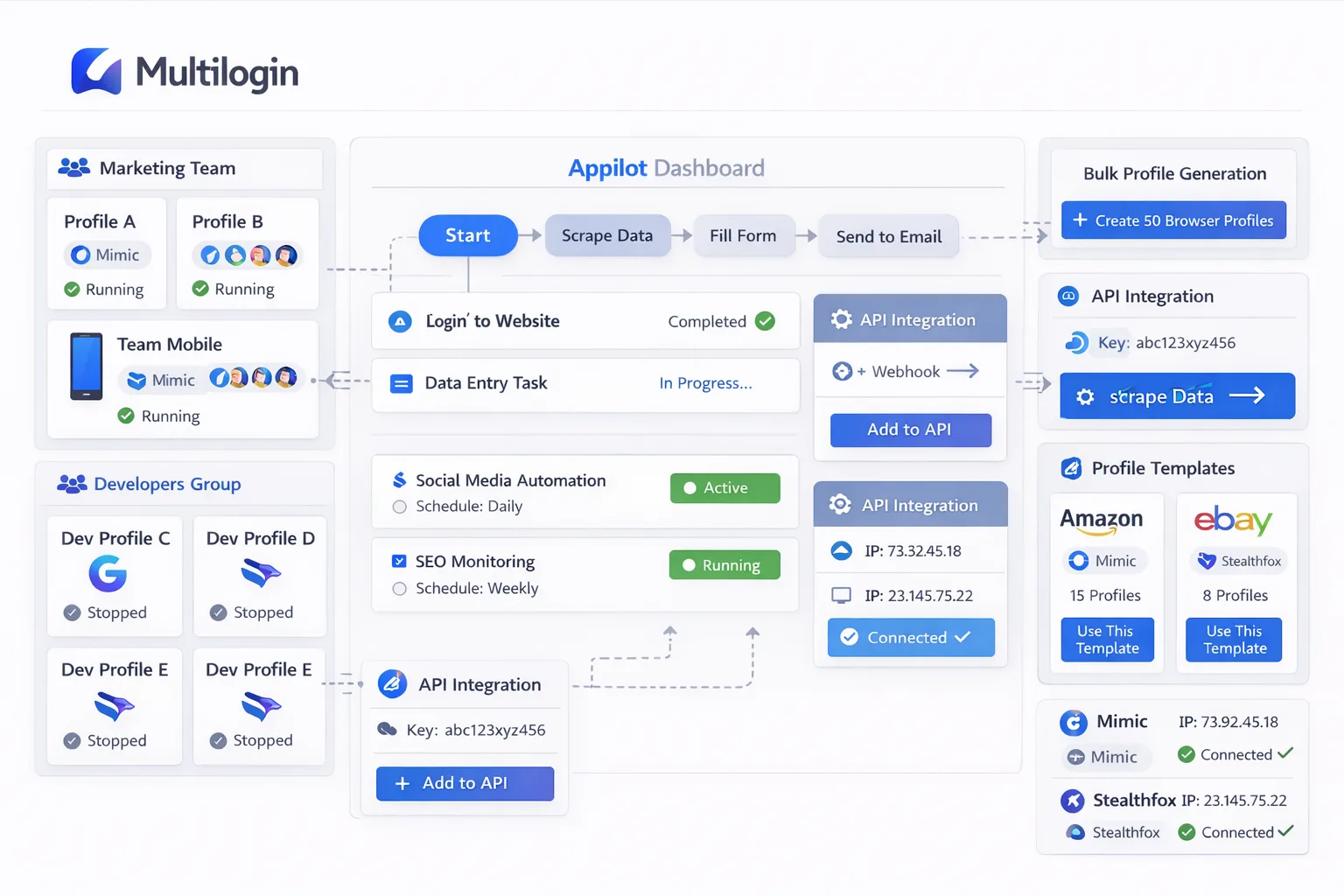
By connecting Multilogin API functionality with Appilot, you can automate profile creation, browser launches, profile grouping, task scheduling, and workflow execution from a central system.
This allows you to build more advanced browser operations without needing to manually manage every individual profile.
Why Use the Multilogin API?
The Multilogin API gives you direct control over browser profiles.
Instead of opening the dashboard and clicking through settings every time you need to make a change, you can use API calls to automate repetitive actions.
For example, you can create new profiles automatically, update proxy assignments, rename browser groups, launch browser sessions, close inactive profiles, and retrieve browser information.
This is especially useful for agencies, scraping operations, e-commerce teams, social media managers, and anyone running large-scale multi-account workflows.
The more browser profiles you manage, the more valuable API control becomes.
Instead of spending time on repetitive tasks, you can automate the process and focus on higher-level workflow management.
How Appilot Works with the Multilogin API
Appilot acts as a layer on top of the Multilogin API.
Instead of manually writing API requests every time you want to launch a profile or update a browser group, Appilot gives you a dashboard where those actions can be automated.
For example, you can use Appilot to automatically launch specific browser profiles at certain times, assign profiles to workflow groups, rotate proxies, trigger profile actions after a task is completed, or close inactive browser sessions.
Behind the scenes, Appilot uses the Multilogin API to perform those actions.
This makes advanced browser automation much easier because you do not have to manually manage every API request yourself.
It also allows non-technical teams to benefit from API functionality without needing to build their own backend systems.
Common Multilogin API Actions
One of the most common API actions is profile creation.
Instead of manually creating every browser profile inside Multilogin, you can use the API to generate profiles automatically with specific names, browser types, proxies, cookies, and browser settings.
Another common action is profile launching.
You can use the API to start a browser profile remotely, run a workflow, and close the profile after the task is complete.
Proxy management is also a major use case.
You can update proxies through the API without manually opening each browser profile. This is useful when rotating residential proxies, mobile proxies, or datacenter proxies across multiple browser groups.
Cookie management is another important feature.
The API allows you to import cookies, export cookies, and preserve session information across browser profiles.
Many teams also use API calls for browser grouping.
Instead of storing all browser profiles in one large list, you can organize them into departments, clients, workflow types, or account categories.
Building Automated Workflows with API Calls
The real advantage of using the Multilogin API with Appilot is workflow automation.
Instead of using single API calls one by one, you can combine them into larger workflows.
For example, you could create a workflow that automatically creates a new browser profile, assigns a proxy, imports cookies, launches the browser session, performs a task, and closes the session when it is finished.
You could also create workflows that launch browser groups on a schedule.
For example, ad account profiles could open every morning while scraping profiles launch later in the day.
You can also automate browser cleanup.
Inactive profiles can be closed automatically, old proxies can be replaced, and browser sessions can be reset after a task is complete.
This makes large-scale browser operations much easier to manage.
Example API Workflow for Browser Profile Creation
A common workflow starts with creating a new profile.
The API request may include the browser type, profile name, proxy settings, screen resolution, language, timezone, and cookie information.
Once the profile is created, the next API call may assign the profile to a specific group.
After that, another API call can launch the browser and start the assigned workflow.
When the task is complete, Appilot can close the browser automatically and mark the task as finished.
This type of automation removes a large amount of repetitive work.
Instead of manually creating and configuring every browser profile, the entire process can happen automatically.
Best Practices for Using Advanced API Calls
The most important rule is to keep workflows organized.
If you create too many API-driven browser actions without clear naming conventions, profile groups, or schedules, the system can become difficult to manage.
You should also make sure that proxies, cookies, and browser settings remain consistent.
If an account normally logs in from one location and one browser fingerprint, suddenly changing everything through the API can trigger account verification.
It is also important to add delays between automated actions.
Launching dozens of browser profiles at exactly the same second can create suspicious patterns.
Staggering browser launches and adding randomized delays makes the automation look more natural.
You should also test API workflows on a small group of browser profiles before rolling them out to larger groups.
This helps catch issues before they affect the rest of your operation.
Common Problems with API Automation
One common problem is missing required fields.
If an API request does not include the correct browser type, proxy details, or profile information, the profile may fail to launch.
Another issue is inconsistent proxies.
If the browser fingerprint suggests one country but the proxy shows another, websites may detect the mismatch.
Session problems can also happen if cookies are imported incorrectly.
If the session data is incomplete or outdated, the account may ask for a new login.
Some teams also make the mistake of launching too many profiles at once.
This can overload the system, create suspicious traffic patterns, or use more server resources than expected.
That is why scheduling and staggered launches are important.
Frequently Asked Questions
Q1: What can I do with the Multilogin API?
The Multilogin API can be used to create profiles, launch browsers, assign proxies, import cookies, group profiles, and automate browser workflows.
Q2: Do I need coding knowledge to use Appilot with the Multilogin API?
No. Appilot allows you to use many API-driven features through a dashboard without writing code manually.
Q3: Can I automate browser profile creation?
Yes. You can create browser profiles automatically with specific names, browser types, proxies, and settings.
Q4: Can Appilot schedule API-based browser actions?
Yes. Appilot can schedule browser launches, proxy rotations, profile creation, and workflow triggers.
Q5: What is the biggest mistake with Multilogin API automation?
One of the biggest mistakes is creating too many automated actions without proper organization, naming conventions, or scheduling.
Conclusion
The Multilogin API makes it possible to control browser profiles programmatically instead of relying on manual actions.
That becomes increasingly valuable as your browser operation grows.
By combining advanced API functionality with Appilot, you can automate profile creation, browser launches, proxy updates, cookie management, and larger workflow systems.
This makes browser automation faster, more organized, and much easier to scale.
If you are already managing a large number of browser profiles, adding API-based automation can save a significant amount of time and reduce manual work.