Amazon A+ Content Updates Automation

Amazon sellers and ecommerce teams spend a surprising amount of time updating A+ Content manually. A banner needs to be refreshed for a seasonal campaign, comparison charts need to be revised after a product line expansion, lifestyle imagery must be replaced after a rebrand, and product modules need to be updated across a growing catalog. Then the same work repeats again across more ASINs, more brands, and more marketplaces. The task looks simple at first, but once the catalog grows, it becomes one of those repetitive operations that quietly consumes hours every week.
The real problem is not just the time spent inside Seller Central. It is the operational drag that comes with manual updates. Teams have to coordinate assets, remember which ASINs need changes, open the right accounts, upload the correct modules, verify formatting, submit for review, and then check again later to confirm everything was approved and published correctly. One missed module, one outdated comparison table, or one upload to the wrong product family can create inconsistency across the catalog and weaken the customer experience.
That is why more sellers, aggregators, agencies, and catalog teams are looking at Amazon A+ Content updates automation. Instead of treating every update as a separate manual task, automation turns the process into a structured workflow. With the right setup, you can organize profiles, launch account-specific update routines, move through repeated browser actions consistently, and reduce the amount of manual effort required for large-scale content maintenance.
For this guide, I will use Appilot as the workflow automation layer because it is a practical fit for repeated browser-based operational tasks. That does not mean it is the only way to approach the problem. It simply makes sense here because the goal is not to build a complicated engineering project from scratch. The goal is to create a practical system that helps teams handle A+ Content updates more efficiently and more reliably.
In this guide, you will learn why A+ Content automation matters, what you need before you start, how to structure the workflow step by step, what safety practices matter most, and what kind of outcomes you can realistically expect once the process is running correctly.
Why Amazon A+ Content Updates Automation Matters in 2025
A+ Content has become a major part of Amazon listing optimization. It is no longer just a nice enhancement for premium brands. It is an essential part of how many sellers communicate product value, differentiate product ranges, highlight features, and increase trust on the page. As more brands invest in better visual storytelling, the frequency of content changes rises too. Packaging updates, design refreshes, seasonal offers, new comparison logic, and compliance adjustments all create new rounds of A+ Content work.
That is manageable when a business has a small catalog. It becomes much harder when you are updating dozens or hundreds of ASINs. A catalog team may be expected to refresh image modules for multiple product lines, revise copy blocks after a positioning change, replace comparison charts after launching new variants, and coordinate approvals across regions. None of these tasks are especially difficult individually. The problem is the volume and repetition.
This creates a straightforward operational cost. If updating one A+ Content block set takes even five to eight minutes of active work once assets are ready, then a batch of 100 updates can easily absorb an entire working day or more. Multiply that by repeated campaigns and content revisions throughout the year, and the time drain becomes obvious. More importantly, manual work introduces inconsistency. One operator may forget a module. Another may submit the wrong version. A third may skip post-submission verification because they are rushing through the batch.
Automation matters because it introduces structure. It does not replace creative decision-making or approval workflows. What it does replace is the repeated navigation, uploading, clicking, submitting, and tracking that follows the same path again and again. That is exactly the kind of work automation is well suited for.
The Manual Approach vs. the Automated Approach
The manual approach to A+ Content updates is highly operator-dependent. A team member opens Seller Central, searches for the product or content manager entry, selects the right content, edits modules, uploads new assets, confirms layout placement, and submits the changes. Then they move to the next product and repeat the same sequence. This works, but it scales badly. The more products you manage, the more the process depends on focus, patience, and repetitive execution.
The automated approach changes the structure of the work. The creative decisions still happen beforehand. The approved images, module text, comparison data, and content mapping still need to be prepared by humans. But once the inputs are ready, the repeated execution layer can be standardized. Profiles can be organized by account or brand, product lists can be mapped in batches, and the workflow can follow a repeatable logic for navigating, updating, submitting, and logging results.
That difference becomes important very quickly. A manual process creates hidden costs in labor, coordination, and avoidable mistakes. An automated process reduces those costs by narrowing the human role to preparation, exception handling, and review. Instead of doing every repetitive step by hand, the team manages the system that performs those steps consistently.
For agencies and large sellers, this also improves planning. Instead of estimating updates by how many staff hours are available that week, batches can be scheduled more predictably. Campaign launches, catalog refreshes, and design rollouts become easier to execute on time.
What You Need to Get Started
To automate Amazon A+ Content updates properly, you need a clean foundation. The first requirement is access to the relevant Seller Central accounts and a clear understanding of which products or content sets need to be updated. The second requirement is a browser profile structure that keeps different accounts, brands, or marketplaces separated and organized. The third requirement is a workflow automation layer capable of repeating browser actions reliably without turning the project into a fragile custom script.
This is where Appilot becomes relevant in a natural way. In a use-case blog like this, the product mention should be practical rather than promotional. Appilot fits because it helps manage browser-based operational workflows across profiles, which is exactly what this process needs. It is not the story by itself, but it is a useful part of the solution.
You also need standardized content assets. That means approved banners, module images, copy blocks, and comparison content should already be prepared before execution. Automation works best when the creative and strategic part is done first. It is not a substitute for content planning. It is a way to accelerate the operational side after planning is complete.
A simple naming and mapping system is extremely important. If each ASIN or content group is tied to the correct asset package and revision version, your workflow can run much more smoothly. If files are scattered across folders with inconsistent labels, automation will only magnify the confusion. Clean inputs are what make automation useful.
Step-by-Step: Setting Up Amazon A+ Content Updates Automation
The first step is organizing your account and browser environment. If you manage more than one Amazon seller account, marketplace, or client environment, profile separation matters. Each profile should represent a clean, stable account context so your workflow does not mix sessions or create unnecessary friction. This becomes even more important for agencies and teams handling multiple brands.
Once that structure is in place, connect your browser environment to the workflow system. In this setup, Appilot acts as the execution layer that launches profiles, runs the repeated browser sequence, and helps standardize how content updates are handled. The point is not to simulate aggressive bulk behavior. The point is to build a reliable routine for a legitimate business task that normally takes too much manual effort.
The next step is creating your content mapping source. This can be a structured spreadsheet or internal database that tells the workflow which ASIN or content record should receive which updated module set. For example, one row might map a product family to a new hero banner, revised feature image modules, and an updated comparison chart. Another row might indicate a copy-only refresh for a smaller group of listings. The cleaner this structure is, the smoother the automation becomes.
Then define the actual workflow. In most cases, the browser routine will begin by opening the correct seller profile, navigating to the A+ Content or brand content management section, locating the correct content item or associated product, entering edit mode, replacing the required modules or assets, saving progress, submitting the update, and recording the result. The last step is often overlooked, but it matters a lot. Logging whether the update succeeded, failed, or requires manual review is what allows the workflow to scale cleanly.
The safest way to start is with a very small batch. Do not begin with your full catalog. Use a test group of five to ten content updates first. Watch how the workflow behaves, whether navigation paths are stable, whether uploads complete correctly, and whether the final submissions reflect the intended content. Verify that the correct content versions are being used. Check whether any modules behave differently depending on product type or account configuration.
After the first round, refine the workflow. Add confirmation checks instead of relying only on fixed delays. Strengthen your stop conditions so the system pauses when it encounters missing content, unexpected page states, upload issues, or submission errors. Good automation should not keep clicking when something is wrong. It should stop and surface the issue clearly for review.
At this point, build timing logic carefully. You do not want the workflow racing through content records with rigid, identical timing. The process should include natural variation and sensible pauses between actions. This is not just a safety consideration. It also improves reliability because upload-heavy workflows often need time for the interface to respond properly.
Once testing looks good, move to a staged rollout. Run a somewhat larger batch, then verify published output, then expand further. This gradual approach is what protects the quality of the operation. A+ Content affects brand presentation directly, so accuracy matters more than speed. It is better to automate thoughtfully than to push volume too early and create catalog inconsistency.
A practical workflow usually looks like this in operational terms. First, the team finalizes approved A+ assets and the mapping sheet. Second, the automation layer launches the correct seller profile. Third, it navigates to the specific content entry tied to the product set. Fourth, it updates the necessary modules with the approved new assets or copy. Fifth, it saves and submits the content. Sixth, it writes back a clear status for each entry so operators know what needs review.
That structure is where the real time savings come from. Instead of spending the entire work session performing repetitive edits manually, your team prepares the update package, runs the workflow, checks the results, and intervenes only when necessary.
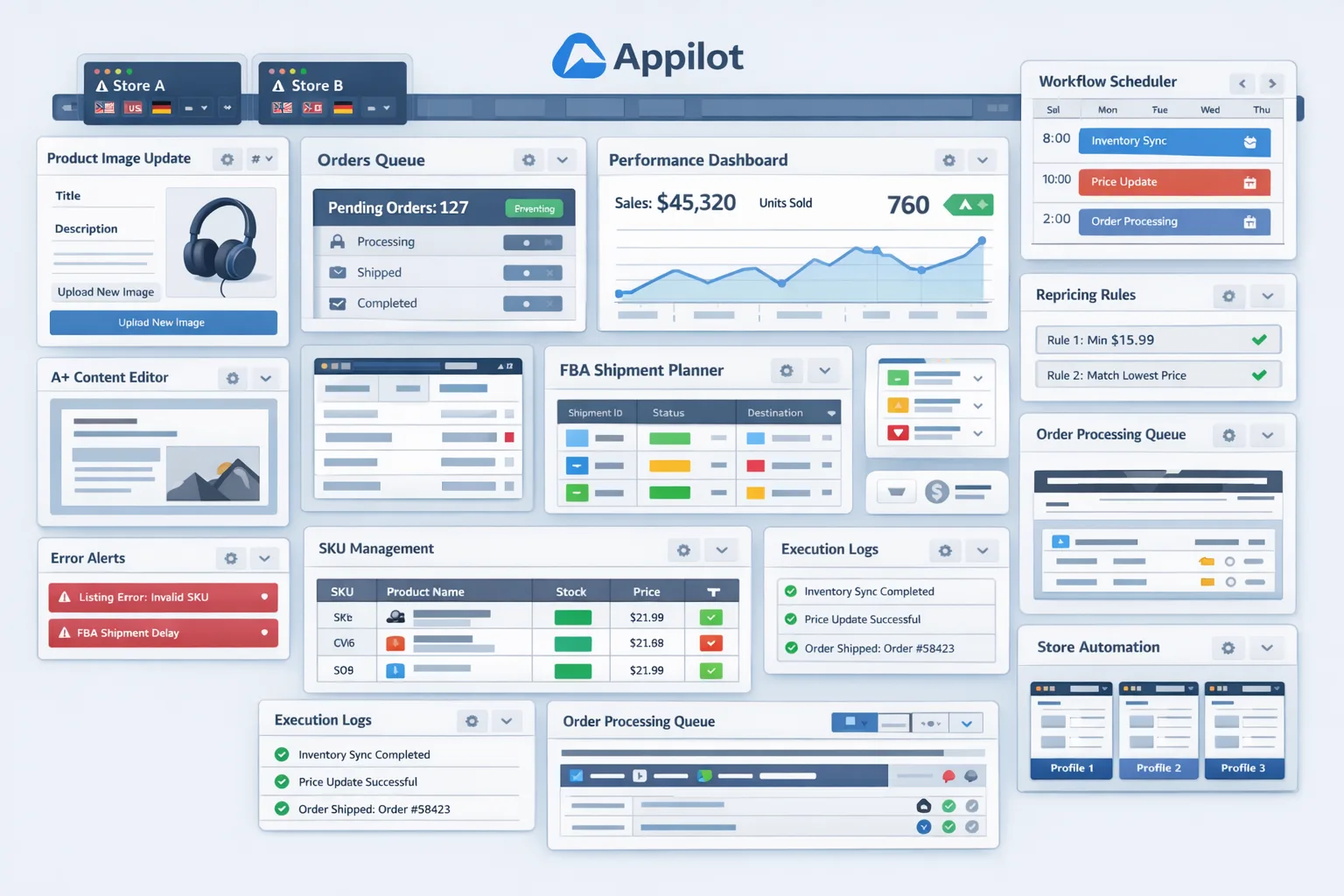
Safety and Best Practices for Amazon A+ Content Updates Automation
The first rule is to automate only the execution layer, not the strategic judgment. Your team should still approve the content, assets, and mapping before the workflow runs. Automation should help with repetitive implementation, not replace review where accuracy matters.
The second rule is to keep timing realistic and controlled. Repeated browser actions should not happen in a rigid, machine-like burst across large numbers of records without pauses or monitoring. Sensible delays and staged execution reduce risk and improve practical reliability.
The third rule is to validate inputs before launch. Wrong module assets, bad file names, missing copy blocks, and mismatched ASIN mapping cause a large portion of avoidable failures. Most automation problems are really data discipline problems in disguise.
The fourth rule is to monitor outcomes closely, especially during early deployment. Check whether updates were submitted correctly, whether approvals progress as expected, and whether any content records require manual correction. A+ Content automation is not a set-it-and-forget-it system. It is a workflow that still benefits from regular oversight.
The fifth rule is to scale gradually. Move from small test batches to larger production runs only after you are confident the process is stable and the content quality is being preserved.
Real Results: What to Expect
During the first week, expect most of your effort to go into setup, mapping, and testing. You are building reliability first. Time savings come later. This is the phase where you find edge cases, interface quirks, and content combinations that need special handling.
In the second and third weeks, you should begin to feel the operational benefit. Batches that previously required long manual sessions become easier to manage because the repetitive execution work is being handled through the workflow. Your team shifts from doing the clicks to supervising the process.
By the second month, the biggest advantage is usually consistency. Content updates become easier to schedule and harder to forget. Design refreshes, campaign rollouts, and catalog standardization efforts become more manageable. The larger the catalog, the more meaningful that operational improvement becomes.
The realistic outcome is not instant perfection. It is a more scalable content maintenance process that reduces repetitive work, lowers avoidable errors, and helps your team operate with more control.
Common Problems and Solutions
One common problem is wrong content being applied to the wrong product set. This usually happens because the mapping source is messy or because version control was weak before execution. The fix is to standardize naming, use revision control for assets, and run smaller verification batches before wider rollout.
Another issue is incomplete uploads or failed module replacement. This can happen when the workflow moves forward before the interface is ready or when asset specs are not compatible. The solution is to add stronger validation steps and confirm that assets meet the expected requirements before execution.
A third issue is inconsistent navigation behavior inside different account setups. Not all seller environments are perfectly identical, especially when brands, permissions, or regional settings differ. The fix is to segment workflows by account type and test each environment separately instead of assuming one universal path will work everywhere.
The final major issue is trying to automate too much too quickly. Teams often assume that once the first test works, the entire catalog can be pushed through the same way immediately. That is where mistakes grow. A staged rollout prevents that.
Choosing the Right Tools for Amazon A+ Content Updates Automation
The best setup depends on your scale and internal capabilities. Smaller sellers may only need a lightweight operational workflow. Larger teams, agencies, and aggregators usually need profile management, batch execution control, logging, and better operational visibility.
For this use case, a profile-based browser structure combined with a workflow automation layer is usually the most practical route. Appilot fits naturally here because it supports the operational side of repeated browser-based tasks without forcing teams into a heavy custom development cycle. That makes it suitable for organizations that want practical deployment and controlled scaling rather than a complicated internal automation build.
This section is also where your internal linking strategy works naturally. Browser integration guides, broader ecommerce automation resources, and related Amazon workflow blogs can all be linked here in the final publishing version so the reader has a clear path deeper into the ecosystem without breaking the educational tone.
Scaling Beyond a Small Catalog
At a small catalog size, manual review is easy and almost every submission can be checked individually. As volume grows, visibility becomes more important than direct hands-on execution. You need status tracking, exception logging, and a clear way to identify which content entries succeeded, which failed, and which require manual intervention.
Once you move into large-scale catalog operations, the real challenge is no longer editing content itself. The challenge becomes governance. You need stronger asset control, cleaner approval workflows, better versioning, and a disciplined rollout structure. Automation makes those larger systems more efficient, but it works best when the surrounding process is already organized.
That is why the teams that benefit most from A+ Content automation are not necessarily the most technical ones. They are the ones with enough process discipline to feed good inputs into the workflow and enough operational maturity to monitor results properly.
Frequently Asked Questions
Q1: Can Amazon A+ Content updates really be automated?
Yes, the repeated browser-based execution layer can be automated in a practical way. The creative planning and approval side should still remain human-led, but the routine update process can be turned into a structured workflow.
Q2: Do I need a developer to do this?
Not always. A no-code or low-code workflow approach can go a long way if your process is already organized. What matters most is clean asset mapping, profile structure, and careful testing.
Q3: Is Appilot the only way to handle this?
No. It is simply a practical option for this kind of repeated operational workflow. In this blog, it is used as the example automation layer because it fits the problem naturally without turning the article into a product pitch.
Q4: What kind of businesses benefit most from this?
Large sellers, brand managers, agencies, aggregators, and catalog teams benefit the most because they deal with repeated content updates across multiple products, brands, or accounts.
Q5: What is the biggest risk when automating A+ Content updates?
The biggest risk is poor process control, not the automation itself. If your asset versions, product mapping, or approval flow are disorganized, automation will make those mistakes spread faster.
Q6: How soon will I see time savings?
Usually after the initial setup and testing phase. The first week is often about reliability. The real time savings appear once the workflow is stable and you start using it for repeated production batches.
Conclusion
Amazon A+ Content updates automation is valuable because it turns a repetitive catalog maintenance task into a structured and scalable workflow. Instead of spending hours navigating Seller Central, uploading revised modules, and repeating the same actions across large product sets, your team can prepare the content once, run the workflow, and focus attention on review and exceptions rather than routine execution.
The real advantage is not just speed. It is consistency. Better process control leads to fewer avoidable mistakes, smoother campaign rollouts, and a more manageable content operation as your catalog grows. That is especially important for brands and agencies where content quality and timing directly affect how products are presented on Amazon.
The best way to implement this is to start small, keep your inputs clean, use profile-based workflow control, and scale gradually only after testing shows the process is stable. When done properly, A+ Content automation becomes less about flashy technology and more about better ecommerce operations.