Android 12 vs Android 13 vs Android 14 for Automation: Which Version Works Best?
Android version choice matters more than many automation operators realize. A bot can behave perfectly on one Android version and become unstable on another because of permission changes, background service limits, accessibility restrictions, notification rules, battery controls, app compatibility, or emulator behavior. For social media automation, the Android version becomes part of the account environment, just like the device, proxy, app version, and action limits.
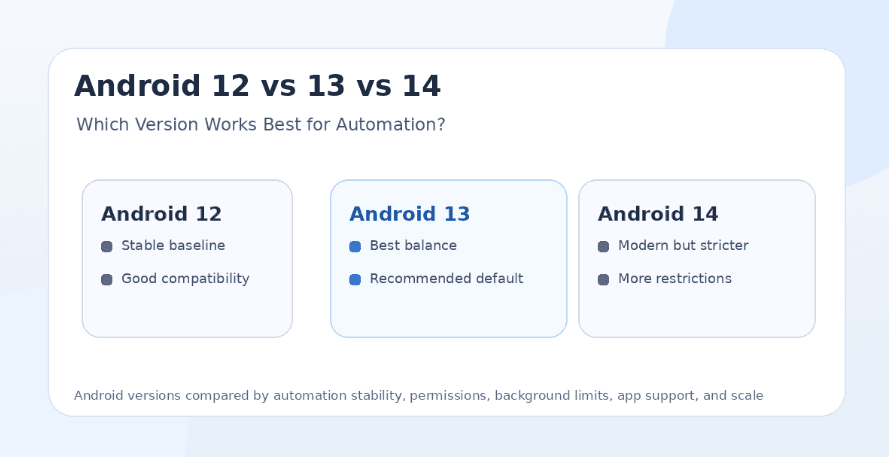
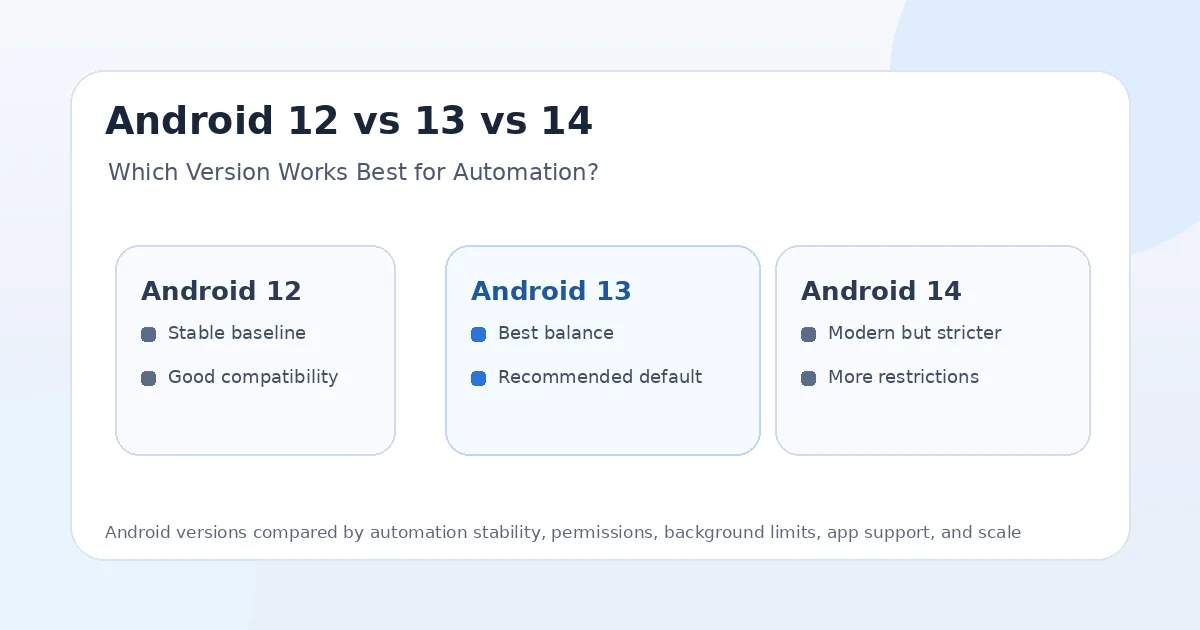
Android 12, Android 13, and Android 14 can all work for automation, but they are not equally convenient. Android 12 is stable and familiar, Android 13 offers the best balance for many bot workflows, and Android 14 is more modern but stricter around background services and permissions. The best choice depends on whether you are running real devices, emulators, Accessibility Service workflows, Appium tests, UIAutomator scripts, or long-running social media bots.
For most bot operators, Android 13 is usually the best default because it is modern enough for app compatibility but not as strict as Android 14 in some background and service behavior. Android 12 is still good for compatibility and older setups. Android 14 is useful for testing newer app behavior, but it requires more careful handling.
Why Android Version Matters for Automation
Android automation depends on the operating system layer. Even if the bot logic is the same, the Android version can change how permissions behave, how apps run in the background, how notifications appear, how services stay alive, and how aggressively the system manages battery and app activity.
This matters for Instagram bots, TikTok bots, Telegram workflows, Snapchat automation, YouTube tasks, Reddit app workflows, Threads automation, and LinkedIn mobile automation. A bot may need to keep an app active, detect UI changes, tap buttons, scroll feeds, upload media, respond to popups, or recover from app crashes. If the OS interrupts those actions, the workflow becomes less reliable.
For platforms like Appilot, which run bots on real Android devices and emulators through a remote web dashboard, Android version choice affects stability, setup effort, and long-term automation quality. The goal is not always to use the newest Android version. The goal is to use the version that gives the best mix of app support, stability, and control.
Android 12 for Automation
Android 12 is a strong baseline for automation because it is mature, widely supported, and familiar to many bot operators. Many apps still run well on Android 12, and many automation frameworks have had enough time to adapt to its behavior.
For social media automation, Android 12 is useful when you want fewer surprises. App compatibility is generally strong, emulator support is broad, and many real Android devices still run Android 12 reliably. If your automation stack was built around Android 12, there may be no urgent reason to change unless a specific app requires a newer version.
The downside is that Android 12 is older, and some newer app features may eventually behave better on newer versions. Over time, social apps may optimize more heavily for Android 13 and Android 14. For now, Android 12 remains practical, especially for stable legacy automation environments.
Android 13 for Automation
Android 13 is usually the best balance for bot operators in 2025. It is newer than Android 12, has strong app compatibility, and avoids some of the stricter operational friction that can appear when targeting or running on Android 14.
For real-device automation, Android 13 gives a good mix of stability and modern app support. Many social media apps run smoothly on Android 13, and the OS is recent enough that developers and automation platforms have already adjusted to its permission and notification behavior.
Android 13 is especially useful for long-running social media bots because it is not too old and not too restrictive. If you are choosing a default Android version for Instagram, TikTok, Telegram, LinkedIn, Reddit, Snapchat, YouTube, or Threads workflows, Android 13 is often the safest practical starting point.
Android 14 for Automation
Android 14 is the most modern option in this comparison, but it is also stricter in ways that can affect automation. It introduces tighter requirements around foreground services, background behavior, and permission handling for apps that target newer SDK levels. This can create extra work for automation apps, helper services, and workflows that need to stay active reliably.
For testing, Android 14 is important. If your users, clients, or target devices run Android 14, you need to verify that your automation works there. Ignoring Android 14 can create problems when apps update, devices upgrade, or workflows move to newer environments.
For production bot operations, Android 14 can work, but it may require more careful setup than Android 13. If the automation depends on background execution, foreground services, accessibility permissions, notifications, or device-side helpers, Android 14 needs more testing before being used at scale.
Android 12 vs Android 13 vs Android 14: The Main Difference
The main difference is the trade-off between maturity and strictness. Android 12 is mature and stable, Android 13 is the best middle ground, and Android 14 is newer but more restrictive.
Android 12 is best when you want compatibility with existing bot stacks and older devices. Android 13 is best when you want a modern, stable default for most automation workflows. Android 14 is best when you need to test new OS behavior, support newer devices, or prepare for stricter Android environments.
For most social media bot operators, Android 13 is the best default. It gives better future-readiness than Android 12 while avoiding some of the extra friction that can come with Android 14.
Which Android Version Is Safest for Bots?
Android 13 is usually the safest practical choice for bots because it gives a strong balance of app compatibility, OS stability, and automation reliability. It is modern enough for current social apps but not as demanding as Android 14 for some service and background behavior.
Android 12 can also be safe if the device environment is stable and the apps still run well. In fact, many bot operators prefer staying on a proven version rather than upgrading too quickly. Stability is valuable when managing accounts at scale.
Android 14 is not unsafe, but it is stricter. It may be safer from a system-security perspective, but stricter system behavior can make automation harder to keep stable. For bot operators, the safest version is the one that runs consistently without causing broken sessions, permission issues, or repeated workflow failures.
Best Version for Instagram Automation
Android 13 is usually the best version for Instagram automation. It supports current Instagram app versions well, offers a stable Android environment, and is modern enough for long-term use without being as restrictive as Android 14.
Android 12 can still work well for Instagram bots, especially when the account setup is already stable. If your bot runs smoothly on Android 12 and Instagram does not require a newer OS version, there may be no immediate reason to upgrade.
Android 14 should be tested carefully before being used for important Instagram accounts. It can work, but any automation that depends on background helpers, foreground services, accessibility permissions, or persistent sessions should be validated first.
Best Version for TikTok Automation
TikTok is media-heavy, so app performance matters. Android 13 is usually the best balance because it supports modern TikTok behavior while staying stable for automation. It is a good default for feed scrolling, video playback, engagement workflows, and account operations.
Android 12 can work for TikTok, but older devices running Android 12 may struggle with performance if they have weaker hardware. The Android version is only one part of the equation. CPU, RAM, GPU, storage, and network quality also matter.
Android 14 is useful for TikTok testing because many newer phones run it, but production workflows should be checked carefully. If the bot depends on smooth playback, app recovery, or background monitoring, Android 14 needs proper validation.
Best Version for Telegram and Discord Automation
Telegram and Discord are usually less demanding than TikTok or Instagram. Android 12, Android 13, and Android 14 can all work for messaging and community workflows if the automation is designed properly.
Android 13 is still the best default because it gives modern app support with strong stability. Android 12 is fine for older devices or lightweight workflows. Android 14 is useful when the device fleet is newer or when the team needs to test the latest app behavior.
For messaging workflows, the bigger risk is usually not the Android version. It is spam behavior, cold messaging, repeated patterns, poor proxies, and account reports. The OS matters, but account behavior matters more.
Best Version for Snapchat Automation
Snapchat is mobile-first and camera-heavy, so real device behavior and app stability matter. Android 13 is usually the strongest practical choice because it is modern enough for current Snapchat versions while remaining stable for automation workflows.
Android 12 can work, but users should confirm that the Snapchat version they need still runs smoothly on the device. Camera, media, permissions, and app performance are important for Snapchat workflows.
Android 14 is useful for testing newer Snapchat behavior, but it can require more careful permission and background handling. For production automation, test thoroughly before moving valuable accounts to Android 14.
Best Version for YouTube Automation
YouTube works across a wide range of Android versions, so Android 12, 13, and 14 can all be useful. Android 13 is usually the best default because it provides modern app support and stable playback behavior.
Android 12 is still fine for lightweight YouTube workflows like checking videos, managing comments, browsing channels, and testing basic app behavior. Android 14 is better for testing newer devices and current app behavior, especially if you care about modern playback and app permission behavior.
For YouTube, the most important warning is that automation should not be used to fake watch time. The Android version does not make artificial engagement safe. Legitimate workflows like testing, monitoring, and account management are safer.
Best Version for Accessibility Service Bots
Android 13 is usually the best version for Accessibility Service-based automation because it offers modern app compatibility while remaining practical for long-running workflows. Accessibility Service bots need stable permissions, reliable UI observation, and consistent device behavior.
Android 12 is also good for Accessibility Service workflows, especially if the device setup is already stable. It may be a better option for older phones or emulator environments where performance is predictable.
Android 14 can still support Accessibility Service workflows, but stricter background and service behavior means the setup should be tested carefully. If a bot needs to stay active for long sessions, handle popups, and recover from app state changes, Android 14 should not be assumed safe without validation.
Best Version for Appium and UIAutomator
For Appium and UIAutomator testing, Android 13 is again a strong default because it is modern, stable, and widely supported by current tooling. QA teams can use it to validate app behavior without dealing with the oldest or newest OS edge cases.
Android 12 is useful when testing compatibility for older devices. If your app or workflow needs to support users on older Android versions, Android 12 remains important.
Android 14 is important for forward compatibility testing. If you build automation software, you should test on Android 14 even if you do not use it as the main production bot version. This helps catch foreground service, permission, notification, and background behavior issues before they break real workflows.
Best Version for Emulators
Android 12 and Android 13 are usually better for emulator-based automation because they are more mature and widely supported across emulator environments. They often run more predictably than newer versions on many machines.
Android 13 is the best default if the emulator supports it well. It gives modern app compatibility without being too old. Android 12 is useful when performance or stability is better on older emulator builds.
Android 14 emulator support can be useful for testing, but it may not always be the best production choice for social media bots. Newer emulator images may require more resources, and automation tools may need more updates to handle behavior changes.
Best Version for Real Phones
For real phones, Android 13 is usually the best default because it is modern, stable, and widely supported. Many devices run Android 13 smoothly, and it works well for social media automation when paired with good proxies, realistic limits, and stable sessions.
Android 12 is still good for older real phones, especially if the device is reliable and the apps you need still perform well. There is no need to discard Android 12 devices if they are stable and supported by your workflow.
Android 14 is good for newer devices and future readiness, but it should be tested before being used at scale. If the automation app targets newer SDK behavior or depends on foreground services, Android 14 may require extra care.
Permissions and Background Restrictions
Android has become stricter over time with permissions, notifications, foreground services, background starts, and user control. Android 12 already introduced important background execution behavior that affected apps running long tasks. Android 13 added more permission and notification changes. Android 14 tightened foreground service requirements further for apps targeting newer SDK levels.
For automation, this means newer Android versions can require cleaner implementation. A bot app that worked casually on Android 12 may need better service declarations, permission handling, notification logic, and recovery behavior on Android 14.
This is why Android 13 is often the best operational middle ground. It is modern enough to support current apps but usually less demanding than Android 14 for certain long-running automation setups.
Battery Optimization and Doze Behavior
Battery optimization can interrupt automation if the device tries to save power aggressively. Android 12, 13, and 14 all have power management behavior that can affect background apps, but newer versions tend to be stricter and more controlled.
For bot operators, battery settings should be configured carefully. The automation app, remote control layer, and target app should not be killed during active sessions. Devices should also be plugged in, stable, and monitored if they are part of a phone farm.
Appilot’s remote dashboard model helps reduce local-machine dependency, but the Android device itself still needs proper setup. The OS version, battery settings, app permissions, and device health all matter for stable workflows.
App Compatibility
Android 13 offers the best app compatibility balance for most automation workflows. It is recent enough for modern social apps and old enough that most compatibility issues have been found and solved.
Android 12 is still compatible with many apps, but some newer features may eventually work better on newer OS versions. Android 14 offers the newest compatibility direction, but it may also expose stricter behavior that older automation apps are not ready for.
For high-value automation workflows, test the exact app version, Android version, device model, and proxy setup before scaling. A small difference in app build or OS behavior can affect automation reliability.
Performance and Device Resources
Android version is not the only performance factor. A strong Android 12 device may outperform a weak Android 14 device. RAM, CPU, storage speed, thermal behavior, battery health, and app load all affect automation stability.
For emulators, Android 12 and 13 may be lighter and more predictable than Android 14 depending on the emulator build. For real phones, Android 13 often runs well on mid-range devices and gives a strong balance between performance and app support.
Bot operators should not choose Android 14 only because it is newer. If a device runs hotter, slower, or less predictably on Android 14, Android 13 may be better for automation.
Upgrade Strategy for Bot Operators
Bot operators should avoid upgrading every device at once. A safer strategy is to keep most production devices on the most stable version, usually Android 13, while testing Android 14 on a smaller group.
Android 12 devices can remain useful for legacy workflows and testing. Android 13 can be the main production environment. Android 14 can be used for forward compatibility, newer device support, and app behavior testing before wider rollout.
This staged approach reduces risk. If Android 14 causes permission, service, or app stability issues, only a small part of the device fleet is affected.
Best Setup for Beginners
Beginners should start with Android 13 when possible. It gives the best balance of modern app support and stable automation behavior. It also avoids some of the older compatibility concerns of Android 12 and some of the stricter behavior of Android 14.
Android 12 is still fine if the beginner already has a stable device. There is no need to chase the newest version if the current setup works.
Beginners using Appilot can focus less on ADB, laptop setup, and device control because the platform lets them manage Android devices and emulators remotely. Still, they should choose stable Android versions and avoid aggressive bot behavior.
Best Setup for Agencies
Agencies should standardize around Android 13 for most production automation. It is modern, stable, widely supported, and practical for multi-account workflows. Standardization matters because mixed device fleets can create more troubleshooting work.
Android 12 can remain useful for fallback devices and legacy accounts. Android 14 should be tested in a controlled group before being used for important client accounts.
For agencies running Appilot, Android version consistency helps maintain cleaner workflows across Instagram, TikTok, LinkedIn, Reddit, Discord, Telegram, YouTube, Threads, Snapchat, Gmail, Chrome, and other apps. The more consistent the device fleet, the easier it is to debug issues.
Best Setup for Phone Farms
Phone farms should prioritize stability over novelty. Android 13 is usually the best main version for a phone farm because it balances app support and automation reliability. A phone farm full of unstable Android 14 devices may create more problems than it solves.
Android 12 devices can still be useful if they are stable, fast enough, and compatible with the required apps. Android 14 devices should be introduced gradually after testing.
A phone farm also needs proper battery settings, cooling, charging, proxy mapping, account mapping, and remote monitoring. Android version is important, but it is only one part of a reliable phone farm setup.
Best Setup for Developers
Developers should test across all three versions. Android 12 helps catch older compatibility issues. Android 13 is the best production baseline. Android 14 helps prepare for stricter foreground service, permission, and background behavior.
If building automation tools, developers should not assume a workflow that works on Android 12 will behave the same on Android 14. Foreground services, notifications, background starts, and permission checks may behave differently.
For production, developers can use Android 13 as the main target while keeping Android 14 in the test matrix. This helps avoid future breakage without forcing the entire workflow onto the strictest version too early.
Final Verdict
Android 13 is the best overall version for automation in 2025 because it offers the strongest balance of app compatibility, stability, permissions, performance, and long-running bot reliability. It is modern enough for current social apps but usually less difficult to operate than Android 14.
Android 12 is still useful for stable legacy setups, older devices, emulator workflows, and compatibility testing. It should not be dismissed if the automation already runs well on it.
Android 14 is important for testing and future readiness, but it is stricter. It can work for automation, but operators should validate permissions, foreground services, background behavior, battery settings, and app compatibility before using it at scale.
For serious bot operations, the best strategy is to use Android 13 as the main production version, keep Android 12 for stable fallback and testing, and introduce Android 14 gradually. With Appilot, users can run workflows across real Android devices and emulators remotely without ADB or laptop dependency, making it easier to standardize and manage automation environments across multiple platforms. You can explore Appilot’s bot store and real-device workflows at appilot.app.
FAQs
Q1: Which Android version is best for automation?
Android 13 is usually the best overall choice because it balances modern app support, stability, permissions, and long-running automation reliability.
Q2: Is Android 12 still good for bots?
Yes, Android 12 is still good for stable legacy setups, older devices, and emulator workflows. It is useful when the apps and automation stack already run reliably.
Q3: Is Android 14 bad for automation?
Android 14 is not bad, but it is stricter around services, permissions, and background behavior. It should be tested carefully before production use.
Q4: Which Android version is best for Instagram bots?
Android 13 is usually the best default for Instagram bots because it supports current app behavior while staying stable for long-running workflows.
Q5: Does Appilot work with Android 12, 13, and 14?
Yes, Appilot can support workflows across Android devices and emulators, but Android 13 is usually the best production baseline for most automation setups.