Android Emulator vs Real Phone for Instagram Bots: Which Gets Banned Less?
Instagram bot safety depends on more than the bot script itself. The device environment, IP quality, account age, action speed, session history, app behavior, and automation pattern all affect whether an account looks normal or suspicious. That is why the Android emulator vs real phone debate matters so much for Instagram automation.
A bot running on a cheap emulator can technically perform the same actions as a bot running on a real Android phone. It can open Instagram, follow users, like posts, watch stories, send DMs, and manage account activity. But Instagram does not only see the action. It also evaluates the environment behind that action.
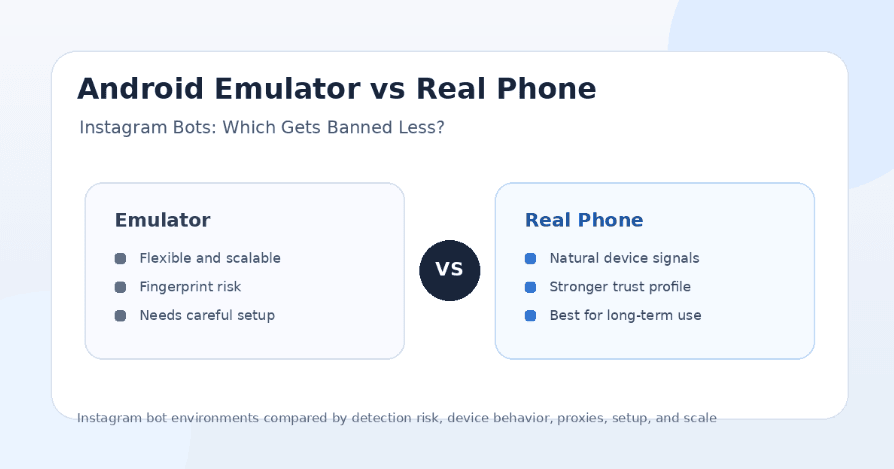
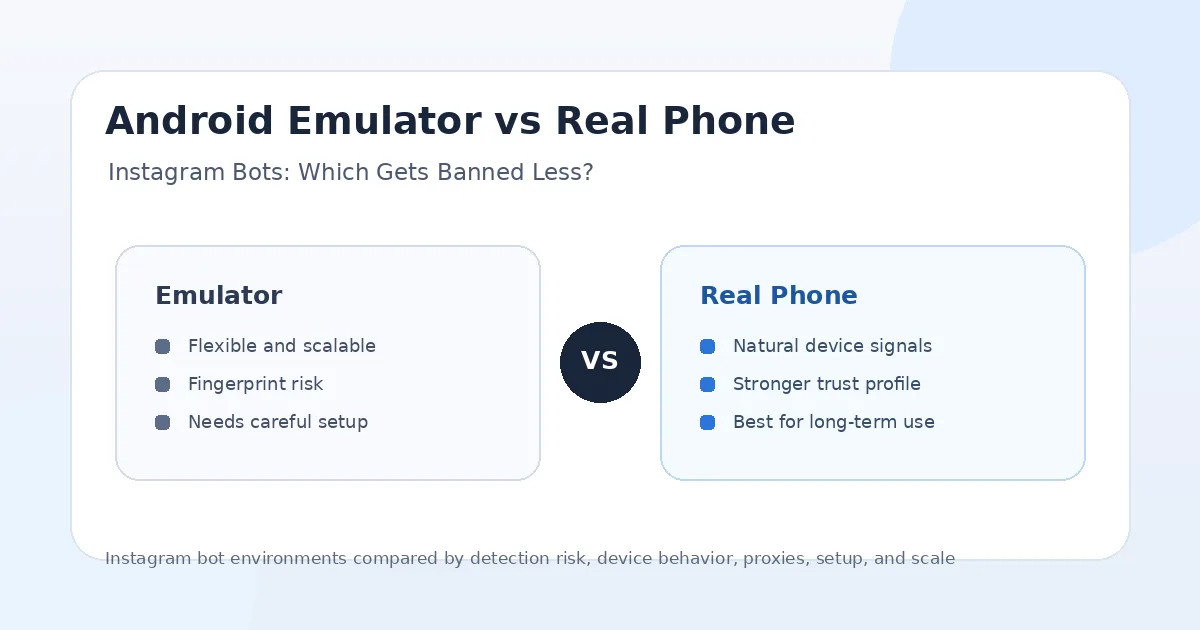
In general, real phones are safer than emulators for long-term Instagram bot workflows because they produce more natural device signals, real hardware behavior, and more believable mobile sessions. Emulators can still work, especially when configured carefully, but they usually require more attention to fingerprints, proxies, device identity, app stability, and account limits.
Why the Device Environment Matters
Instagram automation risk is not only about what the bot does. It is also about where the bot appears to be doing it from. A real user normally opens Instagram from a physical phone with consistent hardware, mobile app behavior, sensor signals, device history, location patterns, and network habits.
An emulator tries to imitate that environment. Some emulators are good enough for testing and automation, but they can still expose patterns that look less natural than a real phone. These patterns may include generic device profiles, repeated emulator fingerprints, missing hardware signals, unusual screen behavior, shared environments, or suspicious session changes.
This does not mean every emulator account gets banned. It means emulators usually need cleaner setup and softer automation limits. A real phone starts with a more believable baseline, while an emulator needs more work to avoid looking artificial.
What Is an Android Emulator?
An Android emulator is software that simulates an Android device on a computer or server. Tools like BlueStacks, NoxPlayer, LDPlayer, Genymotion, Android Studio Emulator, and cloud emulators let users run Android apps without using a physical phone.
For Instagram bots, emulators are attractive because they are easy to scale. A user can run multiple instances, clone setups, automate app actions, test workflows, and manage several accounts from one machine. This is why many bot operators start with emulators before moving to real phones.
The downside is that emulators are not real devices. They may look similar on the surface, but they can still have detectable differences in hardware identity, app performance, sensor behavior, graphics rendering, device history, and interaction patterns. For casual testing, that may be fine. For long-term Instagram growth automation, those differences can matter.
What Is a Real Phone Setup?
A real phone setup means the Instagram bot runs on an actual Android phone instead of a simulated device. The phone has real hardware, real sensors, real system behavior, real app storage, and a more natural mobile identity.
For Instagram automation, this is usually the safer environment. A real phone behaves more like the devices Instagram expects normal users to have. The app runs in a genuine Android environment, and the account can build a consistent history on one device.
The downside is cost and management. Real phones cost money, need charging, require physical space, may need remote access, and can become hard to manage at scale. This is where platforms like Appilot become useful because they let users run real-device automation remotely through a web dashboard without ADB or laptop dependency.
Android Emulator vs Real Phone: The Main Difference
The main difference is trust quality. A real phone gives Instagram a more natural device environment. An emulator gives users more flexibility and cheaper scaling, but it starts from a more artificial baseline.
Real phones are better for account trust, long-term sessions, mobile behavior, and reducing obvious environment-related signals. Emulators are better for testing, low-cost scaling, quick setup, and running many instances without buying physical devices.
If your goal is short-term testing, an emulator can work. If your goal is long-term Instagram automation with fewer ban triggers, a real phone is usually the better choice. The safest setup is not just “real phone plus bot.” It is a real phone with good proxies, realistic timing, account warm-up, soft limits, and human-like behavior.
Which Gets Banned Less?
Real phones generally get banned less than emulators when all other factors are equal. The reason is simple: a real phone looks more like a normal Instagram user environment. It has genuine hardware behavior, stable app sessions, natural device identity, and fewer obvious emulator fingerprints.
Emulators can still survive if they are configured carefully. A clean emulator with a good proxy, realistic limits, warmed account, stable device identity, and natural usage pattern may perform better than a real phone running aggressive spam. The environment matters, but behavior still matters more.
So the honest answer is this: a real phone reduces one major category of risk, but it does not protect bad automation. An emulator increases environment risk, but it can still work with careful setup. The worst setup is a poorly configured emulator running aggressive follow/unfollow, mass DMs, scraping, or repeated comments.
Detection Risk on Emulators
Emulators can create detection risk because they often share recognizable patterns. Many users run the same emulator brands, same device profiles, same Android builds, same screen sizes, same graphics behavior, and similar app environments. When those patterns appear across many Instagram accounts, they can look suspicious.
Some emulators also behave differently from real phones during app usage. Touch behavior, scrolling smoothness, app performance, sensor availability, keyboard input, clipboard behavior, and background activity may not match normal mobile usage. These small differences can stack up over time.
Another common risk is cloning. Operators often clone emulator instances to scale faster, but cloned environments may share too many identifiers or patterns. If multiple accounts look like they came from the same template, the setup becomes easier to flag.
Detection Risk on Real Phones
Real phones reduce many emulator-related risks, but they are not risk-free. A real phone can still get an Instagram account restricted if the bot behaves unnaturally. Aggressive follows, repeated likes, mass comments, spam DMs, scraping, fast account switching, and poor proxy usage can still cause problems.
Real phones also need consistency. If an account logs in from one phone today, another country tomorrow, a desktop browser the next day, and a different proxy after that, the account can still look suspicious. Device trust works best when the account environment stays stable.
The safest real-phone setup uses one account per device or a carefully managed account-to-device structure, stable proxies, slow action limits, realistic breaks, and natural app usage. The phone helps, but the workflow still needs discipline.
Proxies Matter More Than Most People Think
A real phone with a bad proxy can still perform poorly. An emulator with a high-quality, stable mobile proxy may sometimes outperform a real phone on a suspicious datacenter IP. This is why device choice and proxy choice should be considered together.
For Instagram automation, mobile proxies and strong residential proxies are usually safer than low-quality datacenter proxies. The proxy should match the account’s normal region and should not rotate too aggressively during a session. Constant IP changes can look unnatural.
For multi-account setups, each account should have a consistent environment. That means stable device identity, stable proxy behavior, and realistic usage timing. Device trust and proxy trust work together.
Action Limits Still Matter
Many users think switching from emulator to real phone will solve every ban problem. It will not. If the account follows too many users, unfollows in obvious cycles, sends repeated DMs, comments the same message everywhere, or scrapes too much data, the account can still be flagged.
Instagram restrictions often happen because behavior looks automated. Device environment is one signal, but action pattern is another. Real phones reduce environment risk, but they cannot make spam look safe.
A safer workflow uses lower daily limits, longer delays, random breaks, varied actions, better targeting, and more natural session lengths. Accounts should be warmed up slowly instead of being pushed aggressively on day one.
Emulator Advantages
Emulators are useful because they are flexible and affordable. Users can create multiple instances, test bots quickly, experiment with workflows, take snapshots, reset environments, and run automation from one machine or server.
They are also helpful for development. If a team is building or testing an Instagram bot, an emulator makes it easier to debug actions, inspect behavior, and repeat test cases without constantly handling physical devices.
For low-risk testing and early development, emulators are practical. The problem starts when users rely on emulators for serious long-term growth automation across many accounts without managing fingerprints, proxies, limits, and account trust carefully.
Real Phone Advantages
Real phones are stronger for long-term account trust. They provide more natural hardware behavior, app performance, sensor signals, device identity, and session consistency. This gives Instagram fewer reasons to question the environment.
Real phones are also better for mobile-first automation because Instagram is primarily a mobile app. When automation happens through the real app on a real device, the workflow starts from a more realistic place than a desktop or browser-based setup.
The main challenge is management. Running one real phone is easy. Running 20 or 100 phones is harder. This is why remote management tools are important for phone farms and agencies.
Where Appilot Fits
Appilot is built for users who want the safer side of real-device automation without dealing with the usual phone farm headaches. It lets users run bots on real Android devices and emulators through a remote web dashboard, with no ADB and no laptop required.
This matters because many real-phone setups become difficult to manage. Users deal with cables, charging, ADB disconnects, driver issues, sleeping laptops, local scripts, and manual monitoring. Appilot removes much of that friction by making the dashboard the control layer.
Appilot also supports Instagram plus TikTok, Twitter/X, LinkedIn, Discord, Reddit, Snapchat, YouTube, Threads, Telegram, Gmail, Chrome, and more. This makes it useful for agencies and operators who want real-device workflows across many platforms, not just Instagram.
Best Setup for Beginners
Beginners should avoid aggressive automation no matter which environment they choose. A new account on a fresh emulator running high-volume follow/unfollow actions is one of the riskiest setups. A new account on a real phone can still be risky if the bot moves too fast.
The safer beginner setup is one warmed Instagram account, one stable device environment, one stable proxy if needed, low action limits, and realistic daily activity. The goal should be to build trust before scaling.
For beginners who do not want to manage ADB, cables, or emulator setup manually, Appilot is a better starting point because it gives a remote dashboard and real-device workflow without heavy technical setup.
Best Setup for Agencies
Agencies should prefer real phones or carefully managed real-device environments over cheap emulator farms. Client accounts are valuable, and saving money on infrastructure can become expensive if accounts get restricted.
A good agency setup should use stable devices, clean proxies, account separation, realistic limits, logging, and monitoring. Teams should know which account runs on which device, which proxy it uses, and what actions it performs.
Appilot is a strong fit for agencies because it gives remote control, no ADB setup, no laptop dependency, bot store access, and multi-platform workflows. This makes it easier to manage real-device automation professionally.
Best Setup for Phone Farms
For phone farms, real phones are usually the best foundation. They provide more natural device signals and are better suited for long-term account trust. The challenge is scaling and managing the devices efficiently.
A phone farm needs charging, ventilation, proxies, remote access, device health checks, account mapping, action logs, and automation control. Without a management layer, the setup becomes messy quickly.
Appilot helps solve this problem by letting users manage Android devices and emulators remotely through a web dashboard. This makes it more practical to operate real-device workflows at scale.
Best Setup for Testing
For testing, emulators are still very useful. Developers can quickly test workflows, reset environments, debug automation steps, and run controlled experiments. It is cheaper and faster than using a real phone for every test.
However, testing success on an emulator does not always mean production safety. A workflow that works mechanically in an emulator may behave differently on a real phone or may carry more risk when used at scale.
The best approach is to test on emulators first, then validate on real devices before using the workflow on important accounts.
Final Verdict
If the question is which gets banned less, real phones generally win. They provide more natural device behavior, stronger account trust signals, and a more realistic Instagram app environment. Emulators can still work, but they require more careful setup and usually carry higher environment-related risk.
That said, device choice is only one part of Instagram bot safety. A real phone running aggressive spam can still get banned. A carefully configured emulator with slow limits and strong proxies may survive better than a badly managed real-device setup. The safest strategy combines real-device behavior, stable proxies, warmed accounts, realistic timing, soft limits, and high-quality targeting.
For serious Instagram automation, phone farms, agencies, and multi-account workflows, Appilot is the strongest long-term choice because it supports real Android devices and emulators through a remote web dashboard without ADB or laptop dependency. You can explore Appilot’s bot store and real-device workflows at appilot.app.
FAQs
Q1: Do real phones get banned less than emulators for Instagram bots?
Yes, real phones generally get banned less because they provide more natural device signals and real mobile behavior. Bad automation can still get restricted on any device.
Q2: Are Android emulators safe for Instagram automation?
Emulators can work for testing and careful automation, but they usually carry more fingerprint and environment risk. They need strong proxies, clean setup, and softer limits.
Q3: What is the safest setup for Instagram bots?
The safest setup is a warmed account on a stable real device with realistic limits, good proxies, natural timing, and careful targeting. Real-device automation is usually safer than cheap emulator farms.
Q4: Is Appilot better for real phones or emulators?
Appilot supports both real Android devices and emulators, but real phones are usually better for long-term account trust. Emulators are useful for testing and controlled workflows.
Q5: Does Appilot require ADB or a laptop?
No, Appilot does not require ADB or a laptop-based setup. Users can manage Android devices and emulators remotely through a web dashboard.