Appilot vs Instabot Pro: Feature-by-Feature Breakdown for 2025
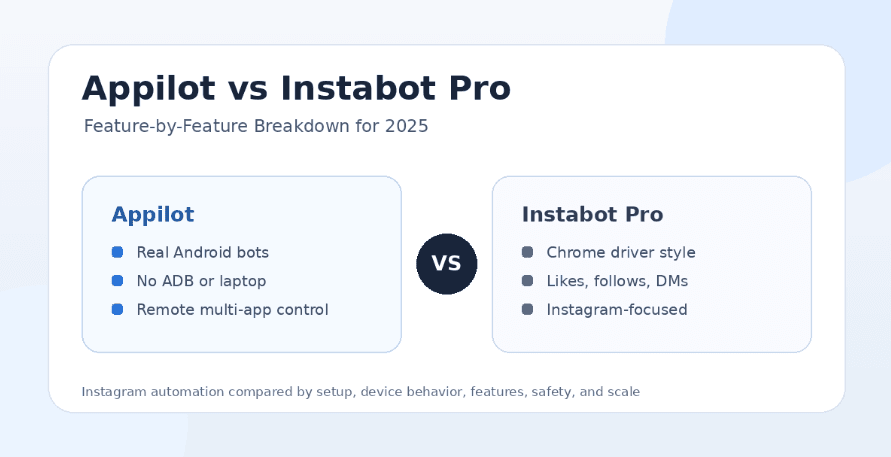
Instagram automation tools can look similar at first. Most promise faster growth, less manual work, more engagement, and better account activity. But once you look at how the automation actually runs, the differences become much clearer. Some tools rely on browser automation, Chrome drivers, desktop workflows, or simple follow-like-DM actions, while others run workflows inside real Android environments.
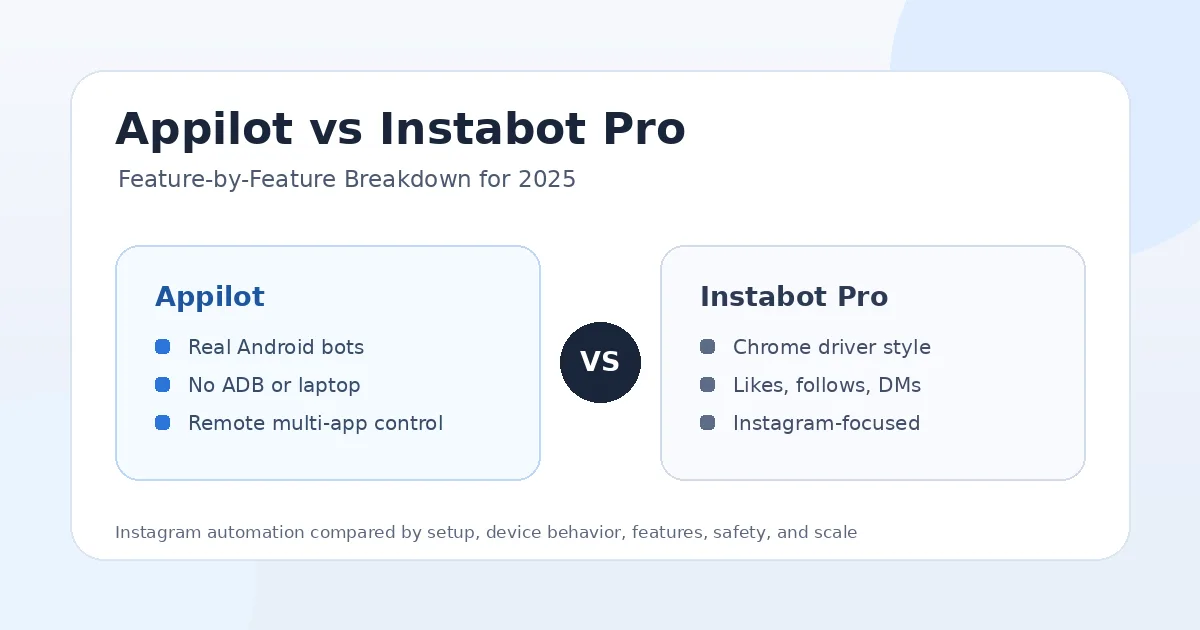
That is why the Appilot vs Instabot Pro comparison matters. Instabot Pro is generally positioned as an Instagram automation tool for actions like auto likes, follows, unfollows, comments, DMs, and audience extraction. Appilot is different because it is a real-device automation platform that lets users run bots on Android phones and emulators through a remote web dashboard without ADB or a laptop.
Both tools can help users automate Instagram tasks, but they are built for different levels of control. Instabot Pro is more focused on Instagram growth actions. Appilot is built for users who want real-device bots, remote control, proxy support, multi-account workflows, and automation across many social platforms.
What Is Instabot Pro?
Instabot Pro is an Instagram automation tool that is usually associated with automated likes, follows, unfollows, comments, DMs, profile targeting, and user extraction. It is designed for people who want to reduce manual Instagram work and use automation to grow or manage their audience.
The tool appears to focus heavily on Instagram growth actions. That can be useful for users who want direct automation around engagement and outreach without building scripts from scratch. For creators, marketers, influencers, or small businesses, this kind of tool may seem attractive because it promises to handle repetitive Instagram tasks faster than manual work.
The main limitation is that Instabot Pro is still mostly an Instagram-specific automation tool. It does not offer the same real-device infrastructure, multi-platform bot store, remote Android control, or no-ADB device workflow that Appilot provides.
What Is Appilot?
Appilot is a real-device automation platform that lets users run bots on Android phones and emulators remotely through a web dashboard. Instead of depending on desktop scripts, Chrome driver automation, local laptops, or browser-style workflows, Appilot is built around mobile environments where automation can run directly inside Android app sessions.
The main advantage is that Appilot gives users control over the automation environment. Users can run bots without ADB, without keeping a laptop connected, and without dealing with cables, drivers, or local device pairing problems. This makes it useful for phone farm operators, agencies, growth teams, and users managing multiple accounts.
Appilot also includes a bot store with ready-to-use automations for Instagram, TikTok, Twitter/X, LinkedIn, Discord, Reddit, Snapchat, YouTube, Threads, Telegram, Gmail, Chrome, and more. That makes it a broader system than a single Instagram bot because it supports many workflows from one dashboard.
Appilot vs Instabot Pro: The Main Difference
The biggest difference between Appilot and Instabot Pro is how the automation runs. Instabot Pro is mainly an Instagram automation tool focused on growth actions and engagement workflows. Appilot is a real-device automation platform that runs bots on Android phones and emulators.
This difference matters because Instagram automation is not only about which actions a tool can perform. It is also about the environment those actions come from. Browser-based automation, Chrome driver workflows, and desktop-style tools can behave differently from real mobile app usage. Appilot’s real-device approach gives users a more mobile-native setup.
Instabot Pro may be enough for users who want simple Instagram actions like auto likes, follows, comments, DMs, or extraction. Appilot is better for users who need scalable device control, multi-account management, proxy support, and workflows that can expand beyond Instagram.
Feature Breakdown: Automation Environment
Instabot Pro appears to lean toward browser or driver-based automation in some versions, especially where Chrome driver style workflows are involved. This kind of setup can automate actions, but it may also depend on local machine stability, browser behavior, and desktop-style execution.
Appilot runs automation through Android phones and emulators. This gives users a more realistic mobile app environment, which matters for platforms like Instagram where mobile behavior is a major part of normal usage. Instead of treating Instagram as only a browser workflow, Appilot lets users work through mobile devices and app sessions.
For basic Instagram tasks, Instabot Pro may look simpler. For long-term automation infrastructure, Appilot offers a stronger foundation because the workflow is tied to real Android environments instead of only desktop or browser automation.
Feature Breakdown: Setup and Ease of Use
Instabot Pro may appeal to users who want a direct Instagram automation tool without thinking too much about broader infrastructure. If the goal is to automate likes, follows, unfollows, comments, or DMs from one tool, the setup may feel straightforward for users who are comfortable with desktop software or browser-based tools.
Appilot is designed to remove the common pain points of Android automation. Traditional mobile automation often requires ADB, cables, drivers, device pairing, laptop uptime, and troubleshooting when connections break. Appilot avoids that by giving users a web dashboard to control Android devices and emulators remotely.
If you only want a simple Instagram bot, Instabot Pro may feel easier at first. If you want a cleaner long-term setup without ADB or laptop dependency, Appilot is more practical.
Feature Breakdown: Instagram Actions
Instabot Pro’s strongest feature area is Instagram-specific actions. It is typically associated with auto likes, auto follow, auto unfollow, comments, direct messages, audience targeting, and user extraction. These are the classic Instagram growth automation features many users look for.
Appilot can also support Instagram automation, but its value is not limited to one action list. Because Appilot runs bots inside Android environments, it can support more flexible mobile workflows depending on the bot being used. That may include Instagram actions, app navigation, account workflows, posting flows, engagement tasks, or custom automation built for a specific use case.
If you are only comparing standard Instagram growth actions, Instabot Pro may cover many expected basics. If you want automation that can be adapted across devices, accounts, and apps, Appilot offers more flexibility.
Feature Breakdown: Remote Dashboard
Instabot Pro is more limited when the user needs remote device control. Since it is not built as a real-device orchestration platform, it does not solve the same problem as Appilot for users managing Android phones, emulators, or phone farms.
Appilot’s dashboard is one of its biggest advantages. Users can control Android phones and emulators remotely through a browser, which means they do not need to keep a laptop physically connected to devices. This is useful for agencies, operators, and teams that need to manage accounts from anywhere.
For a single Instagram account, remote device control may not matter much. For multi-account operations, it becomes one of the most important features.
Feature Breakdown: ADB and Laptop Dependency
Instabot Pro may depend on local execution depending on the version or setup being used. That can create friction if the user needs the tool to keep running consistently, especially when a laptop sleeps, a browser crashes, or a local driver stops working.
Appilot removes this issue by avoiding ADB and laptop-based control. Users do not need to keep devices plugged into one machine, and they do not need to maintain a local automation environment. The web dashboard becomes the control layer.
This makes Appilot a better fit for long-running automation. It is especially useful for users who have already dealt with broken cables, device disconnects, ADB instability, driver issues, and laptop uptime problems.
Feature Breakdown: Multi-Account Management
Instabot Pro can be useful for users managing Instagram actions, but multi-account workflows become harder when the setup depends on local tools, browser sessions, or one-platform automation. The more accounts a user adds, the more important environment consistency becomes.
Appilot is stronger for multi-account management because it is built around remote device workflows, proxies, and scalable automation. Users can organize workflows across devices and manage multiple accounts with more control over the environment.
This is important for agencies and phone farm operators. Managing one account is very different from managing 20, 50, or 100 accounts. Appilot is better suited for that kind of scale.
Feature Breakdown: Platform Support
Instabot Pro is mainly focused on Instagram. That focus can be useful for users who only want Instagram automation and do not care about other platforms. A narrow tool can feel simpler and easier to evaluate.
Appilot supports Instagram, but it also supports many other platforms. Users can run bots for TikTok, Twitter/X, LinkedIn, Discord, Reddit, Snapchat, YouTube, Threads, Telegram, Gmail, Chrome, and more from one dashboard.
This makes Appilot more valuable for social media teams that operate across multiple channels. If Instagram is your only platform, Instabot Pro may be enough. If Instagram is one part of a larger automation system, Appilot is the better fit.
Feature Breakdown: Safety and Account Risk
No Instagram automation tool is completely safe. Any tool that automates follows, unfollows, likes, comments, DMs, scraping, or extraction can create account risk if the activity looks unnatural or too aggressive. Instagram accounts can still face action blocks, checkpoints, reduced reach, or trust issues when automation is used carelessly.
Instabot Pro users should be especially careful with high-volume actions, repetitive DMs, aggressive follow-unfollow strategies, and scraping-style workflows. These actions may produce short-term activity, but they can also create long-term account problems.
Appilot’s advantage is its real-device environment. Running workflows on Android devices and emulators can reduce some obvious automation signals linked to desktop or browser-only setups. That does not make Appilot risk-free, but it gives users a stronger mobile-first foundation.
The safest strategy is to use realistic limits, warm up accounts slowly, avoid spammy actions, keep proxies consistent, and use automation to support real content and audience strategy rather than replace it.
Feature Breakdown: Custom Workflows
Instabot Pro is most useful when its built-in Instagram automation actions match your needs. If you want likes, follows, comments, DMs, or extraction, it may cover the expected basics. But if your workflow needs something more specific, it may become limiting.
Appilot is stronger for custom workflows because it is built as a broader automation platform. Users can start with ready-to-use bots, but they can also use custom bot development when they need workflows designed around a specific app, action sequence, or business process.
This matters for agencies, growth teams, and operators who do not want to be locked into one fixed feature set. Appilot gives more room to build workflows around the user’s actual process.
Where Instabot Pro Wins
Instabot Pro wins when the user wants a direct Instagram automation tool focused on classic growth actions. If your main goal is to automate likes, follows, unfollows, comments, DMs, or user extraction, Instabot Pro may feel more straightforward.
It may also appeal to users who want an Instagram-specific tool and do not need broader automation infrastructure. A single-account user who only wants basic Instagram growth actions may not need the full Appilot setup.
Another advantage is simplicity. Since Instabot Pro is focused on Instagram, users do not have to think about many other platforms, devices, or custom automation layers.
Where Appilot Wins
Appilot wins when users need real-device automation, remote control, and long-term scalability. Its biggest advantage is that workflows run on Android phones and emulators, creating a more mobile-native automation environment than many desktop or browser-based tools.
Appilot also wins on setup reliability. No ADB, no laptop dependency, no cables, and no driver troubleshooting make it easier to run automation without constantly managing the technical layer.
The platform support is another major win. Appilot can handle Instagram plus TikTok, Twitter/X, LinkedIn, Discord, Reddit, Snapchat, YouTube, Threads, Telegram, Gmail, Chrome, and more. This makes it far more useful for agencies and operators who manage multiple channels.
Appilot is also better for users who want ready-to-use bots without coding, while still having the option to request custom automation workflows when needed.
Who Should Use Instabot Pro?
Instabot Pro is best for users who want a focused Instagram automation tool for classic growth actions. It may fit creators, marketers, small businesses, or influencers who only need Instagram likes, follows, comments, DMs, unfollowing, or audience extraction.
It is less ideal for users who need real-device control, phone farm workflows, multi-platform bots, no-ADB automation, or remote Android management. If your workflow is simple and Instagram-only, Instabot Pro may be enough.
Who Should Use Appilot?
Appilot is best for users who want real-device automation and direct control over mobile workflows. It fits phone farm operators, agencies, growth teams, and marketers who manage multiple accounts or need automation across several platforms.
It is also better for users who are tired of desktop tools, Chrome driver setups, ADB issues, disconnected devices, and laptop-based automation. If you want Instagram automation alongside TikTok, Reddit, Discord, LinkedIn, Telegram, YouTube, Snapchat, Threads, Gmail, Chrome, and other workflows, Appilot is the stronger option.
Final Verdict
If you only want basic Instagram automation actions like likes, follows, comments, DMs, unfollowing, or user extraction, Instabot Pro may be worth considering. It is focused, direct, and built around the classic Instagram bot feature set.
If you want real-device automation, remote Android control, no ADB, no laptop dependency, proxy support, multi-account workflows, and automation across many social platforms, Appilot is the better choice. It gives users more control over how automation runs and more flexibility as their workflow grows.
For simple Instagram-only automation, Instabot Pro can make sense. For serious automation, phone farm operations, agency workflows, and multi-platform social media bots, Appilot is the stronger long-term investment. You can explore Appilot’s bot store and real-device workflows at appilot.app.
FAQs
Q1: Is Appilot better than Instabot Pro for Instagram automation?
Appilot is better if you need real-device bots, remote control, proxies, and multi-account workflows. Instabot Pro is better for basic Instagram-only automation actions.
Q2: Is Instabot Pro mainly an Instagram bot?
Yes, Instabot Pro is mainly focused on Instagram automation features like likes, follows, comments, DMs, and user extraction. Appilot supports Instagram plus many other platforms.
Q3: Does Appilot require ADB or a laptop?
No, Appilot does not require ADB or a laptop-based setup. Users can manage Android devices and emulators remotely through a web dashboard.
Q4: Which tool is safer for Instagram accounts?
No automation tool is completely safe, but Appilot’s real-device workflow can reduce some risks linked to desktop or browser-style bots. Safe usage still depends on limits and account behavior.
Q5: Which tool is worth the money in 2025?
Instabot Pro may be worth it for simple Instagram actions, while Appilot is worth more for scalable real-device automation. The better choice depends on your workflow.