Appilot vs Kenji: Which Instagram Automation Tool Is Worth Your Money?
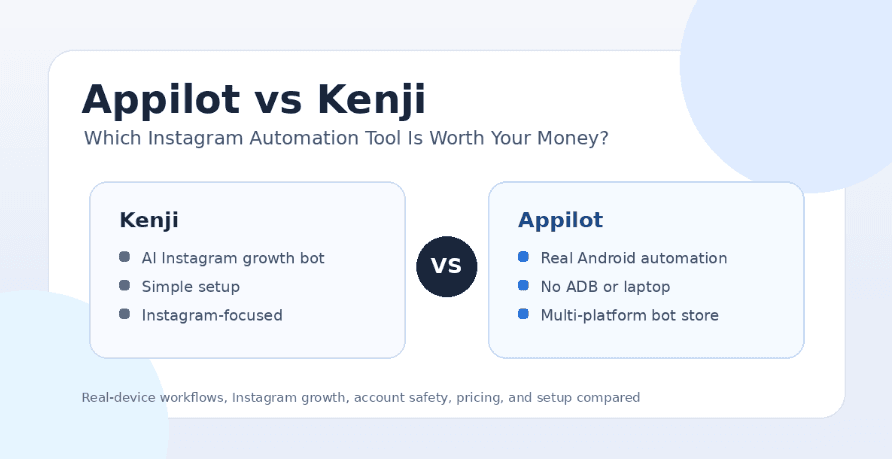
Instagram automation is no longer just about getting more followers as quickly as possible. The real question now is whether the tool you pay for can help you grow without creating unnecessary account risk, setup problems, or workflow limits. Many older Instagram bots focused heavily on likes, follows, unfollows, and engagement loops, but modern users need more than that. They want safer automation environments, better control, remote access, proxy support, and tools that do not depend on a laptop running all day.
That is why the Appilot vs Kenji comparison matters. Kenji is mainly known as an Instagram growth automation tool built around follower growth and engagement. Appilot, on the other hand, is a real-device automation platform that lets users run social media bots on Android phones and emulators through a web dashboard. Both tools can appeal to Instagram users, but they solve very different problems.
If you are choosing between Kenji and Appilot, the decision comes down to what you actually need. If you want a simple Instagram growth bot, Kenji may look attractive. If you want real-device workflows, multi-account control, remote automation, and support for more than just Instagram, Appilot becomes the stronger option.
What Is Kenji?
Kenji is an Instagram automation tool focused on helping users grow their accounts through automated engagement. It is generally aimed at creators, influencers, small businesses, and Instagram users who want help with follower growth without manually liking, following, or engaging with accounts every day.
The main appeal of Kenji is simplicity. It is not designed as a full automation infrastructure platform. Instead, it focuses on Instagram growth and tries to make the process easy for users who do not want to build scripts, manage devices, or understand technical automation frameworks.
That narrow focus can be useful for some people. If Instagram is the only platform you care about and you mainly want a tool that handles growth-style engagement, Kenji may feel easy to understand. The downside is that this same focus can become limiting if you later need remote device control, multi-platform automation, phone farm management, or safer real-device workflows.
What Is Appilot?
Appilot is a mobile automation platform that lets users run bots on real Android devices and emulators remotely through a web dashboard. Instead of depending on desktop scripts, API shortcuts, or a laptop connected through ADB, Appilot is designed around real mobile environments where automation behaves more like actual app usage.
The platform is built for people who want more control over their automation setup. Users can manage workflows remotely, run bots without keeping a laptop on, avoid ADB-related problems, and use ready-to-use automations from the Appilot bot store. Appilot supports Instagram, TikTok, Twitter/X, LinkedIn, Discord, Reddit, Snapchat, YouTube, Threads, Telegram, Gmail, Chrome, and other workflows from one dashboard.
This makes Appilot especially useful for phone farm operators, agencies, growth teams, and users managing multiple accounts across different platforms. It is not just an Instagram growth tool. It is a broader automation system for people who want real-device control and scalable mobile workflows.
Appilot vs Kenji: The Main Difference
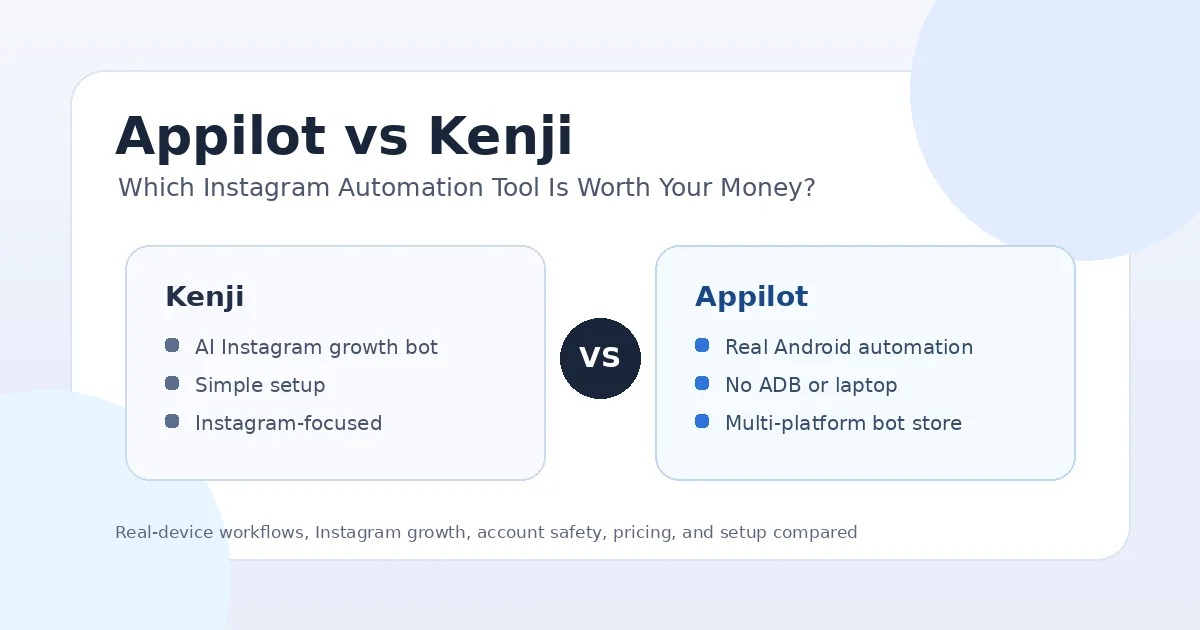
The biggest difference between Appilot and Kenji is the automation environment. Kenji is mainly an Instagram growth bot, while Appilot is a real-device mobile automation platform. That means Kenji is focused on helping users automate Instagram engagement, while Appilot focuses on giving users a complete environment to run bots across real Android devices, emulators, and multiple apps.
This difference matters because Instagram automation risk often depends on how the automation is executed. Desktop-style tools, browser-based systems, API-style shortcuts, and repetitive bot behavior can look less natural than actions performed inside a real mobile app environment. Appilot’s real-device model gives users a stronger foundation because workflows can run through Android devices and emulators instead of depending only on desktop-style automation.
Kenji may be easier for a beginner who wants one Instagram growth tool. Appilot is better for users who need more control, more platforms, better remote management, and a setup that can grow with their workflow. In simple terms, Kenji is more of a growth bot, while Appilot is more of an automation operating system for social media workflows.
Setup and Ease of Use
Kenji is likely easier for users who only want a simple Instagram growth tool. The setup is focused around Instagram, so there is less to configure and fewer infrastructure decisions to make. This can be useful for creators or small businesses that do not want to think about devices, proxies, dashboards, or workflow customization.
Appilot is also designed to be easy to use, but it solves a different setup problem. Traditional Android automation often requires ADB, cables, drivers, device pairing, laptop uptime, and constant troubleshooting. Appilot removes that pain by letting users control Android devices and emulators through a web dashboard without relying on ADB or a laptop.
For one Instagram account, Kenji may feel quicker to start. For multiple accounts, agency workflows, phone farms, or long-running automation, Appilot’s setup is more practical because it gives users a cleaner way to manage devices and workflows remotely.
Pricing and Value for Money
When comparing pricing, it is important to think beyond the monthly cost. A cheaper Instagram bot is not always the better deal if it only solves one narrow problem. The real value depends on how many accounts you manage, how much control you need, how much time the tool saves, and whether it reduces the technical headaches that usually come with automation.
Kenji can make sense if your budget is focused only on Instagram follower growth. If you are a solo user and your main goal is to test basic Instagram automation, paying for a focused tool may feel reasonable. The value is simple: you pay for Instagram growth automation without building anything yourself.
Appilot becomes more valuable when your needs are bigger than one Instagram growth workflow. If you need real-device automation, remote access, proxy support, multi-account operations, and bots for many platforms, Appilot gives more long-term value. Instead of buying separate tools for Instagram, TikTok, Reddit, Discord, LinkedIn, and Telegram, users can manage multiple automation workflows from one dashboard.
Safety and Account Risk
No Instagram automation tool can honestly promise zero risk. Any tool that automates follows, likes, DMs, scraping, comments, or repetitive engagement can create problems if it is used too aggressively. Account age, trust level, proxy quality, action speed, content quality, and behavior patterns all matter.
Kenji may be useful for simple Instagram growth, but users still need to be careful with limits and engagement patterns. If automation looks repetitive or unnatural, the account can still face restrictions, checkpoints, or reduced reach.
Appilot’s advantage is that it runs workflows on real Android devices and emulators. This gives users a more natural mobile automation environment compared with many desktop-based or API-style setups. Real-device behavior does not make automation completely safe, but it can reduce some of the obvious signals that come from non-mobile automation methods.
The safest approach with either tool is to avoid spammy behavior, start slowly, use strong account environments, keep actions realistic, and treat automation as support for a real strategy rather than a replacement for one.
Platform Support
Kenji is mainly useful if Instagram is your primary focus. That can be a good thing for users who do not want extra complexity. If you only care about Instagram follower growth, a narrow tool may be easier to understand than a broad automation platform.
Appilot supports a much wider range of workflows. Users can run automations for Instagram, TikTok, Twitter/X, LinkedIn, Discord, Reddit, Snapchat, YouTube, Threads, Telegram, Gmail, Chrome, and more. This is a major advantage for agencies and operators because social media automation rarely stays limited to one platform.
For example, a growth team may need Instagram DM workflows, TikTok engagement, Reddit posting, Discord management, Telegram automation, and LinkedIn outreach. Kenji is not built for that kind of multi-platform operation. Appilot is.
Remote Management and Device Control
Remote management is one of Appilot’s strongest advantages. With Appilot, users can control Android phones and emulators through a web dashboard, which means they do not need to sit beside the devices or keep a laptop connected all day. This is a big deal for anyone running a phone farm or managing accounts across multiple devices.
Kenji is simpler, but it does not offer the same real-device control model. It is better understood as an Instagram growth tool rather than a device orchestration platform. That may be fine for casual users, but it becomes limiting for teams that need visibility, control, and scalability.
Appilot is more useful when automation becomes part of a serious operation. If you need to check device status, run bots remotely, manage workflows across accounts, and reduce dependency on local machines, Appilot is the better fit.
Where Kenji Wins
Kenji wins on simplicity and focus. It is easier to understand for someone who only wants an Instagram growth tool and does not want to think about broader automation infrastructure. For beginners, that simplicity can feel less intimidating.
Kenji may also be a better fit for users who do not manage multiple accounts, do not need automation for other platforms, and do not care about real-device control. If the goal is simply to test Instagram growth automation on a small scale, Kenji may be enough.
The key point is that Kenji is not trying to be a complete mobile automation platform. It is focused on Instagram growth, and that focus is useful for a specific type of user.
Where Appilot Wins
Appilot wins when users need more than basic Instagram growth automation. Its real-device approach makes it more suitable for people who care about mobile behavior, account environment consistency, and long-term workflow stability.
Appilot also wins on flexibility. Users can automate many platforms from one dashboard instead of relying on one tool for Instagram and separate tools for every other app. This matters for agencies, phone farm operators, marketers, and teams that run different workflows across different social platforms.
The no-ADB and no-laptop setup is another major advantage. Many automation setups become annoying because devices disconnect, drivers fail, laptops sleep, cables break, or ADB becomes unreliable. Appilot removes much of that friction by giving users a browser-based control layer for Android automation.
Appilot is also stronger for users who want ready-to-use bots without coding. The bot store makes it easier to start automation workflows without building everything from scratch, while custom bot development gives advanced users room to create workflows that fit their exact needs.
Who Should Use Kenji?
Kenji is best for solo Instagram users, creators, influencers, and small brands that only want help with Instagram growth. If your main goal is follower growth and you do not need multi-platform automation, Kenji may be a simple tool to test.
It is also better for users who do not want to manage devices or think about mobile automation infrastructure. If you want a narrow Instagram-focused product and you understand the risks of growth automation, Kenji can be a reasonable option.
Who Should Use Appilot?
Appilot is best for users who want real-device automation, remote control, and multi-platform workflows. It is especially useful for phone farm operators, agencies, growth teams, and people managing many social accounts across different apps.
It is also a better fit for users who have struggled with laptop-based tools, ADB connections, desktop scripts, or unreliable local setups. If you want to run Instagram automation alongside TikTok, Reddit, Discord, LinkedIn, Telegram, YouTube, and other workflows, Appilot gives you a stronger foundation.
Final Verdict
If you only want a simple Instagram growth bot and your needs are limited to one platform, Kenji may be worth considering. It is focused, simple, and built for users who want Instagram automation without handling technical infrastructure.
If you want better control, broader platform support, real Android device workflows, no ADB setup, no laptop dependency, proxy support, and scalable automation from a web dashboard, Appilot is the better choice. It gives users more room to grow beyond basic Instagram engagement and build a more reliable automation system.
For casual Instagram growth, Kenji can be enough. For serious Instagram automation, agency workflows, phone farm operations, and multi-platform social media automation, Appilot is the stronger long-term investment. You can explore Appilot’s bot store and real-device workflows at appilot.app.
FAQs
Q1: Is Appilot safer than Kenji for Instagram automation?
Appilot can reduce some risks because it runs workflows on real Android devices and emulators, but no automation tool is completely risk-free. Safe usage still depends on limits, account quality, proxies, and natural behavior.
Q2: Is Kenji only for Instagram?
Kenji is mainly positioned as an Instagram automation and growth tool. If you need automation for TikTok, Reddit, Discord, LinkedIn, Telegram, or other apps, Appilot is the better fit.
Q3: Does Appilot require ADB or a laptop?
No, Appilot does not require ADB or a laptop-based setup. Users can manage Android devices and emulators remotely through a web dashboard.
Q4: Which tool is better for agencies?
Appilot is better for agencies because it supports real-device workflows, multi-account management, proxies, remote control, and multiple social platforms from one dashboard.
Q5: Which tool is worth the money?
Kenji may be worth it for simple Instagram growth, while Appilot is worth more for users who need scalable automation, real-device behavior, and multi-platform workflows.