Appilot vs Zoho Social: Enterprise Social Management vs Real Device Bots
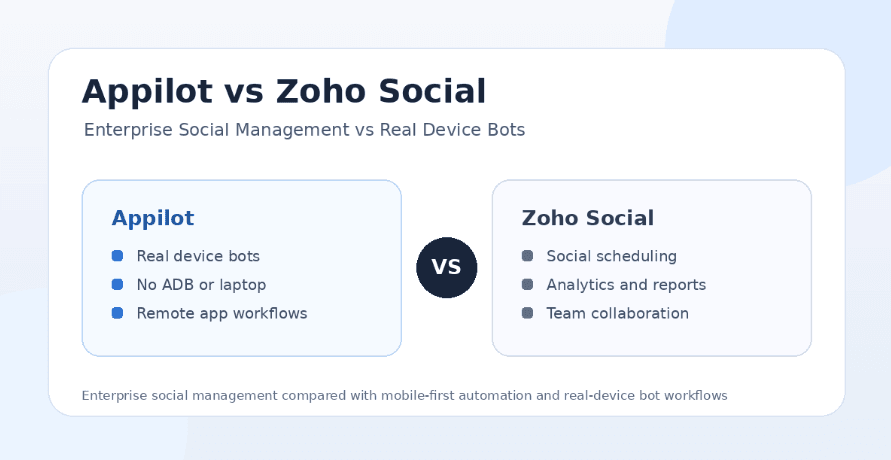
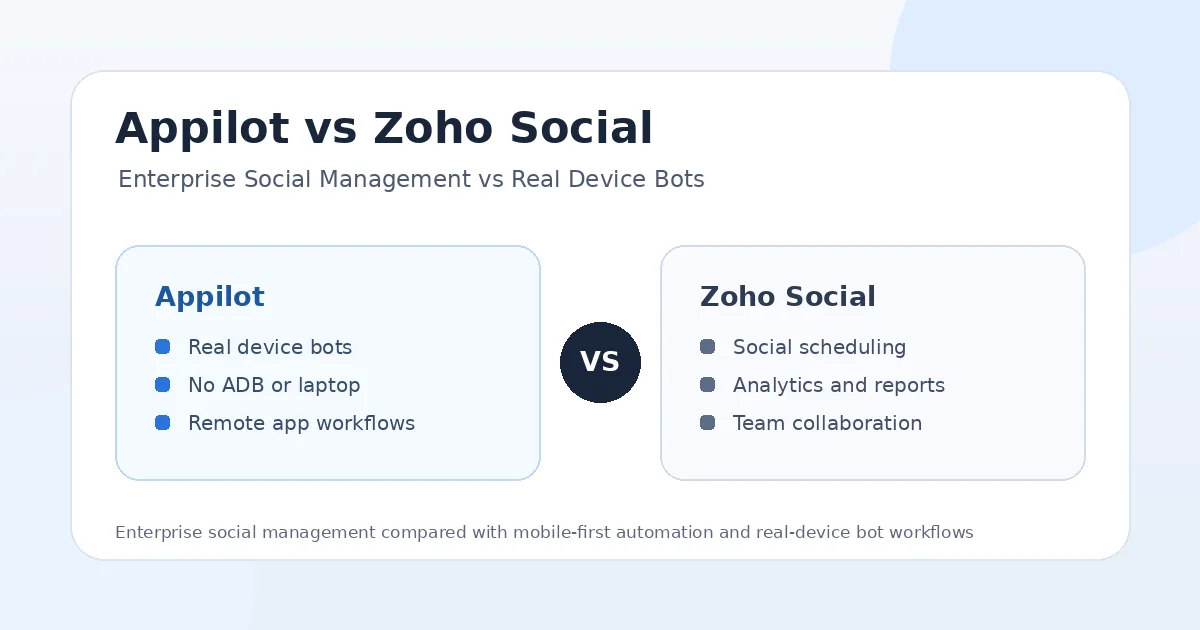
Social media management and social media automation are often treated like the same thing, but they solve different problems. A social management platform helps teams plan content, schedule posts, monitor engagement, review analytics, collaborate internally, and report performance. A real-device automation platform helps users run bots inside mobile app environments, manage accounts remotely, use proxies, and automate workflows that normal schedulers cannot handle.
That is why the Appilot vs Zoho Social comparison is worth looking at carefully. Zoho Social is an enterprise-friendly social media management platform built for publishing, scheduling, monitoring, reporting, collaboration, and brand management across major networks. Appilot is different because it is a real-device automation platform that lets users run bots on Android phones and emulators through a remote dashboard without ADB or a laptop.
Both tools can help businesses save time, but they do it in different parts of the workflow. Zoho Social is better for teams that need organized publishing and reporting. Appilot is better for users who need real-device bots, remote Android control, multi-account workflows, proxy support, and automation across mobile apps.
What Is Zoho Social?
Zoho Social is a social media management platform built for businesses, agencies, and teams that need to manage social channels from one place. It helps users publish posts, schedule content, monitor brand activity, measure performance, collaborate with teammates, and create reports.
Its main strength is structured social media management. Teams can use it to plan campaigns, organize content calendars, track engagement, monitor mentions, review analytics, and coordinate social work across departments or clients. It also fits naturally into the wider Zoho ecosystem, which matters for businesses already using Zoho CRM, Zoho Desk, Zoho Campaigns, or other Zoho tools.
Zoho Social is not mainly a bot platform. It is not built to run Android app automation, control real phones, manage emulators, or operate phone farm workflows. Its value is strongest when the problem is publishing, monitoring, collaboration, reporting, and enterprise social management.
What Is Appilot?
Appilot is a real-device automation platform that lets users run bots on Android phones and emulators remotely through a web dashboard. Instead of depending on desktop scripts, browser sessions, API shortcuts, local laptops, or ADB connections, Appilot is built around mobile environments where automation can run directly inside Android app sessions.
The main advantage is control. Users can run bots without ADB, without keeping a laptop connected, and without dealing with cables, drivers, device pairing, or local machine dependency. This makes Appilot useful for phone farm operators, agencies, growth teams, and users managing multiple social accounts.
Appilot also includes a bot store with ready-to-use automations for Instagram, TikTok, Twitter/X, LinkedIn, Discord, Reddit, Snapchat, YouTube, Threads, Telegram, Gmail, Chrome, and more. That makes it broader than a social scheduler because it supports real mobile workflows across many apps.
Appilot vs Zoho Social: The Main Difference
The biggest difference between Appilot and Zoho Social is where the automation happens. Zoho Social automates and organizes the social media management layer. Appilot automates the mobile app execution layer.
Zoho Social helps users plan posts, schedule publishing, monitor social channels, collaborate with teams, manage reports, and keep brand activity organized. Appilot helps users run bots on Android devices and emulators, control workflows remotely, manage accounts, and automate actions that happen inside mobile apps.
This means Zoho Social is better for enterprise content operations. Appilot is better for users who need device-level automation, real app behavior, multi-account control, proxies, and workflows that go beyond scheduled posts.
Enterprise Social Management vs Real-Device Bots
Zoho Social’s strongest use case is enterprise social management. A business can use it to manage social calendars, coordinate internal approvals, monitor engagement, publish content, measure performance, and keep reports ready for leadership or clients.
Appilot’s strongest use case is real-device automation. Instead of only helping users manage the content pipeline, Appilot gives users an environment to run Android bots and mobile app workflows. This matters when the task involves actions inside apps, account operations, DMs, engagement, scraping workflows, testing, device management, or multi-account execution.
Enterprise social management tools are useful for planning and governance. Real-device bots are useful for execution and automation control. Zoho Social helps teams manage social media as a business function. Appilot helps teams run mobile workflows that standard management platforms cannot perform.
Scheduling and Publishing
Zoho Social is stronger for scheduling and publishing. Users can plan content, schedule posts across supported platforms, organize campaigns, monitor publishing calendars, and manage content as a team. This makes it useful for brands that need consistency and structure.
Appilot is not mainly a publishing calendar. It can support automation workflows around social apps, but its value is not the same as a traditional scheduler. Appilot is more useful when users need actions to happen inside mobile apps or across device environments.
If your main problem is posting content consistently across brand channels, Zoho Social is the better fit. If your main problem is running mobile workflows that require real app interaction, Appilot is the stronger choice.
Monitoring, Analytics, and Reporting
Zoho Social wins on analytics and reporting for traditional social media management. It is designed for teams that need to measure performance, understand engagement, monitor brand activity, and create reports for managers, clients, or internal stakeholders.
This is especially useful for agencies and enterprise teams. Reporting is often just as important as publishing because decision-makers want to know what is working, which channels are growing, and how campaigns are performing.
Appilot is not positioned as a social reporting suite. Its focus is automation execution, device control, and bot workflows. Users who need deep publishing analytics may still use a management tool alongside Appilot, especially if they need formal reports.
Team Collaboration and Approvals
Zoho Social is better for team collaboration. It supports the kind of workflow social media teams often need: planning posts, discussing campaigns, reviewing content, assigning work, managing approvals, and keeping everyone aligned from one platform.
Appilot is better for operational collaboration around automation. Instead of helping teams approve captions or review content calendars, it helps users manage devices, bots, accounts, proxies, and workflows. This is a different kind of collaboration, closer to automation operations than editorial planning.
If your team needs content approvals and social governance, Zoho Social fits better. If your team needs to manage real-device automation workflows, Appilot fits better.
Setup and Ease of Use
Zoho Social is easier for businesses that want a traditional social media management platform. A team can connect channels, create posts, schedule content, monitor activity, and build reports from a familiar dashboard. This setup makes sense for marketing teams, agencies, and enterprise users focused on content operations.
Appilot is designed to remove friction from mobile automation. Traditional Android automation often requires ADB, cables, drivers, device pairing, local scripts, laptop uptime, and ongoing troubleshooting. Appilot removes those problems by letting users control Android phones and emulators through a web dashboard.
If your workflow is publishing and reporting, Zoho Social is easier to adopt. If your workflow involves mobile app automation, phone farms, or multi-account device control, Appilot is the better setup.
Safety and Account Risk
Zoho Social has a different risk profile from bot tools because it focuses mainly on supported social media management workflows like publishing, scheduling, monitoring, and reporting. For brands and enterprises, this makes it a safer and more conventional option for official social media operations.
Appilot operates in a more sensitive category because it can run mobile automation workflows. Any tool that automates app actions, DMs, engagement, scraping, follows, likes, comments, or repeated behavior must be used carefully. Risk depends on action limits, account history, proxy quality, device consistency, behavior patterns, and whether the workflow looks natural.
Appilot’s advantage is that automation runs on Android devices and emulators, creating a more mobile-native environment than many desktop or API-style bots. Still, real-device automation should be used responsibly. Users should avoid spammy behavior, move slowly, use realistic limits, and keep account environments consistent.
Platform Support
Zoho Social supports major social networks from a management and publishing perspective. It is useful for businesses that need to manage content and reporting across platforms like Instagram, X, Facebook, LinkedIn, YouTube, Pinterest, TikTok, Mastodon, and Google Business profiles.
Appilot supports many platforms from an automation perspective. Users can run bots for Instagram, TikTok, Twitter/X, LinkedIn, Discord, Reddit, Snapchat, YouTube, Threads, Telegram, Gmail, Chrome, and more from one dashboard.
Both tools support multi-platform work, but the meaning is different. Zoho Social supports multi-platform social management. Appilot supports multi-platform mobile automation.
Remote Control and Phone Farm Workflows
Remote control is one of Appilot’s clearest advantages. Users can manage Android phones and emulators from a web dashboard, which means they do not need to keep a laptop connected to every device or manually monitor workflows from one physical machine.
This matters for phone farm operators, agencies, and growth teams that manage multiple accounts. A social media management platform cannot replace real-device control when the workflow depends on app sessions, device environments, proxies, and mobile interactions.
Zoho Social does not try to solve that problem. It is a social management platform, not a remote Android automation system. That makes it excellent for enterprise publishing and reporting, but less relevant for device-level automation.
Pricing and Value for Money
Zoho Social can be worth the money for businesses and agencies that need publishing, scheduling, monitoring, analytics, collaboration, and reports. It is especially valuable for teams already using the Zoho ecosystem because it can fit into a broader business software stack.
Appilot becomes more valuable when the problem is automation execution. If you need real-device bots, remote Android control, no ADB setup, proxy support, multi-account workflows, and automation across mobile apps, Appilot provides value that a social management platform cannot replace.
The better investment depends on the workflow. Zoho Social is valuable for social media management. Appilot is valuable for mobile automation. Some teams may use both because they solve different problems.
Where Zoho Social Wins
Zoho Social wins when the user needs enterprise social management. It is better for scheduling, publishing, monitoring, analytics, reporting, team collaboration, approvals, and managing brand channels from one organized dashboard.
It also wins for businesses already using Zoho products. If a company’s sales, marketing, support, or CRM workflows already live inside Zoho, adding Zoho Social can make operational sense.
Zoho Social is also better for official brand workflows where governance matters. If your team needs approvals, reports, campaign calendars, and structured publishing, a management platform is more appropriate than a bot platform.
Where Appilot Wins
Appilot wins when users need real-device automation instead of social management. Its biggest advantage is that workflows run on Android phones and emulators, creating a more realistic mobile environment for automation tasks.
Appilot also wins on device control. No ADB, no laptop dependency, no cables, and no driver troubleshooting make it more practical for long-running automation workflows. This is especially important for phone farms, agencies, and multi-account setups.
The bot store is another major win. Appilot supports Instagram, TikTok, Twitter/X, LinkedIn, Discord, Reddit, Snapchat, YouTube, Threads, Telegram, Gmail, Chrome, and more, making it useful for users who need automation across many apps.
Appilot is also stronger for users who want ready-to-use bots without coding, while still having the option to request custom bot development for specific workflows.
Who Should Use Zoho Social?
Zoho Social is best for businesses, agencies, enterprise teams, and social media managers who need content scheduling, publishing, monitoring, analytics, collaboration, approvals, and reporting. It is a strong fit when the main goal is managing official brand channels professionally.
It is also useful for companies already using Zoho’s broader software ecosystem. If your workflow depends on structured content operations and team reporting, Zoho Social is the better fit.
Who Should Use Appilot?
Appilot is best for users who need real-device automation and direct control over mobile workflows. It fits phone farm operators, agencies, growth teams, and marketers who manage multiple accounts or need automation across several apps.
It is also better for users who are tired of laptop-based bots, ADB setup, disconnected devices, and tools that cannot interact with real mobile apps. If you want automation beyond scheduled posts and reports, Appilot is the stronger option.
Final Verdict
If you want enterprise social media management for scheduling, publishing, monitoring, analytics, team collaboration, approvals, and reporting, Zoho Social is worth considering. It is built for businesses that need organized brand management across social channels.
If you want real-device bots, remote Android control, no ADB, no laptop dependency, proxy support, multi-account workflows, and automation across many mobile apps, Appilot is the better choice. It gives users control over how automation actually runs inside mobile environments.
For enterprise social management, Zoho Social is the stronger fit. For serious mobile automation, phone farm operations, agency workflows, and multi-platform bot execution, Appilot is the stronger long-term investment. You can explore Appilot’s bot store and real-device workflows at appilot.app.
FAQs
Q1: Is Appilot better than Zoho Social for automation?
Appilot is better for real-device bots, mobile workflows, proxies, and multi-account automation. Zoho Social is better for scheduling, reporting, team collaboration, and brand management.
Q2: Is Zoho Social mainly a scheduling tool?
Zoho Social is more than a scheduler because it includes publishing, monitoring, analytics, reporting, and collaboration. Appilot focuses on real-device automation and mobile app workflows.
Q3: Does Appilot replace Zoho Social?
Not always. Appilot replaces mobile automation tools, while Zoho Social handles social media management and reporting. Some teams may use both for different workflow needs.
Q4: Does Appilot require ADB or a laptop?
No, Appilot does not require ADB or a laptop-based setup. Users can manage Android devices and emulators remotely through a web dashboard.
Q5: Which tool is worth the money?
Zoho Social is worth it for enterprise social management and reporting. Appilot is worth more for real-device automation, phone farms, and multi-platform bot workflows.