How Dropshippers Automate Product Research & Inventory Monitoring (The Sustainable Way)
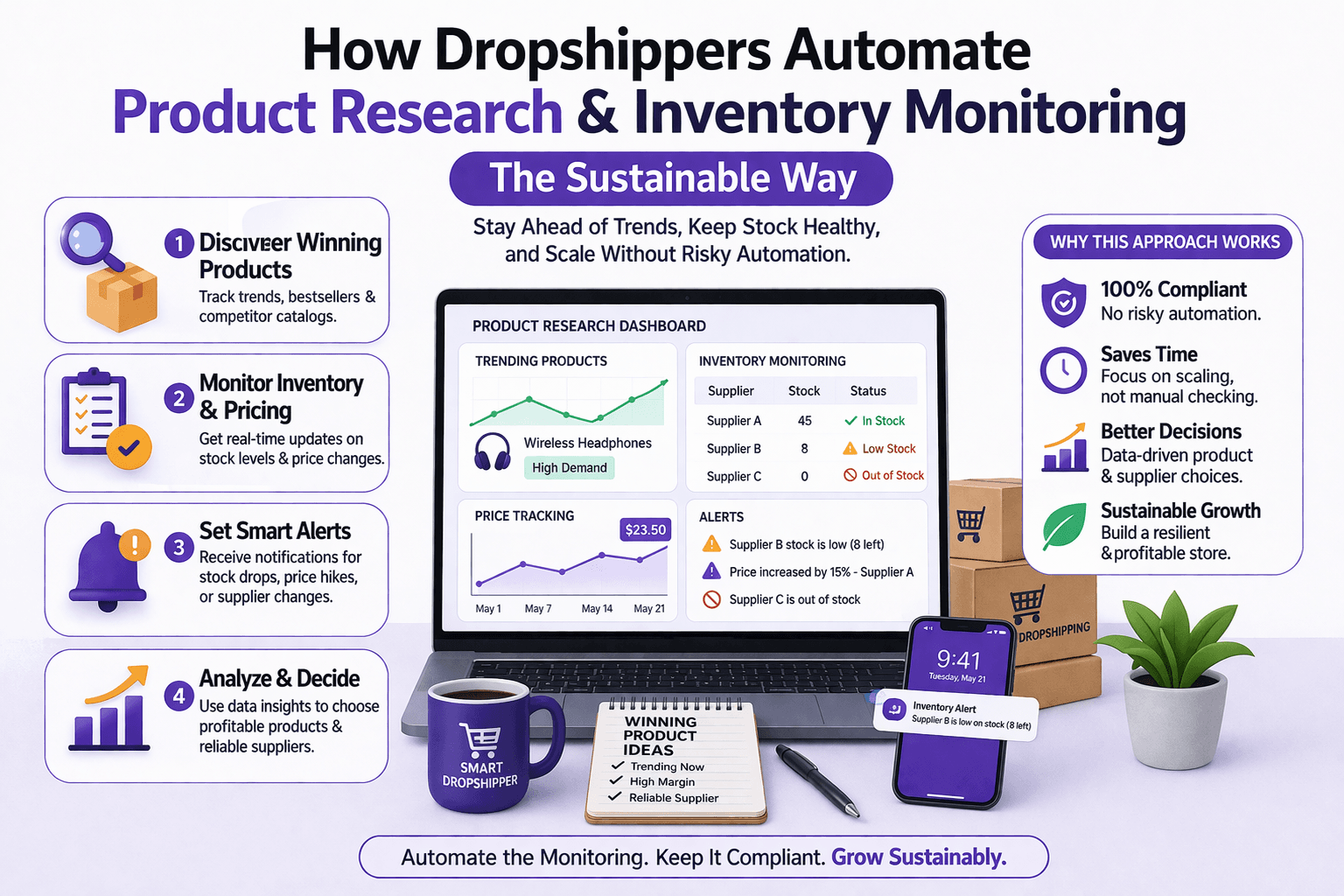
Manual monitoring does not scale in dropshipping. Checking supplier stock every day, reviewing competitor prices manually, and going through marketplace listings one by one may work for a small catalog, but it quickly becomes unmanageable once a store begins selling dozens or hundreds of products.
The real problem is not a lack of information. The real problem is reaction time. Inventory changes happen quickly, supplier pricing shifts without warning, and competitor moves can impact margins in hours rather than days. The strongest dropshipping businesses solve this by building structured monitoring systems rather than depending on manual checks.
This guide explains how dropshippers automate product research and inventory monitoring sustainably, what systems are needed, and how to build workflows that stay stable over time without relying on fragile scraping.
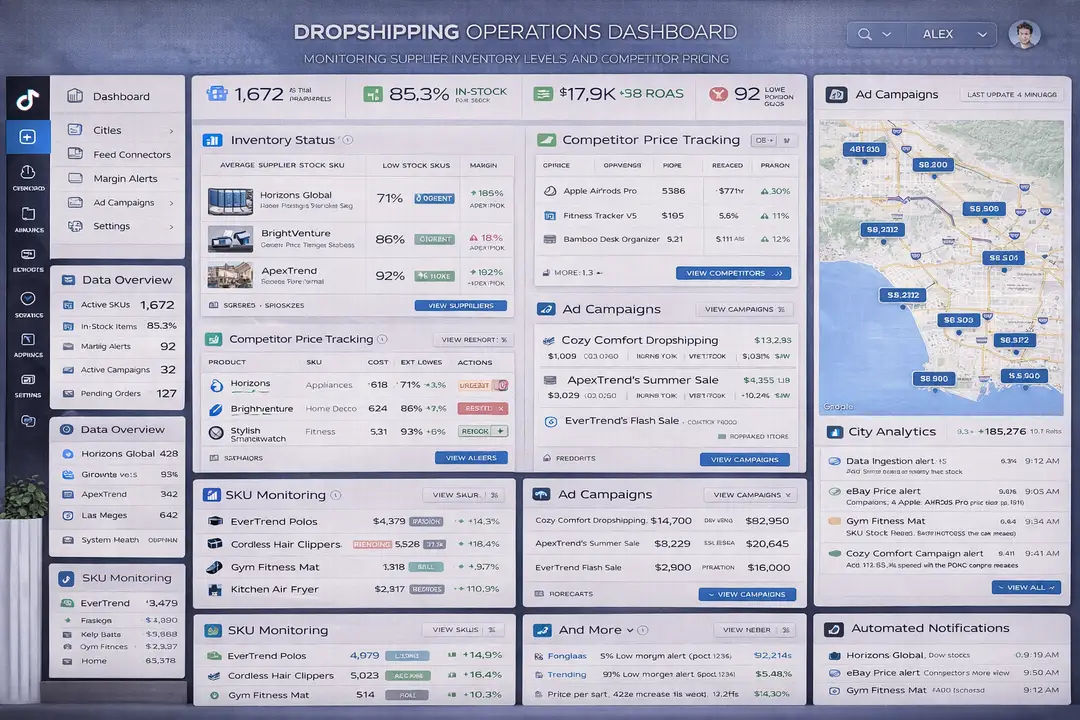
Why Product Research and Inventory Monitoring Matter / The Opportunity
Dropshipping depends on speed, accuracy, and fast decision-making. Inventory can shift hourly, supplier pricing can change suddenly, and product demand can spike without warning.
Without automation, these changes create cancelled orders, wasted ad spend, poor customer experience, refund requests, and lower margins. Businesses often keep running ads for products that are out of stock, continue selling products with compressed margins, or fail to notice when competitors are undercutting them.
Automation matters because it reduces those risks and gives the business a faster way to react. When the system is connected properly, teams can monitor inventory, pricing, and margins in real time and turn raw data into immediate action.
1. Who This Use Case is For
This approach works best for dropshipping stores, ecommerce brands, marketplace sellers, and operations teams that manage large product catalogs and multiple suppliers.
It is especially useful for businesses running paid ads because inventory problems and pricing changes can quickly waste advertising budget if products are not synced properly.
Teams managing multiple suppliers, large SKU counts, or frequent price changes benefit the most because manual workflows become unreliable at that scale.
2. What You'll Achieve
By implementing a structured product research and inventory monitoring system, you will be able to track supplier stock in real time, monitor cost changes, protect margins, identify competitor price movements, and automatically trigger actions such as pausing ads or updating product availability.
In practical terms, that means fewer cancelled orders, stronger profit protection, less wasted ad spend, and a more predictable dropshipping operation.
3. What You'll Need
Before building the workflow, you need to think of dropshipping automation as a feed-driven monitoring problem rather than a scraping problem.
Technical Requirements
The strongest systems rely on structured data sources such as official APIs, supplier inventory feeds, marketplace APIs, and partner integrations.
Examples include the Shopify Admin API, WooCommerce REST API, Amazon Selling Partner API, supplier-specific APIs, and partner integrations for platforms such as AliExpress.
Many suppliers also provide CSV feeds, XML feeds, EDI integrations, or SFTP exports that can be imported directly into the monitoring system.
For larger operations, businesses may also use repricing tools, inventory sync services, market intelligence platforms, and alerting systems.
If broader mobile-first operational visibility is useful in the workflow, Appilot can support Android-side operational review because it works with real Android devices and mobile-first workflows. However, Appilot should remain a supporting workflow layer rather than the core inventory monitoring engine.
Skills and Knowledge
Teams benefit from understanding APIs, databases, scheduling systems, SKU mapping, pricing logic, and alerting workflows.
A technical team may build the system using backend tools such as Node.js or Python, databases such as PostgreSQL or MySQL, and queue-based processing systems.
Less technical teams can still build useful workflows using tools such as Zapier, Make, n8n, or Shopify Flow. Zapier, Make, n8n, and Shopify Flow are all commonly used for this type of automation.
Time and Resource Investment
A smaller system with one supplier and a few hundred SKUs can often be built in a few days. Larger systems with multiple suppliers, thousands of products, ad integrations, and automated actions require more planning because they need better SKU mapping, scheduling logic, and error handling.
The biggest investment is usually not in software. It is in creating a reliable system that can continue working as suppliers, pricing, and inventory change over time.
Appilot Integration Method #1 - The Complete Solution Approach
Implementing Product Research and Inventory Monitoring with Structured Systems
There are two broad ways to think about dropshipping automation. One path treats it as a scraping problem and focuses on collecting as much raw information as possible. The other path treats it as a monitoring and decision-making system where structured data, normalization, alerts, and automation logic matter more than extraction intensity.
The weaker approach often relies too heavily on page scraping and unstable browser workflows. That usually creates fragile systems that break when suppliers change page layouts or when marketplaces introduce rate limits and bot protection.
The stronger approach begins with APIs, supplier feeds, structured integrations, and internal monitoring logic. This produces cleaner data, more reliable workflows, and lower operational risk.
Appilot can become relevant only in a supporting operational context where Android-side visibility is useful inside a broader mobile-first workflow. It should not replace supplier feeds or API-based monitoring logic. The core system should remain centered on structured data sources, inventory sync, pricing analysis, and automated alerts.
Step-by-Step Implementation Guide
A stable dropshipping monitoring system becomes much easier to build when it is divided into operational layers.
Step 1: Standardize Product Identifiers
Everything depends on consistent SKU mapping.
The first step is creating a clear relationship between supplier SKUs, internal SKUs, store SKUs, and ad campaign IDs. Without this mapping layer, the system cannot correctly connect inventory, pricing, and ad performance across multiple platforms.
A common mistake is using inconsistent product names instead of exact identifiers. That usually causes the automation to fail when suppliers rename products or add variants.
Step 2: Set Up Scheduled Data Sync
The next step is building scheduled sync intervals based on how volatile the products are.
High-velocity products may need hourly syncs, slower products may only require daily updates, and very slow-moving items may only need a few checks per week.
The key is to avoid over-polling. Strong systems use incremental updates when supported rather than repeatedly fetching the full dataset.
const product = {
  sku: "SKU-1024",
  stock: 0,
  margin: 12
};
function evaluateProduct(product) {
  if (product.stock === 0) {
    return "Pause ads and mark out of stock";
  }
  if (product.margin < 10) {
    return "Alert pricing team";
  }
  return "No action needed";
}
console.log(evaluateProduct(product));
This kind of logic is simple, but it reflects the larger principle that automation becomes valuable when it converts data into decisions.
Step 3: Detect Margin and Stock Changes
For each product, the system should check whether stock has dropped to zero, whether supplier cost has increased, whether margins have fallen below a safe threshold, and whether competitors are undercutting the price.
This is where automation protects profit because it allows the team to react before problems become expensive.
A strong monitoring system should also support trend tracking so the business can identify recurring supplier issues or products that repeatedly become unprofitable.
Step 4: Build the Alert and Action Layer
The final step is connecting the monitoring logic to actions.
Important changes should trigger Slack alerts, email notifications, dashboard updates, ad pauses, listing changes, or repricing workflows.
For example, if a supplier runs out of stock, the system may automatically pause Meta ads and mark the product as unavailable in Shopify. That reduces wasted spend and prevents customers from buying unavailable items.
Automation becomes most valuable when it reduces reaction time from days to minutes.
Appilot Integration Method #2 - Specific Feature Showcase
Supporting Mobile-First Operational Visibility in Ecommerce Workflows
Some ecommerce teams manage inventory operations, alerts, dashboards, and approvals across both desktop and mobile environments.
The traditional approach can become fragmented because supplier feeds, dashboards, notifications, and operational reviews often exist in different systems. That makes it harder for teams to react quickly when inventory changes or pricing alerts appear.
Appilot can support Android-side operational visibility where relevant because it uses real Android devices and mobile-first workflows. In that supporting role, it can help teams review notifications, dashboards, and operational workflows from a mobile-first perspective. The important distinction is that Appilot should support the workflow around the monitoring system rather than replace the core feed-driven logic.
Common Challenges and Solutions
Challenge 1: Suppliers Without APIs
Some suppliers do not provide APIs, which makes inventory monitoring more difficult.
The best solution is to request data feeds directly, use approved partner programs, or negotiate inventory exports such as CSV, XML, or SFTP files.
Challenge 2: Delayed Supplier Updates
Supplier inventory is not always updated in real time.
The best solution is to create a buffer threshold so that products are marked as low stock before they actually reach zero. Teams can also cross-check supplier stock with order confirmations and add margin buffers to reduce risk.
Challenge 3: Multiple Suppliers for the Same SKU
Some products are available from several suppliers with different prices and stock levels.
The best solution is to create supplier priority rules, fallback logic, and dynamic cost comparison so the system can choose the best supplier automatically.
Appilot Integration Method #4 - Real-World Case Study
Case Study: A Mid-Size Dropshipping Brand Reduces Stock-Related Problems
A mid-size dropshipping brand with 2,500 SKUs, 6 suppliers, and 3 ad accounts needed a way to reduce stock-related cancellations and improve margin visibility.
Before automation, around 8 to 10 percent of orders were cancelled because supplier stock had changed before the team noticed. Margin compression was also happening without the team reacting quickly enough.
The improved model used supplier feeds, inventory monitoring, automated margin alerts, and ad auto-pause workflows.
After implementation, stock-related cancellations dropped below 2 percent, margin alerts reduced losses, and automatic ad pauses prevented wasted spending.
The key improvement came from using structured feeds and monitoring logic instead of relying on page-level scraping.
Scaling Dropshipping Monitoring from 50 to 10,000 Products
Once the first fifty products are monitored successfully, the next challenge is scaling the system without creating instability.
From 50 to 10,000 Products
At larger scale, the system needs parallel feed processing, queue-based execution, centralized dashboards, database optimization, and cached supplier snapshots.
Businesses should scale by improving architecture rather than increasing scraping volume or browser sessions.
Automation and Optimization at Scale
At scale, the best parts to automate are data sync, stock alerts, margin thresholds, dashboard updates, repricing triggers, and ad pausing.
The parts that should remain human-led are supplier negotiations, final pricing strategy, and product selection decisions.
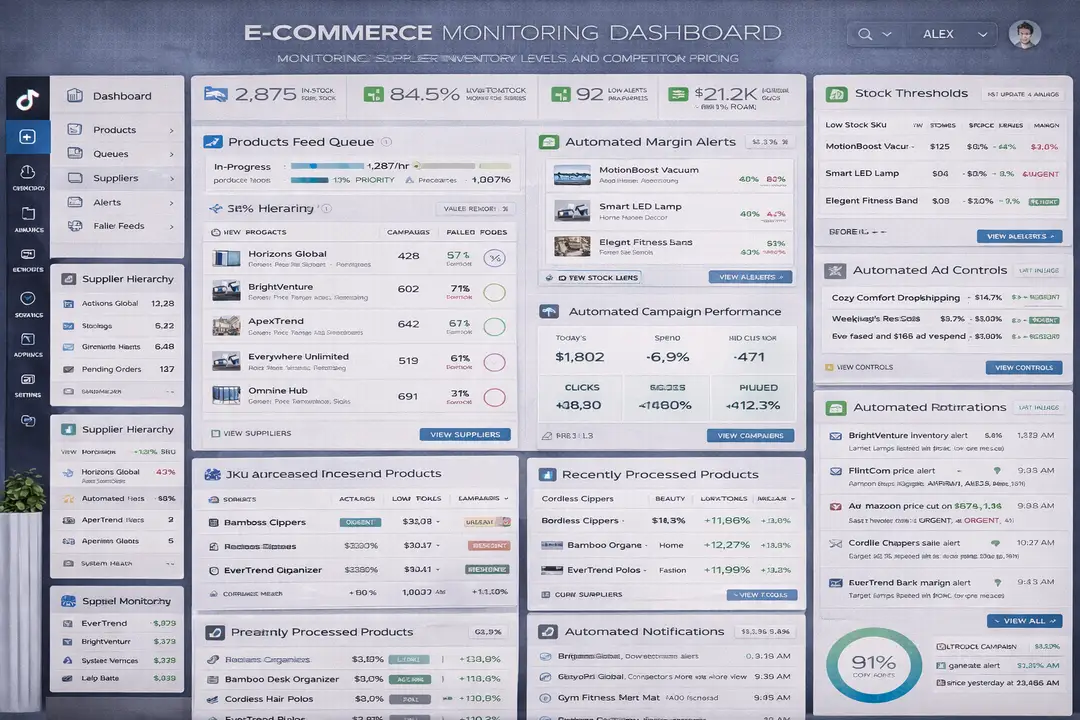
Best Practices and Pro Tips
Best Practice 1 - Monitor Inventory Before Running Ads
Advertising should never be scaled without real-time stock awareness. Teams should make sure inventory sync is active before increasing spend on a product.
Best Practice 2 - Separate Data Collection from Pricing Logic
The data ingestion layer should remain independent from repricing algorithms. This makes the system easier to maintain and reduces the chance of cascading failures.
Best Practice 3 - Alert on Trends, Not Just Single Events
The best systems track not only single stock-outs, but also patterns such as rapid price fluctuations, repeated supplier issues, and category-wide inventory shifts.
Tools and Resources
For structured data and integrations, platforms such as Shopify, WooCommerce, Amazon, supplier APIs, CSV feeds, XML feeds, EDI integrations, and SFTP exports are commonly used.
For workflow automation, teams often rely on Slack alerts, email triggers, dashboards, BI tools such as Looker and Metabase, along with workflow tools like Zapier, Make, n8n, and Shopify Flow.
For broader mobile-first operational visibility, Appilot can support Android-side review and workflow visibility where relevant, but the core monitoring system should always remain grounded in structured supplier feeds and APIs.
Key Takeaways
Dropshipping automation works best when it is treated as a structured monitoring system rather than a scraping problem.
The strongest systems use supplier APIs, inventory feeds, SKU mapping, stock alerts, pricing logic, and automated actions to reduce risk and protect margins.
The biggest mistake dropshippers make is relying on manual checks or fragile page scraping. The fastest win is automating out-of-stock detection and connecting it directly to ad pausing and product availability updates.
Frequently Asked Questions
Q1: Why is manual inventory monitoring a problem in dropshipping?
Manual inventory monitoring becomes difficult as product catalogs grow because supplier stock, competitor pricing, and marketplace conditions can change quickly. Without automation, businesses often miss stock-outs, margin drops, and pricing changes, which leads to cancelled orders, wasted ad spend, and lower profitability.
Q2: What is the best way to monitor supplier inventory?
The best approach is to use structured data sources such as supplier APIs, CSV feeds, XML feeds, EDI integrations, or SFTP exports. These are more reliable and scalable than manually checking supplier websites or relying on page-level scraping.
Q3: How often should inventory sync run?
The sync frequency depends on how fast inventory changes. High-velocity products may require hourly updates, while slower products may only need daily or weekly syncs. The goal is to balance fresh data with system efficiency and avoid unnecessary polling.
Q4: What should happen when a product goes out of stock?
When a product goes out of stock, the system should trigger an alert and take action immediately. This may include pausing ads, marking the product as unavailable in the store, notifying the operations team, or switching to a backup supplier if one is available.
Q5: Why is SKU mapping important?
SKU mapping is important because it connects supplier products, internal inventory records, store listings, and advertising campaigns. Without consistent identifiers, it becomes difficult to track stock, pricing, and performance accurately across different systems.
Conclusion
Dropshipping becomes much easier to manage when inventory, pricing, and supplier changes are monitored automatically instead of manually.
The strongest businesses do not rely on page scraping or manual checks. They build structured systems using supplier APIs, inventory feeds, SKU mapping, automated alerts, and workflow logic that can react quickly when stock levels or margins change.
That approach reduces cancelled orders, protects ad spend, improves operational efficiency, and creates a more predictable ecommerce business.
The biggest mistake is waiting until inventory problems become expensive before building automation. The smartest move is creating a monitoring system early so the business can scale without chaos.