How to Automate Facebook About Section Updates

The Facebook About section is one of the most important areas of any business page because it gives visitors quick information about what the business does, where it is located, how people can contact the business, and what products or services are offered. Many people look at the About section before sending a message, making a purchase, booking a service, or deciding whether they trust the business.
The challenge is that many businesses forget to keep this information updated. A page may still show old contact details, outdated opening hours, expired promotions, incorrect website links, or service descriptions that no longer match the business.
This becomes even more difficult when you are managing multiple Facebook pages at once. One page may represent a local business, another may focus on ecommerce, and another may be used for affiliate marketing or lead generation. Each page may require different descriptions, business hours, phone numbers, email addresses, and website links.
This is where automation becomes valuable. Instead of manually logging into every Facebook page and editing the About section one page at a time, you can create workflows that update business information automatically across multiple pages.
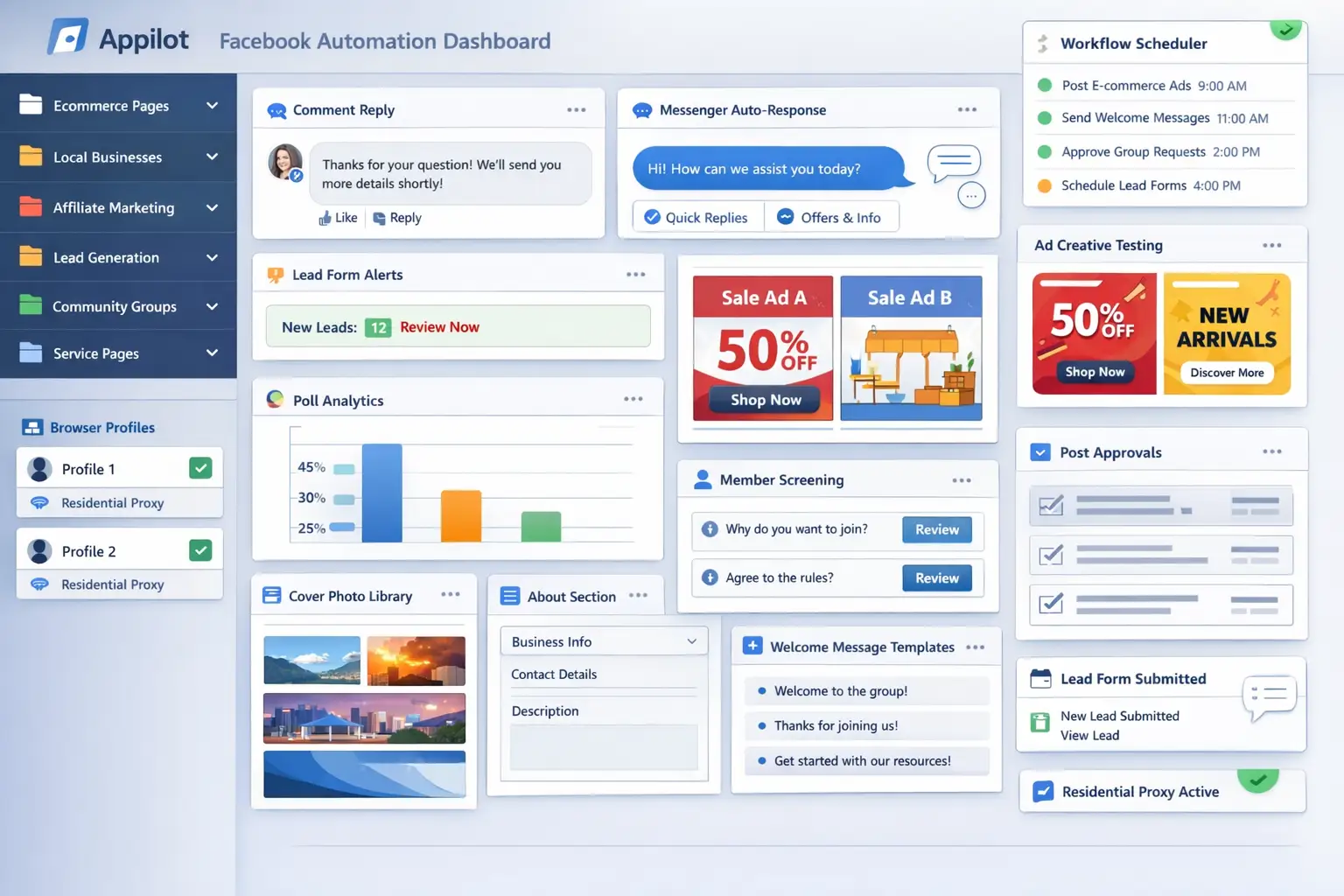
For this guide, I will use Appilot as the workflow platform. Appilot helps automate browser workflows and Android actions from one dashboard, making it easier to manage Facebook pages across multiple browser profiles.
In this guide, you will learn why About section updates matter, how to organize page information, how to connect Facebook pages with Appilot, and how to automate About section changes safely at scale.
Setup Time: Around 30 to 45 minutes
Difficulty: Beginner to Intermediate
Estimated Time Saved: 5 to 10 hours weekly
Why Facebook About Section Updates Matter
The About section often creates the first impression for visitors. If the information is outdated, incomplete, or incorrect, people may lose trust in the business immediately.
For example, a local business may change its phone number, location, or opening hours. An ecommerce business may update its website, add new services, or change its support email. An affiliate page may need to rotate landing page links or update promotional text regularly.
If these updates are not made quickly, visitors may end up calling the wrong number, visiting the wrong location, or clicking an outdated link.
Regular About section updates help businesses keep their pages accurate, professional, and aligned with current campaigns.
Automation helps solve this problem by turning About section updates into a repeatable workflow.
The manual approach may work for a few pages, but it becomes difficult once you are managing multiple Facebook pages and regularly changing business details.
With automation, you can create workflows that update contact details, descriptions, links, business hours, and other information automatically.
The biggest advantage is not only saving time. It is making sure every page always shows the correct information.
What You Need to Get Started
To automate Facebook About section updates, you need a few tools working together.
The first requirement is an antidetect browser such as GoLogin, AdsPower, Multilogin, or Dolphin Anty. These browsers help manage multiple Facebook pages separately while keeping cookies, browser fingerprints, and proxies isolated.
The second requirement is residential or mobile proxies. Proxies help make account activity look more natural and reduce the risk of multiple accounts appearing from the same IP address.
The third requirement is Appilot. Appilot helps connect browser profiles, organize Facebook pages, automate updates, and manage repetitive workflows from one dashboard.
You should also prepare a structured information sheet before building workflows. This can include business names, descriptions, contact details, website links, opening hours, addresses, and any other information that may need to be updated regularly.
A typical setup for Facebook page automation usually costs between $150 and $400 per month depending on the number of pages, browser profiles, and workflows involved.
Step-by-Step: Setting Up About Section Update Automation
Step 1: Organize Your Facebook Pages
Before creating workflows, organize your pages into categories.
For example, you may have ecommerce pages, local business pages, affiliate pages, service pages, and community pages. Different page types usually require different About section content.
An ecommerce page may need product descriptions, customer support details, and store links, while a local business page may need opening hours, location details, and booking information.
The more organized your page groups become, the easier it becomes to create useful update workflows.
Step 2: Build a Structured Information Database
Once your page groups are ready, prepare the information that needs to be updated.
For example, you may want to update business descriptions, website links, phone numbers, email addresses, support links, addresses, opening hours, or promotional text.
The goal is to keep all of this information inside one organized sheet so Appilot can pull the correct details for each page.
Step 3: Connect Browser Profiles to Appilot
Once your browser profiles are ready, connect them to Appilot using your browser API key.
Inside Appilot, you can organize profile groups such as ecommerce-pages, local-business-pages, affiliate-pages, service-pages, and community-pages.
This makes it easier to assign different About section workflows to different page groups.
Step 4: Create an About Section Update Workflow
Once everything is connected, you can create a workflow that updates page details automatically.
For example, you may want the workflow to update phone numbers, rotate website links, change business descriptions, refresh opening hours, or replace outdated promotional text.
const workflow = {
  name: "Facebook About Section Updates",
  pages: "local-business-pages",
  actions: [
    "Open Facebook page",
    "Navigate to About section",
    "Update business details",
    "Verify changes",
    "Save page information"
  ],
  schedule: "Monthly"
};
The strongest workflows are usually simple and focused. Instead of updating every detail constantly, it is better to focus on the information that changes most often.
Step 5: Test Before Scaling
Before applying automation to every page, test the workflow on a small group first.
Choose one or two pages and monitor how the updates perform.
Check whether the correct phone numbers are being added, website links are updating correctly, descriptions are accurate, and business hours match the current schedule.
Once everything works correctly, you can gradually expand to more pages and more update categories.
This helps reduce mistakes and gives you time to improve the workflow before scaling further.
Best Practices for Facebook About Section Automation
The best About section workflows focus on accuracy and consistency.
It is important to review business details regularly because small mistakes can create confusion for visitors. A wrong phone number, broken website link, or outdated address can reduce trust very quickly.
You should also avoid making unnecessary changes too frequently. Constant edits can make page management more difficult and increase the risk of mistakes.
Another important practice is separating page groups carefully. Different pages usually require different descriptions, links, and business information.
It is also useful to review automated changes regularly. Even if the workflow is working, it is still important to confirm that the page looks professional and accurate.
Real Example: Scaling About Section Updates Across 25 Pages
One agency managed 25 Facebook pages across ecommerce, local business, and affiliate marketing niches.
At first, About section updates were handled manually. Team members had to log into each page individually, update details, and double-check links.
As the number of pages grew, mistakes started to appear. Some pages showed old contact details, some used outdated website links, and some still displayed expired promotions.
The agency eventually switched to a workflow using GoLogin, residential proxies, and Appilot. Pages were grouped by category, and automated About section workflows were created for each page group.
After 60 days, the agency reduced manual page update work by more than 70 percent while improving information accuracy across every page.
The biggest improvement was not just saving time. It was making sure every page stayed updated and professional.
Common Mistakes to Avoid
One common mistake is forgetting to remove outdated contact details. Old phone numbers, email addresses, and links can confuse visitors.
Another mistake is using the same About section for every page. Different pages usually require different descriptions and business details.
Some teams also forget to review automated changes regularly. Even if the workflow is working, it is still important to make sure the information is correct.
It is also important not to overload the About section with too much text. Visitors usually want short, clear, and useful information.
FAQ
Q1: How many Facebook pages can I manage with automated About section updates?
Most users can comfortably manage 10 to 50 Facebook pages with structured workflows. Larger teams can support even more pages by organizing them into groups.
Q2: What types of information should be updated regularly?
Phone numbers, website links, business descriptions, opening hours, email addresses, and promotional text are usually the most common updates.
Q3: How often should the About section be reviewed?
Most pages benefit from monthly reviews or updates whenever business information changes.
Q4: Should every page use the same About section content?
No. Different page types, audiences, and business goals usually require different content.
Q5: Which browser is best for Facebook page automation?
GoLogin is usually best for smaller operations, AdsPower works well for larger profile groups, and Multilogin is useful for enterprise teams.
Conclusion
Facebook About section automation helps businesses save time, improve information accuracy, and keep pages updated more effectively.
Instead of manually editing every page whenever contact details or business information changes, you can create workflows that update everything automatically.
The key is to organize pages carefully, prepare structured information, test workflows gradually, and review updates regularly.
For ecommerce brands, local businesses, agencies, and affiliate marketers, About section automation can become one of the most useful systems for improving Facebook page management at scale.