How to Automate Instagram Content Curation from Multiple Sources

Finding content consistently is one of the biggest challenges in Instagram management. Posting every day sounds simple until you need to come up with new images, videos, quotes, memes, screenshots, clips, or repost ideas across multiple accounts at the same time.
For people managing one Instagram account, content curation may only take a few minutes per day. But when you are handling 10, 20, or 50 accounts, content research quickly becomes repetitive and time-consuming. Many agencies, affiliate marketers, meme page owners, ecommerce brands, and social media teams spend hours every week searching for content across different platforms.
The problem is not just finding content. The real challenge is organizing it, sorting it, saving it, tagging it, and making sure each account receives the right type of content.
This is where automation becomes valuable. Instead of manually searching through Instagram, TikTok, Reddit, YouTube, Pinterest, blogs, news sites, and competitor pages every day, you can build workflows that collect content from multiple sources automatically.
For this guide, I will use Appilot as the workflow platform. Appilot helps automate browser workflows and Android actions from one dashboard, making it easier to collect, organize, and distribute content across multiple Instagram accounts.
In this guide, you will learn how to automate content curation, how to organize content sources, how to group accounts, and how to build repeatable workflows that reduce manual research.
Setup Time: Around 60 minutes
Difficulty: Intermediate
Estimated Time Saved: 10 to 25 hours weekly
Why Content Curation Matters
Most Instagram accounts do not fail because of bad posting tools. They fail because they run out of content ideas.
If you manage multiple accounts, you already know how difficult it is to keep finding new material every day. A meme page needs fresh jokes and viral clips. A fitness page needs workout content and transformation posts. An ecommerce page needs product photos, customer reviews, and seasonal trends.
Without a content system, most people end up repeating the same ideas, posting inconsistent content, or missing posting schedules entirely.
Content curation solves this problem by creating a repeatable system for collecting content from different platforms and organizing it into categories.
For example, you may pull content from:
TikTok trends
Reddit posts
YouTube clips
Competitor Instagram pages
Pinterest boards
Blogs and news sites
Product reviews
Customer testimonials
User-generated content
The more organized the source system becomes, the easier it becomes to keep posting consistently.
The manual approach usually works when you are managing a single account, but it becomes difficult once you start handling multiple pages.
With automation, you can create systems that collect content from different platforms, save it to folders, tag it by category, and make it easier to assign to the right Instagram accounts.
The biggest advantage is not just saving time. It is creating a reliable content pipeline.
What You Need to Get Started
To automate content curation, you need a few tools working together.
The first requirement is a browser automation setup using an antidetect browser such as GoLogin, AdsPower, Multilogin, or Dolphin Anty. These browsers allow you to browse different content sources without constantly logging in and out of multiple accounts.
The second requirement is residential or mobile proxies. These help separate browsing activity and make content research workflows appear more natural.
The third requirement is Appilot. Appilot helps automate browser tasks, organize content workflows, collect posts from different websites, and distribute content to the correct account groups.
You should also have a storage system for collected content. This can be cloud folders, Google Drive, Dropbox, Airtable, Notion, or any other content library tool.
A typical setup for content curation automation usually costs between $150 and $400 per month depending on the number of browser profiles, proxies, and storage tools required.
Step-by-Step: Setting Up Content Curation Automation
Step 1: Organize Your Instagram Accounts by Category
Before collecting content, you should organize your Instagram accounts into profile groups.
For example, you may have:
Meme pages
Fitness accounts
Ecommerce brands
Affiliate marketing pages
Personal brands
Local business pages
Each group will require different content sources.
A meme page may rely on TikTok, Reddit, and Twitter. A fitness page may rely on YouTube, transformation photos, and workout clips. An ecommerce page may rely on product reviews, customer photos, and Pinterest boards.
The more organized your account categories become, the easier it becomes to build relevant content workflows.
Step 2: Define Your Content Sources
Once your account groups are ready, you should decide which content sources to monitor.
For example:
TikTok for viral short-form videos
Reddit for trending discussions and memes
YouTube for clips and educational content
Pinterest for image inspiration
Instagram competitor pages for repost ideas
Blogs for news and informational posts
Ecommerce sites for product images
Customer reviews for social proof content
You do not need every source for every account. The best systems usually focus on a few strong sources that consistently produce useful content.
Step 3: Connect Browser Profiles to Appilot
Once your browser profiles are ready, connect them to Appilot using your browser API key.
Inside Appilot, you can create profile groups such as:
meme-pages
fitness-pages
ecommerce-brands
affiliate-pages
personal-brands
This makes it easier to assign content curation workflows to specific groups instead of running the same workflow across every account.
Step 4: Create a Content Collection Workflow
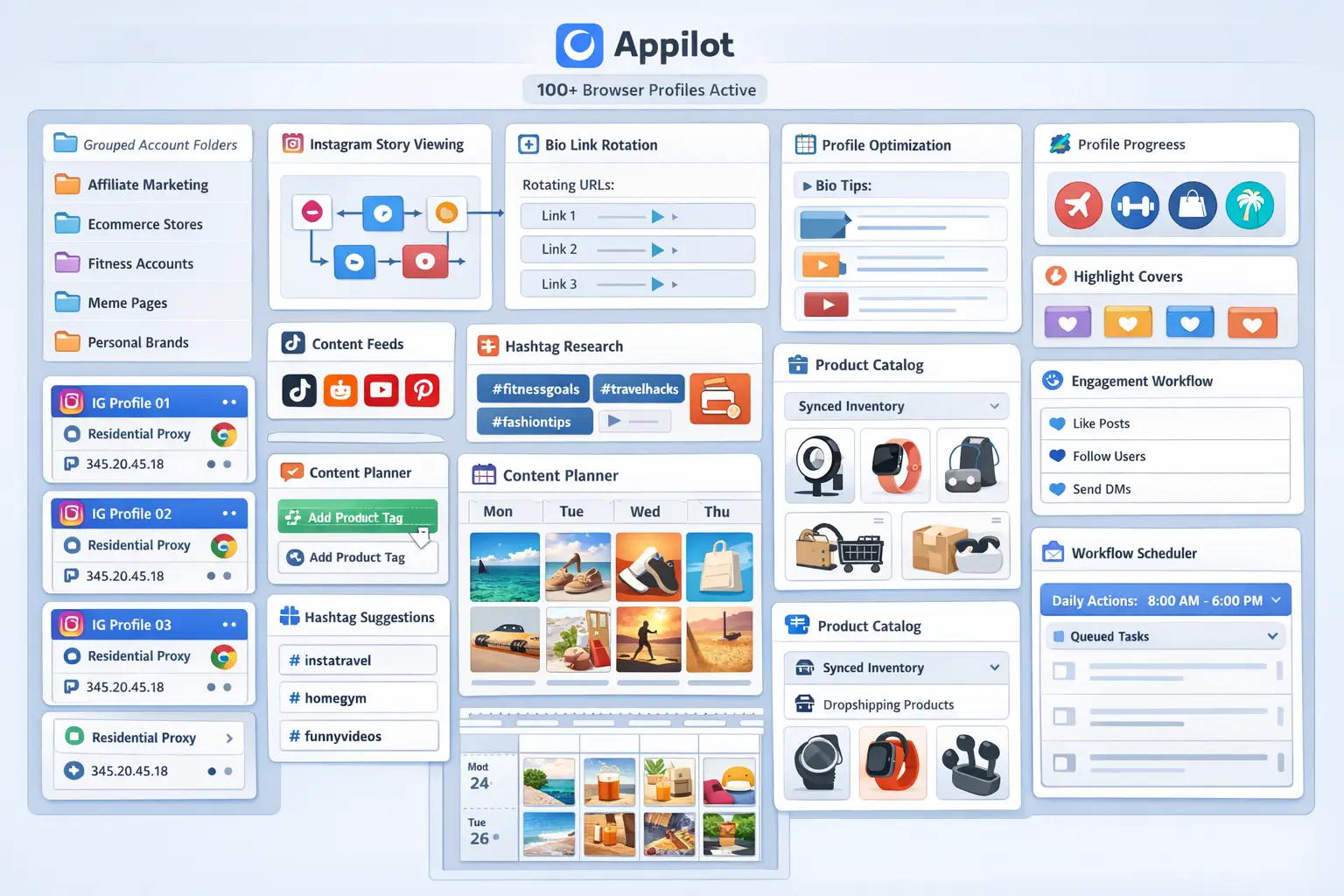
Once everything is connected, you can create workflows that search specific websites, save posts, collect images, and organize everything into folders.
For example, you may want to:
Collect trending TikTok videos every morning
Save Reddit memes from specific subreddits
Pull YouTube Shorts from fitness channels
Save Pinterest images for ecommerce brands
Collect competitor posts from Instagram accounts
const workflow = {
name: "Instagram Content Collection",
sources: [
"TikTok",
"Reddit",
"YouTube",
"Pinterest"
],
actions: [
"Search trending content",
"Save selected posts",
"Tag content by category",
"Store in content folders"
],
schedule: "Daily"
};
The strongest workflows are usually simple and focused. Instead of trying to collect everything, it is usually better to collect the best content from a few reliable sources.
Step 5: Organize and Review Content
Collecting content is only half the process. The next step is organizing it properly.
You should tag content by:
Category
Topic
Source
Date
Content type
Account group
Priority
For example, a meme video from TikTok could be tagged as:
Meme
Viral
TikTok
Funny
Short video
Meme page content
This makes it much easier to find and reuse content later.
It is also important to review collected content regularly. Not everything should be posted automatically. The best systems usually combine automation with manual review.
Best Practices for Content Curation Automation
The best content systems focus on quality over quantity.
You do not need to save every post you find. Instead, focus on collecting content that matches the audience, niche, and style of the account.
You should also avoid pulling all content from a single source. If every post comes from TikTok, the content may start to feel repetitive. Mixing different sources creates more variety.
Another important practice is reviewing trends regularly. Some content formats only work for a few weeks before they become outdated.
It is also useful to keep a record of which content performs best. Over time, you may notice that one source consistently produces stronger results than another.
Real Example: Scaling Content Research Across 40 Accounts
One agency managed 40 Instagram accounts across fitness, ecommerce, meme, and affiliate niches.
At first, content research was done manually. Team members spent hours every day searching through TikTok, Reddit, YouTube, and Instagram for new ideas.
As the number of accounts grew, it became harder to keep content organized. Different team members saved posts in different folders, some content was duplicated, and some accounts ran out of ideas.
The agency eventually switched to a workflow using GoLogin, residential proxies, and Appilot. Content sources were assigned to specific account groups, and new posts were collected automatically every day.
After 60 days, the agency had reduced manual content research time by more than 70 percent while creating a much larger content library.
The biggest improvement was not just saving time. It was having a more reliable system for finding content consistently.
Common Mistakes to Avoid
One common mistake is collecting too much content without organizing it. Large folders full of random screenshots and videos quickly become difficult to manage.
Another mistake is using the same content across every account. Different audiences usually require different styles and topics.
Some people also rely too heavily on one content source. If that source becomes less effective, the entire workflow becomes weaker.
It is also important not to skip the manual review process. Even if content collection is automated, the final content selection should still be reviewed before posting.
FAQ
Q1: How many Instagram accounts can I support with automated content curation?
Most users can comfortably support 20 to 50 accounts with a structured content workflow. Larger teams can support more accounts by using multiple content sources and organized folders.
Q2: Which content sources work best for Instagram automation?
TikTok, Reddit, YouTube, Pinterest, competitor pages, blogs, and customer-generated content are usually the strongest sources.
Q3: Can I collect content automatically every day?
Yes. Most workflows are set to collect new content daily or multiple times per day depending on the account type.
Q4: Should all collected content be posted automatically?
No. The best systems usually combine automated collection with manual review to make sure the content matches the account properly.
Q5: Which browser is best for Instagram content research automation?
GoLogin is usually best for smaller operations, AdsPower is useful for larger profile groups, and Multilogin works well for enterprise teams.
Conclusion
Automating Instagram content curation from multiple sources helps save time, improve consistency, and make large account networks much easier to manage.
Instead of manually searching for content every day, you can create workflows that collect content automatically, organize it into folders, and make it easier to assign to the right accounts.
The key is to organize your account groups carefully, focus on strong content sources, build simple workflows, and review collected content regularly.
For agencies, affiliate marketers, ecommerce brands, and social media teams, content curation automation can become one of the most useful systems in the entire Instagram workflow.