How to Automate Instagram Profile Optimization Across 50+ Accounts
Managing one Instagram account is easy. Managing 10 accounts starts to become repetitive. Managing 50 or more accounts becomes a full operational system that requires structure, consistency, and constant monitoring.
Many agencies, affiliate marketers, ecommerce brands, and social media teams operate dozens of Instagram accounts at the same time. Each account needs an optimized bio, profile image, username consistency, highlight covers, pinned posts, link in bio setup, category selection, and contact details. If you are handling all of that manually, it quickly becomes difficult to maintain the same standards across every account.
The challenge is not just making the updates. The challenge is making sure every profile stays optimized over time. One account may still have an old offer in the bio. Another may be missing a profile image. Another may still use outdated keywords or an inactive website link.
This is where profile optimization automation becomes valuable. Instead of manually checking and updating every account one by one, you can build repeatable workflows that help maintain consistency across dozens of Instagram profiles.
For this guide, I will use Appilot as the main workflow platform. Appilot helps automate browser workflows and Android actions from one dashboard, making it easier to manage large groups of Instagram accounts without constantly switching profiles manually.
In this guide, you will learn how to structure profile optimization across multiple Instagram accounts, how to organize browser profiles, how to automate updates, and how to maintain profile consistency as your account network grows.
Setup Time: Around 60 minutes
Difficulty: Intermediate
Estimated Time Saved: 10 to 20 hours weekly
Why Instagram Profile Optimization Matters at Scale
Most people think of profile optimization as something you do once. In reality, profile optimization is an ongoing process.
Instagram accounts constantly change. Offers change, links expire, seasonal campaigns start, keywords shift, and audience interests evolve. If you are running dozens of accounts, it becomes very easy for profiles to become outdated.
For example, one account may still promote a summer campaign in October. Another account may still use an old affiliate link that no longer works. A third account may be missing contact information or a category selection that helps improve trust.
When you are managing a large number of accounts, even small inconsistencies can hurt conversions.
An optimized Instagram profile usually includes:
A clear username and recognizable profile photo
A bio with targeted keywords
A working bio link
Relevant highlights and pinned content
Updated category and contact information
Consistent branding across accounts
The larger the account network becomes, the more important it becomes to automate these updates.
The manual approach may work for a small number of accounts, but once you reach 20 or 30 accounts, it becomes difficult to remember which accounts need updates and which ones are already optimized.
With automation, you can create structured workflows that check profile details, rotate links, update bios, change profile images, and keep account branding consistent.
The biggest advantage is not just saving time. It is maintaining a higher level of quality across every account.
What You Need to Get Started
To automate profile optimization across multiple Instagram accounts, you need a few important tools working together.
The first requirement is an antidetect browser such as GoLogin, AdsPower, Multilogin, or Dolphin Anty. These tools create isolated browser profiles so that each Instagram account has its own fingerprint, cookies, timezone, and proxy.
The second requirement is residential or mobile proxies. Proxies help keep accounts separated and make activity look more natural.
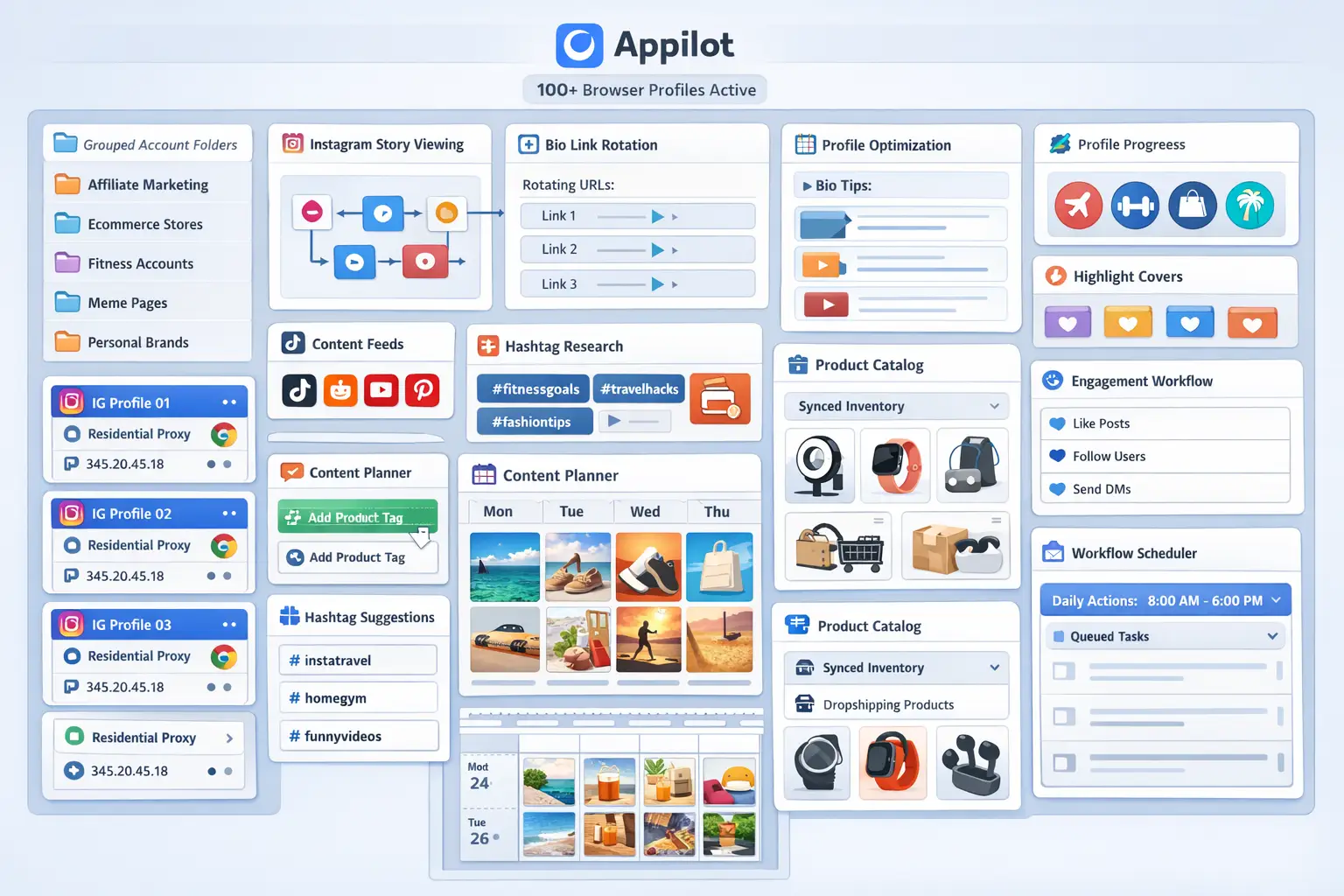
The third requirement is Appilot. Appilot helps you connect browser profiles, organize account groups, build workflows, and automate repetitive profile management tasks from one dashboard.
A typical setup for 50 accounts usually costs between $150 and $400 per month depending on the browser, proxy quality, and number of workflows required.
For most teams, the time savings and operational improvements justify the cost very quickly.
Step-by-Step: Setting Up Instagram Profile Optimization Automation
Step 1: Organize Accounts into Groups
Before creating any workflows, you should organize your accounts into categories.
For example, you may have:
Fitness pages
Ecommerce brands
Meme pages
Affiliate pages
Local business accounts
Personal brand accounts
Grouping accounts is important because each category may need different profile details, keywords, bio formats, and links.
A fitness page may need a supplement offer in the bio, while an ecommerce page may need a store link and discount code.
This kind of organization makes automation much easier later.
Step 2: Create Separate Browser Profiles
Each Instagram account should have its own browser profile with separate cookies, browser fingerprint, timezone, proxy, and session history.
For example:
Account 1 = US proxy + New York timezone
Account 2 = UK proxy + London timezone
Account 3 = Canada proxy + Toronto timezone
This helps make every account look like a different user instead of one person managing everything from the same browser.
It is usually best to start with a small group of test accounts first before scaling further.
Step 3: Connect Browser Profiles to Appilot
Once your profiles are ready, you can connect them to Appilot using your browser API key.
Inside Appilot, you can create profile groups such as:
fitness-pages
ecommerce-brands
crypto-pages
local-business-accounts
affiliate-pages
This makes it easier to apply profile optimization workflows to specific groups of accounts without affecting unrelated profiles.
Step 4: Create an Optimization Workflow
Once everything is connected, you can create workflows that automate profile updates.
For example, you may want to:
Update bios every month
Rotate bio links weekly
Replace profile images seasonally
Change highlight covers every quarter
Update contact details when campaigns change
Add new keywords to bios
const workflow = {
  name: "Instagram Profile Optimization",
  accounts: "fitness-pages",
  actions: [
    "Update bio text",
    "Replace bio link",
    "Check profile image",
    "Update highlight covers",
    "Review contact details"
  ],
  schedule: "Every 30 days"
};
The most effective workflows are usually simple and repeatable. The goal is to create systems that keep profiles updated without requiring constant manual work.
Step 5: Review and Test Before Scaling
It is important not to update every profile at once when testing a new workflow.
Start with five accounts first and check the results carefully. Make sure bios update correctly, links work, profile images load properly, and browser sessions remain stable.
Once you are confident everything works correctly, you can expand to 10 accounts, then 20, then 50 or more.
This gradual process helps reduce errors and gives you time to improve the workflow before using it across your entire account network.
Best Practices for Instagram Profile Optimization
The best profile optimization systems focus on consistency rather than constant changes.
For example, you do not need to rewrite every bio every week. Instead, you should update profiles when something important changes, such as a new campaign, new offer, seasonal promotion, or branding refresh.
You should also make sure each account has a clear identity. A fitness page should not use the same bio style as an ecommerce page. The strongest profile systems usually adapt the content based on the account category.
Another important practice is keeping backup copies of all profile elements. This includes bios, profile photos, links, highlight covers, and usernames. If something changes unexpectedly, it becomes much easier to restore the account quickly.
You should also schedule regular profile audits. Even if no updates are required, reviewing accounts every month helps identify missing information, broken links, or outdated visuals.
Real Example: Scaling from 12 to 60 Accounts
One marketing team started with 12 Instagram accounts across ecommerce and affiliate niches. At first, all profile updates were handled manually.
As the number of accounts grew, it became harder to keep track of which bios were updated, which profile links were active, and which accounts still used old branding.
The team eventually switched to a workflow using GoLogin, residential proxies, and Appilot. Accounts were grouped by niche, and profile optimization tasks were scheduled monthly.
After 90 days, the team had scaled to 60 accounts while reducing manual profile management work by more than 70 percent. The biggest improvement was not only time savings. It was the fact that all accounts started to feel more consistent and professionally managed.
Common Mistakes to Avoid
One common mistake is using the same bio across every account. This makes profiles look repetitive and can reduce trust.
Another mistake is forgetting to review profile links. Old or broken links are one of the most common profile issues, especially for affiliate marketers.
Some teams also forget to update highlight covers and profile images regularly. Even small visual improvements can make an account look more active and trustworthy.
It is also important not to update every account at the exact same time. Large batches of identical profile edits may create unusual activity patterns.
The safest approach is usually to stagger profile updates throughout the day or week.
FAQ
Q1: How many Instagram accounts can I optimize at once?
Most users can comfortably manage 20 to 50 accounts at the same time. Larger teams can support more accounts by staggering workflows and organizing profiles into groups.
Q2: What parts of an Instagram profile can be automated?
You can automate bio updates, link changes, profile image replacements, highlight cover updates, contact information changes, and keyword optimization.
Q3: Will Instagram detect automated profile updates?
The risk stays low when you use separate browser profiles, good proxies, realistic activity patterns, and staggered workflows.
Q4: How often should I update Instagram profiles?
Most accounts benefit from a profile review every month, although active campaigns may require weekly updates.
Q5: Which browser is best for Instagram profile management?
GoLogin is usually best for smaller operations, AdsPower is good for larger profile groups, and Multilogin works well for enterprise teams.
Conclusion
Automating Instagram profile optimization across 50+ accounts helps reduce repetitive work, improve branding consistency, and make large account networks much easier to manage.
Instead of manually checking bios, profile images, and links every day, you can create structured workflows that keep everything updated automatically.
The key is to start with a small number of accounts, test your workflows carefully, and scale gradually.
For agencies, affiliate marketers, ecommerce brands, and social media teams, profile optimization automation can become one of the most valuable systems in the entire Instagram workflow.