How to Automate Instagram Story Views Across 100+ Accounts

Managing Instagram Story views across a few accounts is simple. Managing them across 100 or more accounts becomes a completely different challenge. Agencies, affiliate marketers, social media managers, and account growth teams often spend hours every day switching profiles, opening Stories, viewing content manually, and trying to keep activity looking natural across dozens of accounts.
The problem becomes worse as more accounts are added. Viewing Stories manually across 10 accounts may only take a few minutes, but when you are managing 50, 100, or even 200 Instagram accounts, the work quickly becomes repetitive, slow, and difficult to scale. Most teams eventually hit a limit where they either need to hire more people, reduce account activity, or find a better system.
There is a better option. With the right combination of antidetect browsers, proxies, browser profile management, and Appilot workflows, you can automate Instagram Story views across 100+ accounts while keeping activity structured, randomized, and far more manageable.
For this guide, I will use Appilot as the workflow platform. Appilot handles both browser automation and Android automation from one dashboard, making it easier to manage large groups of Instagram accounts without constantly switching profiles manually.
In this guide, you will learn how to structure Instagram Story view automation safely, which tools work best, how to set up browser profiles, how to connect them with Appilot, and how to scale gradually without creating unnecessary risk.
Setup Time: Around 45 minutes
Difficulty: Intermediate
Estimated Time Saved: 15 to 20 hours weekly
Why Instagram Story View Automation Matters in 2026
Instagram Stories remain one of the most important engagement tools on the platform. Many marketers use Story views to increase profile visibility, warm up accounts before outreach, support engagement campaigns, or maintain activity patterns across niche pages.
The challenge is that Story viewing becomes extremely repetitive at scale. If you manage 100 Instagram accounts and each account views 20 Stories per day, that becomes 2,000 Story views every day. Even if each Story session only takes 20 to 30 seconds, you are still spending many hours every week doing repetitive work that adds very little strategic value.
For agencies, this usually means team members spending hours switching between accounts instead of focusing on content, analytics, partnerships, or growth strategy. For affiliate marketers, it means less time on campaign optimization. For account farms, it means slower scaling and more operational friction.
The math becomes clear very quickly. If you spend four hours per day manually handling Story views, that becomes 20 hours every week and more than 80 hours every month. At a labor value of $20 per hour, that is over $1,600 per month in repetitive work that can largely be reduced through automation.
This is why more operators are turning to browser automation, profile management, and workflow scheduling. The goal is not to make accounts behave aggressively. The goal is to reduce repetitive work while making account activity more organized and consistent.
The manual approach usually works for small operations, but once you move beyond 20 accounts, it becomes difficult to maintain consistency. Team members forget which accounts were active, activity timing becomes repetitive, and there is no clear way to monitor everything from one place.
Automation changes that by allowing you to build repeatable workflows. Each browser profile can have its own proxy, fingerprint, cookies, timezone, and session history. Appilot then connects to those profiles and runs scheduled Story view workflows automatically across the selected accounts.
The result is not only time savings. It is better operational structure.
What You Need to Get Started
To automate Instagram Story views across a large number of accounts, you need a few basic tools working together. The first requirement is an antidetect browser such as GoLogin, AdsPower, Multilogin, or Dolphin Anty. These tools allow you to create isolated browser profiles so that each Instagram account appears to come from a different user environment.
You will also need residential proxies or mobile proxies. Proxies are important because they separate account traffic and reduce the risk of multiple accounts appearing to come from the same IP address. Residential proxies are usually better for Instagram because they look more natural than datacenter proxies.
The final part of the setup is Appilot. Your antidetect browser keeps the accounts separated and safe, while Appilot helps you automate actions, schedule workflows, group profiles, and manage everything from one dashboard.
A typical setup for 100 accounts usually costs somewhere between $150 and $500 per month depending on the browser, proxy quality, and number of concurrent workflows you need. For most teams, the time savings alone make the investment worthwhile within the first week.
Step-by-Step: Setting Up Instagram Story View Automation
Step 1: Choose an Antidetect Browser
Instagram tracks much more than just your login details. It also tracks browser fingerprints, timezone settings, cookies, device details, IP addresses, WebRTC leaks, user agents, and browsing patterns.
If you log into dozens of Instagram accounts from the same browser and IP address, Instagram can detect unusual activity very quickly.
Antidetect browsers solve this problem by giving each account its own isolated profile. Each profile can have a unique fingerprint, separate cookies, different proxies, and independent session storage.
GoLogin is often the best option for small and medium teams because it is relatively affordable and easy to use. AdsPower is usually better for larger operations that need hundreds of profiles. Multilogin works well for enterprise teams that want stronger profile management and advanced control.
Start with five to ten test profiles first. Make sure the accounts log in correctly and work normally before creating dozens of additional profiles.
Step 2: Set Up Separate Proxies for Every Account Group
The next step is setting up proxies. Ideally, every account should have its own proxy, but for smaller operations, it is common to share one proxy across a small group of related accounts.
For example, you might use one residential proxy for every three to five accounts. Larger and older accounts usually benefit from having their own dedicated residential or mobile proxy.
You should also match the timezone and browser language to the proxy location whenever possible. If the proxy is based in the United States, the browser profile should also use a US timezone and English language settings.
This kind of profile consistency helps reduce unusual signals.
Step 3: Connect Your Browser Profiles to Appilot
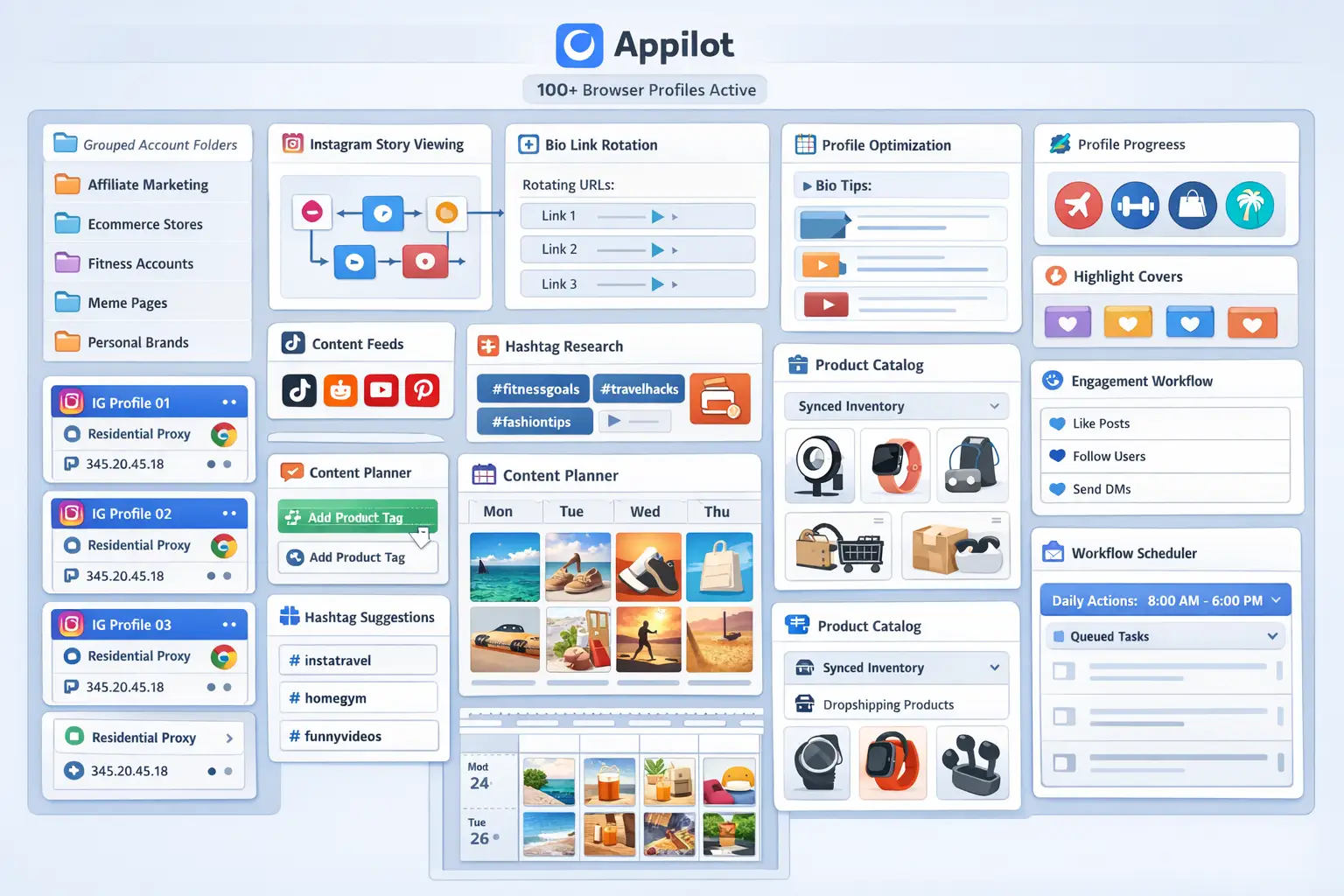
Once your browser profiles are ready, you can connect them to Appilot using your browser API key. This allows Appilot to access your profiles, launch sessions automatically, and execute workflows without requiring you to open every account manually.
Inside Appilot, you can organize profiles into groups based on campaign type, niche, client, region, or activity type. For example, you might have profile groups for fitness accounts, meme pages, ecommerce brands, or affiliate marketing pages.
This makes it much easier to run workflows across specific account groups without affecting unrelated profiles.
Step 4: Create a Story View Workflow
The workflow itself is fairly simple. You choose which profiles should run the task, set a schedule, define the number of Stories to view, and add randomization settings.
A common setup might involve each account viewing between 5 and 15 Stories every day, with delays between actions and random time variations between profile sessions.
For example, a workflow could be set up to run every day between 9:00 AM and 12:00 PM with random delays between Story views and profile switches. One account might view 8 Stories in 4 minutes, while another account might view 12 Stories over 10 minutes.
This randomness helps the behavior look more natural.
const workflow = {
  name: "Instagram Story View Workflow",
  accounts: "fitness-pages-group",
  schedule: "Daily between 9AM and 12PM",
  storyViewsPerAccount: 8,
  delayBetweenViews: "10-30 seconds",
  delayBetweenProfiles: "30-90 seconds",
  maxAccountsPerBatch: 20
};
The best workflows are usually the ones that feel boring and human. Real people do not view Stories at exactly the same speed every day. They pause, scroll, click profiles, leave the app, and come back later. Your workflow should reflect that.
Step 5: Test Before Scaling
One of the biggest mistakes people make is trying to automate all 100 accounts immediately. That usually creates too much activity too quickly and makes it difficult to spot problems.
Instead, start small. Run the workflow on three accounts for a few days. Then increase to 10 accounts. After that, test 25 accounts, then 50 accounts, and only then move toward 100 or more.
This gradual approach gives you time to spot login issues, bad proxies, unusual activity patterns, or browser fingerprint problems before they affect the entire account network.
Best Practices for Safe Instagram Story View Automation
The safest automation is the automation that looks natural. That means using randomization, limiting activity, staggering execution times, and avoiding repetitive patterns.
You should avoid making every account view the exact same number of Stories in the exact same order every day. You should also avoid running all accounts at the same time.
A better approach is to split accounts into smaller batches throughout the day. One group can run in the morning, another group in the afternoon, and another group later in the evening.
It is also important to mix Story viewing with other normal browsing activity. Accounts that only perform one repetitive action every day often look suspicious. Real users browse feeds, open profiles, scroll through Explore pages, and interact with content in different ways.
The more realistic the account behavior looks, the safer the workflow becomes.
Real Example: Scaling from 20 to 120 Accounts
One agency started with 20 Instagram accounts for affiliate marketing campaigns. At first, they handled Story views manually, which took around eight hours every week.
As the number of accounts increased, the process became harder to manage. Team members lost track of which accounts were active, proxies were shared incorrectly, and some accounts showed unusual activity patterns.
They eventually switched to a setup using GoLogin, residential proxies, and Appilot workflows. The accounts were divided into groups of 20 profiles, with each group running Story view workflows at different times of the day.
After 60 days, the agency had scaled to 120 accounts while reducing manual work by more than 80 percent. The most important improvement was not simply speed. It was the fact that the workflow became more structured, trackable, and much easier to manage over time.
Common Mistakes to Avoid
One common mistake is using the same proxy across too many accounts. This makes the account group easier to detect because multiple accounts appear to come from the same location and IP address.
Another mistake is running too many accounts at the same time. Even if your tools support hundreds of profiles, it is still better to stagger the execution schedule throughout the day.
Some people also forget to warm up accounts before automation. New accounts should always be used manually for a while before adding automated Story view workflows. This helps establish more natural browsing history and account behavior.
Finally, avoid using identical viewing patterns across all accounts. The more repetitive the behavior becomes, the easier it is to detect.
FAQ
Q1: How many browser profiles can I schedule at once?
The answer depends on your browser plan and your Appilot plan. Most users can comfortably manage between 20 and 50 profiles at the same time. Larger operations with stronger systems can run hundreds of profiles by staggering workflows throughout the day.
Q2: Will automating Instagram Story views get my accounts banned?
Not if you use good proxies, separate browser fingerprints, randomized timing, and realistic activity levels. The biggest risk comes from aggressive behavior patterns, not from the automation tools themselves.
Q3: Which browser is best for Instagram Story automation?
GoLogin is usually the best option for smaller teams, AdsPower is better for larger account operations, and Multilogin is often preferred by enterprise users.
Q4: How long does setup take?
Most users can create their browser profiles, connect them to Appilot, and build their first workflow in around 45 to 60 minutes.
Q5: Should every account have its own proxy?
Ideally yes, but smaller operations often share one residential proxy across a few related accounts. Larger and older accounts usually benefit from dedicated proxies.
Conclusion
Automating Instagram Story views across 100+ accounts can save a huge amount of time while making account management much more organized.
Instead of manually switching between accounts every day, you can build repeatable workflows that run automatically, use separate browser fingerprints, rotate proxies, and spread activity naturally throughout the day.
The key is to start slowly, test carefully, and focus on realistic account behavior. Once the system is working, you can scale gradually and manage far more accounts without increasing your workload.
This structure works especially well for agencies, affiliate marketers, growth teams, and anyone managing large groups of Instagram accounts.