Automated Captcha Solving Workflows: Browsers + Appilot
Most browser automation workflows fail at the exact moment a CAPTCHA appears. A login flow stops, a scraping task breaks, a checkout process pauses, or a posting workflow gets interrupted because the browser session is suddenly challenged.
Many users assume the solution is simply finding a better CAPTCHA solver. They focus on image solvers, token replay methods, browser extensions, or external CAPTCHA-solving APIs. While these tools can sometimes help, they only address the visible challenge itself.
The larger problem is that CAPTCHA systems are no longer simple puzzles. Modern CAPTCHA systems are behavioral risk engines. They look at browser fingerprints, session continuity, cookies, JavaScript execution, timing patterns, interaction realism, proxy quality, and long-term session behavior.
This means that solving the visible challenge does not always fix the underlying problem. Many browser sessions solve one CAPTCHA successfully and then trigger another one shortly afterward because the session still looks suspicious.
This is where Appilot becomes useful. Instead of only focusing on CAPTCHA solving, Appilot helps reduce the conditions that cause CAPTCHA challenges in the first place. By combining better browser sessions, stable execution, realistic timing, and fallback solving workflows, you can build more reliable browser automation systems.
Why CAPTCHA Solving Alone Usually Fails
Most users think CAPTCHA is the problem, but CAPTCHA is usually only the visible result of a larger trust issue.
Modern systems trigger CAPTCHA when the browser session no longer looks normal. This can happen because of repetitive navigation patterns, broken cookies, missing storage, repeated retries, bad proxies, unstable browser fingerprints, or unrealistic timing.
Many browser automation tools make this worse because they reset sessions too often, skip JavaScript, replay expired tokens, or lose browser state between actions. This creates a situation where CAPTCHA solving becomes a loop. The session solves the challenge, but because nothing else changed, another challenge appears again soon after.
This is why many users feel like CAPTCHA-solving APIs are unreliable. The issue is not always the solver itself. The issue is that the surrounding browser session is still weak.
CAPTCHA systems also carry memory. Solving one challenge does not automatically reset trust. Many sessions remain under higher scrutiny even after the challenge is completed. CAPTCHA systems operate on long-term risk scoring rather than only checking one visible answer.
Where CAPTCHA Challenges Usually Appear
CAPTCHA challenges can appear in several different places depending on the type of workflow.
Many challenges happen at the web application firewall layer. Services like Cloudflare, Amazon Web Services WAF, and Imperva inject CAPTCHA challenges when browser sessions look suspicious. These systems analyze things like TLS fingerprints, JavaScript execution, request rates, session continuity, and header consistency.
Other CAPTCHA systems appear directly inside application logic. This is common in login pages, repeated authentication flows, scraping systems, checkout pages, social media posting flows, and form submission systems. These challenges are often tied directly to the platform itself rather than just the network layer.
Browser automation frameworks can also create their own CAPTCHA issues. Users often see Puppeteer sessions get stuck, Selenium loops fail repeatedly, or Playwright flows break because the browser resets too often or skips required JavaScript execution. These failures often create "challenge response missing" errors because the session state is incomplete.
Why CAPTCHA Systems Detect Browser Automation
Modern CAPTCHA systems do not rely only on image puzzles anymore. They collect behavioral information continuously in the background.
They monitor interaction timing, mouse movement, scrolling behavior, JavaScript execution, event authenticity, browser storage, viewport consistency, locale settings, and browser fingerprint alignment. CAPTCHA usually appears after all of these signals have already been analyzed.
This is why even slow automation can still trigger CAPTCHA. Many users assume that slowing down a bot is enough, but consistency is often more suspicious than speed. If the browser performs the same actions with the same timing, the same navigation order, and the same browser profile every time, platforms eventually recognize the pattern.
Another issue is session instability. CAPTCHA challenges often appear when cookies are lost, browser storage is only partially restored, browser fingerprints change unexpectedly, or sessions reset too frequently. This makes the browser session look unreliable and causes risk scoring to increase.
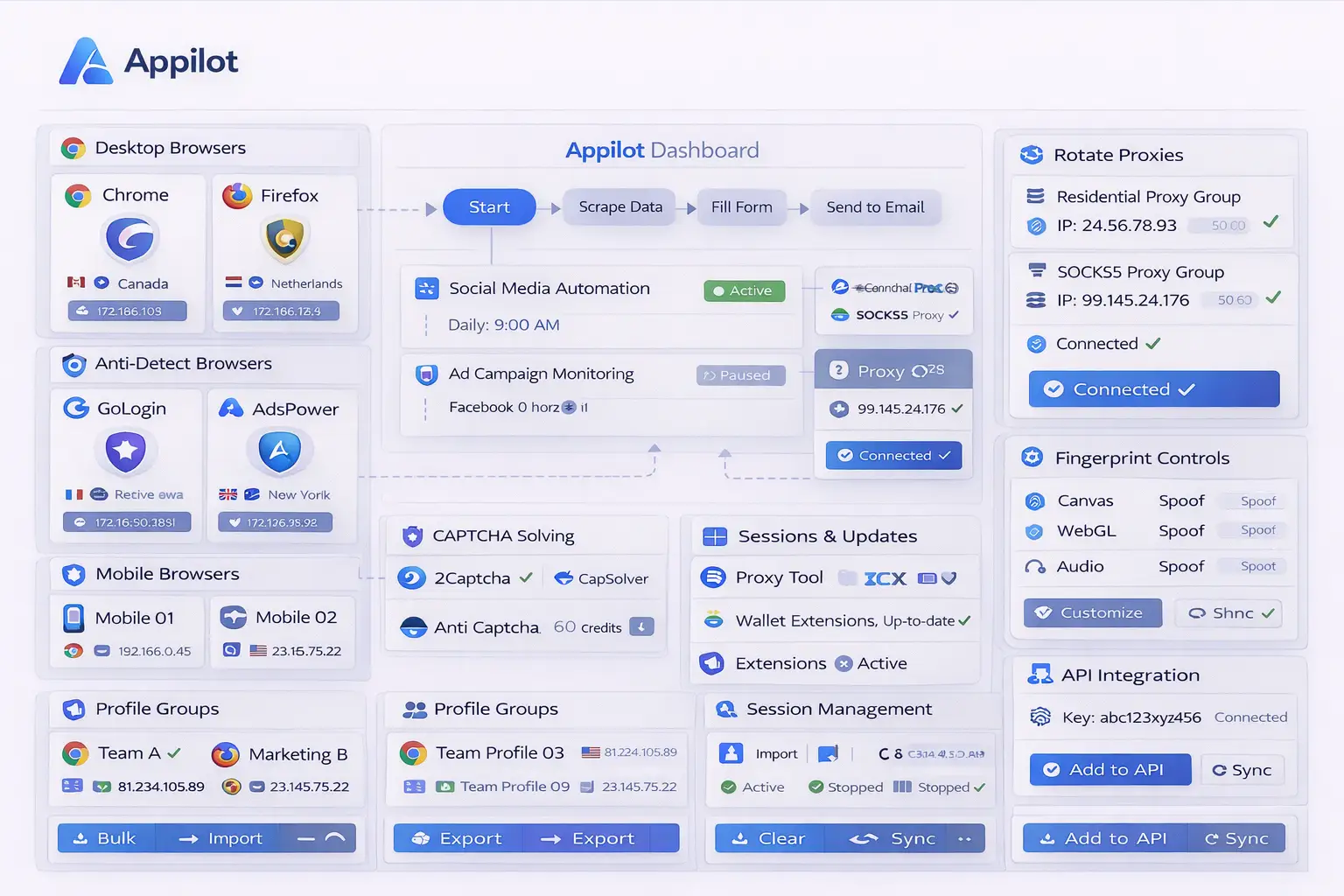
How Appilot Helps with CAPTCHA Workflows
Appilot helps because it focuses on prevention before reaction.
Instead of only trying to solve CAPTCHA challenges faster, Appilot helps maintain stable browser sessions, stronger cookies, more realistic timing, better browser continuity, and less repetitive activity.
For example, Appilot can keep browser sessions active for longer periods instead of constantly resetting them. It can help preserve cookies, storage, browser context, and proxy consistency so the browser profile looks more natural.
Appilot can also support better retry behavior. Instead of immediately repeating the same failed action several times, you can create workflows that pause, slow down, rotate context, or stop completely when CAPTCHA appears.
This is important because repeated retries usually increase suspicion. CAPTCHA systems often interpret rapid retry behavior as proof that the session is automated. Allowing cooldown periods and changing activity patterns can reduce repeated challenges.
Another advantage is that Appilot can work with mobile-native execution. Many CAPTCHA systems are more aggressive toward desktop browser automation and cloud-hosted scraping tools. Real mobile environments often generate stronger trust signals because they provide richer device telemetry, more stable sessions, and more natural interaction patterns. Appilot can help move repetitive workflows into mobile environments where CAPTCHA frequency is often lower.
Best Practices for Automated CAPTCHA Workflows
One of the best practices is treating CAPTCHA as a warning signal rather than a technical error. When a CAPTCHA appears, it usually means the session is already under increased scrutiny.
Instead of immediately retrying the same action, it is usually better to slow down the workflow, pause activity, adjust timing, and break repetitive patterns. This often works better than aggressive solving alone.
Another important practice is preserving session continuity. Cookies should stay intact, browser storage should remain stable, and browser sessions should avoid unnecessary resets. Broken session state is one of the most common reasons CAPTCHA systems become more aggressive.
You should also monitor which workflows trigger CAPTCHA most often. Login pages, checkout pages, repeated scraping tasks, social media posting, and account creation flows usually trigger more challenges than lower-risk browsing activity.
It is also important to design fallback logic. Some CAPTCHA events should pause the workflow temporarily, while repeated challenge loops may require ending the session completely and resuming later with a different context.
Finally, you should keep browser behavior realistic. Variation in timing, navigation order, scroll behavior, click speed, and session length can reduce the amount of repeated patterns that platforms detect.
Common CAPTCHA Workflow Mistakes
One common mistake is retrying immediately after a CAPTCHA challenge. This often escalates detection and makes the next challenge even harder.
Another mistake is treating CAPTCHA as a bug instead of a security decision. CAPTCHA usually means the platform already lost trust in the browser session. Solving the challenge without changing browser behavior usually leads to more challenges later.
Some users also rely too heavily on CAPTCHA-solving APIs without fixing the browser environment itself. Good CAPTCHA solvers can help, but they work best when combined with stable sessions, realistic timing, stronger browser fingerprints, and better proxy quality.
Another issue is scaling browser automation before stabilizing it. Increasing volume before fixing session quality usually multiplies the same detection signals across more accounts and more workflows.
Finally, many users forget that CAPTCHA systems continue monitoring behavior after the challenge is solved. Response timing, retry behavior, and post-CAPTCHA activity all affect how the session is scored afterward. CAPTCHA systems measure recovery, not just answers.
Frequently Asked Questions
Q1: Can CAPTCHA be fully bypassed in browser automation?
No. CAPTCHA frequency can be reduced, but it cannot be eliminated completely.
Q2: Why do CAPTCHA challenges appear even when browser automation is slow?
CAPTCHA systems measure patterns, timing consistency, session quality, and browser behavior rather than only raw speed.
Q3: Does solving a CAPTCHA reset session trust?
Usually not. Solving the challenge may allow the session to continue, but the underlying risk score often remains elevated.
Q4: Why do some browser sessions trigger CAPTCHA more often than others?
Browser sessions with unstable cookies, broken storage, weak proxies, repetitive timing, or unrealistic browser behavior usually trigger more challenges.
Q5: Can mobile execution reduce CAPTCHA frequency?
Often yes. Real mobile environments can generate stronger trust signals and may trigger fewer CAPTCHA challenges than desktop browser automation.
Conclusion
Automated CAPTCHA workflows are not only about solving visible challenges. The real goal is reducing the conditions that cause CAPTCHA to appear in the first place.
Appilot helps with this by improving session continuity, browser realism, retry handling, proxy consistency, and mobile execution. Instead of only reacting to CAPTCHA challenges, you can build a stronger browser automation system that triggers fewer challenges overall.
CAPTCHA is usually a signal that trust has been lost. The best automation systems focus on rebuilding that trust instead of only solving the visible puzzle.