Automating Browser Extension Installation Across Profiles with Appilot

Browser extensions are a major part of many browser workflows because they help users manage passwords, proxies, productivity tools, ad blockers, automation scripts, scraping utilities, wallets, translation tools, and browser security settings. The problem is that once you start managing large numbers of browser profiles, installing and updating extensions manually becomes very time-consuming.
A small browser setup with only a few profiles may be easy to manage, but larger operations often involve dozens or hundreds of browser environments. Each profile may require the same extensions, different extension combinations, or specific extension settings based on the type of workflow.
For example, one group of browser profiles may need proxy extensions, another may require crypto wallets, another may use automation tools, and another may rely on translation or research extensions. Managing all of these installations manually across Chrome, Firefox, antidetect browsers, and mobile browser environments quickly becomes difficult.
This is where Appilot becomes useful. Instead of manually installing extensions profile by profile, Appilot helps create a more organized system where browser extensions can be grouped, assigned, and managed across many browser environments from one place.
Why Browser Extensions Matter in Browser Automation
Browser extensions are important because they often become part of the browser identity.
A browser profile with no extensions may behave differently from a profile that contains proxy managers, ad blockers, password managers, crypto wallets, or research tools. Many users forget that extensions also contribute to browser fingerprints because platforms can sometimes detect which extensions are installed.
This means that browser extension management is not only about convenience. It is also about consistency and profile realism.
For example, a browser profile designed for crypto workflows may look more realistic if it contains a wallet extension and security tools. A profile used for scraping may look more natural with translation extensions, ad blockers, and productivity tools.
Extensions can also improve browser workflows by reducing repetitive tasks. Password managers can speed up login flows, proxy managers can simplify proxy switching, and automation extensions can handle repetitive actions more efficiently.
The more browser profiles you manage, the more important extension organization becomes.
Why Extension Management Becomes Difficult Across Many Profiles
Managing extensions across many browser profiles becomes difficult because every profile may need different combinations of tools.
One browser group may need VPN extensions, another may need ad blockers, another may require wallet extensions, and another may use automation plugins. If you are managing Chrome profiles, Firefox sessions, GoLogin environments, AdsPower workspaces, Dolphin Anty browsers, and mobile browser setups, keeping all of these extensions organized manually becomes very time-consuming.
Another issue is version consistency. Some extensions update automatically, while others stay on older versions. If half of your browser profiles use one extension version and the other half use another, workflows can become inconsistent.
There is also the issue of profile separation. If every browser profile uses exactly the same extensions in exactly the same order, the profiles may begin to look too similar.
Some browser platforms also handle extensions differently. Chrome and Chromium browsers often support extension stores directly, while Firefox and antidetect browsers may use different installation methods.
Managing all of this manually becomes difficult once the number of browser profiles increases.
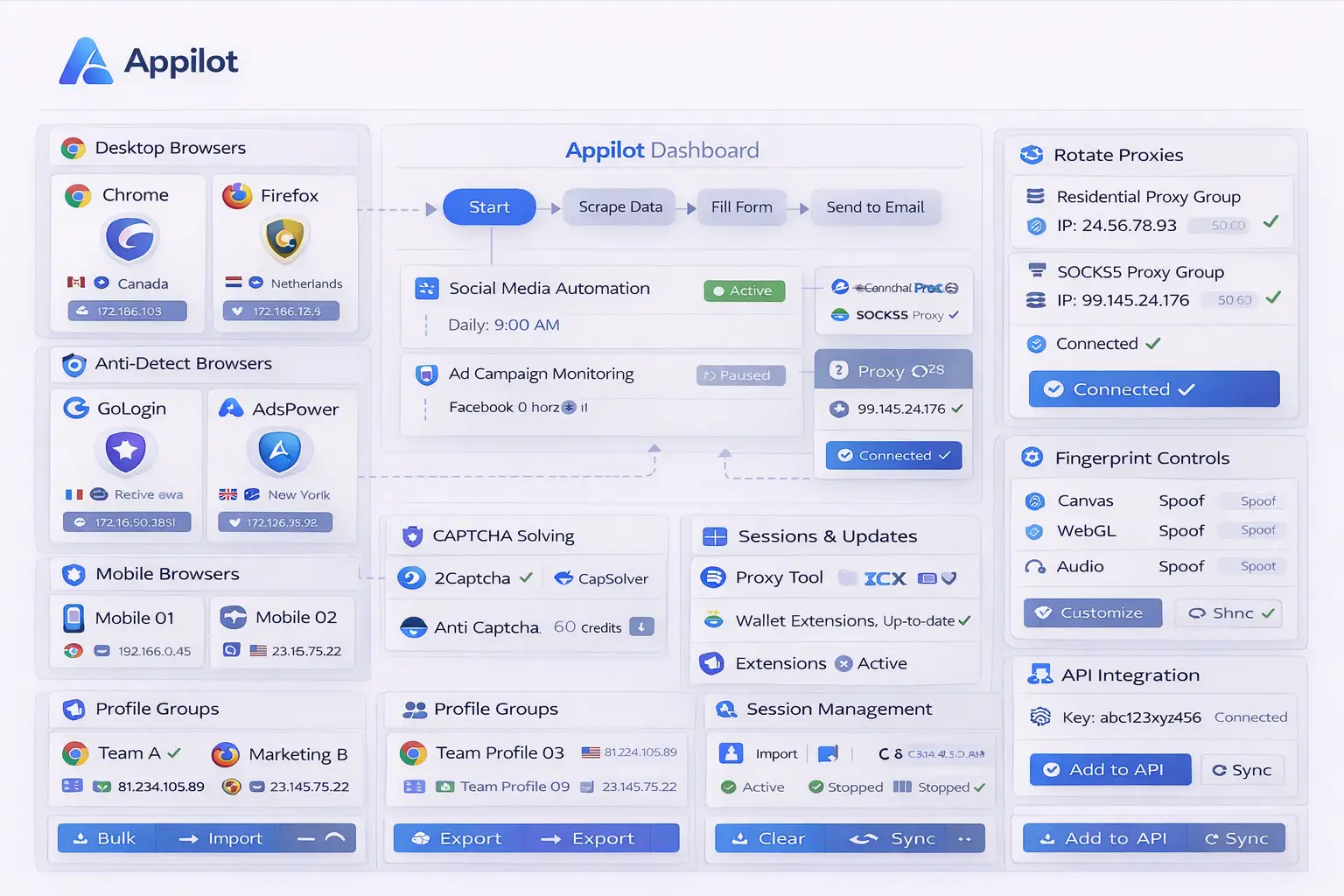
How Appilot Helps with Extension Management
Appilot makes browser extension management easier because it provides one place to organize extension groups, browser profiles, schedules, and profile categories.
Instead of installing the same extensions manually inside every browser profile, you can create extension groups based on workflow type.
For example, one browser group may use proxy managers, password managers, and ad blockers. Another may use crypto wallets, security tools, and research extensions. Another may use scraping utilities, automation tools, and translation extensions.
Appilot can also help keep extension versions consistent across profiles. Instead of updating extensions manually one by one, browser groups can stay synchronized more easily.
Another advantage is profile organization. Browser profiles can be grouped by client, campaign, account category, or workflow type, and each group can receive its own extension setup.
This makes it easier to scale browser operations because new profiles can inherit the same extension structure automatically.
Appilot can also help reduce unnecessary extension overlap. Not every browser profile should use the exact same tools. Some profiles may need lightweight extension setups, while others may need more advanced environments.
Best Practices for Browser Extension Management
One of the best practices is grouping extensions by purpose. Social media browser profiles, crypto browser profiles, research profiles, scraping environments, and e-commerce accounts should not all use identical extension setups.
Another important practice is keeping extension versions updated. Outdated extensions can create security risks, workflow issues, and browser instability.
You should also avoid overloading browser profiles with too many extensions. Large numbers of extensions can slow down browser performance and increase browser fingerprint complexity.
It is also important to keep extension combinations realistic. Real users usually install a few useful tools rather than dozens of unrelated extensions.
You should also separate high-risk extensions from sensitive profiles. For example, aggressive automation tools may not belong in browser profiles used for high-value accounts.
Finally, browser extensions should stay aligned with the overall browser identity. A mobile-style browser profile may not need the same extensions as a desktop productivity browser.
Common Mistakes with Browser Extensions
One common mistake is installing exactly the same extension set across every browser profile. This can create repeated browser environments that become easier to connect together.
Another mistake is allowing extension versions to become inconsistent across browser profiles. Different extension versions can create workflow problems and make browser environments harder to manage.
Some users also install too many extensions. Large numbers of unnecessary extensions can slow down browser sessions and create more browser fingerprint signals.
Another issue is using outdated or unsupported extensions. Some extensions stop receiving updates and can become unstable or incompatible with newer browser versions.
Finally, many users forget that extensions can affect browser fingerprints. Installed extensions, extension order, and browser behavior can all contribute to how unique a browser profile appears.
Frequently Asked Questions
Q1: Why is browser extension management important for large browser operations?
Browser extension management helps keep browser profiles organized, consistent, and easier to scale.
Q2: Should every browser profile use the same extensions?
Usually not. Different browser profiles should use different extension groups depending on their purpose.
Q3: Can Appilot help update browser extensions across multiple profiles?
Yes. Appilot can help organize extension groups, keep versions more consistent, and manage browser profiles from one place.
Q4: Can browser extensions affect browser fingerprints?
Yes. Some websites can detect installed extensions, which means extensions can contribute to browser identity.
Q5: How many extensions should a browser profile use?
The ideal number depends on the workflow, but most browser profiles should only use the extensions they actually need.
Conclusion
Browser extension management becomes more important as browser operations grow larger. Without a structured system, manually installing, updating, and organizing extensions across many browser profiles becomes difficult very quickly.
Appilot makes extension management easier by helping you organize extension groups, browser profiles, schedules, and profile categories from one place. This creates more consistent browser environments and makes it easier to scale browser operations over time.