Automating Mullvad Browser Workflows with Appilot
Mullvad Browser is designed for users who want stronger privacy protections, reduced browser fingerprinting, and fewer tracking risks during browsing sessions. Unlike standard browsers that prioritize convenience and personalization, Mullvad Browser focuses on creating a more uniform browser environment that is harder for websites to track.
This makes Mullvad Browser useful for researchers, marketers, social media managers, affiliate marketers, crypto users, agencies, and anyone who wants browser sessions that are more private and isolated.
The challenge is that privacy alone does not remove repetitive work. Users still need to open browser sessions, review dashboards, check notifications, monitor websites, collect information, and repeat the same actions every day.
This is where Appilot becomes useful. Mullvad Browser provides the privacy-focused browsing environment, while Appilot helps automate browser workflows, schedule browser sessions, and reduce the amount of manual work needed every day.
Why Browser Workflow Automation Matters
Many browser tasks happen repeatedly.
A researcher may need to open the same websites every morning and review updates. A social media manager may need to monitor dashboards and account notifications throughout the day. An affiliate marketer may need to review campaign performance and analytics reports on a schedule.
Crypto users often need to check exchanges, wallets, NFT platforms, and market dashboards multiple times each day.
Without automation, users need to repeat these tasks manually every time.
This becomes difficult when there are multiple browser sessions, websites, dashboards, and account groups involved.
Workflow automation helps solve this problem by turning repetitive browser actions into structured processes.
This makes browser tasks more consistent, easier to manage, and less dependent on manual effort.
Why Combine Mullvad Browser with Appilot?
Mullvad Browser provides a more private browser environment, but it does not automate browser tasks by itself.
Users still need to launch the browser, open websites, review dashboards, collect information, and close sessions afterward.
Appilot helps solve this problem by allowing browser workflows to happen automatically.
For example, Appilot can launch Mullvad Browser at a scheduled time, open selected websites, review dashboards, monitor browser activity, collect information, and close the session afterward.
This creates a more organized workflow where browser tasks happen automatically instead of relying on manual effort every day.
It also allows users to keep browser sessions private while still improving efficiency.
Common Mullvad Browser Workflows
One common use case is research. Researchers often need to review the same websites every day, monitor updates, compare information, and collect findings. Mullvad Browser provides a more private browsing environment while Appilot automates the repeated browser actions.
Social media managers may use Mullvad Browser for dashboard checks, account reviews, content research, and notification monitoring.
Affiliate marketers may use Mullvad Browser for campaign dashboards, traffic sources, landing pages, analytics tools, and reporting workflows.
Crypto users often want isolated browser sessions for exchanges, wallets, NFT tools, analytics dashboards, and market research.
Agencies may use Mullvad Browser for client work, research, browser-based reporting, and monitoring workflows.
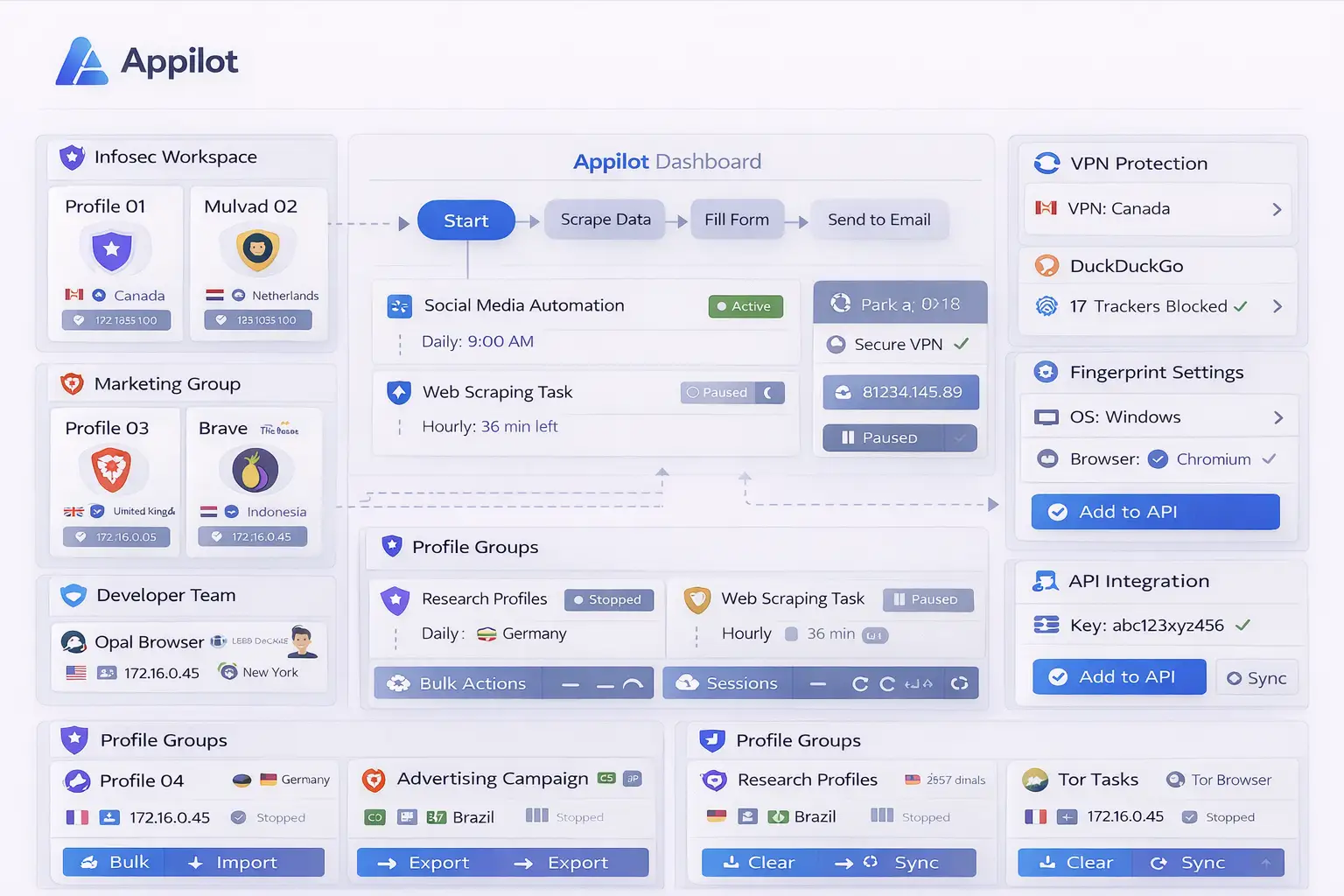
Setting Up Mullvad Browser Workflows
The easiest way to begin is by creating one simple browser workflow.
For example, you may want Appilot to launch Mullvad Browser every morning, open selected websites, review account dashboards, monitor browser activity, and close the session afterward.
You can begin with only a few browser actions so that the workflow is easier to test.
Once the setup becomes stable, you can gradually add more browser sessions, more websites, more account types, and more advanced scheduling rules.
It is usually better to keep the first workflow simple because this makes troubleshooting easier.
After the setup becomes reliable, it can be expanded into larger workflows for research, crypto, social media, affiliate marketing, or client work.
Benefits of Automating Mullvad Browser Workflows
One of the biggest benefits is privacy. Mullvad Browser helps reduce browser fingerprinting, tracking, and unnecessary background activity.
Another major benefit is time savings. Appilot reduces the amount of repetitive work involved in opening browser sessions, checking websites, reviewing dashboards, and monitoring browser activity.
The combination is also useful for consistency because browser workflows happen the same way every time.
This reduces the chance of forgetting browser tasks, missing reports, or opening the wrong browser session.
The setup is also useful for scaling because larger groups of browser workflows can be managed from one dashboard.
Best Practices for Mullvad Browser Automation
The best approach is to keep browser workflows organized from the beginning.
Use separate browser sessions for different projects, websites, account groups, or workflow types so that browser activity is easier to manage.
It is also important to use clear names for browser sessions and schedules.
Reviewing workflow logs and browser activity regularly can help identify issues before they become larger problems.
You should also avoid adding too many unnecessary extensions because this can reduce privacy and make browser management more difficult.
Keeping browser workflows simple and clearly separated usually makes them more stable.
Common Problems and Troubleshooting
One common issue is that some websites may behave differently because Mullvad Browser blocks more tracking scripts and browser fingerprinting methods than a standard browser.
Another issue is that workflows may stop working because websites change layout or because login sessions expire.
Users may also create too many browser sessions without a clear structure.
Too many overlapping workflows or unnecessary extensions can also reduce browser stability.
Keeping workflows organized and reviewing logs regularly usually helps prevent these problems.
Frequently Asked Questions
Q1: Why use Mullvad Browser for browser automation?
Mullvad Browser provides stronger privacy, reduced fingerprinting, and fewer tracking risks.
Q2: Can Appilot automate repetitive tasks inside Mullvad Browser?
Yes. Appilot can automate browser launches, scheduled workflows, website monitoring, and repetitive browser tasks.
Q3: Is this setup useful for research and crypto workflows?
Yes. Researchers and crypto users often benefit from privacy-focused browser sessions and automated workflows.
Q4: Should I create separate Mullvad Browser sessions for different tasks?
Yes. Using separate sessions helps keep browser activity organized and more private.
Q5: What happens if a Mullvad Browser workflow stops working?
You can review logs, refresh login sessions, update the workflow, and check browser compatibility if needed.
Conclusion
Mullvad Browser provides privacy, reduced fingerprinting, and browser control, while Appilot helps automate repetitive browser workflows and manage browser sessions from one dashboard.
Together, they create a more efficient system for managing browser-based work without repeating the same manual tasks every day.
This makes it easier to save time, stay organized, and keep browser workflows more private.