Automating Octo Browser Cookie Import/Export with Appilot
Cookies are one of the most important parts of browser profile management because they store login states, browsing history, session information, account preferences, and website behavior. In Octo Browser, cookies help browser profiles maintain stable identities across different accounts and workflows.
Importing and exporting cookies is useful when moving browser profiles between devices, restoring account sessions, sharing workflows with team members, or maintaining long-term account stability.
While managing a few browser profiles manually is simple, handling cookie import and export across dozens or hundreds of profiles becomes much harder.
This is where Appilot becomes useful.
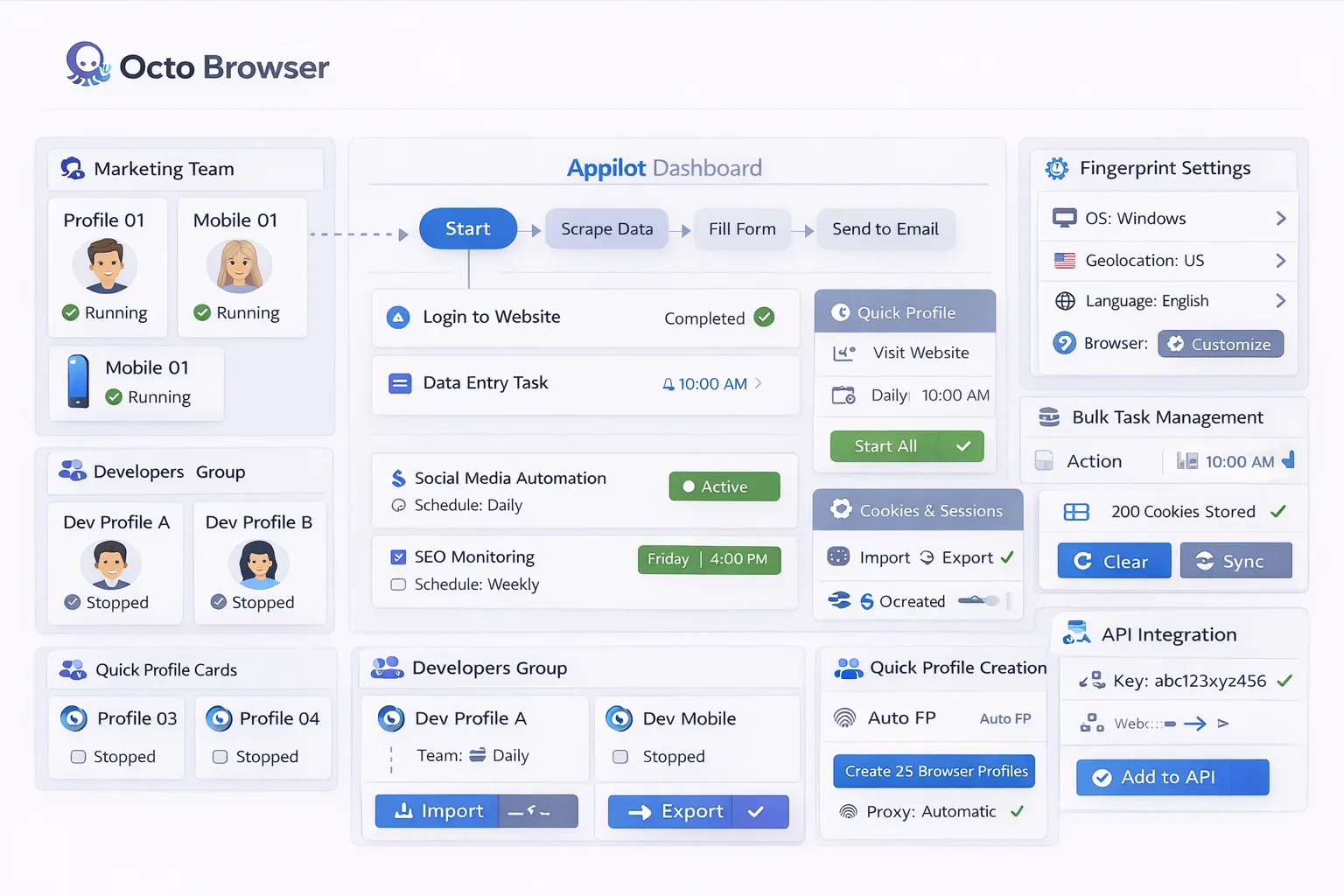
Appilot helps automate Octo Browser cookie workflows by allowing you to organize profile groups, manage cookie imports and exports, assign schedules, and monitor browser activity from one dashboard.
Why Cookie Import and Export Matters
Cookies help browser profiles remember login states and browsing behavior.
Without cookies, browser profiles may need to log in repeatedly, complete verification steps, or rebuild browsing history from scratch.
Cookie import is useful when you want to restore an account session or move a profile to another environment without losing account state.
Cookie export is useful when you want to back up browser sessions, transfer profiles to another device, or maintain account history for future use.
For teams working with multiple profiles, cookie import and export can save a significant amount of time.
However, as the number of profiles increases, managing cookies manually becomes difficult.
Without a structured process, it becomes easy to lose track of which cookies belong to which profiles.
How Appilot Helps Manage Cookie Workflows
Appilot acts as the workflow and organization layer above Octo Browser.
First, browser profiles are created or imported inside Octo Browser. Each profile can contain its own cookies, proxy settings, session data, browser fingerprint, and account information.
Once profiles are ready, Appilot can organize them into groups based on account type, platform, workflow, client, or region.
Inside Appilot, you can define workflows for cookie imports, exports, session backups, profile recovery, and scheduled cookie updates.
For example, one profile group may use scheduled cookie exports for backup purposes, another may import cookies for restored sessions, and another may use cookie workflows to move browser profiles between team members.
This makes it much easier to manage large numbers of browser profiles without manually tracking cookie files one by one.
Common Cookie Workflow Use Cases
Different teams often use cookie workflows for different purposes.
Social media teams may export cookies to preserve long-term account sessions and reduce repeated logins.
E-commerce teams may use cookie backups to save shopping carts, browsing history, and account preferences.
Affiliate teams may use cookie import workflows when moving browser profiles between devices or team members.
Testing teams may use exported cookies to recreate browser sessions across different environments.
Appilot helps organize these workflows so cookie imports, exports, and session backups can be managed more efficiently across multiple profile groups.
Benefits of Automating Cookie Management
Automating cookie workflows helps reduce the amount of manual work required to maintain browser profiles.
Instead of exporting or importing cookies profile by profile, Appilot allows you to apply cookie workflows across entire groups of profiles.
This improves efficiency and saves time.
Automation also helps improve organization because you can clearly see which profiles use specific cookie workflows, which session backups are active, and which profiles need attention.
Another important benefit is reliability. Scheduled cookie backups reduce the risk of losing session data or long-term account history.
This makes it easier to maintain stable browser profiles over time.
Best Practices for Cookie Import and Export
One of the most important rules is to keep cookie files organized.
Each cookie backup should clearly match the correct browser profile, account, and workflow.
You should also keep cookies, proxies, and browser fingerprints consistent because sudden changes can create unusual account behavior.
Regular cookie exports are useful for profiles that need long-term session stability.
It is also important to test cookie imports on a small number of profiles before scaling across larger groups.
Finally, make sure profile naming conventions are clear so it is easy to understand which cookie files belong to which browser profiles.
Common Mistakes to Avoid
One common mistake is mixing cookie files between different browser profiles.
Another mistake is importing cookies into profiles with different fingerprints, proxies, or device settings, which can create suspicious activity.
Some users also forget to create regular cookie backups, increasing the risk of losing important session data.
Poor organization is another major issue because unclear profile names and cookie labels make session management much harder.
The best approach is to stay organized, keep profile settings consistent, and scale gradually.
Frequently Asked Questions
Q1: Why are cookie import and export workflows important?
They help maintain session stability, preserve login states, and make it easier to move profiles between devices or team members.
Q2: Can Appilot automate cookie management across multiple profiles?
Yes. Appilot can organize cookie imports, exports, backups, and session workflows across profile groups.
Q3: Why should cookies match profile settings?
Cookies should match the same proxies, fingerprints, and browser settings to maintain realistic account behavior.
Q4: Should cookie backups be created regularly?
Yes. Regular backups help reduce the risk of losing session data and account history.
Q5: What is the biggest mistake in cookie management?
The biggest mistake is poor organization. Without clear cookie labels, profile groups, and backup workflows, session management becomes difficult.
Conclusion
Octo Browser cookie import and export workflows are useful for maintaining stable browser profiles, preserving account history, and reducing repeated logins.
Appilot helps simplify this process by giving you one centralized place to organize cookie workflows, assign profile groups, manage session backups, and monitor browser activity.
The best approach is to keep cookies organized, maintain consistent profile settings, and scale gradually as your browser automation setup becomes more advanced.