Automating Proxy Rotation Across Multiple Browsers with Appilot
Managing multiple browser profiles without a proper proxy strategy creates problems very quickly. You may have different browser types, separate browser fingerprints, and isolated sessions, but if too many accounts keep using the same IP address or the same proxy pool, platforms can still connect them together.
This becomes even more important when you are working with multiple browsers at the same time. Many users run Chrome profiles for research, Firefox profiles for testing, antidetect browsers for account management, and mobile browsers for social media actions. If all of these browser environments share the same proxy setup, your operation becomes easier to detect.
Proxy rotation solves this problem by spreading browser activity across different IP addresses, locations, and sessions. Instead of reusing the same proxy repeatedly, you rotate between different residential, mobile, or datacenter proxies based on browser type, account category, task, or schedule.
The challenge is that managing proxy rotation manually becomes difficult once you have dozens or hundreds of browser profiles. This is where Appilot becomes useful. Instead of manually assigning proxies to every browser profile, you can automate proxy rotation across different browsers from one place.
Why Proxy Rotation Matters
Every time a browser profile connects to a website, it exposes an IP address. Even if you are using different browser fingerprints and different browser profiles, reusing the same IP address across too many accounts can still create overlap.
Platforms often look for patterns in IP usage. If ten accounts keep logging in from the same IP address, the same region, and the same time zone, they may assume that those accounts are connected. This can lead to account restrictions, verification requests, or suspicious activity warnings.
Proxy rotation helps reduce this risk by changing the IP address used by different browser profiles. Instead of sending all traffic through the same connection, you can spread activity across multiple proxy groups.
For example, you may use one residential proxy pool for Facebook accounts, another proxy group for TikTok accounts, another for Amazon stores, and another for scraping tasks. This creates stronger separation between browser sessions.
The more browser profiles you manage, the more important proxy rotation becomes.
Different Types of Proxies Used in Browser Automation
There are several different proxy types used in browser automation, and each one serves a different purpose.
Residential proxies are usually the most trusted because they come from real residential internet connections. They are often used for social media accounts, e-commerce stores, ad accounts, and other high-value sessions because they look more natural.
Mobile proxies are useful when you want browser traffic to appear as if it is coming from mobile devices. They are often used for social media automation, app testing, mobile browsing, and mobile-first platforms.
Datacenter proxies are usually faster and cheaper, but they may be easier for some platforms to identify. They are often used for scraping, research, testing, and lower-risk automation tasks.
Static proxies provide a fixed IP address that does not change, while rotating proxies automatically switch IP addresses after a certain amount of time or after each session.
Many users combine different proxy types together depending on the browser profiles they manage.
Why Multi-Browser Proxy Rotation Is Difficult
Managing proxies across multiple browsers becomes complicated because every browser platform handles proxies differently.
Some browsers allow profile-level proxy assignments, while others use proxy groups or browser-wide settings. Some antidetect browsers make proxy management easier, while traditional browsers often require separate extensions or browser-level configuration.
When you are using several browser types at once, it becomes easy to lose track of which proxies belong to which profiles. You may accidentally assign the same proxy to multiple accounts or reuse the same IP address too often.
This creates problems because account separation becomes weaker. Even if browser fingerprints are different, reusing the same proxies can still connect accounts together.
Manual proxy management also wastes a lot of time. If you need to update proxy assignments for fifty browser profiles across five browser platforms, the amount of repetitive work becomes very large.
How Appilot Helps Automate Proxy Rotation
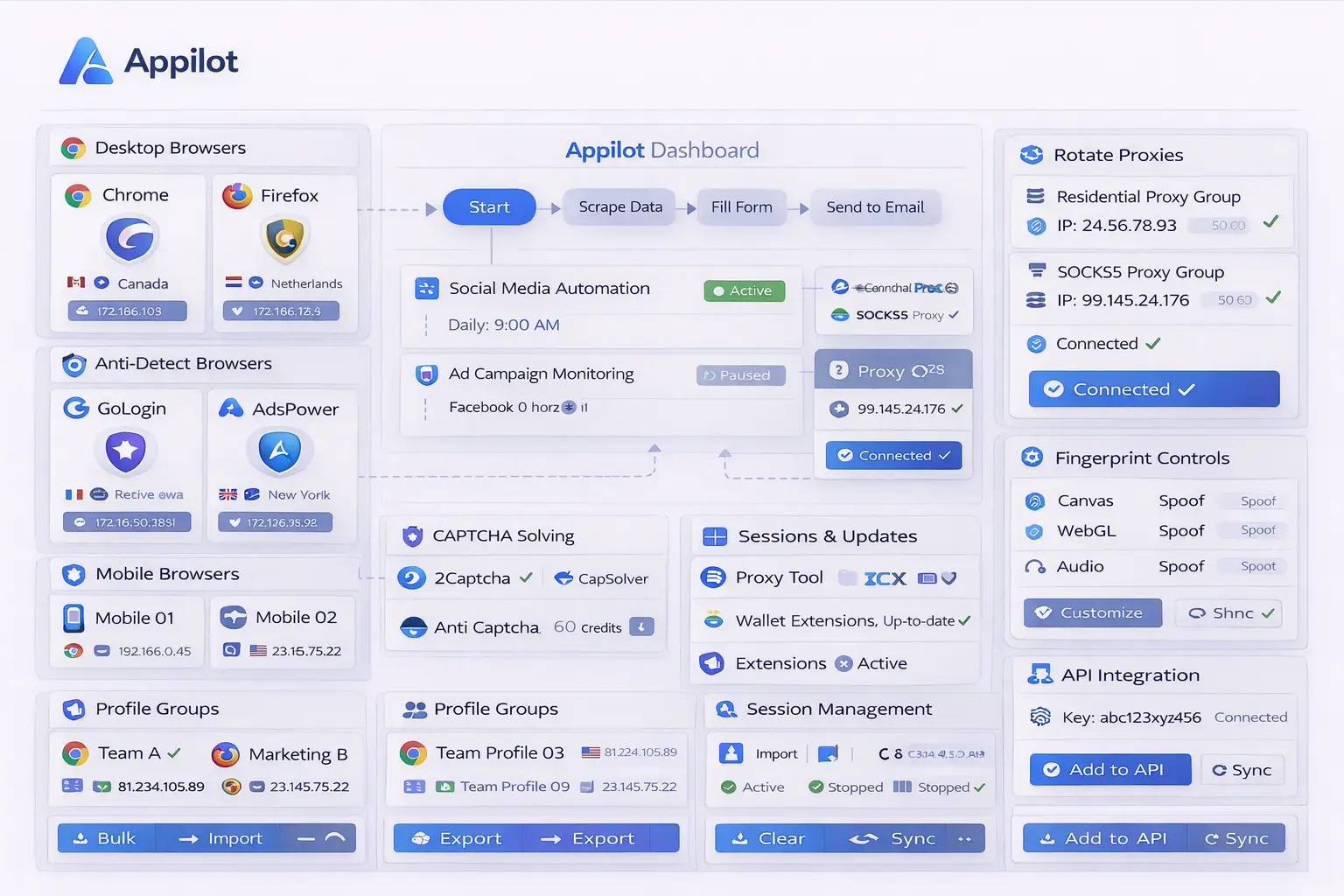
Appilot makes proxy rotation easier because it allows you to organize browser profiles and proxy groups from one dashboard.
Instead of manually assigning proxies to every browser profile, you can create proxy pools and match them with specific browser groups. For example, all Facebook browser profiles may use one residential proxy pool, while all scraping profiles may use datacenter proxies.
You can also create rules for how proxies should rotate. Some users rotate proxies after every session, while others rotate daily or after a certain number of browser launches.
Another useful feature is proxy grouping. You can separate proxies by country, city, account type, browser type, or task type. This makes it much easier to keep your browser profiles organized.
Appilot can also help you avoid proxy overlap. Instead of assigning the same proxy to too many profiles, you can create limits and rotation rules so that browser sessions stay separated.
You can also schedule proxy changes at specific times. For example, you may want one browser group to use residential proxies during business hours and datacenter proxies at night for scraping tasks.
This creates a much more flexible system compared to manually managing proxies across different browser platforms.
Best Practices for Proxy Rotation
One of the best things you can do is keep different proxy types separated by purpose. Residential proxies should usually be reserved for sensitive accounts like social media, ad accounts, e-commerce stores, and affiliate campaigns.
Datacenter proxies are usually better for scraping, testing, and lower-risk tasks. Mobile proxies are often useful for mobile-first platforms and mobile browser activity.
You should also avoid assigning too many profiles to the same proxy. Even if you are rotating browsers and browser fingerprints, too much proxy overlap can still create account connections.
Another important practice is matching proxy regions with browser profiles. For example, if a browser profile is set to the United States, the proxy should also match that region. Large mismatches between browser fingerprint settings and proxy location can look suspicious.
You should also randomize proxy rotation timing. Rotating proxies at exactly the same time every day creates a predictable pattern.
Finally, it is important to track which proxies have been used recently so that you do not accidentally reuse the same IP addresses too often.
Common Proxy Rotation Mistakes
One common mistake is relying only on proxy rotation while ignoring browser fingerprints. Proxies are important, but browser profiles, browser types, and browser fingerprints should also be separated.
Another mistake is using the same proxy pool for every browser type. This creates overlap between social media accounts, e-commerce accounts, affiliate campaigns, and scraping profiles.
Some users also rotate proxies too aggressively. If the IP address changes too often during one session, it may look unnatural. Proxy rotation should be balanced rather than extreme.
Another issue is using low-quality or free proxies. These proxies are often slow, unreliable, and already flagged by platforms. High-quality residential or mobile proxies are usually better for sensitive workflows.
Finally, many users forget to monitor proxy health. Over time, proxies can become blocked, slower, or less reliable. Reviewing proxy performance regularly helps keep browser operations stable.
Frequently Asked Questions
Q1: How often should proxies rotate?
The ideal rotation frequency depends on the type of browser activity. Some users rotate proxies after every session, while others rotate daily or after several browser launches.
Q2: Should every browser profile have its own proxy?
Not always, but high-value accounts usually benefit from dedicated proxies. Lower-risk tasks may share proxy pools if managed carefully.
Q3: What type of proxy is best for social media automation?
Residential proxies and mobile proxies are usually the best options because they look more natural to platforms.
Q4: Can Appilot rotate proxies automatically across different browser types?
Yes. Appilot can help automate proxy assignments, proxy groups, proxy schedules, and browser-specific proxy rules.
Q5: Why is proxy overlap a problem?
Proxy overlap can connect accounts together because platforms may see repeated IP usage across multiple browser profiles.
Conclusion
Proxy rotation is one of the most important parts of browser automation because it helps keep browser profiles separated and reduces repeated IP activity. Without proper proxy rotation, even strong browser profiles and good browser fingerprints can become less effective over time.
Appilot makes proxy rotation easier by allowing you to automate proxy assignments, proxy schedules, browser groups, and browser-specific proxy rules from one place. Instead of manually updating proxies across different browser platforms, you can create a cleaner and more scalable workflow.
This blog structure follows the user's requested Appilot blog format with one centered image, paragraph-style sections, no service or product page references, and FAQ formatting preferences.