Automating Sphere Browser Multi-Login Management with Appilot

Sphere Browser is commonly used for managing multiple browser identities across different accounts, campaigns, and workflows because each browser profile can maintain its own cookies, fingerprints, proxies, and session data. This makes Sphere Browser useful for affiliate marketing, social media management, e-commerce operations, scraping, testing, and other workflows that require multiple isolated browser environments. While handling a small number of browser profiles manually may be possible, larger operations often involve dozens or hundreds of profiles, and that quickly becomes difficult because different profile groups may require different schedules, workflows, proxies, and account rules. Without a centralized system, it becomes harder to understand which profiles belong to which campaigns and which tasks still need attention. This is where Appilot becomes useful because it helps organize Sphere Browser profiles from one dashboard so you can assign workflows, create schedules, group browser profiles, and monitor activity more efficiently.
Why Multi-Login Management Matters
Multi-login management becomes important when users need to operate multiple accounts without mixing sessions, cookies, fingerprints, or browser histories. Different browser profiles may represent different social media accounts, affiliate campaigns, regional stores, ad accounts, or scraping tasks, and each one may require its own workflow rules and schedules. Without proper profile separation, browser sessions can overlap and create confusion across accounts. Managing this manually becomes difficult as the number of profiles increases because users may spend large amounts of time opening profiles, checking account status, updating workflows, and monitoring activity. Proper multi-login management helps reduce these problems by keeping every browser identity separated and organized.
How Appilot Works with Sphere Browser Profiles
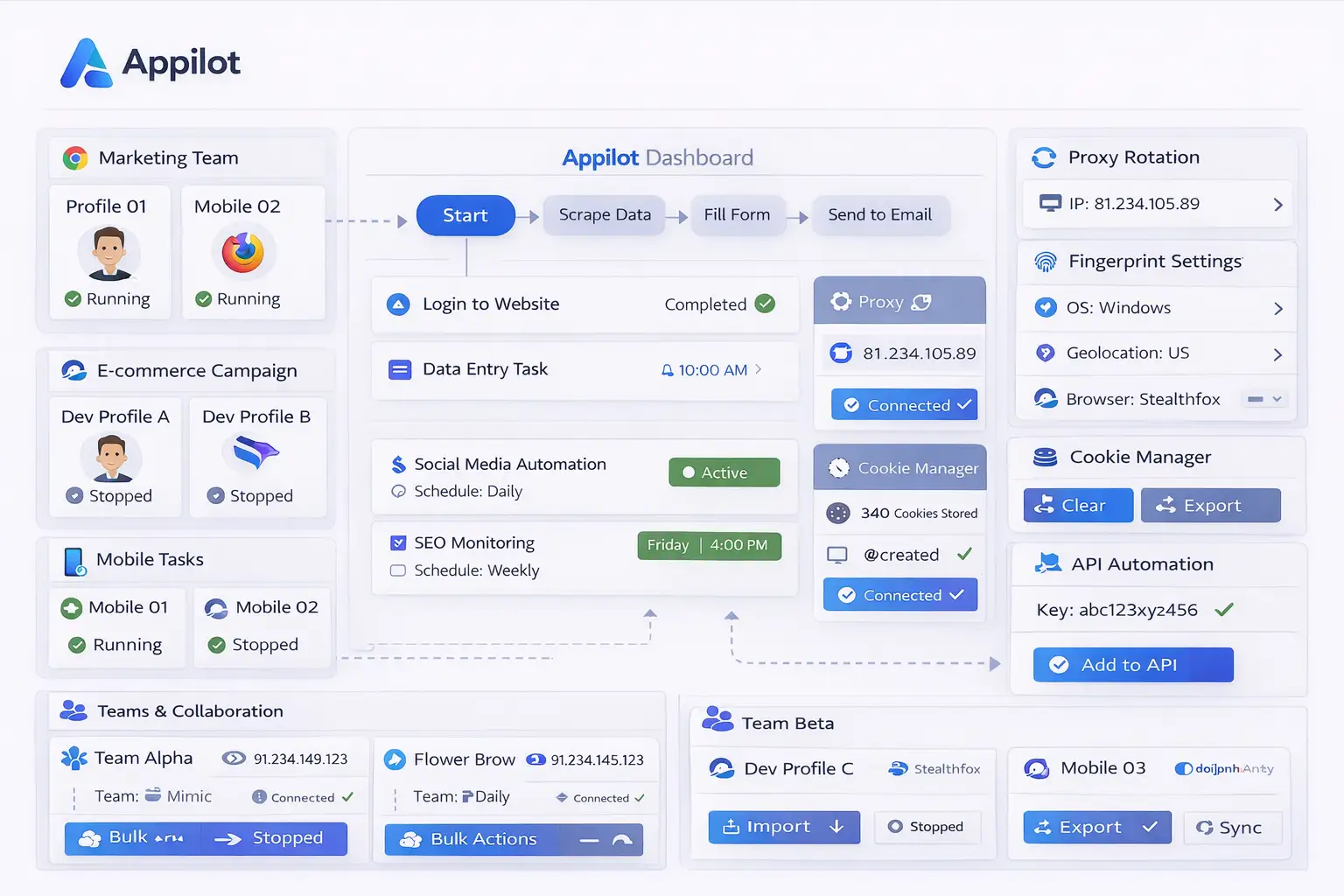
Appilot acts as the workflow and scheduling layer above Sphere Browser. First, browser profiles are created inside Sphere Browser with their own fingerprint settings, cookies, session data, account information, and proxy assignments. Once profiles are ready, Appilot can organize them into groups based on workflow type, platform, campaign, region, or account category. Inside Appilot, you can create schedules, define timing windows, assign workflow rules, and monitor browser activity. For example, one group of profiles may manage Facebook accounts, another may support affiliate campaigns, another may run scraping tasks, and another may handle e-commerce monitoring. Each group can have its own schedules, delays, and workflow rules. This makes it easier to manage large numbers of Sphere Browser profiles without manually controlling every browser session.
Benefits of Multi-Login Automation
One of the biggest benefits of automation is better organization because Appilot allows browser profiles to be grouped based on workflows, campaigns, or platforms, which makes it easier to understand which profiles belong to which tasks. Another important benefit is time savings because workflows can run automatically according to assigned schedules instead of requiring manual execution every day. Automation also improves visibility because you can monitor which workflows are active, which browser profiles failed, which profile groups require attention, and which schedules are running correctly. Another major advantage is scalability because once workflows are built, they can be reused across multiple profile groups without rebuilding everything from scratch each time.
Common Multi-Login Workflow Use Cases
Different profile groups often require different workflows depending on their purpose. Social media profiles may require posting schedules, engagement workflows, message checks, and account warmups, while affiliate profiles may require campaign monitoring, landing page testing, and traffic validation. Scraping profiles may require website visits, data collection, and export processes, while e-commerce workflows may involve product tracking, inventory monitoring, and pricing updates. Appilot helps organize these workflows into separate profile groups so they can run automatically and remain easier to manage.
Best Practices for Multi-Login Management
Keeping browser profiles organized is one of the most important parts of managing large browser environments because clear naming conventions make it easier to understand which profiles belong to which workflows. It is also important to avoid running every profile at the exact same time because repetitive timing patterns can create unnatural behavior, so spreading workflows across different schedules is a better approach. Stable proxy assignments and consistent fingerprint settings help browser identities remain reliable, while regular profile reviews help prevent issues such as expired sessions or broken cookies. Starting with smaller groups of profiles and scaling gradually also makes it easier to test workflows before applying them across a larger setup.
Common Mistakes to Avoid
One of the most common mistakes is poor profile organization because unclear naming structures and workflow groups make it difficult to understand which profiles belong to which tasks. Another common issue is assigning identical schedules across every profile, which creates repetitive activity patterns. Some users also scale too quickly without testing workflows on smaller groups, which increases the risk of errors across the entire system. Using the same proxy across too many profiles is another issue because it increases overlap between browser identities and reduces profile separation. The best approach is to stay organized, test workflows carefully, and scale gradually.
Frequently Asked Questions
Q1: Why should I automate Sphere Browser multi-login management with Appilot?
Automating Sphere Browser multi-login management helps save time, improve organization, and reduce manual work across large numbers of browser profiles.
Q2: Can Appilot manage multiple Sphere Browser profiles at once?
Yes. Appilot can organize and manage large numbers of Sphere Browser profiles from one dashboard.
Q3: What types of workflows can be automated?
Social media management, affiliate campaigns, scraping, e-commerce monitoring, and many other browser workflows can be automated.
Q4: Why should profiles have different schedules?
Different schedules help make browser activity appear more natural and reduce repetitive timing patterns.
Q5: What is the biggest mistake in multi-login management?
The biggest mistake is poor organization. Without clear naming rules, schedules, and workflow groups, browser profile management becomes much harder.
Conclusion
Managing multiple browser logins becomes much harder when large numbers of profiles, sessions, and workflows are involved. Sphere Browser helps keep browser identities separated, while Appilot adds the scheduling, workflow control, and profile organization needed to manage everything from one place. The best approach is to stay organized, avoid repetitive behavior patterns, and scale gradually as your browser automation setup becomes more advanced.