Why Your Automation Breaks After Website Updates
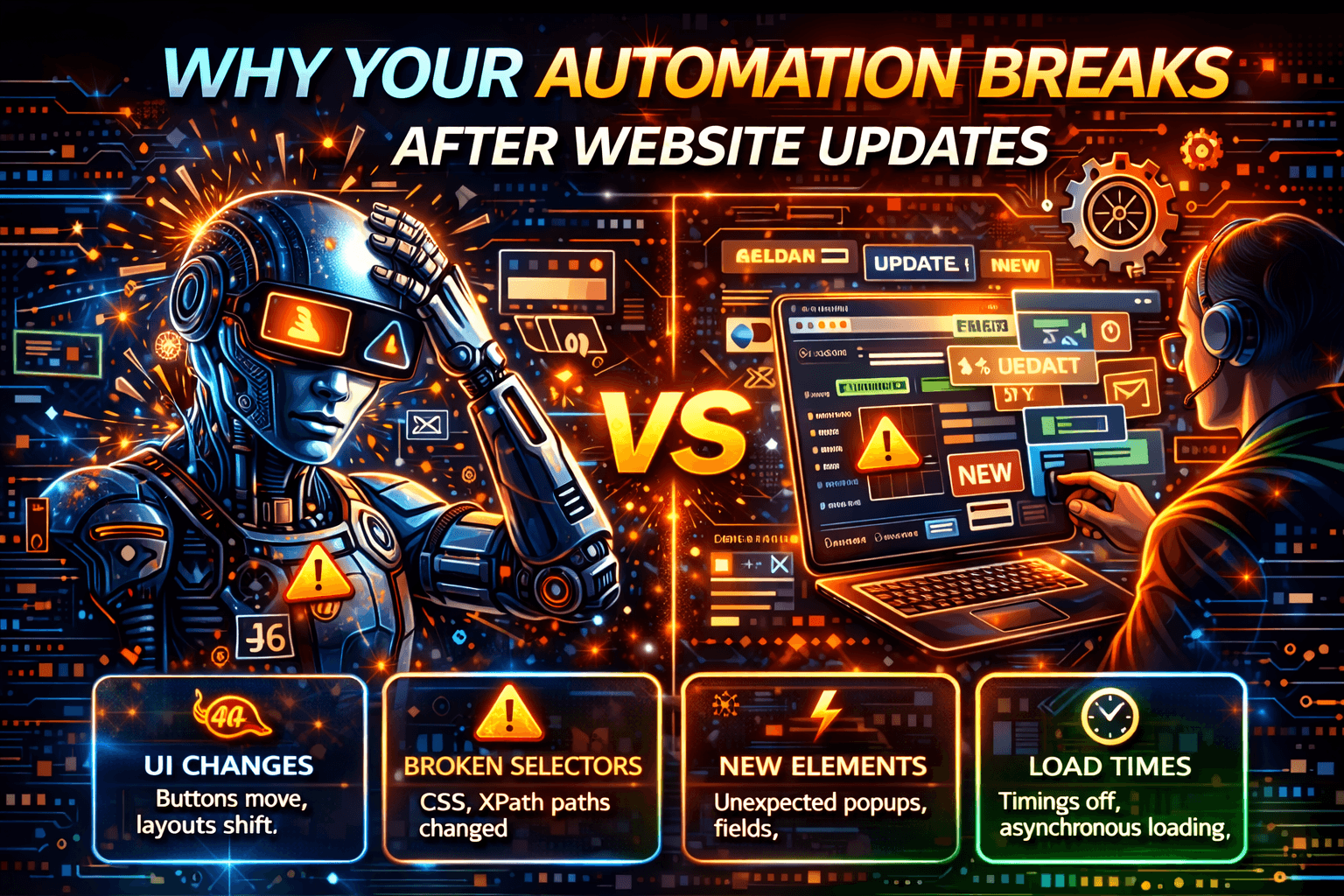
Nothing changed on your side, yet everything broke.
Your automation ran perfectly yesterday. Today, the website deploys an update, and suddenly selectors fail, flows hang, jobs time out, and steps appear to complete even though the final outcome never happens.
You did not change the code. You did not change the configuration. Yet everything broke.
This is not bad luck. It is a predictable failure mode of modern web systems. Website updates create hostile environments for brittle automation, whether you are using browser automation, test automation, RPA tools, Power Automate flows, or custom web scraping systems.
Why Website Updates Break Automation So Often
Modern websites are no longer static pages. They are continuously deployed applications that can change several times per week or even several times per day. Every deployment has the potential to alter the DOM structure, CSS classes, element IDs, rendering timing, client-side hydration logic, network request order, and anti-automation rules.
Most automation systems are tightly coupled to at least one of these layers. When that layer changes, the automation fails immediately. Even a small UI change can break a script that was built around fragile assumptions.
The Most Common Breakpoints After Updates
1. UI & Selector Drift
Developers regularly rename CSS classes, replace components, refactor layouts, and reorder elements. When automation depends on hard-coded selectors, even a small front-end change can cause instant failures.
This problem affects Selenium tests, Playwright scripts, RPA bots, marketing automation flows, and web scraping systems. UI automation is often the most fragile layer because it relies heavily on exact page structure.
2. Timing & Rendering Changes
Even when the elements still exist, they may load later than before, render conditionally, depend on additional asynchronous requests, or hydrate differently in single-page applications.
Automation that assumes fixed waits often fails silently because it expects the interface to appear within a rigid timeline. This is especially common in React, Vue, and Next.js applications, where rendering behavior can shift significantly after updates. Dynamic dashboards and single-page apps are particularly vulnerable to this kind of breakage.
3. Client-Side Logic Shifts
Website updates often move logic from the server to the client, from inline JavaScript to bundled modules, or from synchronous patterns to event-driven workflows.
When this happens, automation that depends on a particular request sequence or interception pattern can stop working even though the visible UI still appears similar. Your script may still click the same button, but the underlying application logic may have changed entirely.
4. Anti-Automation Tightening
Many website updates also introduce stronger bot-detection systems, updated fingerprint checks, and more advanced behavioral scoring models.
In these situations, your automation may still appear to run, but it starts getting throttled, hidden, suppressed, or flagged by trust-scoring systems. This often feels like random instability, but it is usually the result of new anti-automation measures added during the update.
Why Quick Fixes Don’t Last
Simply updating selectors is reactive and endless. It addresses the symptoms but not the underlying architectural problem.
Adding more delays may temporarily hide timing issues, but it does not solve logic changes or rendering differences. Switching automation frameworks does not necessarily help either because fragility usually comes from the execution model, not from the tool itself.
Modern interfaces change constantly. If automation assumes the UI will remain stable forever, it will continue to break repeatedly.
The Root Cause: Automation Is Too Close to the UI
Most fragile automation systems share the same core problem. They depend on implementation details rather than user intent.
UI-driven automation is not contract-bound, changes frequently, and is optimized for human interaction rather than machine interaction. That is why reliability drops after every deployment. The more tightly coupled the automation is to specific selectors, positions, layouts, or click sequences, the more fragile it becomes.
How to Make Automation Update-Resilient
1. Reduce UI Dependence
Whenever possible, use official APIs, webhooks, backend hooks, or event-driven integrations instead of relying entirely on browser interfaces.
Even partially moving away from UI automation can dramatically improve long-term stability because APIs are usually more stable than front-end layouts.
2. Use Intent-Based Interaction
When UI automation is unavoidable, it is better to anchor the automation to semantic roles, relative selectors, and business outcomes instead of rigid click paths.
For example, rather than clicking the third button inside a specific container, it is more resilient to submit the form and validate that the final status changes to “Success.” This shifts the focus from exact UI structure to actual intent.
3. Separate Detection From Execution
A more resilient approach is to treat automation as two systems: one system that detects what changed and another that performs the execution logic.
By separating these responsibilities, it becomes much easier to diagnose failures and recover from updates quickly. Change detection can identify broken selectors, unexpected DOM states, or missing elements before the execution layer fully fails.
4. Maintain Persistent Context
Disposable sessions often make automation more fragile. Persistent environments are usually better because they preserve session history, maintain continuity, and reduce trust resets.
Automation that behaves more like a continuous user session tends to be more stable than completely stateless scripts. Persistent context also helps automation adapt more naturally to small UI changes over time.
5. Choose a More Stable Execution Surface
Desktop web automation is usually the most volatile execution surface because websites deploy frequently, refactor aggressively, and change their DOM structure constantly.
Some teams reduce breakage by shifting important workflows to native mobile apps instead of browser interfaces. Native mobile apps generally have slower update cycles and do not rely on volatile web DOM structures.
This is also where Appilot naturally fits into the discussion. Appilot uses real Android devices, Android Accessibility Services, and mobile-first automation workflows to interact with native apps instead of relying on brittle browser selectors. This does not eliminate updates completely, but it can reduce dependence on the most fragile layers of web automation.
Prevention Strategies
Strategy 1: Anchor to Stable Signals
Avoid relying on CSS-based selectors and DOM position references whenever possible. Instead, use stable data attributes, intent-driven state checks, and business outcome validation.
UI structure is usually the most volatile contract in any application.
Strategy 2: Monitor Automation Health Early
Track retry rates, execution times, partial completions, and unexpected state transitions.
You should not wait for complete failure before investigating. In most cases, automation degrades gradually before it breaks entirely.
Strategy 3: Decouple Logic From Layout
Automation should clearly separate what it wants to accomplish from how it interacts with the interface.
This abstraction layer makes the system much more resilient because changes to layout do not necessarily require changes to the core business logic.
Strategy 4: Respect Release Cycles
If a website deploys updates every week, you should expect occasional breakage. Schedule validation runs after releases and stagger automation testing around deployment windows.
Automation must adapt to the release cadence of the systems it depends on.
Step-by-Step: Hardening Your Automation
Start by auditing fragile points in your automation system. Identify hard-coded selectors, fixed waits, and any assumptions that depend on the current UI structure.
Next, add change-detection mechanisms that log unexpected DOM states, missing elements, or flow deviations. After that, focus on validating business outcomes rather than individual clicks. Make sure the intended result actually happens instead of assuming success because a button was pressed.
It is also important to isolate automation context by maintaining stable execution environments and persistent sessions. Finally, if UI volatility becomes too high, consider alternative execution channels such as APIs, backend integrations, or mobile-first automation systems.
Real Example
A SaaS team running workflow automation and automated testing experienced failures after nearly every weekly release. Maintenance costs increased, confidence in the automation declined, and the system became increasingly difficult to manage.
The team improved the situation by replacing brittle selectors, reducing unnecessary UI coverage, and moving high-risk workflows away from the web UI.
As a result, they experienced fewer failures, faster recovery times, and much higher confidence in their automation systems. Automation must evolve alongside the systems it automates.
Common Mistakes
Treating automation as a set-and-forget system is a major mistake because automation is software and requires ongoing lifecycle management.
Scaling fragile automation before stabilizing it only amplifies failures. Similarly, ignoring deployment cadence makes automation much harder to maintain because release velocity directly affects stability.
Long-Term Strategy
If automation is mission-critical, it should be designed for change rather than stability.
That means minimizing UI coupling, monitoring health continuously, and choosing execution surfaces carefully. Resilience is an architectural decision, not a simple setting you can turn on or off.
Frequently Asked Questions
Why does automation fail after small updates?
Minor DOM changes, rendering delays, and timing shifts can invalidate the assumptions your automation depends on. Even small interface updates can break brittle selectors and rigid workflows.
Are APIs safer than UI automation?
In most cases, APIs are safer and more stable than UI automation because they are less dependent on changing layouts and front-end structures. However, APIs are not always available.
Can automation be update-proof?
No automation system can be completely update-proof. However, it can be designed to be update-resilient by reducing UI dependence, monitoring failures, and validating business outcomes instead of specific click paths.
Does mobile automation break less often?
Mobile automation often breaks less frequently because native mobile apps usually change more slowly than web DOM structures. Real-device mobile automation platforms such as Appilot can further reduce fragility by interacting through Android Accessibility Services instead of brittle browser selectors.
Conclusion
Automation does not break after updates because it is poorly written. It breaks because websites evolve constantly, UI is an unstable contract, and automation is often tightly coupled to fragile implementation details.
The solution is not endless selector fixes. The real solution is creating architectural distance from volatile layers and designing systems that expect change.
When automation is built with resilience in mind, updates become manageable events instead of complete disasters.