Best Pinterest Automation Tools in 2025: Appilot vs Tailwind vs Others
Pinterest automation in 2025 is not only about pinning more often.
For bloggers, creators, e-commerce brands, agencies, and affiliate marketers, Pinterest automation can mean scheduling pins, designing visual content, researching keywords, planning boards, tracking analytics, recycling evergreen content, or managing Pinterest alongside other platforms.
That is why tools like Tailwind, Later, Buffer, Hootsuite, and Pinterest-native features are useful. They help with publishing, scheduling, analytics, content planning, and visual marketing workflows.
Appilot belongs to a different category. It runs bots on real Android devices and emulators through a remote web dashboard. Instead of focusing only on pin scheduling or content calendars, Appilot is useful when Pinterest workflows need real mobile app execution, no ADB, no laptop dependency, and automation across multiple platforms.
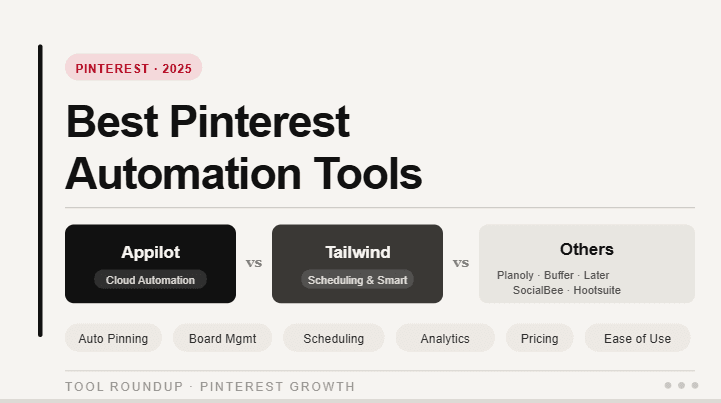
This guide compares Appilot vs Tailwind vs other Pinterest automation tools so you can decide which option fits your workflow in 2025.
What Makes a Good Pinterest Automation Tool?
A good Pinterest automation tool should help users stay consistent while still keeping content useful, relevant, and search-friendly.
Pinterest is not the same as Instagram or TikTok. It works more like a visual discovery and search platform. Users search for ideas, products, recipes, outfits, home designs, business tips, templates, travel inspiration, and buying decisions. That means Pinterest automation should focus on quality pins, strong keywords, board relevance, helpful descriptions, and consistent publishing.
A good tool should help with planning and publishing, but it should not turn the account into a low-quality spam machine. Posting too many weak pins, repeating the same content too often, or ignoring keyword relevance can hurt performance.
Tailwind is strong because it was built around Pinterest scheduling and planning. Later, Buffer, and Hootsuite are useful for broader social media management. Appilot is useful when the workflow needs real Android app automation instead of only dashboard-based scheduling.
What Is Appilot?
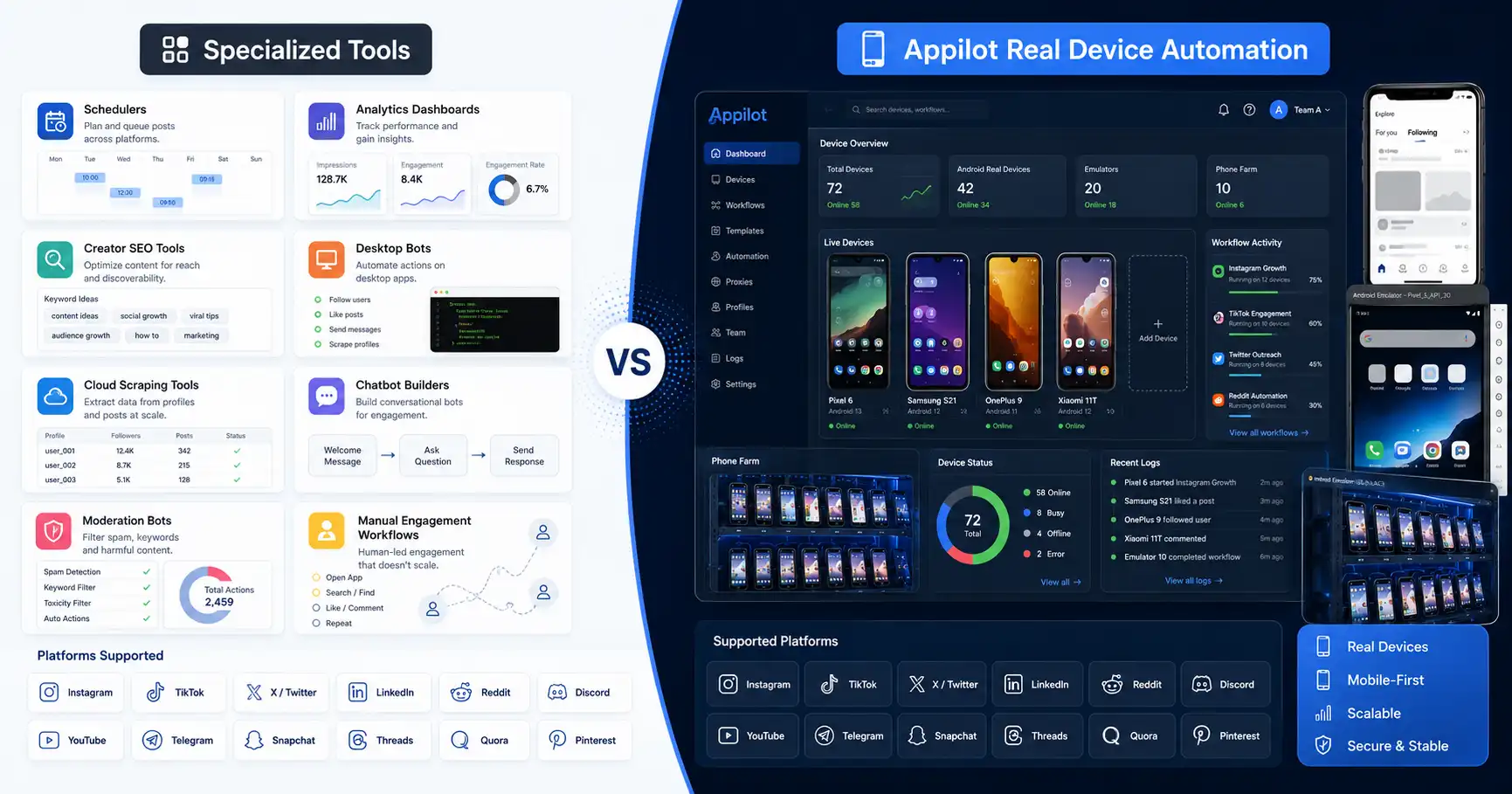
Appilot is a social media automation platform that runs bots on real Android devices and emulators through a remote web dashboard.
For Pinterest automation, Appilot is useful when users need app-based workflows rather than only scheduling from a desktop dashboard. It can support Pinterest mobile app automation as part of a wider social media automation system.
Appilot works without ADB, so users do not need to keep a laptop connected, manage USB cables, troubleshoot drivers, or deal with device disconnects. Users can control bots remotely while the automation runs inside Android environments.
The platform supports bots for Pinterest, Instagram, TikTok, Twitter/X, LinkedIn, Discord, Reddit, Snapchat, YouTube, Threads, Telegram, Gmail, Chrome, and more.
Appilot is especially useful for agencies, phone farm operators, growth teams, and multi-account users who want real Android automation and cross-platform workflows from one place.
What Is Tailwind?
Tailwind is one of the most established Pinterest marketing and scheduling tools. It is built around visual content planning, pin scheduling, analytics, content creation support, and Pinterest growth workflows.
Tailwind is especially useful for bloggers, creators, e-commerce brands, and Pinterest marketers who want to publish consistently without manually pinning every day. It helps users plan pins, schedule content, organize campaigns, and track performance.
Tailwind is also known for being highly Pinterest-focused compared with general social media tools. While other platforms support Pinterest as one of many networks, Tailwind has historically been closely tied to Pinterest marketing workflows.
This makes Tailwind a strong choice if the goal is Pinterest publishing, scheduling, and visual content planning.
The limitation is that Tailwind is not a real Android device automation platform. It helps manage Pinterest marketing from a dashboard, but it does not replace mobile app execution or phone farm-style workflows.
What Are Other Pinterest Automation Tools?
Other Pinterest automation tools include platforms like Later, Buffer, Hootsuite, Planoly, Canva, SocialPilot, Sprout Social, PinGenerator, BlogToPin, and Pinterest’s own native tools.
Later is useful for visual planning and social media scheduling. Buffer is useful for simple publishing queues and lightweight social media management. Hootsuite is useful for larger teams that need scheduling, analytics, approvals, and multi-channel management. Canva is useful for creating pin graphics and design templates. Pinterest’s native tools are useful for publishing, analytics, and basic account management.
Some newer Pinterest-focused tools also use AI to help create pins, generate descriptions, repurpose blog content, and automate visual content workflows.
These tools can be very useful, but they mostly solve content, publishing, planning, and analytics problems.
Appilot solves a different problem: real-device automation through Android app environments.
Appilot vs Tailwind: The Main Difference
The biggest difference between Appilot and Tailwind is the automation layer.
Tailwind is a Pinterest marketing and scheduling tool. It helps users plan content, schedule pins, manage publishing, and review analytics. It is ideal for users who want to improve Pinterest consistency and content organization.
Appilot is a real-device automation platform. It helps users run workflows on Android devices and emulators through a remote dashboard. It is ideal for users who need Pinterest app automation, multi-account workflows, no ADB, and automation across multiple platforms.
If your main Pinterest problem is scheduling pins, Tailwind is usually the better fit.
If your main problem is running app-based workflows across Pinterest and other platforms, Appilot is the better fit.
They are not direct replacements. Tailwind is best for Pinterest marketing workflows. Appilot is best for real mobile automation workflows.
Pinterest Scheduling
Pinterest scheduling is where Tailwind and other dashboard tools are strongest.
A good scheduler helps users publish pins consistently, space out content, plan campaigns, and avoid dumping too many pins at once. This matters because Pinterest content often performs over time, and consistency can help keep an account active.
Tailwind is especially strong in this area because it is built around Pinterest scheduling. Later, Buffer, Hootsuite, and Pinterest-native tools can also help with scheduled publishing.
Appilot is not mainly a pin scheduler. It is better when the workflow needs to happen inside the Pinterest mobile app or across multiple Android-based workflows.
If scheduling is your only goal, use Tailwind or another scheduler. If mobile app execution is your goal, use Appilot.
Pinterest SEO and Keyword Workflows
Pinterest SEO matters because Pinterest is a discovery platform.
Strong titles, descriptions, board names, keywords, and visual relevance can help pins appear in search and recommendations. A good Pinterest automation tool should support keyword-aware planning instead of simply posting random content.
Tailwind and Pinterest-focused tools can help users plan content around Pinterest best practices. Other tools like Canva, PinGenerator, or AI pin tools can help create visuals and descriptions faster.
Appilot does not replace Pinterest SEO strategy. Users still need good content, relevant keywords, strong visuals, and helpful descriptions.
Appilot becomes useful after the strategy is clear and the workflow needs real app execution or multi-platform automation support.
Pinterest Design and Content Creation
Pinterest is visual, so design matters.
A weak pin design can limit performance even if the topic is good. Strong pins usually have clear headlines, readable text, strong contrast, relevant images, and a layout that matches the audience’s search intent.
Tools like Canva, Tailwind Create, and AI-based pin generation tools can help with design and content production. These tools are strong because they focus on the creative layer.
Appilot does not replace design tools. It is not meant to create better pin graphics or choose better templates.
Instead, Appilot helps with the operational layer when users need Pinterest app workflows or broader social automation.
The best setup may use Canva or Tailwind for content creation, then Appilot for app-based automation where needed.
Pinterest Analytics and Reporting
Analytics help users understand what is working.
Pinterest marketers need to know which pins drive impressions, saves, outbound clicks, profile visits, and traffic. Without analytics, users may keep posting content that looks nice but does not perform.
Tailwind, Hootsuite, Buffer, Pinterest-native analytics, and other social media platforms can help users track performance.
Appilot is not mainly an analytics platform. It is better for automation execution.
If you need reporting and campaign visibility, use an analytics or social media management tool. If you need real-device workflow execution, Appilot is the better fit.
Multi-Platform Automation
Multi-platform automation is where Appilot becomes more useful.
Many Pinterest users also work across Instagram, TikTok, YouTube, Threads, Twitter/X, LinkedIn, Reddit, Discord, Telegram, Gmail, Chrome, and other platforms.
A Pinterest scheduler helps with Pinterest. A social media dashboard helps with publishing. But if the workflow needs mobile app automation across several platforms, Appilot is the stronger option.
Appilot lets users run bots on Android devices and emulators and manage workflows remotely from one dashboard.
This matters for agencies and growth teams that do not want separate manual systems for every platform.
Pinterest Automation and Account Safety
Pinterest automation should still be used carefully.
Scheduling pins is generally safer than aggressive spam-style automation, but users can still hurt performance by posting low-quality content, repeating the same pin too often, keyword stuffing descriptions, or publishing irrelevant content to the wrong boards.
Real-device automation also needs care. Appilot gives users a better app-based operating layer, but it does not make poor strategy safe.
The safest Pinterest automation strategy is content-led. Use helpful visuals, relevant keywords, strong descriptions, proper board matching, and reasonable posting frequency.
Automation should support quality, not replace it.
Best Pinterest Tool for Bloggers
Bloggers usually need a tool that helps turn content into Pinterest traffic.
Tailwind is a strong choice for bloggers because it supports scheduling, planning, and Pinterest-focused workflows. Canva is also useful for creating pin graphics, while Pinterest analytics help bloggers see what drives clicks.
Appilot becomes useful when bloggers or teams need mobile app automation or multi-platform workflows beyond Pinterest scheduling.
If the blogger only needs pin creation and scheduling, Tailwind plus Canva may be enough. If the blogger manages multiple social platforms and wants app-based automation, Appilot becomes more useful.
Best Pinterest Tool for E-Commerce Brands
E-commerce brands need strong visuals, product discovery, and consistent publishing.
Tailwind, Pinterest-native tools, Canva, Later, and Hootsuite can help with content planning, product pins, scheduling, and analytics.
Appilot is useful when the brand needs Pinterest mobile workflows as part of a larger automation stack across Instagram, TikTok, YouTube, Reddit, Discord, Telegram, and other channels.
For pure Pinterest marketing, Tailwind is usually more specialized. For broader social app automation, Appilot is stronger.
Best Pinterest Tool for Agencies
Agencies usually need content planning, client reporting, approval workflows, scheduling, and multi-platform management.
Hootsuite, Buffer, Later, Tailwind, and Sprout Social can all be useful depending on the agency’s workflow.
Appilot is stronger when agencies need real Android automation and multi-platform bot workflows. It helps teams manage Pinterest alongside many other apps from one automation layer.
If the agency only manages Pinterest content calendars, Tailwind or a social scheduler may be enough. If the agency also manages app-based social workflows, Appilot is the better fit.
Where Tailwind Wins
Tailwind wins when the user wants a Pinterest-focused scheduling and marketing platform.
It is especially useful for bloggers, creators, affiliate marketers, and e-commerce brands that want to schedule pins, plan content, manage visual marketing, and track Pinterest performance.
Tailwind is also useful because it understands Pinterest-specific workflows better than many general social media tools.
The trade-off is that Tailwind is not designed for real-device Android app automation.
If the goal is Pinterest content scheduling, Tailwind wins.
Where Other Tools Win
Other tools win when the workflow is broader than Pinterest but still dashboard-based.
Buffer is good for simple scheduling. Later is good for visual planning. Hootsuite is good for team management. Canva is good for pin design. Pinterest-native tools are good for basic publishing and analytics. AI pin tools may help with fast content creation.
These tools are useful because Pinterest marketing needs more than one step. It needs ideas, design, publishing, analytics, and optimization.
But these tools are not built for Android app automation.
If the workflow needs real mobile execution, Appilot is stronger.
Where Appilot Wins
Appilot wins when Pinterest automation needs real app behavior or multi-platform Android workflows.
It is best for users who want Pinterest workflows running on real Android devices and emulators, remote dashboard control, no ADB, no laptop dependency, and broader automation across many platforms.
Appilot is especially useful for phone farm operators, agencies, growth teams, and users who manage Pinterest alongside Instagram, TikTok, YouTube, Twitter/X, LinkedIn, Reddit, Discord, Telegram, Gmail, Chrome, and more.
It does not replace Tailwind’s Pinterest scheduling strengths. It solves a different problem: real-device workflow execution.
Final Verdict
The best Pinterest automation tool in 2025 depends on the workflow.
Tailwind is one of the strongest choices for Pinterest scheduling, planning, and marketing workflows. Canva is useful for pin design. Buffer, Later, and Hootsuite are useful for social media scheduling and management. Pinterest-native tools are useful for basic publishing and analytics.
Appilot is the strongest choice for real-device Pinterest automation and multi-platform social workflows.
If your goal is pin scheduling and Pinterest SEO, Tailwind is the better fit. If your goal is visual design, use Canva. If your goal is team scheduling, use a social media dashboard. If your goal is Pinterest mobile app automation through Android devices and emulators, use Appilot.
You can explore Appilot’s bot store and try it at appilot.app.
FAQ
Q1: What is the best Pinterest automation tool in 2025?
Tailwind is one of the best tools for Pinterest scheduling and marketing, while Appilot is best for real-device Pinterest app automation and multi-platform workflows.
Q2: Is Appilot a Tailwind alternative?
Appilot is a Tailwind alternative only if you need Pinterest app automation. If your main goal is pin scheduling and Pinterest planning, Tailwind is more specialized.
Q3: Which tool is best for Pinterest scheduling?
Tailwind is one of the strongest Pinterest scheduling tools. Buffer, Later, Hootsuite, and Pinterest-native scheduling can also work depending on the user’s needs.
Q4: Does Appilot require ADB or a laptop?
No, Appilot works without ADB and does not require users to keep a laptop connected. Bots can be managed through a remote web dashboard.
Q5: Who should choose Appilot for Pinterest automation?
Agencies, phone farm operators, growth teams, and multi-account users should choose Appilot when Pinterest workflows need real Android automation and cross-platform bot management.