Best Snapchat Automation Tools in 2025: What Options Still Exist?
Snapchat automation is harder to find than automation for Instagram, TikTok, Twitter/X, LinkedIn, or Telegram. The platform is mobile-first, private-message-heavy, camera-focused, and more closed than many social networks. That means many old Snapchat bots, mass-add tools, streak senders, and growth scripts either disappeared, stopped working reliably, or became too risky for serious use.
In 2025, the Snapchat automation landscape is split into a few different categories. Some tools focus on official ad automation through Snapchat’s marketing systems. Some tools automate browser or campaign workflows. Some developers still build scripts for streaks, sending snaps, or account actions, but those are usually fragile and risky. Then there are real-device automation platforms like Appilot, which are more relevant when users need mobile app workflows instead of API-only or desktop-style automation.
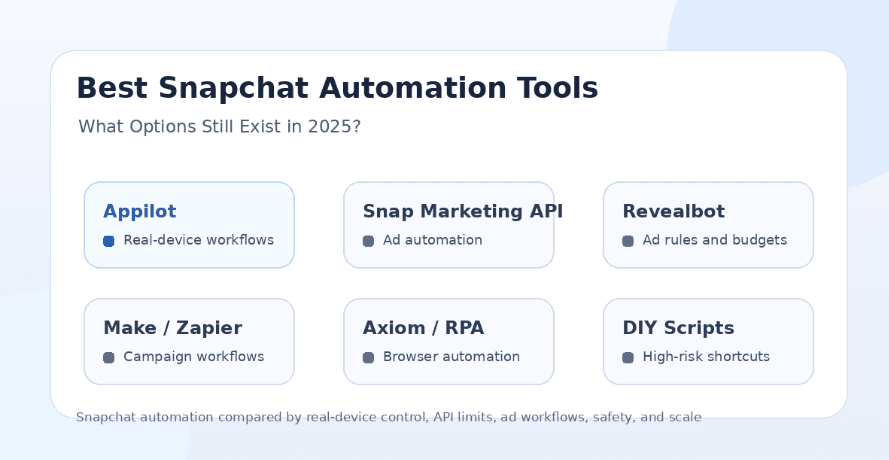
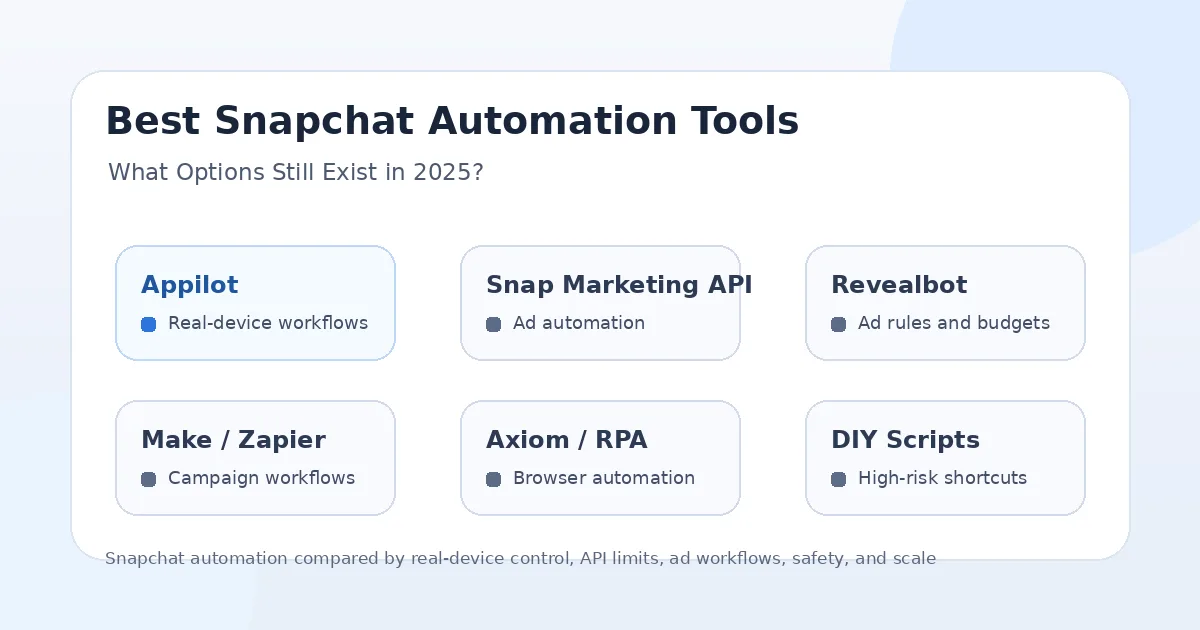
This guide compares the Snapchat automation options that still exist in 2025: Appilot, Snapchat Marketing API tools, Revealbot-style ad automation, Make and Zapier-style workflow tools, Axiom-style browser automation, and DIY Snapchat scripts. The goal is not to recommend spammy Snapchat bots. The goal is to explain what is still practical, what is risky, and which option fits real mobile automation.
Why Snapchat Automation Is So Limited
Snapchat is not built like a public social feed platform. Much of the activity happens through private chats, camera usage, stories, streaks, lenses, direct snaps, and close-friend interactions. This makes automation harder because the platform is designed around real-time mobile behavior rather than simple public posting workflows.
Another reason is API access. Snapchat does provide official developer and marketing APIs, but those are mainly useful for ad campaigns, business integrations, lenses, creative tools, and approved platform workflows. They are not designed to let random tools mass-add friends, send cold snaps, automate streaks, or scrape users.
This is why many Snapchat automation claims should be treated carefully. A tool that promises unlimited snap sending, mass adding, fake views, or automatic friend growth is usually operating in a risky gray area. It may work briefly, but it is unlikely to be stable or safe long term.
What Makes a Snapchat Automation Tool Safer?
A safer Snapchat automation tool should focus on legitimate workflows instead of spam. That means ad campaign automation, creative workflow support, account management, controlled mobile testing, content operations, and internal task automation are much safer than cold mass messaging or fake engagement.
The automation environment also matters. Snapchat is primarily a mobile app, so real-device behavior is more relevant than browser-only automation. A tool that runs workflows on Android devices or emulators can be more practical for mobile app actions than a desktop script that tries to imitate app behavior from the outside.
A safer tool should also give users control over timing, devices, accounts, proxies, and workflows. It should avoid promising impossible safety or unlimited volume. Snapchat automation should be slow, controlled, and tied to real use cases rather than aggressive growth shortcuts.
1. Appilot
Appilot is the strongest option for users who want Snapchat automation to run through real Android devices and emulators instead of relying only on browser tools, desktop scripts, or limited API workflows. It lets users run bots remotely through a web dashboard without ADB or a laptop, which makes it useful for agencies, phone farm operators, QA teams, growth teams, and multi-account workflows.
The biggest advantage of Appilot is the automation environment. Snapchat is a mobile-first app, so workflows that happen inside Android devices and emulators are more relevant than tools that only operate from a browser or desktop client. Appilot gives users a way to manage real mobile app workflows remotely, which matters for app navigation, account operations, posting flows, testing, and controlled automation.
Appilot is also broader than a Snapchat-only tool. Its bot store supports Instagram, TikTok, Twitter/X, LinkedIn, Discord, Reddit, Snapchat, YouTube, Threads, Telegram, Gmail, Chrome, and more. This makes it useful for teams that need Snapchat automation alongside other social and mobile workflows.
Appilot is best for users who want real-device behavior, remote control, no ADB, no laptop dependency, proxy support, multi-account workflows, and automation beyond Snapchat. It is not a fake-friend or spam-snap tool. It is better for users who need real mobile automation infrastructure.
2. Snapchat Marketing API Tools
Snapchat Marketing API tools are the most official option for businesses that want to automate advertising workflows. These tools are useful for creating campaigns, managing ad accounts, adjusting budgets, reading performance data, syncing audiences, and building custom advertising systems.
The biggest advantage is legitimacy. If a brand wants to automate Snapchat ad operations, using approved marketing APIs is much safer than trying to automate user accounts or private messaging. Developers and agencies can build structured workflows around campaigns, budgets, ads, audiences, and reporting.
The limitation is that Marketing API tools are not consumer Snapchat bots. They do not help users mass-send snaps, automate streaks, add friends, or run personal account engagement. They are designed for advertisers and business workflows.
Marketing API tools are best for ad teams, performance marketers, and developers building campaign systems. Appilot is better when the task requires real mobile app automation rather than ad account management.
3. Revealbot-Style Snapchat Ad Automation
Revealbot-style tools focus on automated rules for Snapchat Ads. These tools can help advertisers pause campaigns, adjust budgets, scale winning ad sets, and manage performance conditions without manually checking campaigns all day.
The advantage is practical ad optimization. A business can create rules around cost, ROAS, spend, performance, or campaign status. This saves time and helps teams react faster when ads underperform or start scaling well.
This kind of automation is much safer than personal-account automation because it works inside the advertising layer. It is meant for paid campaign management, not private messaging or user growth manipulation.
The limitation is that ad automation does not replace mobile app automation. If you need Snapchat app workflows, story operations, account testing, or real-device control, an ad rules tool will not solve that problem. Appilot is better for mobile workflows, while Revealbot-style tools are better for ad campaign automation.
4. Make and Zapier-Style Workflow Tools
Make, Zapier, and similar workflow platforms can support Snapchat-related business automation when they connect through approved campaign management or third-party integrations. These tools can help sync data, trigger campaign actions, connect CRM updates, or automate advertising workflows around Snapchat.
The main advantage is integration. A business can connect Snapchat campaign activity to spreadsheets, CRMs, e-commerce tools, reporting dashboards, or internal alerts. This is useful for marketing teams that want Snapchat to fit into a larger automation stack.
The limitation is that these platforms usually work around ad and campaign systems, not personal Snapchat app actions. They are not designed to automate sending snaps, adding friends, viewing stories, or managing streaks inside the mobile app.
Make and Zapier-style tools are best for business workflow automation. Appilot is better when users need mobile app workflows and real-device control.
5. Axiom-Style Browser Automation
Axiom-style tools can automate browser actions like clicking, typing, scraping, filling forms, and running repetitive workflows. Some tools position themselves around no-code browser automation for Snapchat-related tasks.
The advantage is ease of use. A user can build a browser workflow without writing code, schedule tasks, and automate simple web actions. This can be useful for campaign dashboards, web-based admin panels, reporting, or repetitive business tasks.
The limitation is that Snapchat itself is not mainly a browser-first platform. Many important Snapchat workflows happen in the mobile app, not in a desktop browser. Browser automation may help with dashboards or web-accessible tasks, but it is not a complete Snapchat automation solution.
Axiom-style tools are useful for web workflows. Appilot is better for Snapchat mobile app workflows because it operates through Android devices and emulators.
6. DIY Snapchat Scripts
DIY Snapchat scripts still exist, especially on developer platforms. Some scripts claim to automate streaks, send snaps, add friends, view stories, or maintain human-like account activity. These tools may appeal to technical users who want direct control over Snapchat actions.
The advantage is flexibility. Developers can experiment with custom logic, schedule tasks, automate personal routines, or build workflows that commercial tools do not offer.
The problem is reliability and risk. Snapchat changes can break scripts, login flows can fail, and automated account behavior can trigger restrictions. Many scripts are unofficial, unsupported, and not built for long-term safe use. Users also need to consider account security because third-party scripts may require sensitive credentials or sessions.
DIY scripts are best for careful developers testing personal or internal workflows. They are not ideal for brands, agencies, or serious operators who need stable, scalable, and safe automation.
What About Snapchat Streak Bots?
Snapchat streak bots are one of the most common automation ideas, but they are also a fragile category. A streak bot usually tries to send snaps automatically to friends or groups so the user does not lose streaks.
This may sound harmless compared with growth spam, but it still involves automating personal account behavior. If the bot sends repetitive snaps, uses strange timing, fails login checks, or behaves unnaturally, it can create risk. It also defeats part of the social purpose of streaks, which are meant to represent real interaction.
If someone uses streak automation, it should be personal, limited, and careful. For serious business use, streak bots are not a strong automation category. Appilot’s real-device approach is better suited for controlled mobile workflows, but users should still avoid spammy or unnatural behavior.
What About Snapchat Mass-Add Tools?
Snapchat mass-add tools are usually high risk. These tools promise to add large numbers of friends, scrape users, or grow accounts quickly. That may sound useful for marketing, but it can trigger spam signals and create poor-quality connections.
The bigger issue is that random friend growth rarely builds real value. Snapchat is a more private, relationship-based platform than public-feed networks. Adding people who did not expect to hear from you can create reports, blocks, and low trust.
For most users, mass-add tools are not worth it. A safer Snapchat strategy focuses on ads, creator content, QR codes, cross-platform promotion, community funnels, and opt-in communication rather than cold adding strangers.
Real Devices vs Browser Automation
Real-device automation is more relevant for Snapchat because Snapchat is a mobile-first app. Workflows that happen inside Android devices or emulators are closer to normal app behavior than workflows that depend only on browser clicks or desktop scripts.
Browser automation can still be useful for ad dashboards, reporting tools, and web-based business tasks. But it does not replace mobile app control. If a workflow needs Snapchat app behavior, real-device automation is the better fit.
Appilot stands out here because it gives users remote Android control without ADB or laptop dependency. This makes it more practical for teams that need repeatable Snapchat workflows inside a mobile environment.
Best Tool for Advertisers
Snapchat Marketing API tools, Revealbot-style ad automation, and Make or Zapier-style integrations are the best options for advertisers. They help with campaign creation, budget rules, reporting, performance alerts, and business workflow automation.
These tools are safer because they operate inside official or business-oriented systems. They are not trying to manipulate personal account behavior or mass-message users.
Advertisers may not need Appilot unless they also need mobile app testing, account workflows, creative review, or broader automation across other platforms. For pure ad operations, ad automation tools are the better starting point.
Best Tool for Agencies
Appilot is the best fit for agencies that need Snapchat automation as part of a broader social automation system. Agencies rarely manage only one app. They may need Instagram workflows, TikTok automation, Reddit posting, Discord management, Telegram messaging, LinkedIn outreach, YouTube tasks, Gmail actions, Chrome workflows, and Snapchat mobile operations.
A Snapchat-only script or ad tool does not solve that broader problem. Appilot gives agencies a web dashboard, real-device workflows, no ADB setup, proxy support, and multi-platform automation from one place.
Agencies that only manage Snapchat Ads may prefer Marketing API tools or Revealbot-style automation. Agencies that manage social operations across many apps will get more value from Appilot.
Best Tool for Developers
Developers working on Snapchat advertising workflows should start with official marketing APIs and approved integrations. That is the cleanest route for campaign automation, ad account management, and reporting.
Developers who want to automate mobile workflows may experiment with scripts, Android automation, or browser RPA, but they need to be careful with account safety and login handling. Unofficial Snapchat scripts can break quickly and may create credential risk.
Appilot is useful for developers who do not want to build the full mobile automation layer themselves. Instead of managing Android devices, ADB, emulators, dashboards, and orchestration manually, they can use Appilot as the execution environment.
Best Tool for Beginners
Beginners should avoid random Snapchat bot scripts, mass-add tools, and fake engagement services. These may look easy, but they are often risky, unsupported, and unreliable.
For business users, the safest beginner path is Snapchat Ads automation through official campaign tools or no-code integrations. For mobile app workflows, Appilot is a better beginner option because it avoids ADB and laptop setup while still giving users real-device automation.
A beginner should focus on safe use cases first: ad workflow automation, content operations, testing, account management, and controlled mobile tasks. Cold adding, mass snapping, and spam-style growth should be avoided.
Best Tool for Phone Farms
Appilot is the strongest option for phone farms because it supports Android devices and emulators through a remote web dashboard. A phone farm needs device visibility, stable workflows, account separation, proxy support, and the ability to manage devices without constantly touching them.
Desktop tools and browser automation do not solve phone farm control. DIY scripts require constant maintenance. Ad tools only manage campaigns. Appilot is better when the workflow needs real mobile device execution.
For phone farm operators handling Snapchat alongside other apps, Appilot is the most practical option.
Final Verdict
Snapchat automation options still exist in 2025, but they are narrower than many users expect. For advertisers, Snapchat Marketing API tools, Revealbot-style rules, and Make or Zapier-style integrations are the safest and most practical options. For web workflows, Axiom-style browser automation can help. For developers, DIY scripts may work for experiments but carry reliability and account risks.
If you need real Snapchat mobile app automation, Appilot is the strongest long-term choice. It runs workflows on Android devices and emulators, works without ADB or a laptop, supports remote dashboard control, and extends beyond Snapchat into Instagram, TikTok, Twitter/X, LinkedIn, Discord, Reddit, YouTube, Threads, Telegram, Gmail, Chrome, and more.
For serious automation, avoid mass-add bots, fake engagement tools, and spammy snap senders. The safer path is controlled workflows, real-device behavior, business automation, and realistic limits. You can explore Appilot’s bot store and real-device workflows at appilot.app.
FAQs
Q1: Do Snapchat automation tools still exist in 2025?
Yes, but most safe options are focused on ads, business workflows, browser tasks, or real-device automation. Risky mass-add and snap-sending bots are less reliable.
Q2: What is the safest Snapchat automation tool?
For ads, official marketing API tools and ad automation platforms are safest. For mobile app workflows, Appilot is stronger because it runs on Android devices and emulators.
Q3: Are Snapchat mass-add bots safe?
No, mass-add bots are usually high risk because they can trigger spam signals, reports, and account restrictions. They are not recommended for serious growth.
Q4: Is Appilot better than browser automation for Snapchat?
Appilot is better for mobile app workflows because Snapchat is mobile-first. Browser automation is only better for web dashboards, ad panels, or simple web tasks.
Q5: Does Appilot require ADB or a laptop?
No, Appilot does not require ADB or a laptop-based setup. Users can manage Android devices and emulators remotely through a web dashboard.