Best Telegram Mass-Message Tools: Mobile Bots vs Desktop Clients
Telegram mass messaging can be useful when it is done responsibly. A business may need to notify subscribers, update a community, send support alerts, manage group announcements, or follow up with users who have already opted in. But when mass messaging turns into cold spam, random outreach, scraped-user blasting, or repeated group promotion, the risk becomes serious very quickly.
That is why choosing the right Telegram mass-message tool in 2025 is not only about sending volume. The better question is whether the tool respects opt-in behavior, supports safe pacing, protects account trust, works across the right environment, and gives users enough control to avoid getting limited or reported.
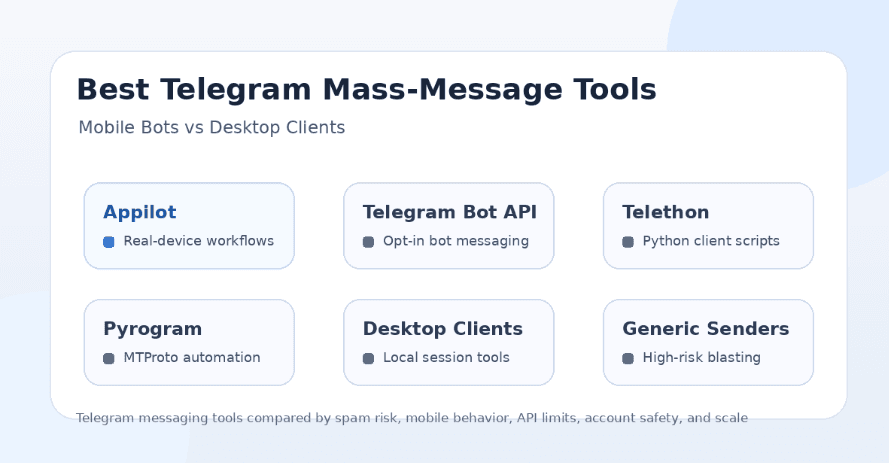
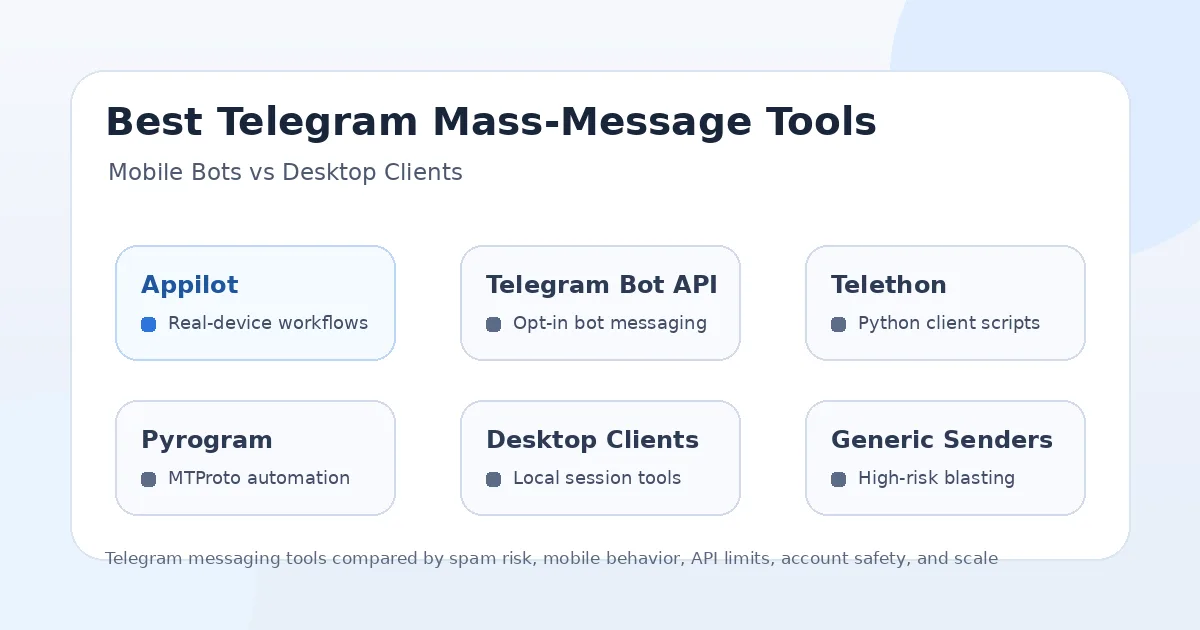
This guide compares six Telegram mass-message options: Appilot, Telegram Bot API tools, Telethon, Pyrogram, desktop client automation, and generic bulk sender tools. Each option can help with messaging workflows, but they are very different when it comes to safety, setup, mobile behavior, account control, and long-term reliability.
Why Telegram Mass Messaging Is Risky
Telegram is strict about spam. If an account sends unwanted messages to strangers, posts repetitive promotions in groups, or gets reported by users, it can lose the ability to contact people outside its contacts. In more serious cases, accounts can face longer restrictions or bans.
This matters because many “mass-message” tools are marketed in a risky way. They promise bulk outreach, scraped-user messaging, group member blasting, or fast promotional campaigns. That may look attractive for growth, but it can quickly damage account trust and create spam reports.
The safer approach is to message people who expect to hear from you. That includes subscribers, community members, customers, leads who opted in, users who started a bot conversation, or groups where promotional messages are allowed. A good Telegram automation tool should help you manage communication, not encourage spam.
What Makes a Telegram Mass-Message Tool Safer?
A safer Telegram mass-message tool should support controlled sending, realistic timing, audience filtering, message personalization, opt-in handling, and account separation. It should not encourage users to scrape random members and blast the same message to everyone.
The environment also matters. Telegram messaging can run through official bot workflows, desktop sessions, client libraries, browser tools, or real mobile app workflows. Each approach has trade-offs. Bot API workflows are cleaner for subscriber-based messaging, but bots cannot freely message random users who never started a conversation. Client libraries offer more control, but they require technical setup and careful limits. Desktop clients may work for local workflows, but they can be fragile at scale.
Real-device automation adds another option. Instead of relying only on desktop clients or scripts, users can run Telegram workflows inside Android environments. That can be useful for teams that care about mobile behavior, account sessions, remote control, and multi-platform automation.
1. Appilot
Appilot is the strongest option for users who want Telegram automation to run through real Android devices and emulators instead of depending only on desktop clients, browser scripts, or raw API workflows. It lets users run bots remotely through a web dashboard without ADB or a laptop, which makes it useful for agencies, community operators, growth teams, and multi-account workflows.
The biggest advantage of Appilot is the automation environment. Telegram is heavily used on mobile, and Appilot gives users a way to manage workflows inside Android app sessions. This can be useful for mobile-first account management, message workflows, group activity, channel operations, and cross-platform automation.
Appilot is also broader than a Telegram-only tool. Its bot store supports Instagram, TikTok, Twitter/X, LinkedIn, Discord, Reddit, Snapchat, YouTube, Threads, Telegram, Gmail, Chrome, and more. This makes it useful for teams that want one automation environment for many social and messaging platforms.
Appilot is best for users who want real-device behavior, remote control, proxy support, multi-account workflows, and automation beyond Telegram. It should not be used for random spam blasting, but it is a strong choice for controlled Telegram workflows where device behavior and remote management matter.
2. Telegram Bot API Tools
Telegram Bot API tools are one of the cleanest options for opt-in messaging. A bot can send messages to users who have started the conversation, joined a bot flow, subscribed to updates, or interacted with the bot in a supported way. This makes Bot API tools useful for alerts, customer support, onboarding, reminders, community updates, and transactional messages.
The advantage is structure. Bot API workflows can be logged, rate-managed, connected to CRMs, integrated with websites, and used for legitimate subscriber messaging. This is often the safest route for businesses that want to message users who gave permission.
The limitation is that Telegram bots cannot simply initiate conversations with random people. This is important because many users misunderstand bots as a way to cold-message anyone. Bot API messaging works best when the user has already opted in or started the conversation.
Telegram Bot API tools are best for legitimate subscriber communication. Appilot is better when users need real-device Telegram workflows, remote mobile control, or automation across many apps.
3. Telethon
Telethon is a Python library for building Telegram client automation. Developers can use it to interact with Telegram through user accounts, manage messages, read chats, send messages, work with groups, and build custom workflows.
The biggest advantage of Telethon is flexibility. A developer can create highly specific workflows for monitoring chats, sending updates, managing groups, exporting messages, or connecting Telegram activity to other systems. It is powerful for technical users who understand Telegram’s API behavior and account limits.
The downside is that flexibility also creates risk. A poorly designed Telethon script can send too many messages, contact the wrong users, trigger spam reports, or expose credentials if handled badly. Developers need to manage sessions, limits, error handling, pacing, and account safety carefully.
Telethon is best for developers who need custom Telegram workflows. Appilot is better for users who want real-device automation without building and maintaining scripts from scratch.
4. Pyrogram
Pyrogram is another popular Telegram automation library used by developers to build client-based Telegram workflows. Like Telethon, it can support user account automation, bot workflows, messaging, group management, and custom integrations.
The advantage of Pyrogram is developer control. Users can build workflows around specific business logic, automate internal tasks, connect Telegram to databases, and manage messaging flows programmatically.
The limitation is similar to Telethon. It requires technical knowledge, responsible sending limits, secure session handling, and careful behavior design. If a user treats Pyrogram as a spam engine, the account can still be limited or banned.
Pyrogram is a strong option for developers who know what they are doing. Appilot is stronger for non-developers or teams that need mobile device automation, remote dashboards, and ready-to-use workflows.
5. Desktop Client Automation
Desktop client automation usually means controlling Telegram Desktop through local scripts, RPA tools, macros, or UI automation. Some users prefer this because it feels familiar and does not require building a full API integration.
The advantage is simplicity for local workflows. A user can automate repeated actions in a desktop app, send messages to known contacts, copy text, manage groups, or perform routine tasks without writing deep Telegram API code.
The problem is reliability. Desktop clients can change UI layouts, require local sessions, depend on one computer staying active, and become hard to scale across accounts. A laptop going to sleep, a window moving, or a small UI change can break the workflow.
Desktop client automation can work for small internal tasks, but it is weaker for scalable messaging. Appilot is better when users want remote Android control, no laptop dependency, and real mobile app workflows.
6. Generic Telegram Bulk Sender Tools
Generic Telegram bulk sender tools are the riskiest category. These tools often promise mass DMs, scraped group member messaging, bulk channel promotion, or high-volume outreach to strangers. They may look useful for marketing, but they can quickly create spam reports and account restrictions.
The biggest issue is lack of transparency. Users often do not know how messages are sent, how accounts are protected, whether proxies are used properly, how limits are handled, or whether the tool follows safe behavior. Many bulk senders focus on volume rather than trust.
This category is especially risky for brands. A few spam reports can damage reputation, limit accounts, and make future outreach harder. Even if the tool works briefly, it may not be sustainable.
Generic bulk sender tools are not ideal for serious Telegram growth. They may send messages quickly, but they are usually weak for account safety, audience quality, and long-term communication.
Mobile Bots vs Desktop Clients
Mobile bots and desktop clients solve different problems. Desktop clients are easier for local workflows, but they are tied to a computer, interface stability, and session management. Mobile bots can be more useful when the workflow needs to behave like real Telegram app usage or connect with broader Android automation.
Appilot’s real-device approach gives users a mobile-first environment where Telegram workflows can run on Android devices and emulators. This is especially useful for teams that need remote control, account separation, proxy support, and multi-platform automation.
Desktop clients can still be useful for one-off tasks or small personal workflows. But for serious automation, relying on one local desktop setup becomes limiting. Real-device automation gives users more operational flexibility.
Bot API vs User Client Automation
Bot API automation and user client automation are not the same. Bot API workflows are cleaner for opt-in communication, alerts, support, and subscriber messaging. They are usually better for businesses that want a compliant communication channel.
User client automation is more flexible, but it is also riskier. It can interact more like a normal account, but that flexibility should not be abused. Messaging strangers, scraping users, or blasting groups can create restrictions quickly.
The best choice depends on the use case. If users opted in, Bot API tools may be enough. If the workflow requires mobile app interaction or account-level behavior, Appilot may be a better fit. If a developer needs custom backend logic, Telethon or Pyrogram can work.
Best Tool for Agencies
Appilot is the best fit for agencies that manage Telegram alongside other platforms. Agencies rarely need only Telegram messaging. They may also need Instagram automation, TikTok workflows, Reddit posting, Discord management, LinkedIn outreach, Twitter/X tasks, YouTube workflows, Gmail actions, and Chrome automation.
A Telegram-only sender does not solve that larger problem. Appilot gives agencies a web dashboard, real-device workflows, no ADB setup, proxy support, and multi-platform automation from one place.
For agencies that only send opt-in Telegram alerts, Bot API tools may be enough. For agencies managing broader social and messaging automation, Appilot is the stronger long-term choice.
Best Tool for Developers
Telethon and Pyrogram are best for developers who want custom Telegram automation. They give technical users control over workflows, sessions, integrations, and business logic. A developer can build exactly what they need, but they must also handle safety, limits, and account protection.
Telegram Bot API tools are best for developers building subscriber messaging systems, support bots, notifications, or product workflows where users interact with the bot first.
Appilot is useful for developers who do not want to build the full mobile automation layer themselves. Instead of managing Android devices, ADB, emulators, dashboards, and device orchestration manually, they can use Appilot as the execution layer for mobile Telegram workflows.
Best Tool for Beginners
Beginners should avoid generic bulk sender tools. They may look easy, but they are often the fastest path to spam reports and account limits. A beginner should not start by scraping group members and blasting messages.
For opt-in messages, a Telegram Bot API-based tool or no-code bot builder is usually the cleanest starting point. For mobile workflows, Appilot is a better beginner option than DIY desktop automation because it avoids ADB and laptop dependency.
The safest beginner mindset is simple: message people who asked to hear from you, send fewer messages, personalize when possible, and avoid cold blasting.
Best Tool for Phone Farms
Appilot is the strongest option for phone farms because it supports real Android devices and emulators through a remote dashboard. A phone farm needs device visibility, stable sessions, proxy support, account separation, and workflows that do not depend on one laptop staying awake.
Desktop client automation is weaker for phone farms because it depends on local machines and desktop sessions. Telethon and Pyrogram can work for backend automation, but they do not replace the need for real mobile workflow control when the task needs app behavior.
For phone farm operators running Telegram alongside other social platforms, Appilot is the most practical choice in this comparison.
Safest Use Cases for Telegram Mass Messaging
The safest Telegram mass-message workflows are opt-in broadcasts, community announcements, customer support updates, product alerts, course notifications, appointment reminders, group moderation messages, and internal team workflows. These are messages people expect to receive.
Riskier workflows include cold DMs to strangers, scraped group member blasts, repetitive promotional posts, fake community engagement, and multi-account spam. These may produce short-term reach but create long-term account and reputation problems.
A good Telegram automation strategy should focus on relationship-based messaging. The goal should be useful communication, not maximum volume.
Final Verdict
If you want the safest Telegram mass-message setup, start with opt-in messaging. Telegram Bot API tools are strong for subscriber updates, support flows, reminders, alerts, and product communication. Telethon and Pyrogram are strong for developers who need custom workflows. Desktop client automation can help with small local tasks, but it is weaker for scale. Generic bulk sender tools are the riskiest and should be avoided for serious work.
If you need real-device Telegram automation, remote Android control, no ADB, no laptop dependency, proxy support, multi-account workflows, and automation across many platforms, Appilot is the strongest choice. It gives users a mobile-first execution environment instead of relying only on desktop clients or risky bulk senders.
For simple opt-in broadcasts, Bot API tools may be enough. For serious mobile automation, phone farm operations, agency workflows, and multi-platform messaging systems, Appilot is the better long-term investment. You can explore Appilot’s bot store and real-device workflows at appilot.app.
FAQs
Q1: Are Telegram mass-message tools safe?
Telegram mass-message tools are safer when used for opt-in users, subscribers, customers, or community members. Cold blasting strangers can quickly lead to spam reports and account limits.
Q2: What is the safest Telegram mass-message tool?
Telegram Bot API tools are safest for opt-in subscriber messaging, while Appilot is stronger for real-device mobile workflows. The safest choice depends on the use case.
Q3: Is Appilot better than Telegram desktop automation?
Appilot is better for remote Android control, no-laptop workflows, proxies, and multi-account automation. Desktop automation is only better for small local tasks.
Q4: Can Telegram bots message anyone?
No, Telegram bots generally cannot freely start conversations with random users. Users usually need to interact with the bot first before it can message them.
Q5: Does Appilot require ADB or a laptop?
No, Appilot does not require ADB or a laptop-based setup. Users can manage Android devices and emulators remotely through a web dashboard.