Best Threads Engagement Bots: Early Mover Tools Compared
Threads is still young compared with Instagram, X, LinkedIn, Reddit, and YouTube, which makes automation more complicated. Some creators and brands see it as an early-mover opportunity because organic conversations can still travel quickly when a post lands in the right niche. Others are looking for bots that can like, reply, follow, repost, monitor mentions, or publish content at scale before the platform becomes more competitive.
The problem is that Threads automation is not as mature as older social platforms. The official API supports publishing and management workflows, but it does not mean every engagement action can be safely automated. Browser bots and generic engagement tools may exist, but many are fragile, risky, or built around shortcuts that can damage account trust.
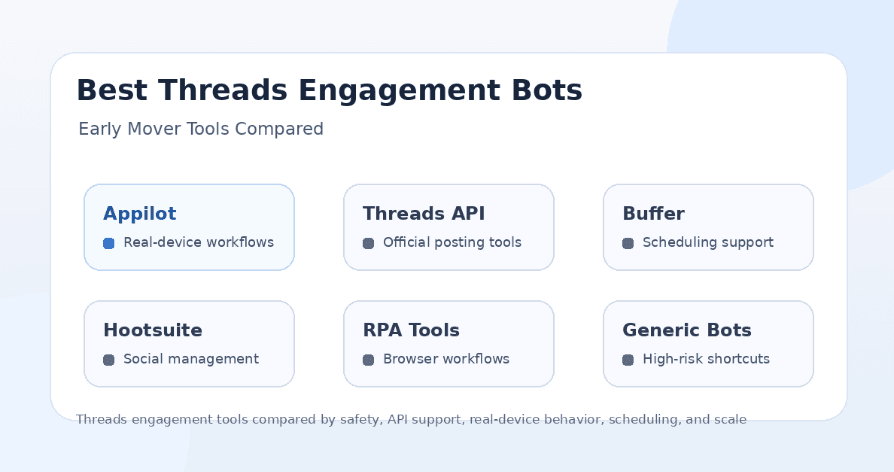
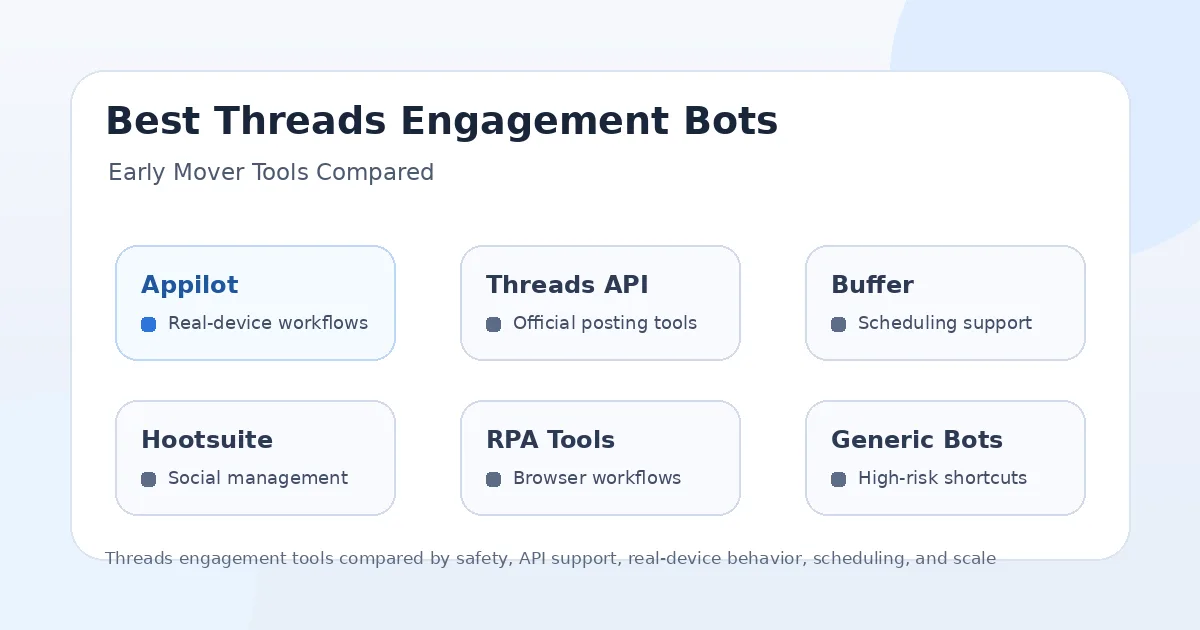
This guide compares the main Threads engagement automation options in 2025: Appilot, Threads API tools, Buffer-style schedulers, Hootsuite-style social management platforms, browser RPA tools, and generic Threads growth bots. The goal is not to recommend spammy engagement. The goal is to explain which options still make sense, where real-device automation fits, and how early movers can grow without relying on risky shortcuts.
Why Threads Engagement Automation Is Still Early
Threads is connected to Meta’s wider social ecosystem, but it is still developing its own culture, features, creator habits, and API environment. That makes automation less predictable than on older platforms where tools have had years to mature.
A platform in this stage creates both opportunity and risk. Early users may get more visibility because competition is lower in some niches, but automation tools can break more easily when features change. A workflow that works today may need adjustment when Threads changes its posting tools, reply controls, feed behavior, or API support.
This is why early-mover automation should be careful. The safest approach is to use tools that help with content consistency, monitoring, replies, and workflow control rather than tools that blast likes, spam replies, or mass-follow users without context.
What Makes a Threads Engagement Bot Safer?
A safer Threads engagement bot should support realistic behavior, controlled timing, relevant targeting, and high-quality interaction. The tool should not encourage users to post the same reply everywhere, follow random accounts, or create fake engagement patterns.
The environment matters too. Official API tools can be useful for publishing and supported account management workflows. Scheduling platforms can help users stay consistent. Browser automation can help with some repetitive tasks, but it may break when Threads changes the interface. Real-device automation can be useful when users need mobile app workflows that behave closer to normal app usage.
The safest engagement strategy is not maximum volume. It is thoughtful participation. Threads rewards conversations, replies, timing, relevance, and personality more than robotic activity. Automation should support that strategy, not replace it.
1. Appilot
Appilot is the strongest option for users who want Threads engagement automation to run through real Android devices and emulators instead of relying only on browser workflows or limited API access. It lets users run bots remotely through a web dashboard without ADB or a laptop, which makes it useful for agencies, creators, growth teams, and multi-account operators.
The biggest advantage of Appilot is the automation environment. Threads is a mobile-first social app, so real-device workflows can be more relevant than desktop-only automation. Appilot gives users a way to manage Android app sessions, run workflows remotely, and organize automation across devices without maintaining a local laptop setup.
Appilot is also broader than a Threads-only tool. Its bot store supports Instagram, TikTok, Twitter/X, LinkedIn, Discord, Reddit, Snapchat, YouTube, Threads, Telegram, Gmail, Chrome, and more. This matters because most creators and agencies do not grow on one platform alone. Threads often works best when it is connected with Instagram, X, LinkedIn, Reddit, and other channels.
Appilot is best for users who want real-device behavior, remote control, proxy support, multi-account workflows, and automation beyond Threads. It is not a magic safety shield for spammy replies or fake engagement, but it gives serious users a stronger mobile automation foundation.
2. Threads API Tools
Threads API tools are the cleanest option for supported publishing and account management workflows. The official Threads API supports building integrations that help creators and brands manage their Threads presence, including publishing certain types of posts and handling supported platform functions.
The advantage is legitimacy. API-based workflows are usually better for posting, scheduling, analytics-style integrations, and platform-approved management tasks. Developers and SaaS platforms can use the API to build cleaner systems than scraping or fragile browser automation.
The limitation is that official API access does not automatically mean full engagement automation. Users should not assume they can safely automate every reply, follow, like, repost, or growth action just because an API exists. Some engagement workflows may be limited, unsupported, or better handled manually.
Threads API tools are best for developers, scheduling platforms, publishers, and brands that need supported workflows. Appilot is better when users need real-device app behavior, remote Android workflows, and automation across many platforms.
3. Buffer-Style Scheduling Tools
Buffer-style schedulers are useful for creators and brands that want to publish consistently on Threads. These tools help users plan posts, write content, schedule updates, and keep a steady presence without manually posting every time.
The biggest advantage is consistency. Threads growth often depends on showing up regularly with timely thoughts, replies, and niche-relevant posts. A scheduler can help users maintain that rhythm, especially when they manage multiple platforms.
The limitation is that scheduling is not the same as engagement automation. A scheduler can publish content, but it usually does not replace real conversation, thoughtful replies, community interaction, or mobile app workflows. It helps with posting, not full engagement operations.
Buffer-style tools are best for content planning and publishing. Appilot is better when users need automation that happens inside mobile app workflows.
4. Hootsuite-Style Social Management Platforms
Hootsuite-style platforms are useful for teams that need more than scheduling. They can support social calendars, approvals, analytics, team collaboration, and inbox-style workflows across multiple platforms. For brands managing Threads alongside other social channels, this can be helpful.
The advantage is structure. A team can organize content, coordinate approvals, monitor engagement, and review performance from one management platform. This is useful for brands that want controlled communication rather than random posting.
The limitation is that social management tools are not usually built for deep app automation. They help manage content and engagement workflows, but they do not control Android devices or run mobile bots inside Threads.
Hootsuite-style platforms are best for social media teams that need governance and reporting. Appilot is better for users who need real-device automation and mobile workflow control.
5. Browser RPA Tools
Browser RPA tools can automate repetitive web actions such as opening Threads pages, copying data, checking mentions, collecting URLs, or running simple browser-based workflows. They are useful for users who want no-code or low-code automation around web interfaces.
The advantage is flexibility. Users can create workflows without building full software, and some tools can automate tasks that schedulers do not handle. For research, monitoring, or small repetitive tasks, this can be useful.
The downside is fragility. Threads can change its web interface, login behavior, button placement, or anti-automation checks. When that happens, browser workflows can break. They may also depend on a local machine, browser session, or cloud browser environment that is less natural than mobile app usage.
Browser RPA tools are best for lightweight web tasks. Appilot is better for mobile app workflows and real-device behavior.
6. Generic Threads Growth Bots
Generic Threads growth bots are the riskiest category. These tools may promise auto-likes, auto-replies, mass follows, reposts, fake engagement, follower boosts, or “viral” automation. They may look attractive because Threads is still newer and users want early growth, but they are usually the least trustworthy option.
The biggest problem is that generic bots often focus on volume instead of quality. Repetitive replies, random follows, irrelevant comments, and fake engagement can make an account look spammy quickly. Threads is built around conversation, so low-quality automation stands out.
Another problem is reliability. Newer-platform bots are often built quickly and may break when Threads changes features or interface behavior. Users may also have little visibility into how account sessions, proxies, or data are handled.
Generic Threads growth bots may produce short-term activity, but they are weak for long-term account trust. Serious creators and brands should avoid tools that promise easy engagement without explaining the workflow clearly.
Best Tool for Real-Device Threads Automation
Appilot is the best option for real-device Threads automation because it runs workflows on Android devices and emulators through a remote dashboard. This makes it more practical for users who want mobile-first behavior instead of relying only on browser scripts or unsupported shortcuts.
This is especially useful for agencies and operators who manage several accounts or platforms. Instead of using one tool for Threads, another for Instagram, another for TikTok, and another for Reddit, Appilot gives users one automation environment across many apps.
The important point is that real-device automation should still be used responsibly. It can make workflows more realistic, but it does not make spam safe. Users still need thoughtful targeting, reasonable limits, and high-quality content.
Best Tool for Scheduling Threads Content
Buffer-style scheduling tools are the best fit when the main goal is content consistency. If a user wants to plan posts, schedule updates, and keep Threads active alongside other channels, a scheduler is the simplest option.
Hootsuite-style platforms are better when a team needs approvals, analytics, collaboration, and broader social media management. These tools are useful for brands and agencies that need more structure than a basic scheduler.
Appilot is not mainly a content calendar. It becomes more useful when the user needs mobile app automation, account workflows, and device-level control.
Best Tool for Agencies
Appilot is the best fit for agencies that need Threads automation as part of a broader social workflow. Agencies rarely manage Threads alone. They may also need Instagram workflows, TikTok automation, LinkedIn outreach, Reddit posting, Discord management, Telegram messaging, YouTube tasks, Gmail actions, and Chrome workflows.
A Threads-only scheduler or generic growth bot does not solve that larger problem. Appilot gives agencies a web dashboard, real-device workflows, no ADB setup, proxy support, and multi-platform automation from one place.
Agencies may still use schedulers or management platforms for content planning and reporting. But for real mobile automation and cross-platform workflows, Appilot is stronger.
Best Tool for Creators
Creators who want to grow on Threads should start with consistency and conversation quality. A scheduler can help with consistency, while manual replies and thoughtful engagement are still important for trust.
Appilot becomes useful for creators who manage multiple platforms or need mobile workflows beyond simple posting. For example, a creator may use Appilot to support Threads, Instagram, TikTok, YouTube, Reddit, and Telegram workflows from one system.
Creators should avoid generic bots that spam replies or fake engagement. Early-mover growth is valuable only if the account builds trust, not if it looks automated from the start.
Best Tool for Developers
Developers should start with the official Threads API for supported publishing and integration workflows. This is the cleaner path for building scheduling tools, dashboards, publishing systems, and account management features.
If the workflow requires mobile app behavior, developers may consider Android automation, but building that infrastructure from scratch can take time. Managing devices, emulators, ADB, dashboards, proxies, and workflow reliability is not simple.
Appilot is useful for developers who want to use a ready mobile automation layer instead of building the entire device-control system themselves.
Best Tool for Beginners
Beginners should avoid generic Threads bots that promise quick followers, automatic replies, or easy viral engagement. These tools may look simple, but they often create spammy patterns and weak account trust.
A beginner should start with a scheduling tool for consistency and manual engagement for quality. If they need mobile automation without technical setup, Appilot is a better option because it avoids ADB and laptop dependency.
The safest beginner approach is to post regularly, reply thoughtfully, test content angles, and use automation only to support repetitive workflows.
Safest Threads Engagement Strategy
The safest Threads engagement strategy is to use automation lightly and keep the human layer strong. Scheduling posts is low-risk compared with mass auto-replies. Monitoring mentions is safer than spamming comments. Real-device workflows can help with app operations, but content quality still drives trust.
Users should avoid repeating the same reply, targeting random accounts, or running aggressive follow-like-repost loops. Threads users respond better to relevance, timing, personality, and actual conversation.
Automation should make the workflow easier, not make the account sound fake.
Final Verdict
The Threads automation market is still early, so users should be careful with tools that promise fast engagement or easy follower growth. Official API tools are best for supported publishing and integrations. Scheduling platforms are best for consistency. Social management platforms are best for teams that need approvals, reporting, and collaboration. Browser RPA tools can help with light web tasks, but they may be fragile. Generic Threads growth bots are the riskiest option.
If you need real-device Threads automation, Appilot is the strongest long-term choice. It runs workflows on Android devices and emulators, works without ADB or a laptop, supports remote dashboard control, and extends beyond Threads into Instagram, TikTok, Twitter/X, LinkedIn, Discord, Reddit, YouTube, Snapchat, Telegram, Gmail, Chrome, and more.
For early movers, the best strategy is not to spam faster. It is to build systems that help you post consistently, reply thoughtfully, monitor opportunities, and scale real workflows without destroying account trust. You can explore Appilot’s bot store and real-device workflows at appilot.app.
FAQs
Q1: Do Threads engagement bots exist in 2025?
Yes, but the category is still early and many tools are limited, fragile, or risky. Safer options include API tools, schedulers, social management platforms, and real-device automation.
Q2: What is the safest Threads engagement bot?
Appilot is strongest for real-device mobile workflows, while API and scheduling tools are safer for supported publishing. Generic growth bots are usually the riskiest option.
Q3: Can Threads API tools automate engagement?
Threads API tools are useful for supported publishing and management workflows, but users should not assume every engagement action is available or safe to automate.
Q4: Is Appilot better than browser bots for Threads?
Appilot is better for mobile app workflows because it runs on Android devices and emulators. Browser bots can help with web tasks but are more fragile.
Q5: Does Appilot require ADB or a laptop?
No, Appilot does not require ADB or a laptop-based setup. Users can manage Android devices and emulators remotely through a web dashboard.