Best YouTube Watch-Time Automation Tools: Real Devices vs Browser Bots
YouTube watch-time automation is one of the riskiest automation categories in 2025. Watch time directly affects video performance, monetization signals, audience retention, and channel trust, so YouTube has strong systems for detecting artificial views, fake engagement, repeated watch patterns, low-quality traffic, and suspicious viewer behavior.
That does not mean every YouTube automation tool is useless. It means users need to separate risky fake-view tools from practical workflow automation. A tool that helps manage uploads, test videos, monitor performance, automate account workflows, or run controlled app interactions is very different from a service that sends fake views or inflated watch time to manipulate rankings.
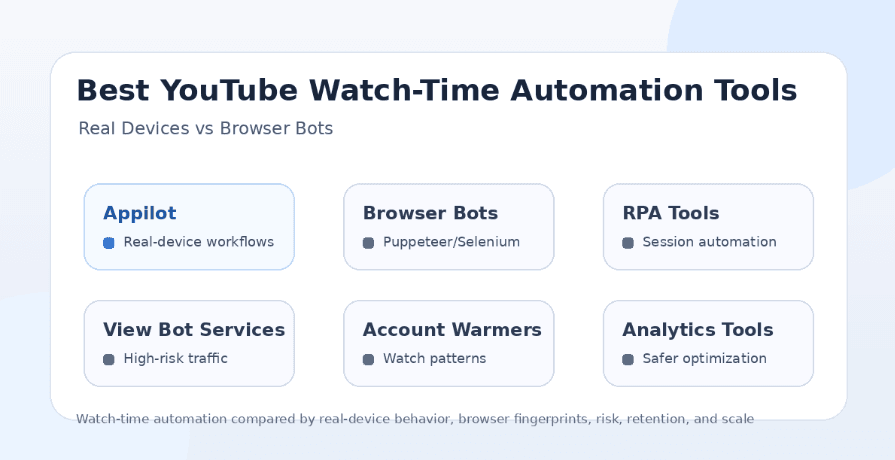
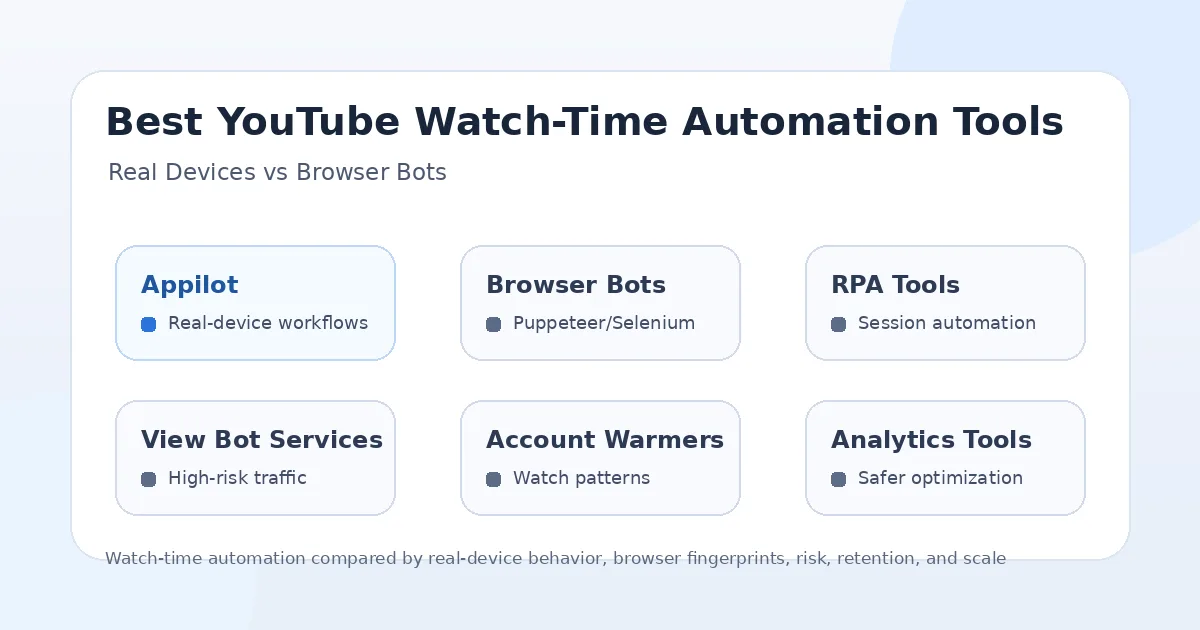
This guide compares the main YouTube watch-time automation options in 2025: Appilot, browser bots, RPA tools, view bot services, account warmer tools, and YouTube analytics or optimization platforms. The goal is not to recommend fake engagement. The goal is to explain which tools are safer for real-device workflows, which ones are risky, and where Appilot fits for users who need real mobile automation instead of fragile browser bots.
Why YouTube Watch-Time Automation Is Risky
YouTube treats fake engagement seriously because views, likes, comments, subscribers, and watch time influence recommendations, monetization, and creator trust. If a video receives artificial watch time from bots, repeated sessions, low-quality traffic, or suspicious engagement networks, YouTube may remove views, limit reach, demonetize content, or take action against the channel.
The risk is higher when automation tries to simulate audience retention. Watching a video from the same devices, IP ranges, browser fingerprints, session patterns, or account clusters can look unnatural. Even if a bot uses delays or randomization, repeated artificial viewing can still create signals that do not match real audience behavior.
The safer way to think about YouTube automation is to separate “workflow automation” from “fake engagement automation.” Workflow automation helps creators manage tasks. Fake engagement automation tries to inflate performance metrics. The first can be useful. The second is risky and often not worth it.
What Makes a YouTube Automation Tool Safer?
A safer YouTube automation tool should support real workflows without pretending that fake watch time is a reliable growth strategy. It should give users control over devices, accounts, timing, proxies, and behavior instead of pushing high-volume artificial views.
The automation environment matters a lot. Browser bots can be easier to build, but they often depend on fingerprints, cookies, headless browser behavior, browser profiles, and local sessions. Real-device automation can be more realistic because workflows happen inside Android environments, closer to how many real users interact with YouTube.
That said, real devices do not make fake watch time safe. If the goal is to manipulate metrics, the risk remains. Real-device workflows are more useful for testing, QA, channel operations, app workflows, account management, posting assistance, and controlled automation tasks than for mass fake viewing.
1. Appilot
Appilot is the strongest option in this comparison for users who want YouTube workflows to run on real Android devices and emulators instead of relying only on browser bots. It lets users run bots remotely through a web dashboard without ADB or a laptop, which makes it useful for agencies, phone farm operators, testing teams, and multi-account social media workflows.
The main advantage of Appilot is the automation environment. YouTube is heavily used on mobile, so running workflows inside Android devices and emulators gives users a more realistic foundation than many browser-only tools. This is useful for app navigation, channel workflows, mobile testing, account operations, posting flows, comment workflows, playlist checks, and controlled task automation.
Appilot is not just a YouTube tool. Its bot store supports Instagram, TikTok, Twitter/X, LinkedIn, Discord, Reddit, Snapchat, YouTube, Threads, Telegram, Gmail, Chrome, and more. This makes it useful for teams that need one automation platform across many apps instead of separate scripts for every platform.
Appilot is best for users who care about real-device behavior, remote control, proxy support, multi-account workflows, and automation beyond YouTube. It should not be treated as a magic shortcut for fake watch time, but it is a stronger foundation for legitimate mobile automation than browser bots or view farms.
2. Browser Bots
Browser bots are one of the most common ways people try to automate YouTube watch time. These tools may use Selenium, Puppeteer, Playwright, custom browser scripts, anti-detect browsers, or browser profiles to open videos, play them for a set duration, switch videos, and repeat sessions.
The appeal is obvious. Browser automation is easy to build, easy to run on servers, and easy to customize. A developer can create workflows that open YouTube, search for a video, play it, wait for a few minutes, and move to another video.
The problem is that browser bots can be fragile and risky. YouTube can evaluate browser fingerprints, session behavior, account history, playback patterns, IP quality, and whether the traffic looks like real viewers. Headless or poorly configured browsers can look suspicious quickly.
Browser bots may be useful for testing page behavior, checking embeds, monitoring video availability, or internal QA. They are much weaker as a long-term watch-time growth method because artificial viewing patterns can be detected and removed.
3. RPA Tools
RPA tools let users automate tasks through visible browsers or desktop environments. They can click buttons, open pages, play videos, manage playlists, collect data, and run repeated workflows without writing full code.
The advantage of RPA tools is ease of use. Non-developers can create workflows visually and automate repetitive YouTube tasks like checking video links, organizing uploads, monitoring comments, or reviewing channel pages.
The limitation is that RPA tools usually operate in browser or desktop environments, not real mobile app sessions. If the workflow depends on watch-time generation, repeated playback, or mass video watching, it still carries major risk. A visually automated browser can still look unnatural if the behavior is repetitive.
RPA tools are better for administrative workflows than fake engagement. They can save time for creators and teams, but they should not be used as a bulk watch-time generator.
4. View Bot Services
View bot services are the riskiest category. These services usually promise views, watch time, subscribers, likes, comments, or retention boosts by sending traffic to a video. Some claim to use real devices, residential IPs, high-retention traffic, or human-like behavior.
The problem is that users often have little visibility into how the traffic is generated. It may come from low-quality accounts, traffic exchanges, click farms, bot networks, shared devices, or suspicious IP pools. Even when the service claims “real users,” the behavior may not match a genuine audience.
View bot services can create short-term numbers, but they often damage long-term channel trust. Fake watch time does not create loyal subscribers, meaningful comments, return viewers, or real revenue. It can also create analytics pollution, making it harder to understand what real viewers actually want.
For serious creators, view bot services are usually not worth the risk. They may increase numbers temporarily, but they are weak for sustainable growth.
5. Account Warmer Tools
Account warmer tools are usually designed to make accounts look more natural by browsing, watching content, liking videos, subscribing, or performing small actions before the accounts are used for other workflows. In theory, this can help create more realistic account behavior.
The advantage is that warming accounts is more cautious than instantly running aggressive automation. A warmed account may look more natural than a brand-new account that suddenly performs many actions.
The limitation is that account warming can still become artificial if the pattern is repeated across many accounts. If every account watches similar videos, follows similar timing, uses similar proxies, or performs the same actions, the warming process itself can become a detection signal.
Account warmers are best used carefully for operational testing and account preparation. They should not be treated as a safe way to manufacture watch time at scale.
6. YouTube Analytics and Optimization Tools
YouTube analytics and optimization tools are not watch-time bots, but they are often the safer alternative for creators who want better retention and growth. Tools like SEO platforms, thumbnail testing workflows, content planners, analytics dashboards, and upload optimization tools help creators improve real performance instead of faking it.
The advantage is long-term value. Improving titles, thumbnails, hooks, chapters, pacing, and content structure can increase real watch time from real viewers. That is much safer than trying to simulate viewers through bots.
These tools do not replace automation platforms like Appilot, but they solve a different problem. Analytics tools help creators understand what to improve. Appilot helps users automate mobile workflows and operational tasks. View bots try to fake the outcome, which is the riskiest route.
For most creators, analytics and optimization should come before any watch-time automation experiment.
Real Devices vs Browser Bots
Real-device automation has a stronger foundation than browser bots when the workflow needs to resemble mobile app behavior. Android devices and emulators can interact with YouTube in a more natural mobile environment, while browser bots often depend on fingerprints, extensions, cookies, headless settings, and desktop session behavior.
That does not mean real devices make artificial watch time safe. A bot watching videos repeatedly is still artificial, even if it runs on a real device. The difference is that real-device automation is better suited for legitimate mobile workflows, testing, account operations, app navigation, posting support, and controlled tasks.
Browser bots are easier to build and cheaper to run, but they are more fragile when platforms change interface behavior, detection systems, playback requirements, or account checks. Real devices are more practical for teams that care about stable mobile workflow execution.
Best Tool for Agencies
Appilot is the best fit for agencies that need YouTube automation as part of a broader social media workflow. Agencies often manage multiple channels, multiple platforms, and multiple accounts. A browser bot or view bot service does not solve that larger operational problem.
With Appilot, agencies can manage real-device workflows for YouTube alongside Instagram, TikTok, LinkedIn, Reddit, Discord, Telegram, Twitter/X, Gmail, Chrome, and more. That makes it more useful for teams that need automation infrastructure instead of one-off watch-time shortcuts.
Agencies should avoid selling fake watch time as a growth service. A better agency workflow is to use automation for research, posting support, testing, monitoring, comment workflows, and cross-platform operations while improving real audience retention through better content strategy.
Best Tool for Creators
For creators, the safest tools are usually analytics and optimization platforms, not view bots. A creator who wants more watch time should first improve video hooks, pacing, thumbnails, titles, topic selection, audience targeting, and retention curves.
Appilot can still be useful for creators who manage multiple platforms or need mobile workflow automation. For example, a creator may use it to support YouTube app workflows, cross-posting, comment management, testing, or multi-platform social tasks.
Creators should be careful with any tool promising quick watch-time growth. If the traffic is not real audience interest, it may not help the channel long term and can create unnecessary risk.
Best Tool for Phone Farms
Appilot is the strongest option for phone farms because it supports remote Android device workflows without ADB or laptop dependency. A phone farm needs device visibility, stable workflows, proxy support, account separation, and the ability to control devices from a dashboard.
Browser bots do not solve phone farm control. View bot services hide too much of the environment. DIY scripts require constant maintenance. Appilot gives phone farm operators a cleaner way to manage Android devices and emulators for mobile workflows.
Still, phone farms should not be used to manufacture fake YouTube watch time. The stronger use case is controlled mobile workflow automation, testing, account management, and multi-platform operations.
Best Tool for Developers
Developers may prefer browser automation frameworks for testing, QA, or internal workflows because they offer flexibility and code-level control. Selenium, Puppeteer, and Playwright can be useful for checking video pages, embeds, metadata, playback behavior, and upload workflows.
However, developers should avoid assuming that technically possible means safe. A script that generates repeated artificial watch time can still create platform risk even if it works mechanically.
Appilot is useful for developers who do not want to build device orchestration from scratch. Instead of managing Android devices, ADB, emulators, dashboards, and automation infrastructure manually, they can use Appilot as the execution environment for mobile workflows.
Safest Use Cases for YouTube Automation
The safest YouTube automation use cases are not fake views or artificial watch-time generation. Safer use cases include checking video availability, monitoring comments, testing uploads, verifying playlist behavior, reviewing mobile playback, managing multi-platform content tasks, organizing account workflows, and supporting creator operations.
Automation is useful when it saves time on repetitive operational work. It becomes risky when it tries to manipulate engagement metrics directly. That difference matters because YouTube’s systems are built to protect the integrity of views, watch time, likes, comments, and subscribers.
For long-term channel growth, the safest path is better content plus smarter workflow automation. Use automation to reduce manual operations, not to fake audience demand.
Final Verdict
If you are looking for a tool to fake YouTube watch time, the honest answer is that it is high-risk and not a sustainable growth strategy. Artificial watch time can be removed, ignored, or used as a negative trust signal, and it does not create real fans, real comments, or real channel authority.
If you need real-device YouTube automation for mobile workflows, app testing, account operations, remote control, and multi-platform tasks, Appilot is the strongest option. It runs bots on Android devices and emulators, works without ADB or a laptop, supports proxies and multi-account workflows, and extends beyond YouTube into Instagram, TikTok, LinkedIn, Reddit, Discord, Telegram, Gmail, Chrome, and more.
Browser bots and RPA tools can help with testing or small workflows, but they are fragile for watch-time generation. View bot services are the riskiest option. Analytics and optimization tools are the safest way to improve real watch time. For serious automation, Appilot is the better long-term investment because it focuses on real-device workflow control rather than fake engagement shortcuts. You can explore Appilot’s bot store and real-device workflows at appilot.app.
FAQs
Q1: Are YouTube watch-time bots safe in 2025?
No watch-time bot is completely safe because artificial engagement can trigger removals, restrictions, or channel trust issues. Real audience retention is always safer.
Q2: Are real-device bots safer than browser bots?
Real-device bots can be safer for legitimate mobile workflows because they run in Android environments. They do not make fake watch time risk-free.
Q3: What is the best YouTube automation tool for agencies?
Appilot is best for agencies that need real-device workflows, remote control, proxies, and multi-platform automation. It is stronger than basic browser bots for mobile operations.
Q4: Should creators buy watch time?
Creators should avoid buying watch time because it can damage analytics, trust, and channel quality. Improving content retention is a better long-term strategy.
Q5: Does Appilot require ADB or a laptop?
No, Appilot does not require ADB or a laptop-based setup. Users can manage Android devices and emulators remotely through a web dashboard.