BlueStacks vs LDPlayer vs NoxPlayer: Best Emulator for Social Media Automation
Android emulators are popular in social media automation because they let users run mobile apps on a computer without buying a phone for every account. For Instagram, TikTok, Snapchat, Telegram, Reddit, YouTube, Threads, and other app workflows, an emulator can be useful for testing bots, running simple actions, managing accounts, or scaling early experiments.
But emulator choice matters. BlueStacks, LDPlayer, and NoxPlayer may all run Android apps, but they do not feel the same when used for automation. Some are more polished, some are lighter for multi-instance use, and some offer more scripting and customization features. The best option depends on whether you care more about stability, speed, resource usage, instance scaling, or bot-control flexibility.
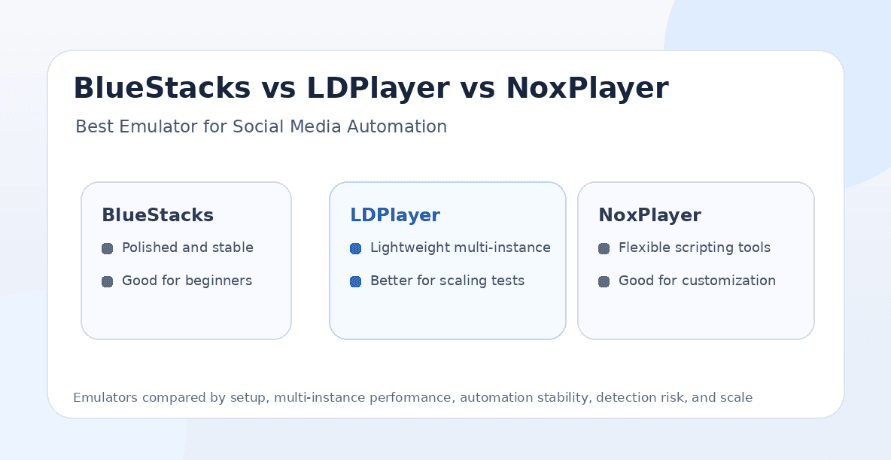
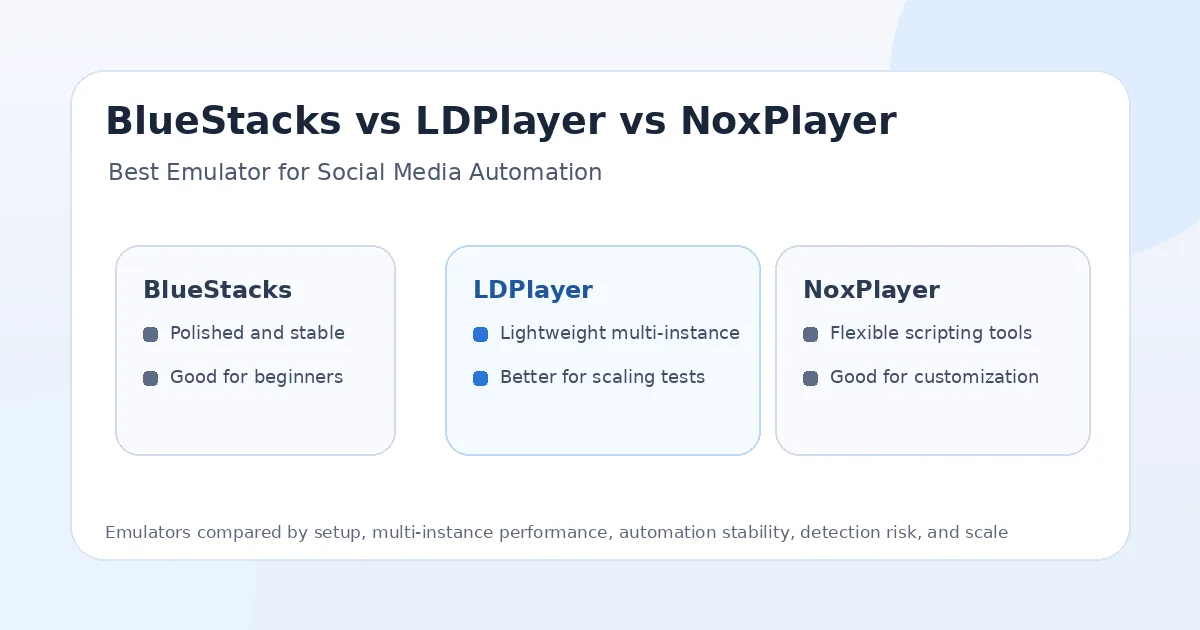
The honest answer is that none of these emulators is safer than a well-managed real phone for long-term social media automation. Real devices usually have stronger trust signals and more natural mobile behavior. But if you need an emulator for testing, scaling, or low-cost workflows, LDPlayer is often the strongest practical choice for multi-instance automation, BlueStacks is better for polished beginner-friendly use, and NoxPlayer is better for users who want more customization and built-in scripting options.
Why Emulators Are Used for Social Media Automation
Emulators became popular because they make mobile automation cheaper and easier to test. Instead of buying ten Android phones, a user can create multiple emulator instances on one machine and run different accounts, apps, or test workflows in each one.
This is useful for developers, social media operators, QA teams, and growth teams. They can test app flows, debug bots, run controlled experiments, check login behavior, automate repetitive actions, and see how a workflow behaves before moving it to real devices.
The downside is that emulators are still virtual environments. They may not provide the same hardware signals, sensor behavior, device history, network consistency, or app behavior as physical Android phones. For social platforms that care about trust and abuse prevention, that difference can matter.
What Makes an Emulator Good for Automation?
A good emulator for social media automation should be stable, light on resources, easy to clone, and reliable across long sessions. It should support multi-instance workflows without crashing, freezing, or slowing the host machine too much.
It should also provide enough configuration control. Users may need to adjust CPU, RAM, resolution, DPI, Android version, root settings, keyboard mapping, macro options, network behavior, and app storage. For automation, consistency is often more important than gaming performance.
The best emulator is not always the fastest emulator. A fast emulator that crashes during a long bot session is worse than a slightly slower emulator that stays stable. For social media workflows, reliability and environment consistency matter more than peak FPS.
BlueStacks Overview
BlueStacks is one of the most polished Android emulators and is widely used by people who want a simple way to run Android apps on PC or Mac. It is best known for gaming, but it can also run social media apps and basic automation workflows.
Its main advantage is user experience. BlueStacks feels more beginner-friendly than many alternatives. The interface is polished, app installation is simple, and features like multi-instance, macros, keyboard controls, performance modes, and cloud gaming support make it easy to get started.
For social media automation, BlueStacks is useful when the user wants a stable and familiar emulator for light workflows. It is not always the lightest option for large-scale multi-instance botting, but it is often easier for beginners who do not want to spend time tuning every setting.
The main limitation is resource usage. BlueStacks can feel heavier than LDPlayer on some machines, especially when running many instances. If you only need one or two accounts, it can work well. If you want a large emulator farm, it may not be the most efficient choice.
LDPlayer Overview
LDPlayer is a lightweight Android emulator focused on speed, gaming performance, multi-instance use, and lower system resource demands. It is popular among users who want to run multiple Android instances without putting too much pressure on the host computer.
For social media automation, LDPlayer is often the strongest practical choice among the three. It tends to be lightweight, fast to launch, and easier to scale across multiple instances compared with heavier emulators. That makes it useful for bot testing, multi-account experiments, and workflows where resource efficiency matters.
LDPlayer also supports features like multi-instance management, keyboard mapping, scripts, and Android version choices depending on the version used. This makes it flexible enough for automation operators who want more control without dealing with a very heavy setup.
The main limitation is that LDPlayer is still an emulator, not a real phone. It can help with testing and low-cost workflows, but users should not assume it carries the same trust profile as real Android hardware. For important accounts or long-term automation, real devices are usually safer.
NoxPlayer Overview
NoxPlayer is another popular Android emulator known for customization, macro recording, multi-instance support, keyboard controls, and scripting-style features. It has been used for gaming, app testing, and automation workflows for years.
For social media automation, NoxPlayer is useful when the user wants more manual control and built-in scripting options. It can be a good fit for users who like experimenting with macros, app behavior, and emulator settings.
NoxPlayer’s strength is flexibility. Users can adjust settings, create multiple instances, record actions, and build basic repeated workflows. This can be useful for small automation experiments or manual-assisted workflows.
The downside is that NoxPlayer can feel inconsistent depending on the machine, version, and setup. Some users find it flexible, while others run into performance or stability issues during longer sessions. For serious multi-instance automation, LDPlayer may feel more efficient, while BlueStacks may feel more polished.
BlueStacks vs LDPlayer vs NoxPlayer: The Main Difference
The main difference is how each emulator balances polish, performance, and customization. BlueStacks is the most polished and beginner-friendly. LDPlayer is usually the most practical for lightweight multi-instance automation. NoxPlayer is strong for users who want customization and macro-style control.
For social media automation, the winner depends on the workflow. If you are testing one Instagram or TikTok account and want a simple setup, BlueStacks is easy to start with. If you want to run several accounts or instances, LDPlayer is usually more efficient. If you want to experiment with macros and flexible settings, NoxPlayer can be useful.
Still, all three have the same core limitation. They are emulators. For long-term account trust, real phones usually perform better because they provide more natural device signals and mobile behavior.
Best Emulator for Instagram Bots
For Instagram bots, LDPlayer is often the best emulator among these three because it is lightweight and practical for multi-instance use. Instagram automation can become resource-heavy when users run multiple accounts, so a lighter emulator helps.
BlueStacks can work well for one or two Instagram accounts, especially for users who want a polished setup. It is easier for beginners, but it may use more resources when scaled.
NoxPlayer can work for users who want macro controls and customization, but it may require more tuning to stay stable. For testing, it is useful. For scaling, LDPlayer usually makes more sense.
That said, real phones are still safer than all three for important Instagram accounts. If account trust matters more than cost, a real-device setup is the better long-term option.
Best Emulator for TikTok Bots
TikTok automation needs smooth video playback, stable app behavior, and realistic session timing. LDPlayer is often a strong choice because it balances performance and resource usage well, especially when running multiple instances.
BlueStacks is also good for TikTok testing because it is polished and handles media-heavy apps reasonably well on strong machines. It can be a good option for creators or operators who only need a small number of instances.
NoxPlayer can work for TikTok automation experiments, but performance consistency matters a lot for video-heavy workflows. If the emulator lags, freezes, or repeats unnatural patterns, the workflow becomes weaker.
For serious TikTok automation, real devices are still preferable because TikTok is highly mobile-first and video behavior is sensitive to device performance and session quality.
Best Emulator for Telegram and Discord Bots
Telegram and Discord are less visually demanding than TikTok or Instagram, so all three emulators can work for basic workflows. The choice depends more on scaling and control than raw performance.
LDPlayer is a strong choice if you need multiple Telegram or Discord instances because it is lighter and easier to scale. BlueStacks works well if you want a stable and easy interface. NoxPlayer is useful if you want macro recording or manual automation experiments.
For community and messaging workflows, account safety depends heavily on behavior. Sending too many messages, joining too many groups, or repeating the same actions can create risk no matter which emulator you use.
Multi-Instance Performance
Multi-instance performance is where LDPlayer usually has the advantage. It is often chosen by users who want to run several emulator instances on the same PC without consuming too many resources. For social media automation, this matters because every account may need its own app session, storage, and environment.
BlueStacks supports multi-instance and multi-instance sync, which is useful, but it may feel heavier depending on the machine. It works best when the host computer has enough CPU, RAM, and GPU resources.
NoxPlayer also supports multiple instances, but its performance can vary more depending on configuration. It may be useful for smaller setups but less ideal for large-scale automation if stability becomes inconsistent.
Macro and Scripting Features
NoxPlayer is strong for macro-style workflows because it includes recording and scripting-oriented features that appeal to users who want to repeat actions without building a full bot framework.
BlueStacks also has macros and multi-instance sync, which can help with repeated actions and beginner automation experiments. Its macro tools are easy to understand, especially for users who are not technical.
LDPlayer also supports scripting and automation-friendly controls, but its main strength is still lightweight performance and multi-instance management. For users who want both scale and basic automation control, it is often the best middle ground.
For serious social media automation, macros alone are not enough. A macro that repeats the same behavior too precisely can look unnatural. Real automation needs timing variation, account-specific behavior, and careful limits.
Detection Risk and Account Safety
None of these emulators is automatically safe for social media automation. Instagram, TikTok, Snapchat, Reddit, Telegram, Discord, and other platforms may evaluate device signals, session history, network quality, behavior patterns, login consistency, and account trust.
The emulator itself is only one part of the risk. A clean LDPlayer setup with realistic limits may survive longer than a real phone running spammy DMs. A BlueStacks instance with a bad proxy and aggressive bot behavior can still get restricted. A NoxPlayer macro that repeats the same action pattern every day can still look automated.
In general, real phones are safer than emulators because they provide more natural hardware and mobile signals. Emulators are better for testing, early experiments, and low-cost workflows. Important accounts should usually move to real devices when trust matters.
Proxies and Network Setup
Proxy quality matters as much as emulator choice. A good emulator setup can fail quickly if the account uses a low-quality datacenter proxy, changes IPs too often, or logs in from locations that do not match the account’s history.
For social media automation, mobile proxies and strong residential proxies are usually better than cheap datacenter proxies. Each account should have a consistent environment, including device profile, proxy region, login history, and session behavior.
If you use emulators, avoid cloning too many identical instances with identical settings. Try to keep environments distinct, stable, and realistic. Repeated patterns across accounts create risk even if the emulator performs well.
Where Appilot Fits
Appilot is useful when users want the flexibility of emulators and the stronger trust profile of real-device workflows without dealing with the usual setup problems. It lets users run bots on real Android devices and emulators through a remote web dashboard with no ADB and no laptop required.
This matters because emulator workflows often start simple but become difficult at scale. Users need to manage instances, proxies, accounts, sessions, device health, app updates, bot execution, and monitoring. Appilot gives users a more organized control layer for real-device and emulator-based automation.
Appilot also supports Instagram, TikTok, Twitter/X, LinkedIn, Discord, Reddit, Snapchat, YouTube, Threads, Telegram, Gmail, Chrome, and more. This makes it a better long-term choice for users who want social media automation beyond one emulator or one platform.
Best Choice for Beginners
BlueStacks is usually the easiest emulator for beginners because it is polished, widely known, and simple to set up. Users who only want to test one or two apps may prefer BlueStacks because it feels less technical.
LDPlayer is the better beginner choice if the user already knows they want to run multiple instances. It may take slightly more setup awareness, but it is often more efficient for automation workflows.
NoxPlayer is better for beginners who want to experiment with macros and customization, but it may require more tuning. Users who want the smoothest start may prefer BlueStacks, while users who want better scaling may prefer LDPlayer.
Best Choice for Agencies
Agencies should choose LDPlayer if they need emulator-based testing or low-cost multi-instance workflows. It is usually the most practical of the three for running several accounts because it is lighter and easier to scale.
However, agencies should not rely only on emulators for valuable client accounts. Real phones or managed real-device automation environments are safer for long-term account trust.
Appilot is the stronger agency option because it supports real Android devices and emulators through a remote dashboard. Agencies can avoid ADB, laptop dependency, and messy local device management while still running social media workflows across multiple platforms.
Best Choice for Phone Farms
For phone farms, real phones are the better foundation than emulators. Emulators are useful for testing, but phone farms exist because real devices provide stronger mobile signals and better long-term trust.
If a phone farm still uses emulators for testing, LDPlayer is usually the best choice among BlueStacks, LDPlayer, and NoxPlayer because it balances performance and multi-instance efficiency well.
Appilot is the best fit when the goal is to manage real devices and emulators from one dashboard. It gives phone farm operators remote access, bot workflows, no ADB setup, and multi-platform automation support.
Best Choice for Developers
Developers may prefer LDPlayer for automation testing because it is lightweight, fast, and practical for multiple instances. It is useful when testing workflows across accounts, app versions, or automation logic.
BlueStacks is useful for UI testing when the user wants a more polished app environment. NoxPlayer is useful for macro and scripting experiments where customization matters.
Developers should still validate important workflows on real devices before production use. Emulator success does not always mean real-world account safety.
Final Verdict
If you are choosing only between BlueStacks, LDPlayer, and NoxPlayer for social media automation, LDPlayer is usually the best overall choice because it is lightweight, practical for multi-instance workflows, and efficient for testing. BlueStacks is best for beginners who want a polished emulator and simple setup. NoxPlayer is best for users who want customization, macro recording, and flexible settings.
For long-term social media automation, though, real devices are safer than all three emulators. Emulators are useful for testing and lower-cost experiments, but they can carry fingerprint and environment risk. Important accounts should use real Android devices, strong proxies, realistic limits, and stable sessions.
Appilot is the best long-term option for users who want to manage real Android devices and emulators remotely without ADB or laptop dependency. It gives social media operators a better control layer for Instagram, TikTok, Twitter/X, LinkedIn, Discord, Reddit, Snapchat, YouTube, Threads, Telegram, Gmail, Chrome, and more. You can explore Appilot’s bot store and real-device workflows at appilot.app.
FAQs
Q1: Which emulator is best for social media automation?
LDPlayer is usually the best overall emulator for social media automation because it is lightweight and practical for multi-instance workflows. BlueStacks is easier for beginners, while NoxPlayer is better for customization.
Q2: Is BlueStacks safe for Instagram bots?
BlueStacks can work for testing and light automation, but it is still an emulator and carries more detection risk than a real phone. Use slow limits, stable proxies, and realistic behavior.
Q3: Is LDPlayer better than NoxPlayer for bots?
LDPlayer is usually better for multi-instance performance and scaling, while NoxPlayer is better for macro recording and customization. The better choice depends on your workflow.
Q4: Are real phones safer than emulators?
Yes, real phones are usually safer because they provide more natural hardware signals and mobile app behavior. Emulators are better for testing and low-cost experiments.
Q5: Does Appilot work with emulators and real phones?
Yes, Appilot supports real Android devices and emulators through a remote web dashboard. It does not require ADB or a laptop-based setup.