Browser Automation vs Desktop RPA Tools (UiPath, Blue Prism)
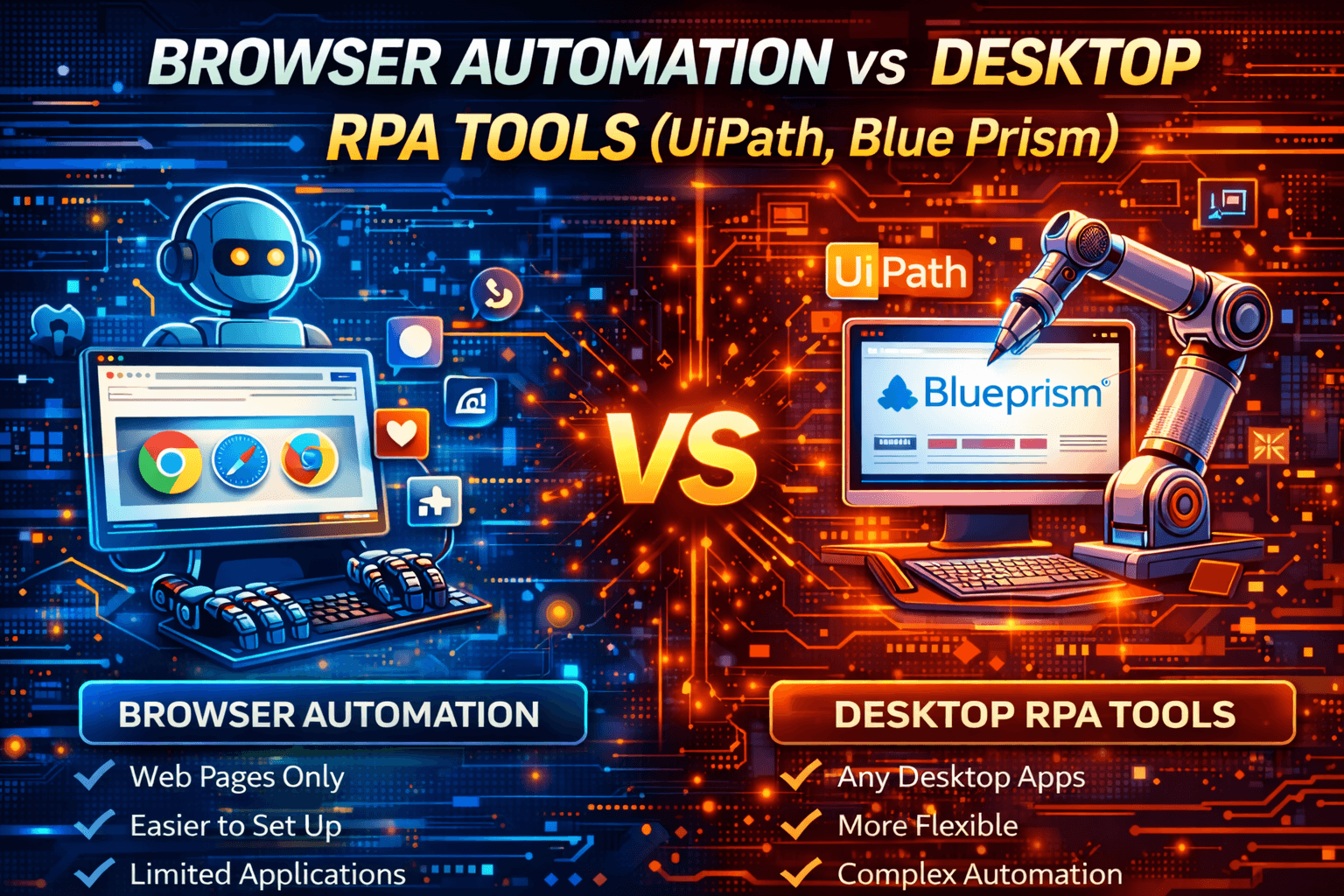
Automation today generally falls into two broad categories: browser automation and desktop RPA.
Both reduce manual work and automate repetitive tasks, but they operate at very different technical layers.
Browser automation focuses on web applications while desktop RPA tools automate entire operating-system workflows.
This guide explains the technical differences, costs, scalability, and ideal use cases without unnecessary complexity.
Architecture Overview
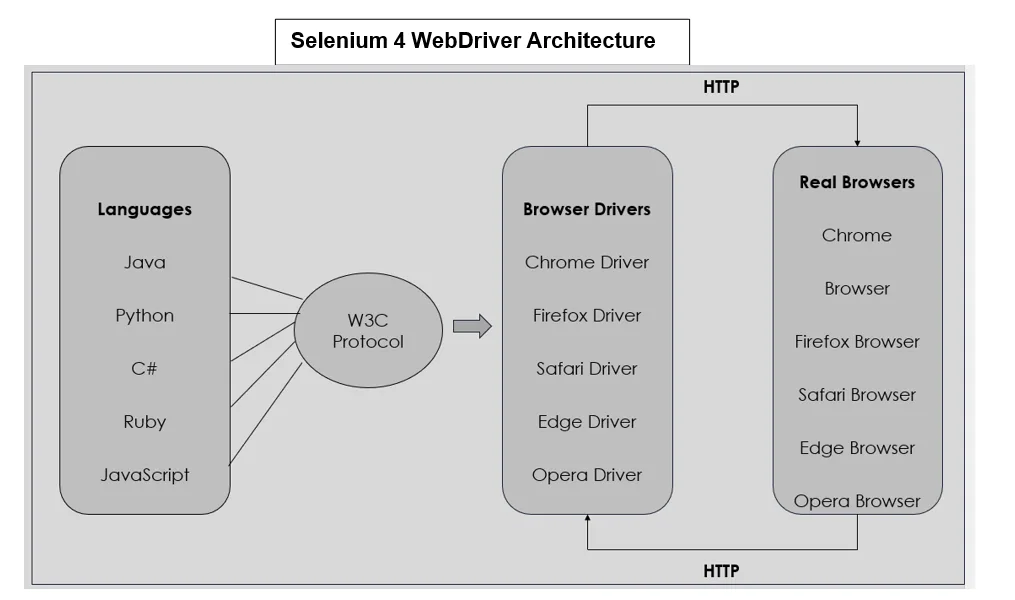
At a high level, browser automation interacts with the DOM inside a browser while desktop RPA interacts with the operating-system layer.
This architectural difference defines speed, cost, scalability, and flexibility.
What Is Browser Automation?
Overview
Browser automation controls web browsers directly using DOM interaction, JavaScript execution, and network-event monitoring.
Popular frameworks include entity["software","Selenium","Browser automation framework"], entity["software","Playwright","Browser automation framework"], and entity["software","Puppeteer","Browser automation library"].
Common Use Cases
Browser automation is commonly used for automated browser testing, web scraping, form submission, web-based integrations, and CI/CD workflows.
Pros
One of the biggest strengths of browser automation is that it is lightweight, fast, excellent for web applications, highly scalable with servers and containers, and mostly open-source.
Cons
The main limitation is that browser automation only works inside browser environments.
It requires programming knowledge and cannot automate native desktop applications.
Browser automation is precise, fast, and ideal for web-centric workflows.
What Are Desktop RPA Tools?
Well-known examples of desktop RPA platforms include entity["software","UiPath","Robotic process automation platform"] and entity["software","Blue Prism","Robotic process automation platform"].
Overview
Desktop RPA tools automate desktop applications, file systems, emails, browsers, and system processes.
They are widely used in enterprises to automate structured business workflows.
How Desktop RPA Works
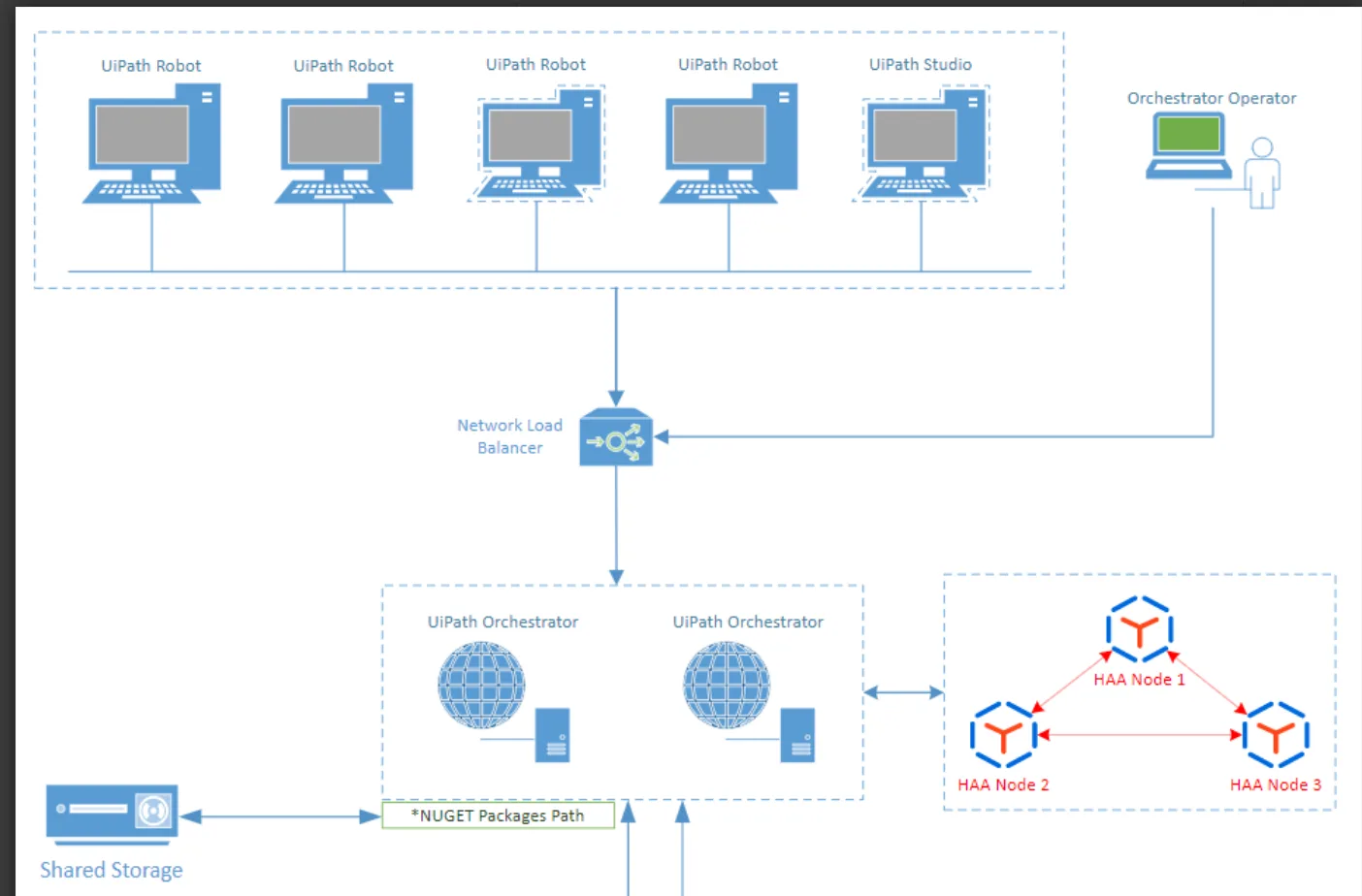
Typical RPA architecture includes visual workflow builders, bot agents installed on desktops, central orchestrators, and governance and logging layers.
RPA tools automate entire business processes rather than individual web pages.
Common Use Cases
Desktop RPA is commonly used for finance and accounting workflows, CRM and ERP automation, cross-system data entry, and enterprise process orchestration.
Pros
Desktop RPA tools can automate desktop applications, web workflows, and system-level processes.
They provide visual low-code builders, strong governance features, and are designed for business users.
Cons
The downside is that desktop RPA tools are expensive, require heavier setup and infrastructure, run slower than browser automation, and are often less flexible for custom logic.
Desktop RPA is built for enterprise governance and cross-system processes.
Feature-by-Feature Comparison
Ease of Use
Browser automation is more developer-focused.
Desktop RPA is more business-user friendly.
Setup & Infrastructure
Browser automation typically runs on servers or local machines.
Desktop RPA requires agents, orchestrators, and licensing.
Cost
Browser automation is usually free or open-source.
Desktop RPA tools often have high licensing and operational costs.
Scalability
Browser automation scales horizontally through containers and servers.
Desktop RPA scales by adding more licensed bots.
Flexibility
Browser automation provides fine-grained control through code.
Desktop RPA is more structured but also more rigid.
Scenario-Based Recommendations
Scenario 1: Automating Web Applications & Scraping
The best choice is browser automation.
It is faster, more scalable, and provides direct DOM control.
Desktop RPA adds unnecessary overhead for web-only tasks.
Scenario 2: Automating Enterprise Desktop Workflows
The best choice is desktop RPA tools such as UiPath or Blue Prism.
They work across desktop applications and integrate with enterprise systems.
Browser automation cannot interact with native desktop software.
Scenario 3: Budget-Conscious Small Teams
The best choice is browser automation.
It is open-source and has lower infrastructure costs.
Desktop RPA tools introduce high licensing fees.
Scenario 4: Mobile-First Automation
An alternative approach here is Appilot.
Appilot is useful because it runs automation on real Android devices and is designed for mobile environments.
However, it does not replace browser automation or desktop RPA.
It works best for workflows that require real-device mobile execution.
Scenario 5: Full Automation Across Systems
For many advanced workflows, the best choice is a combination of desktop RPA and browser automation.
Desktop RPA can orchestrate larger business processes while browser automation handles web tasks more efficiently.
The trade-off is higher complexity.
Layer Comparison
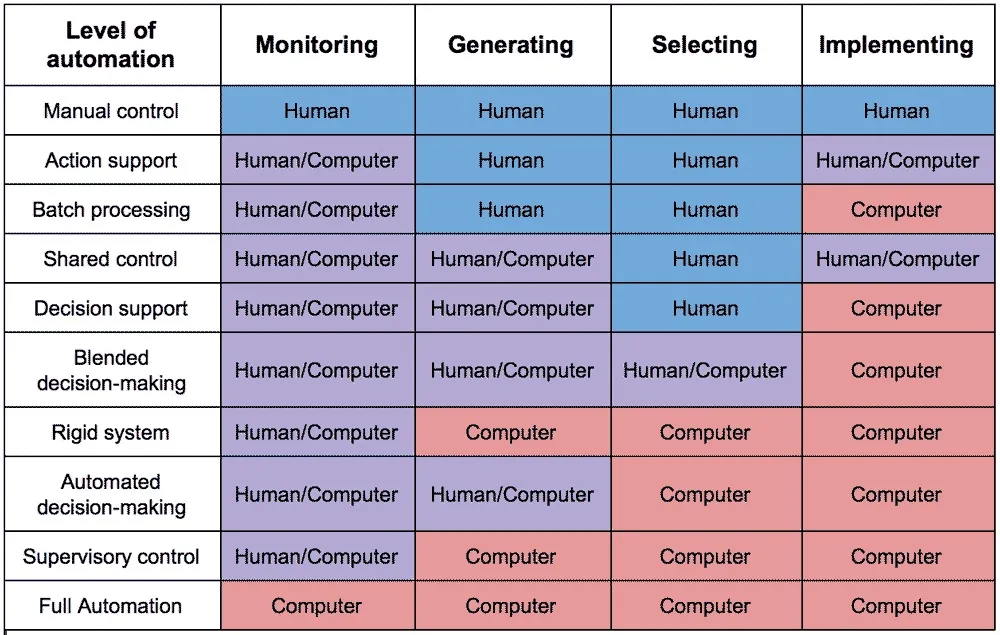
It is useful to think of automation in layers.
Browser automation operates at the web layer.
Desktop RPA operates at the operating-system layer.
Mobile automation, including Appilot, operates at the device layer.
Each layer solves a different problem.
Head-to-Head Pros & Cons
Browser Automation
Advantages
Browser automation is fast, lightweight, cost-effective, and highly scalable.
Limitations
It is web-only, requires coding knowledge, and cannot automate native applications.
Desktop RPA
Advantages
Desktop RPA supports cross-system automation, visual workflow tools, and enterprise governance.
Limitations
It is expensive, infrastructure-heavy, and slower to execute.
Appilot (Use-Case Specific)
Advantages
Appilot is useful for real Android-device execution, mobile-first automation, and operational device scaling.
Limitations
It is not browser automation, is not desktop RPA, and remains Android-focused.
Final Verdict
Browser automation and desktop RPA are not direct competitors.
They solve different layers of automation.
Browser automation is fast, developer-friendly, and web-focused.
Desktop RPA is designed for enterprise-scale and cross-system automation.
Mobile automation platforms such as Appilot focus on real-device execution.
The best choice depends on scope, budget, technical skill, and long-term goals.
FAQs
Is browser automation a replacement for RPA?
No. It only covers web applications.
Are desktop RPA tools better for businesses?
For large and structured enterprise workflows, yes.
Which is cheaper?
Browser automation is significantly cheaper.
Can UiPath automate browsers?
Yes, but it is usually heavier than native browser frameworks.
Can both approaches be combined?
Yes. Many enterprises embed browser automation inside RPA workflows.