Budget Browser Automation: GoLogin Lite and Appilot Integration

Browser automation can become expensive very quickly when large numbers of browser profiles, team members, cloud launches, and proxy resources are involved. This is why smaller businesses, solo users, freelancers, affiliate marketers, and startup teams often look for lower-cost browser setups before moving into larger automation environments. GoLogin Lite is useful for this because it gives users access to browser profiles, proxy integration, fingerprint customization, REST API support, and Android access without the larger costs of higher-tier plans. When combined with Appilot, GoLogin Lite becomes a practical option for users who want to automate workflows, organize browser profiles, and manage browser sessions without needing a large enterprise budget.
Why GoLogin Lite Is Good for Smaller Budgets
GoLogin Lite is designed for users who only need a smaller number of browser profiles and more basic workflow management. Smaller teams and solo users can still access profile separation, proxy assignments, browser fingerprinting, REST API access, and cloud features without paying for large profile limits or team seats. GoLogin also offers a forever-free option with 3 browser profiles, while paid plans start with around 100 browser profiles on the Professional plan, which makes it more affordable for users who do not need hundreds of profiles immediately.
How Appilot Fits Into a Budget Workflow
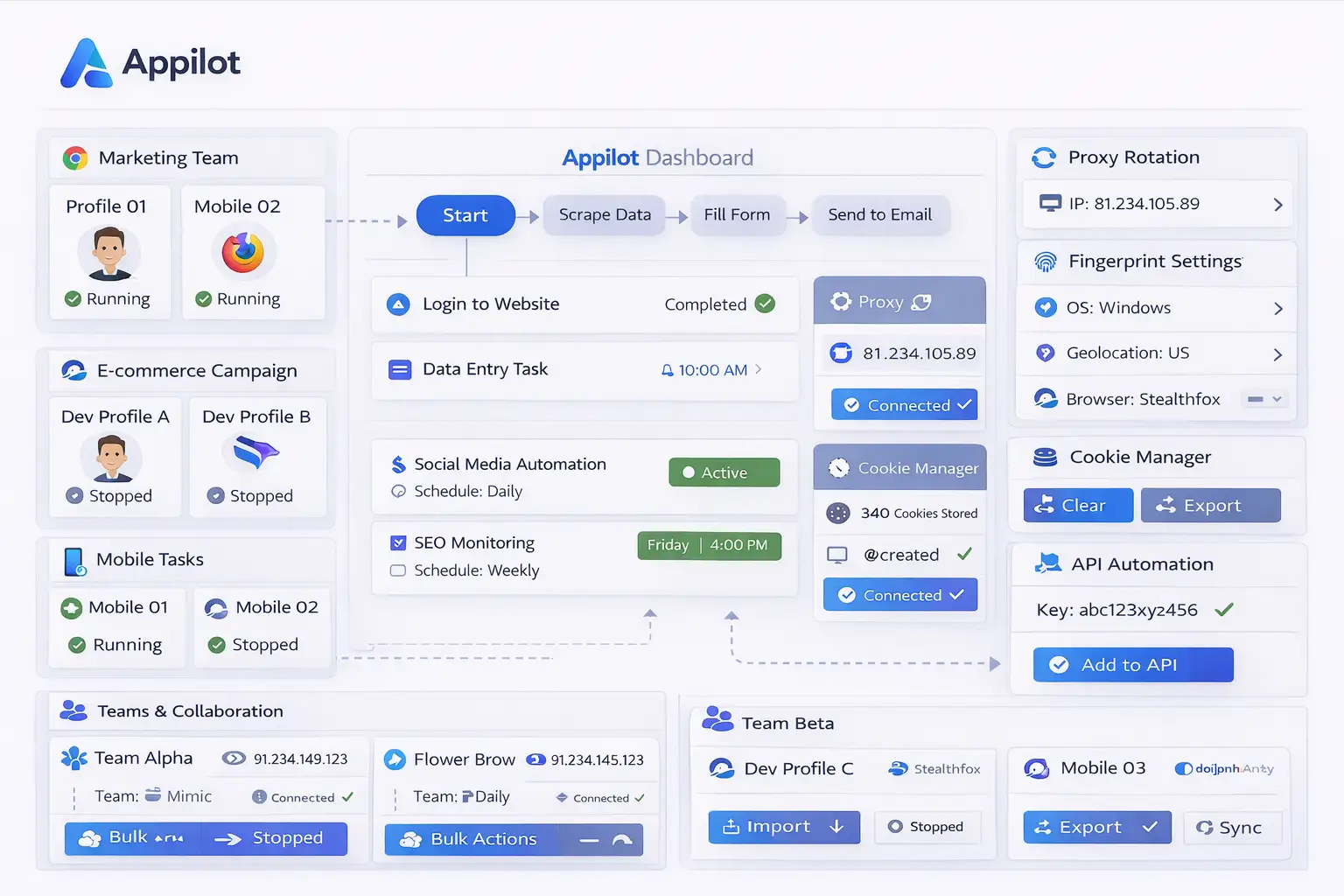
Appilot helps smaller GoLogin Lite users get more value from a lower-cost browser setup because it provides a centralized dashboard for workflow management, browser scheduling, profile grouping, and activity monitoring. Instead of manually opening browser profiles and repeating the same tasks every day, users can create workflow rules, organize profiles into groups, assign schedules, and monitor activity from one place. This makes it easier for smaller operations to manage more browser profiles efficiently without immediately upgrading to larger GoLogin plans.
What You Still Get with GoLogin Lite
Even lower-cost GoLogin plans still include many important features that smaller automation setups need. Users still get browser fingerprint management, proxy integration, profile isolation, Android support, API access, and cloud browsing options. Multiple profiles can be launched at the same time depending on hardware limits, and users can still run workflows across social media management, scraping, affiliate campaigns, e-commerce operations, and testing environments. Paid plans also include profile sharing, built-in proxy data, and support options, even if these are more limited than higher-tier plans.
When Lite Is Not Enough
GoLogin Lite works well for smaller operations, but it may not be enough for larger teams or more advanced automation systems. Users who need hundreds of browser profiles, larger API request limits, more team members, cloud launches, and advanced sharing options may eventually need to upgrade to Business or Enterprise plans. Business plans can support around 300 browser profiles and multiple team members, while Enterprise plans can support around 1000 profiles, larger API limits, and more profile sharing options. This makes higher plans better for agencies, larger affiliate teams, scraping businesses, and other users with large-scale automation needs.
Best Practices for Budget Browser Automation
Keeping browser profiles organized is especially important for smaller setups because limited profile counts mean each profile should have a clear purpose. It is also important to avoid running every browser profile at the exact same time because repetitive timing patterns can make browser activity appear unnatural. Stable proxy assignments and consistent fingerprint settings help keep browser profiles reliable, while regular workflow reviews help identify failed sessions, broken proxies, or expired logins. Starting small and scaling gradually is often the best approach because it allows users to understand what resources they really need before paying for larger plans.
Frequently Asked Questions
Q1: Is GoLogin Lite enough for smaller browser automation setups?
Yes. GoLogin Lite is usually enough for freelancers, solo users, and small teams that only need a limited number of browser profiles.
Q2: Does GoLogin Lite include API access?
Yes. Even smaller GoLogin plans include REST API access for automation workflows.
Q3: How many browser profiles does GoLogin Lite support?
The forever-free plan includes 3 profiles, while paid plans can support around 100 browser profiles depending on the plan level.
Q4: Can Appilot help smaller teams save time?
Yes. Appilot helps smaller teams save time by organizing browser profiles, assigning workflows, creating schedules, and monitoring browser activity from one dashboard.
Q5: When should users upgrade from GoLogin Lite?
Users should upgrade when they need more browser profiles, more team members, larger API limits, more profile sharing, or more cloud launches.
Conclusion
GoLogin Lite and Appilot work well together for users who want affordable browser automation without paying for large enterprise-level plans. Smaller teams can still access browser profiles, proxies, fingerprint management, API support, and scheduling tools while keeping costs lower. The best approach is to start with a smaller setup, keep workflows organized, and only scale into larger plans when more browser profiles and collaboration features are truly needed.