Can’t Automate Mobile Apps Like Desktop? Here’s Why (And What Actually Works)

If you have experience automating desktop workflows, you might expect mobile automation to work the same way, structured scripts, predictable interactions, and consistent execution, but the moment you try to apply the same approach to mobile apps, things start to fall apart.
Clicks do not behave the same, elements are harder to detect, sessions break unexpectedly, and automation that seemed reliable on desktop suddenly becomes inconsistent or completely unusable on mobile.
This creates a frustrating gap, because mobile apps are where many opportunities exist, especially in areas like crypto, social platforms, and modern applications, yet they are significantly harder to automate effectively.
You might try different tools, adjust scripts, or experiment with workarounds, but without understanding the underlying difference, the results remain unreliable.
You are not alone in this, and more importantly, this is not because mobile automation is impossible, but because it requires a fundamentally different approach than desktop automation.
The good news is that once you understand why mobile behaves differently and how to design your system accordingly, you can build automation that actually works reliably.
Why Mobile Automation Is Harder Than Desktop
The challenge comes from how mobile environments are designed.
Mobile Apps Don’t Expose Structured Interfaces
Unlike desktop web applications, mobile apps often do not provide clear, accessible elements for automation tools to interact with.
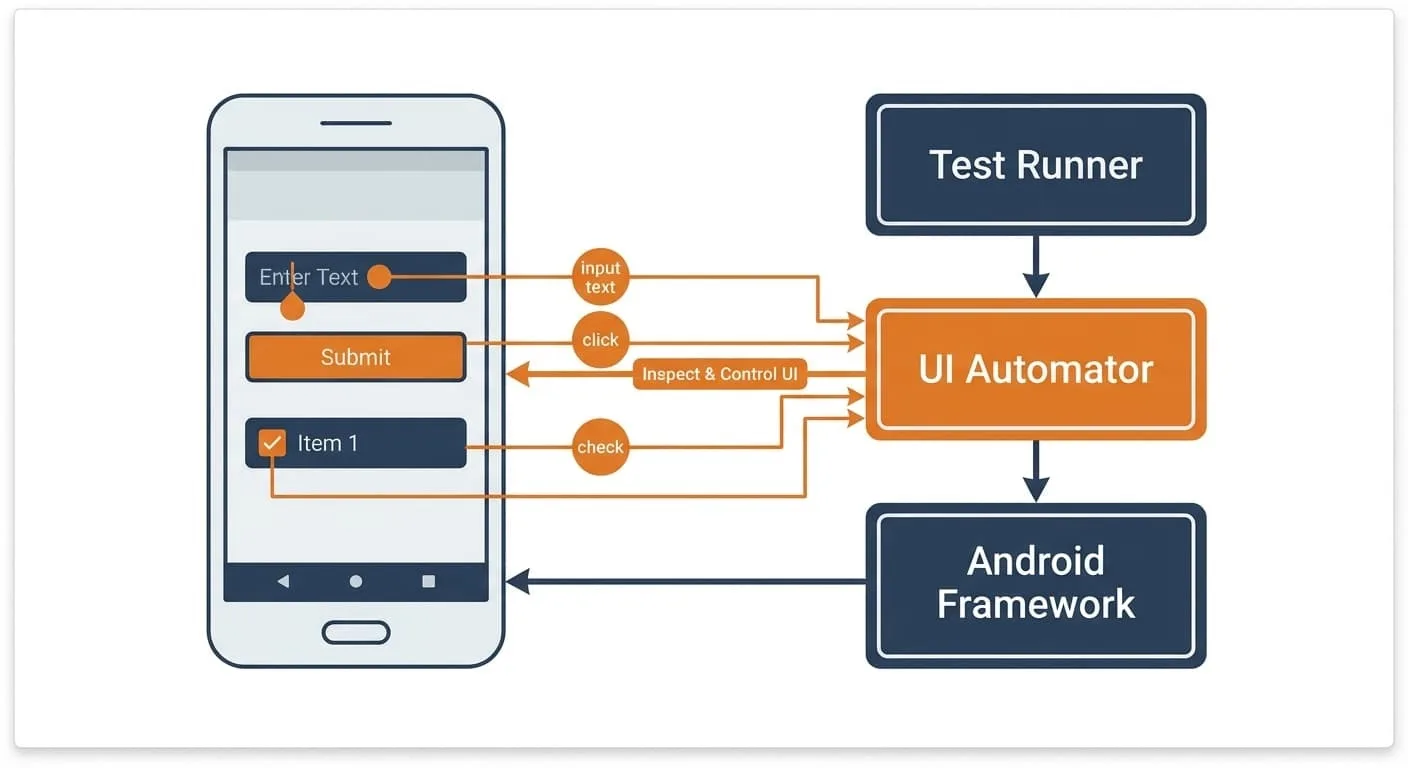
Dynamic UI Changes Break Scripts
Mobile interfaces can change frequently, making it difficult for scripts to rely on fixed selectors or positions.
Device Variability Adds Complexity
Different screen sizes, resolutions, and operating systems create inconsistencies that affect automation.
Security Measures Are Stronger
Mobile apps often include protections that make automated interaction more difficult, especially for sensitive actions.
The Hidden Cost of Treating Mobile Like Desktop
Trying to apply desktop automation methods to mobile does not just lead to failure, it wastes time, creates unreliable systems, and increases frustration.
You may spend hours debugging scripts that are fundamentally incompatible with the environment.
More importantly, it prevents you from leveraging opportunities that exist primarily on mobile platforms.
The Complete Solution: Use the Right Approach for Mobile
The key to successful mobile automation is not forcing desktop methods, but adopting an approach that works with how mobile apps operate.
The first step is shifting from element-based automation to interaction-based automation, focusing on how users interact with apps rather than relying on structured elements.
The next step is ensuring environment consistency, because stable environments reduce variability and improve reliability.
This is where using real-device execution becomes critical, because emulators and simulated environments often introduce inconsistencies.
A practical way to implement this is by using a platform like Appilot, which runs automation on real mobile devices, making interactions more natural and reliable.
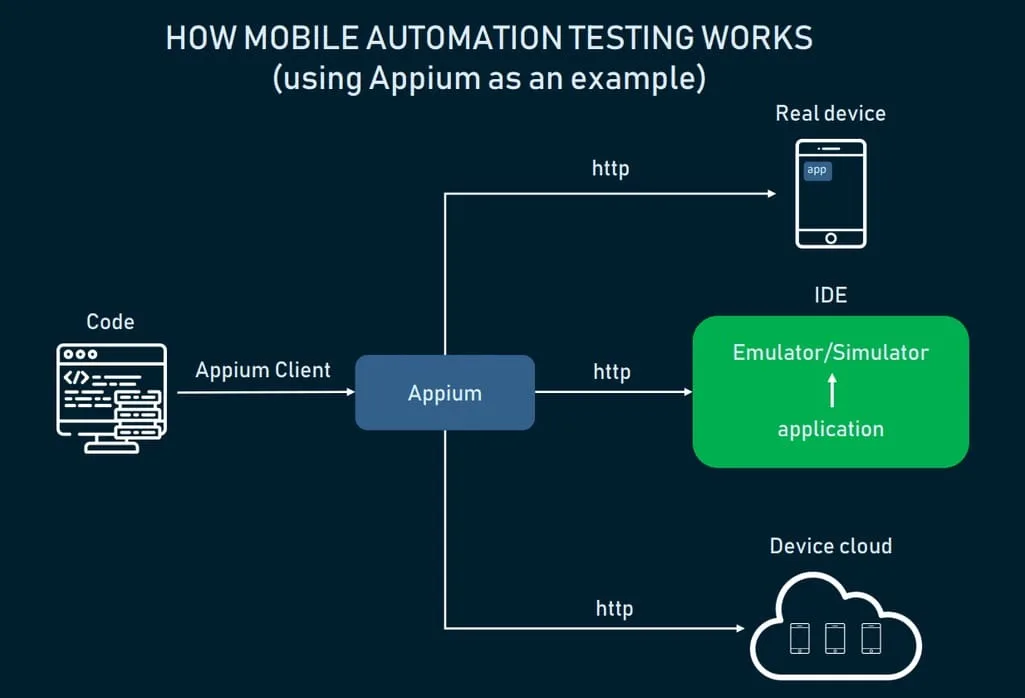
By aligning your automation with how mobile apps actually function, you create a system that is more stable and effective.
The final step is adding monitoring and adaptability, ensuring that your system can handle changes without breaking.
How to Make Mobile Automation Reliable Over Time
Reliability comes from consistency and adaptability.
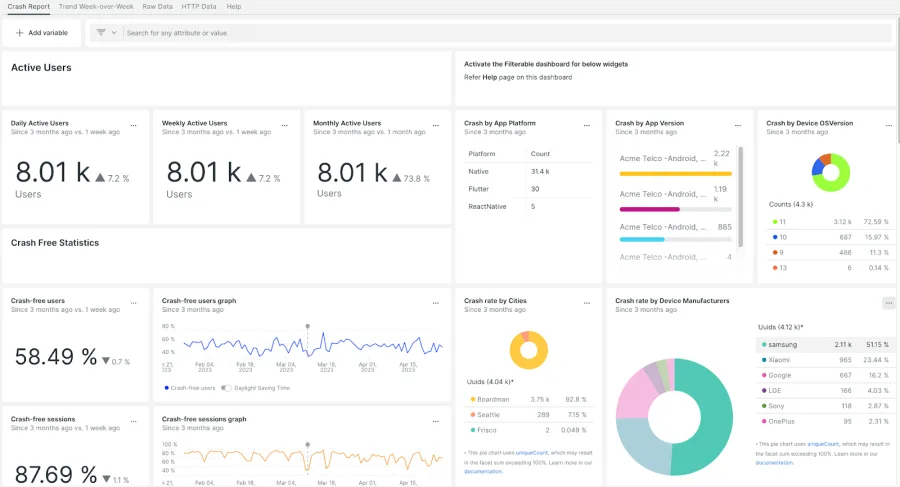
Regular testing helps you identify issues early and adjust your setup.
Monitoring ensures that you are aware of any changes in behavior.
Automation should be flexible, allowing it to adapt to different conditions.
Common Mistakes That Keep Mobile Automation From Working
One of the most common mistakes is trying to use desktop tools for mobile apps.
Another is relying on unstable environments, which introduce variability.
There is also a tendency to build rigid scripts that cannot adapt to changes.
Real Success Stories: Before and After
A user attempting to automate mobile workflows found that their scripts were unreliable and inconsistent.
After switching to a real-device approach and using Appilot, they were able to achieve more stable and predictable results.
Another example involved a team that struggled with mobile automation, but after adjusting their approach, they improved reliability significantly.
Frequently Asked Questions
One common question is whether mobile automation can be as reliable as desktop, and while it requires a different approach, it can achieve similar levels of reliability.
Another question is how to handle variability, and consistent environments and adaptable workflows are key.
There is also the concern about complexity, and the right tools simplify the process.
Conclusion: Stop Forcing Desktop Logic on Mobile
If you cannot automate mobile apps the same way as desktop, it is not because you are doing something wrong, but because the environments are fundamentally different.
Once you shift your approach and use tools designed for mobile, you can build automation that works reliably and consistently.
If you are dealing with this right now, the best step forward is not to keep forcing desktop methods, but to adapt your system, because once you do, mobile automation becomes not just possible, but powerful.