Canvas Fingerprint Management in Antidetect Browsers via Appilot
Canvas fingerprinting has become one of the most widely used browser detection methods because it helps platforms identify browser sessions even when cookies, IP addresses, and browser history change. Many users focus on proxies and browser profiles, but canvas fingerprints can still connect sessions together if they are not managed correctly.
Modern websites often use invisible canvas tests in the background to measure how a browser renders images, shapes, text, colors, graphics, and browser-specific behavior. These small differences create a canvas fingerprint that can remain surprisingly consistent over time.
This becomes important in browser automation because many browser profiles may look separate on the surface but still produce very similar canvas fingerprints. If too many browser profiles repeat the same rendering patterns, platforms may connect those sessions together even if the proxies are different.
Antidetect browsers try to solve this by allowing users to control and rotate browser fingerprints, including canvas fingerprint settings. Appilot helps make this process easier by allowing you to manage multiple browser profiles, antidetect browsers, schedules, and fingerprint groups from one place.
What Canvas Fingerprinting Actually Measures
Canvas fingerprinting works by asking the browser to render hidden graphics or text inside an HTML5 canvas element. The website then measures the exact output.
Small differences in browser version, graphics card, operating system, font rendering, browser engine, display scaling, color depth, and graphics drivers can all change the final result. Even if two users have similar systems, their canvas outputs may still differ slightly.
This is why canvas fingerprints are so useful for websites. They can often identify a browser session without relying entirely on cookies or IP addresses.
Canvas fingerprinting is especially common on social media platforms, e-commerce websites, login systems, ad networks, affiliate platforms, and other environments where fraud detection is important.
Many platforms use canvas fingerprinting together with WebGL fingerprints, audio fingerprints, timezone settings, browser versions, screen resolutions, and other browser signals.
Why Canvas Fingerprints Matter in Browser Automation
Canvas fingerprints matter because they often stay stable across browser sessions. Even if a user rotates proxies, changes cookies, and creates new browser profiles, the same canvas output may still appear repeatedly.
This creates a problem because platforms can compare browser sessions over time. If too many profiles use the same canvas signature, the platform may assume those sessions are related.
For example, several browser profiles may use different IP addresses but still share the same browser version, operating system, graphics settings, font rendering, and browser engine behavior. This can create nearly identical canvas outputs.
In browser automation, this overlap becomes more dangerous as the number of browser profiles increases. A small operation with five browser profiles may not notice the problem immediately, but a larger workflow with dozens or hundreds of browser profiles can create repeated canvas patterns very quickly.
This is why antidetect browsers often include canvas fingerprint controls. Instead of allowing every profile to generate the same rendering output, the browser can create controlled variation between browser sessions.
Why Canvas Fingerprint Management Becomes Difficult
Canvas fingerprint management becomes difficult because it is not enough to simply randomize the output.
If the canvas fingerprint changes too aggressively or in unrealistic ways, the browser session may look suspicious. Real users usually have stable canvas behavior because their hardware and browser settings do not change constantly.
This means that canvas fingerprint management should focus on realistic variation rather than total randomness.
Another challenge is consistency across browser signals. A browser profile with a certain operating system, graphics card, browser version, and screen size should generate a canvas output that matches those conditions.
If the browser claims to use a modern Windows desktop setup but produces a canvas signature that looks like an older mobile device, the mismatch may create suspicion.
Managing these settings across Chrome profiles, Firefox sessions, GoLogin browsers, AdsPower workspaces, Dolphin Anty profiles, Multilogin environments, and mobile browsers becomes very time-consuming without a central management system.
How Appilot Helps with Canvas Fingerprint Management
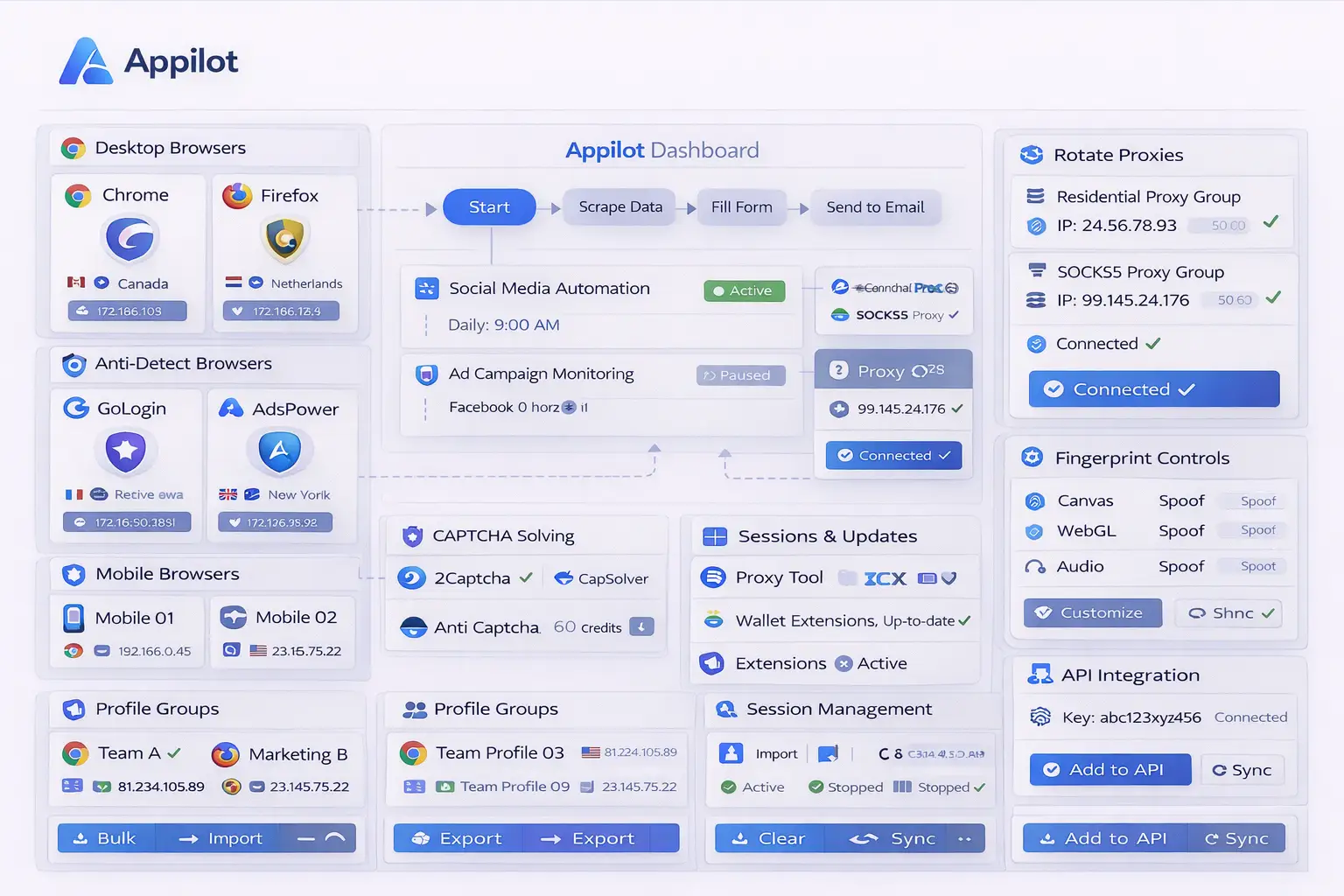
Appilot makes canvas fingerprint management easier because it provides one place to organize browser profiles, fingerprint groups, browser schedules, and antidetect browser settings.
Instead of manually configuring canvas settings inside every browser profile, you can create profile groups with different canvas fingerprint behaviors based on account type, region, or browser category.
For example, one group of browser profiles may use Windows-based desktop fingerprints, another may use Mac-based browser environments, and another may use Android-style mobile fingerprints.
Appilot can also help keep canvas settings aligned with the rest of the browser fingerprint. If a profile uses a United Kingdom proxy, English language settings, a Windows operating system, and a desktop screen resolution, the canvas output can remain consistent with that browser identity.
Another advantage is that Appilot helps reduce repeated canvas patterns across large numbers of browser profiles. Instead of allowing too many profiles to share the same rendering behavior, Appilot can help distribute browser fingerprints more evenly.
This creates stronger profile separation and reduces repeated canvas overlap.
Best Practices for Canvas Fingerprint Rotation
One of the best practices is keeping canvas fingerprints stable inside each browser profile. Real users usually do not change hardware and graphics settings constantly, so the browser profile should also remain stable over time.
Another important practice is matching canvas behavior with the rest of the fingerprint. Operating system, screen resolution, browser version, GPU settings, and WebGL behavior should all align with the canvas fingerprint.
You should also group canvas fingerprints by browser category. Desktop browsers, mobile browsers, and antidetect browser profiles should not all share the same rendering patterns.
It is also important to avoid using identical fingerprint templates across too many browser profiles. Even if the proxies are different, repeated canvas behavior can still create overlap.
You should also review canvas fingerprint settings regularly because common browser versions, graphics engines, and hardware profiles change over time.
Finally, keeping browser history, cookies, WebGL settings, timezone, and language aligned with the canvas fingerprint creates a more realistic browser environment overall.
Common Mistakes with Canvas Fingerprints
One common mistake is randomizing canvas fingerprints too heavily. Extreme variation can make the browser session look unrealistic because real users usually have stable rendering behavior.
Another mistake is ignoring canvas fingerprints entirely and focusing only on proxies or cookies. Canvas fingerprint overlap can still connect browser profiles even if IP addresses are different.
Some users also reuse the same canvas fingerprint settings across too many browser profiles. This creates repeated rendering patterns that can become easier for platforms to detect.
Another issue is forgetting to align canvas settings with the rest of the browser fingerprint. A browser profile should look internally consistent rather than random.
Finally, many users forget that canvas fingerprints are only one part of the overall browser identity. They work best when combined with WebGL variation, realistic browser settings, stable cookies, matching proxies, and natural browser behavior.
Frequently Asked Questions
Q1: What is a canvas fingerprint?
A canvas fingerprint is a browser identity signal created from how the browser renders hidden graphics and text inside an HTML5 canvas element.
Q2: Why do antidetect browsers manage canvas fingerprints?
Antidetect browsers manage canvas fingerprints to reduce repeated rendering patterns across browser profiles and improve account separation.
Q3: Should canvas fingerprints change every session?
Usually not. Canvas fingerprints should remain relatively stable inside each browser profile to look more realistic.
Q4: Can Appilot help manage canvas fingerprints across multiple browsers?
Yes. Appilot can help organize browser profiles, fingerprint groups, schedules, and canvas settings across multiple browser types.
Q5: Are canvas fingerprints more important than proxies?
Both are important. Strong browser automation usually combines proxy management, fingerprint variation, cookies, browser behavior, and stable sessions together.
Conclusion
Canvas fingerprint management is an important part of browser automation because it helps reduce repeated browser rendering patterns across profiles. Without proper canvas control, even different browser profiles and proxies can still become connected over time.
Appilot makes canvas fingerprint management easier by helping you organize browser profiles, fingerprint groups, schedules, and antidetect browser settings from one place. This creates more realistic browser sessions and stronger profile separation across large browser operations.