Computer Crashes When Running 50+ Browser Profiles? Fix This

You start scaling your setup gradually, opening more browser profiles, running more sessions, and increasing activity, and at first everything feels manageable, maybe a little slower than usual but still functional, so you keep pushing further, expecting your system to handle the load with some minor adjustments.
Then suddenly, without much warning, your computer freezes, fans spin aggressively, memory usage spikes, and within seconds everything crashes, sometimes forcing a restart, sometimes killing all active sessions, and leaving you with incomplete work and no clear understanding of what exactly went wrong.
This does not happen just once, but repeatedly, and every time you try to push past that threshold of fifty profiles, the same pattern emerges, instability, crashes, and a system that simply cannot sustain the workload no matter how much you tweak settings or optimize individual processes.
What makes this situation particularly frustrating is that you might already be using a powerful machine, with high RAM and a modern processor, yet the problem persists, making it clear that this is not just about hardware limitations but about how your system is being used.
You are not alone in this, and more importantly, this is not a random failure, because there are specific, predictable reasons why computers crash when running large numbers of browser profiles.
Once you understand what is happening behind the scenes, you can fix the issue in a way that allows you to scale far beyond this limit without sacrificing stability.
Why Your Computer Crashes at 50+ Browser Profiles
Most people assume crashes are caused by insufficient hardware, but the real issue is a combination of resource exhaustion, system architecture limits, and inefficient workload distribution.
Memory Saturation Happens First
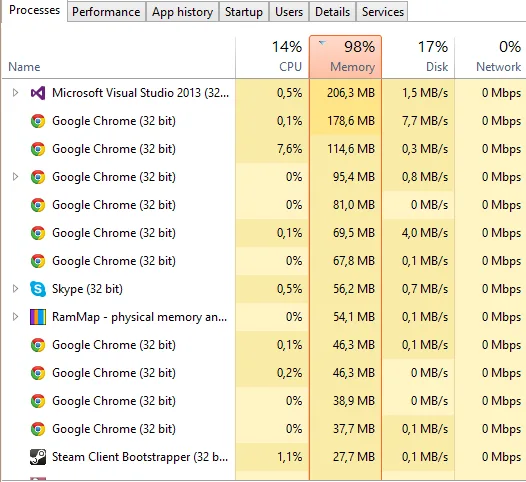
Each browser profile consumes RAM, and while one or two profiles might use a manageable amount, running dozens simultaneously quickly pushes your system beyond its physical memory limits.
When RAM is exhausted, your system begins using disk space as virtual memory, which is significantly slower and creates a cascading slowdown that often leads to crashes.
CPU Overload and Thread Contention
Running fifty or more profiles creates intense CPU pressure, where processes compete for execution time, causing delays and inefficiencies that eventually overwhelm the system.
Even if your CPU is powerful, it is not designed to handle that many simultaneous browser environments efficiently.
Disk I/O Bottlenecks
As profiles load and operate, they constantly read and write data to disk, and when many profiles are active, this creates a bottleneck that slows down the entire system.
If your disk cannot keep up with the demand, performance degrades rapidly, contributing to instability.
Thermal Limits and System Protection
High workloads generate heat, and when your system reaches thermal limits, it may throttle performance or shut down processes to protect hardware, which can result in crashes.
The Hidden Cost of System Crashes
Crashes do not just interrupt your workflow, they create a chain reaction of issues that affect productivity, reliability, and scalability.
You lose progress, waste time restarting tasks, and risk data corruption, all of which reduce efficiency and increase operational complexity.
More importantly, crashes prevent you from scaling, because every attempt to increase workload results in instability, keeping you stuck below your potential.
The Complete Solution: How to Run 50+ Profiles Without Crashing
Fixing crashes requires more than optimizing your current setup, because the root problem is trying to run too many heavy environments on a single machine.
The first step is immediate stabilization, where you reduce active profiles and identify which processes are consuming the most resources, allowing your system to recover and operate normally.
Once stabilized, you need to rethink your architecture, because no matter how powerful your computer is, it will always have a limit when handling dozens of browser profiles.
The key shift is moving from a centralized system to a distributed one, where workloads are spread across multiple environments instead of competing for the same resources.
This is where mobile-based automation becomes a powerful alternative, because instead of running all profiles on your computer, you execute workflows on real devices, each handling its own tasks independently.
A practical way to implement this is through a platform like Appilot, which allows automation to run directly on Android devices, removing the burden from your computer and eliminating the conditions that cause crashes.
By distributing workloads, you eliminate the central bottleneck, because each device operates independently, preventing resource exhaustion and ensuring stable performance even at scale.
Monitoring becomes essential in this setup, allowing you to track performance across environments and make adjustments as needed.
How to Prevent Crashes From Happening Again
Prevention starts with understanding that scaling is not about pushing a single system harder, but about distributing load intelligently.
By maintaining separation between workflows and ensuring that each operates in its own environment, you avoid the conflicts and resource contention that lead to crashes.
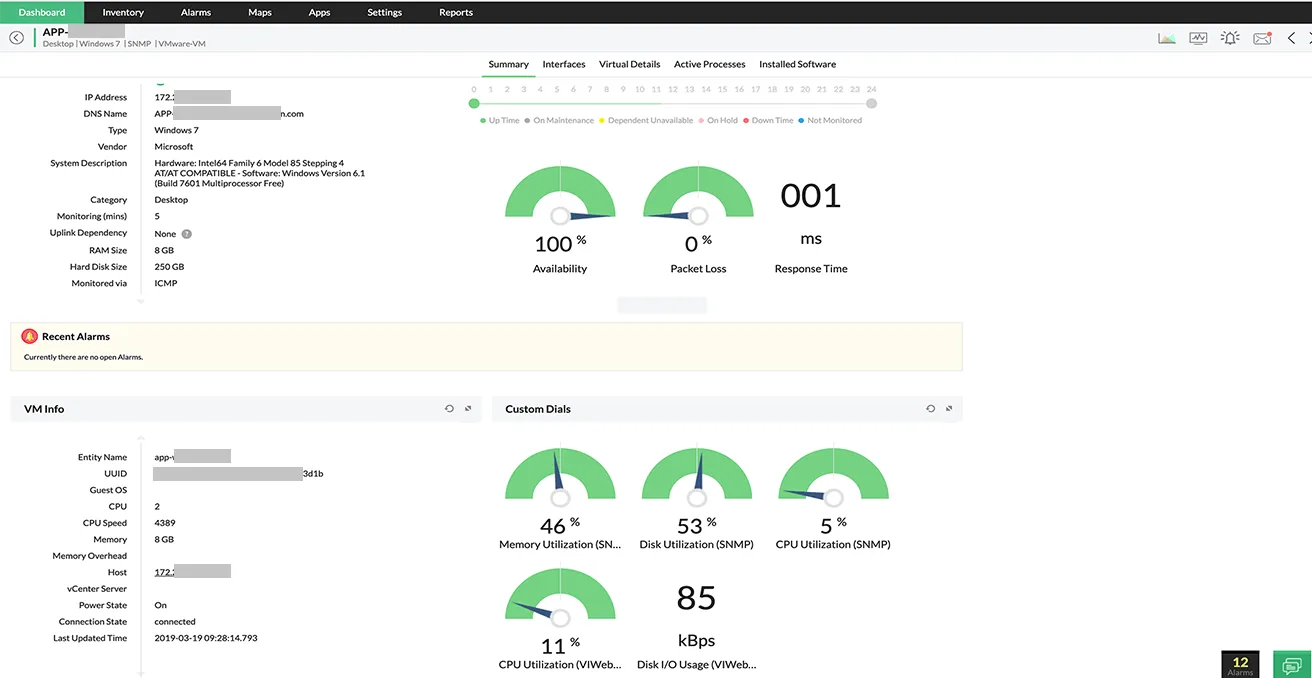
Regular monitoring helps you detect early warning signs, such as increased resource usage or slower execution times, allowing you to take action before issues escalate.
Common Mistakes That Make Crashes Worse
One of the most common mistakes is trying to run even more profiles after a crash, assuming that minor tweaks will fix the problem, which only increases instability.
Another is upgrading hardware without changing the system architecture, which delays crashes but does not eliminate them.
There is also a tendency to ignore early signs of system stress, which often indicate that the system is approaching its limit.
Real Success Stories: Before and After
A user running large-scale automation workflows found that their system consistently crashed when exceeding fifty browser profiles, forcing them to limit their operations and restart processes frequently.
After transitioning to a distributed setup using Appilot, they were able to run significantly more workflows without crashes, improving stability and productivity.
Another example involved a team managing multiple accounts, where crashes prevented them from scaling, but after restructuring their system, they achieved consistent performance at higher volumes.
Frequently Asked Questions
One common question is whether increasing RAM can prevent crashes, and while it can help, it does not address the underlying issue of centralized workload management.
Another question is how many profiles a system can handle, and the answer varies, but every system has a limit, and exceeding it will lead to instability.
There is also the concern about whether distributed automation is difficult to implement, and while it requires a different approach, platforms like Appilot simplify the process significantly.
Conclusion: Scale Without Crashes
If your computer crashes when running fifty or more browser profiles, it is not because your system is failing, but because it has reached the limits of a centralized approach.
Once you shift to a distributed model, where workloads are spread across multiple environments, the limitation disappears, and you gain the ability to scale reliably.
If you are facing this issue right now, the best step forward is not to push your system harder, but to redesign how your workloads are executed, because once you do, stability becomes the default rather than the exception.