How Influencers Stay Consistent With Instagram Stories (Without Risky Automation)
You want to stay consistent with Instagram Stories, but the daily reality usually looks very different. One day you remember to post, the next day you forget, then brand deadlines pile up, Story timing becomes inconsistent, and repetitive posting starts to feel exhausting.
Imagine having a Story workflow where your ideas, assets, posting times, and brand requirements are already organized before the day begins. That kind of consistency is not only possible, it is practical when you build the right system around planning, reminders, approvals, and performance tracking instead of relying on risky automation.
This guide shows you exactly how to stay consistent with Instagram Stories, what tools you need, the workflow to follow, and how to reduce posting friction without risking account restrictions or reach loss.
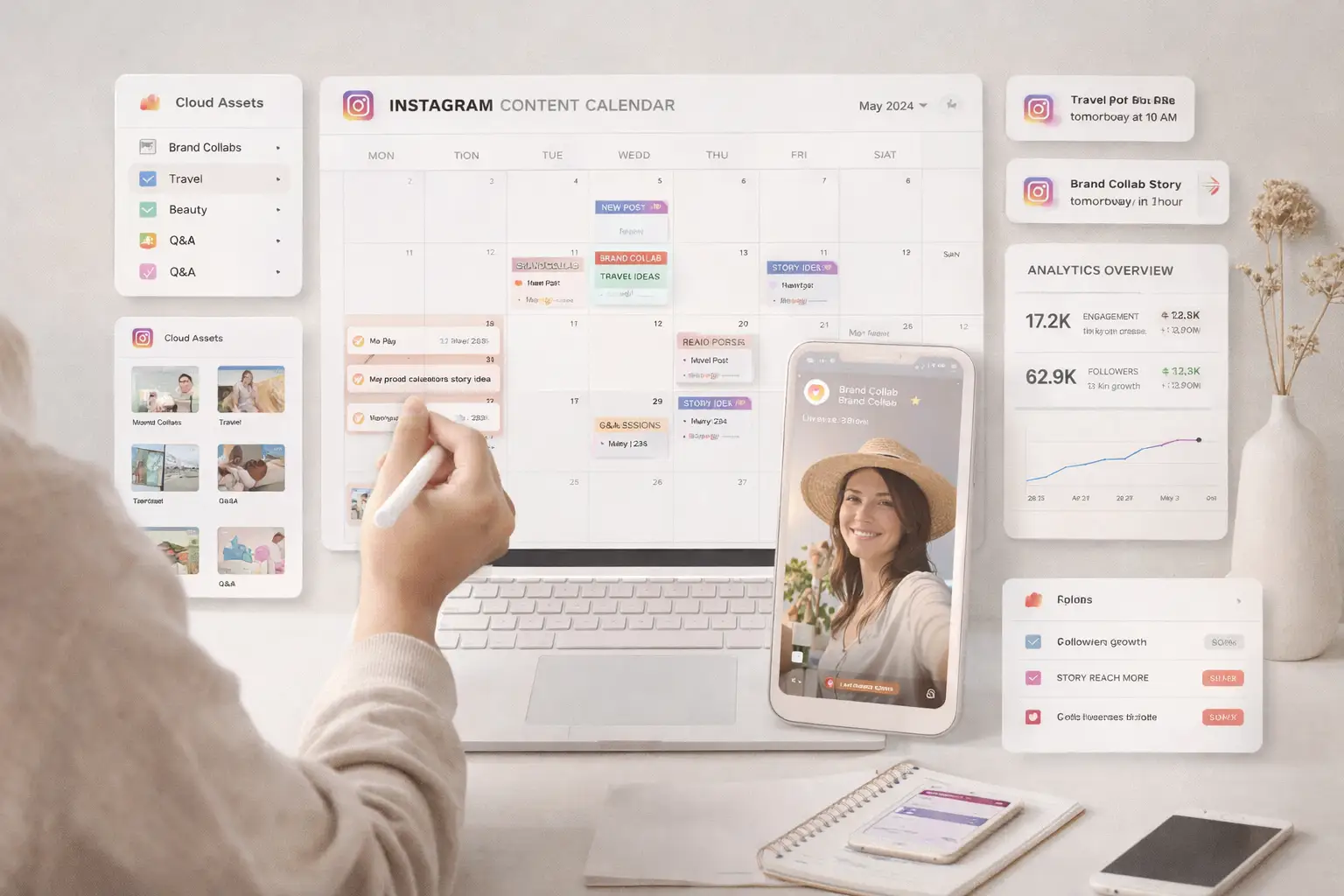
Why Consistent Instagram Stories Matter / The Opportunity
Instagram Stories matter because they create daily visibility, generate direct replies, increase poll engagement, support link clicks, strengthen audience retention, and send freshness signals that help keep an account active in the eyes of the platform. For creators, Stories are often the most reliable way to stay present between feed posts and long-form content.
Consistent Instagram Stories are becoming essential because creators are expected to show up regularly, maintain brand commitments, and keep audiences engaged without disappearing for days at a time. Influencers who build a dependable Story workflow gain a major advantage because they can stay visible without turning daily posting into a constant source of stress.
1. Who This Use Case is For
This approach works especially well for influencers managing one or more active accounts who need a reliable way to keep Story output consistent without depending on memory alone. It is also highly valuable for creators working with brand partners, because deadlines, tags, and posting windows need to be handled in a structured way rather than improvised at the last minute.
It is equally useful for social media managers, creator assistants, and small teams supporting content production because a structured Story workflow reduces confusion around assets, posting times, and approval status. Even solo creators benefit because the system removes unnecessary decision fatigue from the posting process.
2. What You'll Achieve
By implementing a structured Instagram Stories workflow, you will be able to plan Story content in advance, organize assets properly, reduce posting mistakes such as uploading from the wrong account, stay on top of brand requirements, and track which Story formats actually perform best. You will also make daily posting far less stressful because content preparation and posting no longer happen under constant time pressure.
In practical terms, this means more consistent Story cadence, better engagement signals through stickers and replies, fewer missed deliverables, and a workflow that is sustainable over weeks and months rather than only during short bursts of motivation.
3. What You'll Need
Before diving into the workflow itself, you need a simple content operations setup that keeps Story planning, asset storage, scheduling, and performance review connected.
Technical Requirements
For planning and coordination, you need a centralized content system such as Notion, Airtable, Google Sheets, ClickUp, or Trello where every Story can be tracked by date, content type, asset file, caption notes, sticker type, brand requirements, and posting time. The specific tool matters less than the consistency of how it is used.
For official Instagram support, you should rely on tools such as Meta Business Suite, the Instagram Professional Dashboard, and approved creator platforms whenever those features are available for your account type and region. These tools are designed for legitimate publishing support, performance tracking, and multi-account management in ways that align with platform rules.
For mobile workflow support, creators may also use calendar reminders, Slack notifications, Zapier workflows, or phone reminder automations to reduce posting friction when direct Story scheduling is not supported. If a team wants visibility into Android-side workflow testing or real-device review for content operations, Appilot can be relevant in a supporting role because it works with real Android devices and mobile-first workflows, but it should not be used to simulate Story engagement or replace official Instagram publishing methods.
Skills and Knowledge
A technical background is not required for this workflow, but it helps to understand basic content operations, naming conventions for assets, and how to review analytics consistently. The most important skill is not coding. It is building a repeatable system and actually using it every week.
If you do have technical support, integrations such as automated reminders, cloud folder triggers, reporting dashboards, and calendar workflows can make the process even smoother. If you do not, no-code tools are more than enough for most influencer Story workflows.
Time and Resource Investment
Initial setup usually takes a few hours to one day, depending on whether you are creating a simple weekly calendar or building a fuller system with reminders, shared asset storage, approval flows, and reporting. Ongoing maintenance is relatively light once the system is established, especially if content is batched weekly instead of being created one Story at a time every day.
The main resource investment is not software cost. It is the discipline of planning content before it is needed. Once that habit is in place, the system saves time rather than adding complexity.
Appilot Integration Method #1 - The Complete Solution Approach
Implementing Instagram Story Consistency with Official Tools and Workflow Systems
There are two very different ways people think about Instagram Stories automation. The risky path is trying to automate behavior directly through unofficial tools, device farms, or simulated app actions. The safe path is building a system around planning, organization, reminders, content batching, and analytics while keeping actual publishing inside supported and policy-compliant tools.
The DIY approach usually combines a planning tool such as Notion or Airtable, cloud storage for Story assets, a calendar or reminder system, and a weekly reporting workflow. This approach gives creators full flexibility and works well for solo operators or small teams, but it depends on consistent setup and discipline.
The integrated platform approach makes sense when a creator team needs structured workflow visibility across web and mobile environments. This is where Appilot can be relevant in a limited and practical way, especially for teams that already operate across Android devices and need mobile-first workflow visibility or operational review. Appilot supports real Android devices and mobile-first workflows, which can help teams observe and manage mobile content operations, but it should remain separate from any attempt to simulate Instagram behavior, Story viewing, or engagement patterns.
This matters for Instagram Story consistency because the safest scaling model is operational automation rather than behavioral automation. The system should help a creator post more reliably, not try to mimic user actions inside Instagram at scale.
Step-by-Step Implementation Guide
The safest way to stay consistent with Instagram Stories is to reduce friction before posting time arrives. That means organizing content, timing, and approvals before the creator opens the app.
Step 1: Build a Centralized Story Content Pipeline
The first step is setting up a central place where every planned Story is tracked. This should include the posting date, Story type, asset location, caption notes, sticker type, brand tag requirements, and preferred posting time. When all of this information is stored in one place, daily posting becomes far less chaotic.
From a technical workflow perspective, this content pipeline acts as the source of truth. Whether you use Notion, Airtable, Google Sheets, ClickUp, or Trello, the important thing is that every Story item is visible before it becomes urgent. If you are working with collaborators, this also prevents confusion around asset versions and deadlines.
Using Appilot is generally not necessary at this stage unless your team is managing mobile-first operational review across real Android devices and wants additional device-side workflow visibility. The main goal here is not execution. It is organization.
A common mistake is keeping Story ideas in too many places at once, such as scattered notes, chat messages, and camera rolls. That usually leads to missed deadlines and last-minute posting stress.
Step 2: Use Official Publishing and Analytics Tools
The next step is relying on official tools wherever Instagram supports them. Meta Business Suite, the Instagram Professional Dashboard, and approved creator tools give you a safer and more sustainable way to manage Stories, insights, timing, and account-level organization.
For browser-based workflow support, creators and teams often use dashboards and reporting views to track account performance, content timing, and account switching. For mobile execution, the actual Story posting should remain inside the Instagram app or official publishing paths whenever supported. That distinction matters because official tools help reduce operational friction without pushing the account into risky behavior patterns.
Here is a simple example of how a reminder-driven workflow might be modeled in code, even if many creators ultimately implement it with no-code tools instead:
const storyTask = {
  date: "2026-04-05",
  type: "Brand Promo",
  assetFile: "spring-campaign-story-01.mp4",
  sticker: "Link",
  postTime: "18:30",
  account: "Main Account"
};
function generateReminder(task) {
  return `Post ${task.type} on ${task.account} at ${task.postTime} using ${task.assetFile} with ${task.sticker} sticker.`;
}
console.log(generateReminder(storyTask));
This kind of logic is useful because it turns content planning into a repeatable system instead of a memory problem.
A good practical rule at this stage is to let the system prepare the creator, not replace the creator.
Step 3: Add Structured Reminders Instead of Risky Upload Automation
If direct Story scheduling is not supported for a given account or setup, the best alternative is not risky automation. It is a structured reminder system. A cloud folder can store the final asset, a calendar or workflow tool can trigger the reminder, and a prewritten caption note can be ready before posting time.
This means the creator can open Instagram and publish the Story manually in under 30 seconds because the work has already been done. The result feels almost as efficient as automation, but without violating policies or relying on behavior simulation.
When creators ask how to automate Instagram Stories safely, the strongest answer is usually that they should automate preparation rather than posting behavior. That is the shift that makes the workflow both scalable and sustainable.
Step 4: Batch Story Creation Every Week
The most effective creators usually do not create every Story in real time. They batch-produce content, often recording five to ten Stories in one session, then pre-editing them in tools such as CapCut or InShot and storing them as organized drafts.
This approach delivers most of the benefits people wrongly chase through risky automation. It saves time, reduces decision fatigue, creates visual consistency, and makes it much easier to hit posting targets across a week.
At scale, batching also helps with brand coordination because partnership Stories can be reviewed and approved before posting day rather than created under pressure at the last minute.
Step 5: Track Story Performance and Improve Weekly
A Story workflow should not stop at posting. Every week, the creator or team should review performance data such as replies, poll engagement, link clicks, completion rate, timing performance, and which Story types consistently perform best.
This turns Story posting into a real feedback loop. Instead of guessing what works, the creator can improve based on actual audience behavior. Over time, this increases both consistency and performance because the workflow becomes smarter as it matures.
Automated monitoring at this stage can include simple reports, shared dashboards, and recurring review reminders. The goal is not complexity. It is repeatable improvement.
Appilot Integration Method #2 - Specific Feature Showcase
Handling Multi-Account Story Workflow Review with Mobile-First Visibility
One of the biggest operational challenges in Instagram Story workflows is managing multiple accounts without confusion, especially when creators run a main account, a niche page, and one or more brand partnership profiles. The technical problem is not just content planning. It is making sure the right Story goes to the right account at the right time, with the correct tags, assets, and notes.
The traditional approach is usually messy. Teams jump between spreadsheets, shared folders, phone reminders, and chat threads, and the result is often account mistakes, delayed publishing, or inconsistent follow-through.
Appilot can be relevant here as a supporting operational layer when a team needs mobile-first visibility across Android workflows and real-device review. Because it works with real Android devices and mobile-first execution, it can help teams manage mobile workflow context more clearly. The point is not to automate Instagram behavior. The point is to support structured mobile operations around content review, account visibility, and device-side workflow coordination when that is genuinely needed.
This works best when combined with a centralized planning system, official Instagram tools, and manual final posting. That combination keeps the workflow efficient without pushing it into risky territory.
Common Challenges and Solutions
Even with a strong setup, creators usually run into a few recurring problems. The good news is that these are workflow problems, not signs that the whole system is broken.
Challenge 1: Forgetting to Post or Missing Brand Deadlines
The problem usually appears when content only exists as a vague idea instead of a scheduled task with an assigned asset and posting time. When that happens, creators tend to rely on memory, and memory fails as soon as the week gets busy.
This happens because posting is being treated as an isolated action rather than part of a repeatable system. The fix is to assign every Story a date, asset, account, and reminder as early as possible. For branded work, add approval status and tag requirements directly into the content calendar so there is no guesswork when posting time arrives.
Challenge 2: Posting at the Same Time Every Day Without Strategy
Many creators assume consistency means repeating the exact same timing every day. In reality, that can lead to stale performance if it ignores audience behavior or Story type. A behind-the-scenes Story, a promo Story, and a poll Story do not always perform equally well in the same slot.
The solution is to use Insights and weekly analytics reviews to refine timing based on actual audience activity and Story outcomes. Consistency should mean dependable cadence, not robotic uniformity.
Challenge 3: Relying on Unofficial Automation Apps
This is one of the biggest mistakes creators make because it often looks like a shortcut while actually increasing account risk. Unofficial tools may ask for credentials, attempt app-level behavior simulation, or encourage posting patterns that do not align with authentic use.
The solution is to remove risky tools entirely and rebuild the workflow around planning, reminders, batching, and official publishing support. Appilot can support mobile workflow visibility where relevant, but it should not be positioned as a substitute for official Instagram publishing methods.
Appilot Integration Method #4 - Real-World Case Study
Case Study: A Creator Team Builds a Low-Friction Story System
A creator managing a main account, a niche page, and a brand partnership profile needed a way to stay consistent without feeling overwhelmed by daily posting pressure. The core requirements were simple but important: all Story assets needed to be organized in one place, branded Stories had to meet deadlines, and posting needed to happen without last-minute scrambling.
The initial approach was manual and inconsistent. Story ideas lived in different notes apps, media files were scattered across folders, and posting depended too heavily on memory. As a result, the creator missed deadlines, posted inconsistently, and felt constant stress around account switching and Story timing.
The improved setup used weekly Story planning, batch filming every Monday, structured calendar posting, and automated performance reports. The browser-side workflow handled planning, calendar visibility, and reporting, while the mobile-side workflow focused on final content review and posting inside the Instagram app. Appilot was relevant only as a support layer for mobile-first workflow visibility around Android-side operations, not as a posting engine.
After 60 days, the creator achieved roughly double the previous Story consistency, saw stronger poll engagement, reduced posting stress significantly, and experienced no account warnings. The most important success factor was not automation in the traditional sense. It was workflow structure. The biggest lesson was that consistency improves fastest when the system reduces friction before posting time rather than trying to automate the app itself.
Scaling Instagram Stories Consistency
Once the basic Story workflow is proven, the next step is scaling it without making it more fragile.
From 10 to 100 Story Tasks Per Week
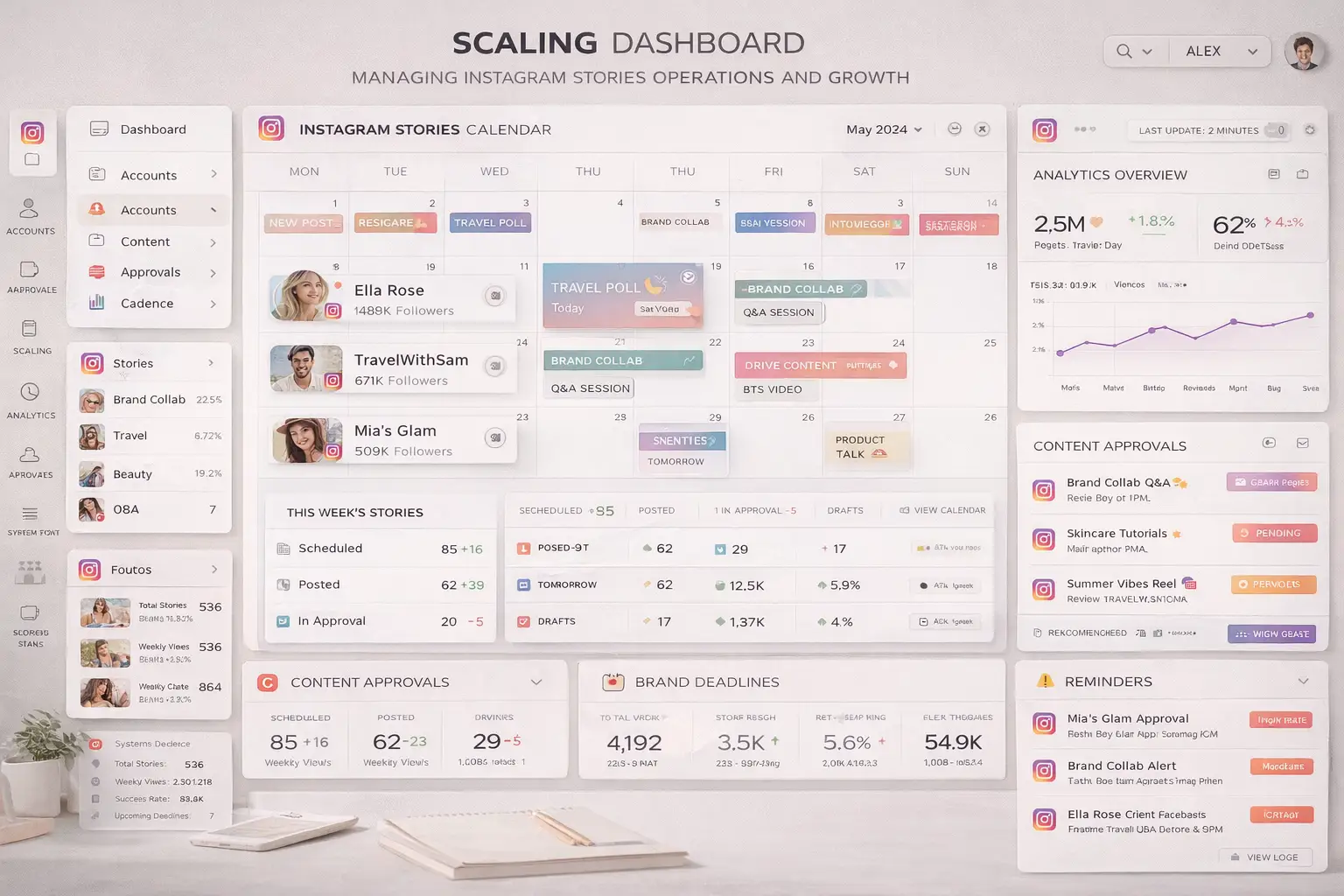
As a creator or team grows, the challenge shifts from remembering to post to managing a growing number of Story tasks across different accounts, campaigns, and deadlines. At that stage, you need stronger naming conventions, clearer asset storage, account-level calendars, approval checkpoints, and more disciplined reporting.
Cost considerations at scale are usually modest compared with the cost of missed brand deliverables or inconsistent audience engagement. The real complexity comes from coordination. Without structure, even a small increase in Story volume can create confusion. With structure, a larger workload becomes manageable because every Story already has a place in the system.
Automation and Optimization at Scale
At scale, the best parts to automate are reminders, asset organization, status tracking, account assignment, and weekly reporting. The parts that should stay manual are final posting, creative judgment, and community-sensitive engagement choices because those depend on context and authenticity.
For teams managing multiple creators or multiple accounts, Appilot can support mobile-first operational visibility where Android device review is relevant, but the core publishing logic should still remain aligned with official tools and manual in-app posting. That keeps the workflow scalable without turning it into risky app simulation.
Best Practices and Pro Tips
Best Practice 1 - Build the System Around Friction Reduction
The best Story workflows are not built around forcing more content into the week. They are built around removing the small points of friction that make posting inconsistent, such as missing assets, forgotten deadlines, unclear notes, and account confusion. Implementation is straightforward: make sure every planned Story already has an asset, date, account, and instruction before the day begins. The impact is immediate because creators spend less time deciding and more time publishing.
Best Practice 2 - Batch Before You Schedule
Batch creation matters because it converts creative effort into organized output that can be distributed across multiple days. The practical implementation is to dedicate one session each week to filming, editing, and organizing Stories rather than treating every day as a new production cycle. A common pitfall is batching without labeling properly, which creates confusion later. Every draft should be named clearly and linked to a calendar item.
Best Practice 3 - Review Story Analytics Weekly
Story consistency is not just about volume. It is about learning which Story formats generate replies, taps, exits, link clicks, and sticker interaction. The best way to implement this is through a recurring weekly review that compares format, timing, and outcome. An advanced variation is to group Stories by category, such as promo, personal, poll, or behind-the-scenes, and compare performance trends over time.
Tools and Resources
For browser-based workflow support, planning and reporting tools such as Notion, Airtable, Google Sheets, ClickUp, and Trello are especially useful because they help teams organize content, deadlines, account assignments, and review cycles. For official Instagram support, Meta Business Suite and the Instagram Professional Dashboard should be the first choice because they provide supported publishing and insights features.
For mobile content preparation, editing tools such as CapCut and InShot are useful because they allow creators to prepare several Story assets in one session before the week begins. For reminder automation, calendar tools, Slack reminders, and Zapier workflows can reduce friction without introducing account risk.
For mobile-first operational visibility on Android where relevant, Appilot can support workflow review and device-side visibility because it works with real Android devices and Accessibility Services, but it should remain a supporting workflow layer rather than a direct Instagram behavior automation tool.
Key Takeaways
For consistent Instagram Stories success, remember that planning matters more than improvisation, structure matters more than speed, and official tools matter more than shortcuts. The best system is the one that makes daily posting easier without creating policy risk.
The biggest mistake is trying to simulate Story posting or engagement through unofficial tools. The quickest win is setting up a centralized Story calendar with assets, posting times, and reminder logic so every Story is ready before it needs to go live.
Instagram Story consistency is absolutely achievable with the right workflow. Start with one weekly planning system, validate that it reduces daily friction, and then expand it into a full creator operating routine. The system should support authentic posting, not try to replace it.
Frequently Asked Questions
Q1:How long does it take to set up a consistent Instagram Stories workflow?
Most creators can set up a basic Story workflow in a few hours using a planning tool, a shared asset folder, and reminder logic. A more complete system with analytics reviews, brand approvals, and multiple accounts may take longer, but the payoff is usually felt quickly because posting becomes far less chaotic.
Q2: Do I need coding knowledge for Instagram Stories workflow automation?
No. Most creators can build an effective system with no-code tools such as Notion, Airtable, Google Sheets, calendar reminders, and approved Instagram tools. Technical support is helpful for more advanced integrations, but it is not required.
Q3: What is the difference between browser and mobile workflow support for Instagram Stories?
Browser-based tools are better for planning, reporting, dashboards, and workflow coordination, while mobile is where the final Instagram Story posting experience actually happens. In that sense, the smartest systems support both contexts without trying to automate Instagram behavior directly.
Q4: Can I use Appilot for Instagram Stories workflows?
Appilot can support Android-side workflow visibility and mobile-first operational review where relevant, especially for teams working across real Android devices. However, it should not be used as a replacement for official Instagram publishing paths or to simulate Story engagement.
Q5: What is better for Instagram Stories consistency, building my own workflow or using a platform?
For most influencers, a simple custom workflow built from planning tools, reminders, official Instagram support, and weekly analytics is enough. Platforms become more useful when teams need shared visibility, stronger coordination, or mobile-first workflow management across multiple accounts and collaborators.
Conclusion
The real problem with Instagram Stories is not posting itself. It is maintaining consistency without turning the process into daily friction or risky automation.
The safest and smartest way to scale Stories is to automate preparation, organization, reminders, approvals, and analytics while keeping final posting authentic and policy-aligned. That approach protects account health, improves consistency, and reduces creator burnout at the same time.
Creators who stay consistent usually do not rely on automation tricks. They rely on systems. When the workflow is clear, assets are ready, reminders are structured, and performance is reviewed weekly, Story consistency becomes sustainable instead of stressful.