Cookie Management and Session Handling in Automated Browsers
Many people think cookies are simply small text files that keep them logged in.
In automation, that misunderstanding breaks more bots than almost anything else.
Cookies are only one part of session state. Treating them in isolation often leads to random logouts, expired sessions, CAPTCHA loops, and sudden access blocks.
If an automated browser works once and then starts failing later, the issue is usually session handling rather than selectors or timing.
For this guide, I’ll occasionally refer to Appilot because the same ideas around stable session handling, persistent device state, and continuity apply across both browser and mobile automation. While Appilot focuses on Android automation running on real devices, the broader principle remains the same: stable sessions are far more reliable than constantly rebuilding context from scratch.
This guide explains how cookie management and session handling actually work in automated browsers and how to manage them more reliably.
Understanding Cookies vs Browser Sessions
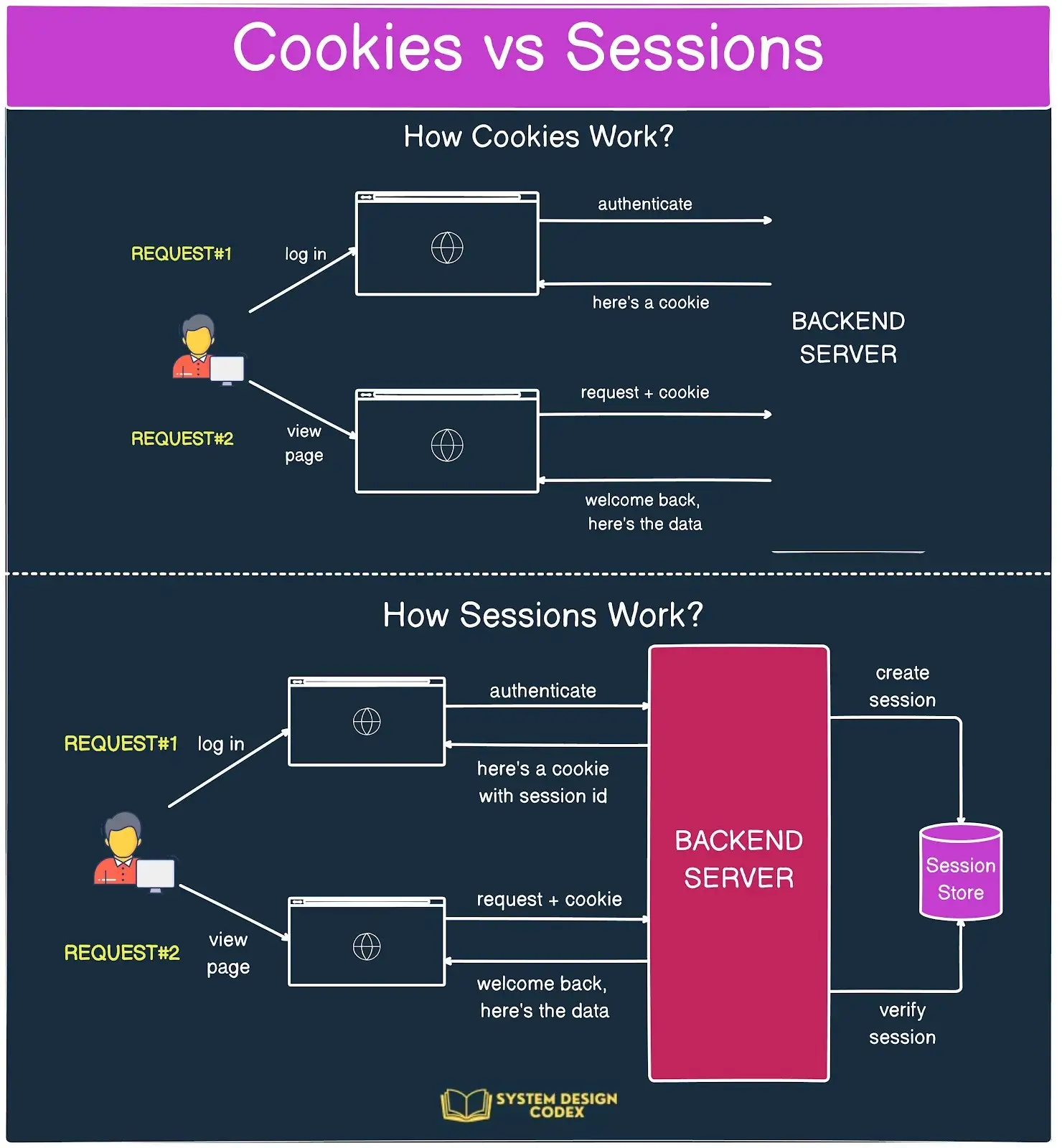
Cookies are key-value pairs stored by the browser and sent with HTTP requests.
They help servers recognise returning users, maintain login state, and enforce security policies.
However, a browser session is much larger than cookies alone.
A full session usually includes cookies, local storage, session storage, CSRF tokens, memory-only runtime state, navigation history, and timing continuity.
Automation that only saves and restores cookies often restores only part of a session rather than the complete context.
The Core Principle: Sessions Are Contextual and Time-Bound
Sessions are agreements between the client and the server.
When a browser logs in, cookies are set, tokens are issued, server-side session records are created, and JavaScript initialises client-side state.
When only cookies are restored, servers or client-side scripts often detect that the rest of the session state is inconsistent.
This is why simple cookie reuse fails so often.
Cookies are identifiers, but sessions are contextual continuity.
Why Cookie and Session Handling Matter in Automation
1. Login Stability
Poor session handling causes repeated logins, sudden logout redirects, verification loops, and CAPTCHA escalation.
Stable session management dramatically reduces friction.
2. Detection & Risk Signals
Platforms monitor cookie reuse across different environments, missing client-side state, session restoration without natural navigation, and unnatural time gaps.
Session inconsistencies increase suspicion even when the credentials are valid.
3. Performance & Scalability
Constant re-authentication wastes resources, increases exposure to verification checks, and raises anomaly signals.
Stable session reuse makes automation more efficient and easier to scale.
How Browser Sessions Form and Persist
Sessions form through several coordinated steps.
Stage 1 – Initial Authentication
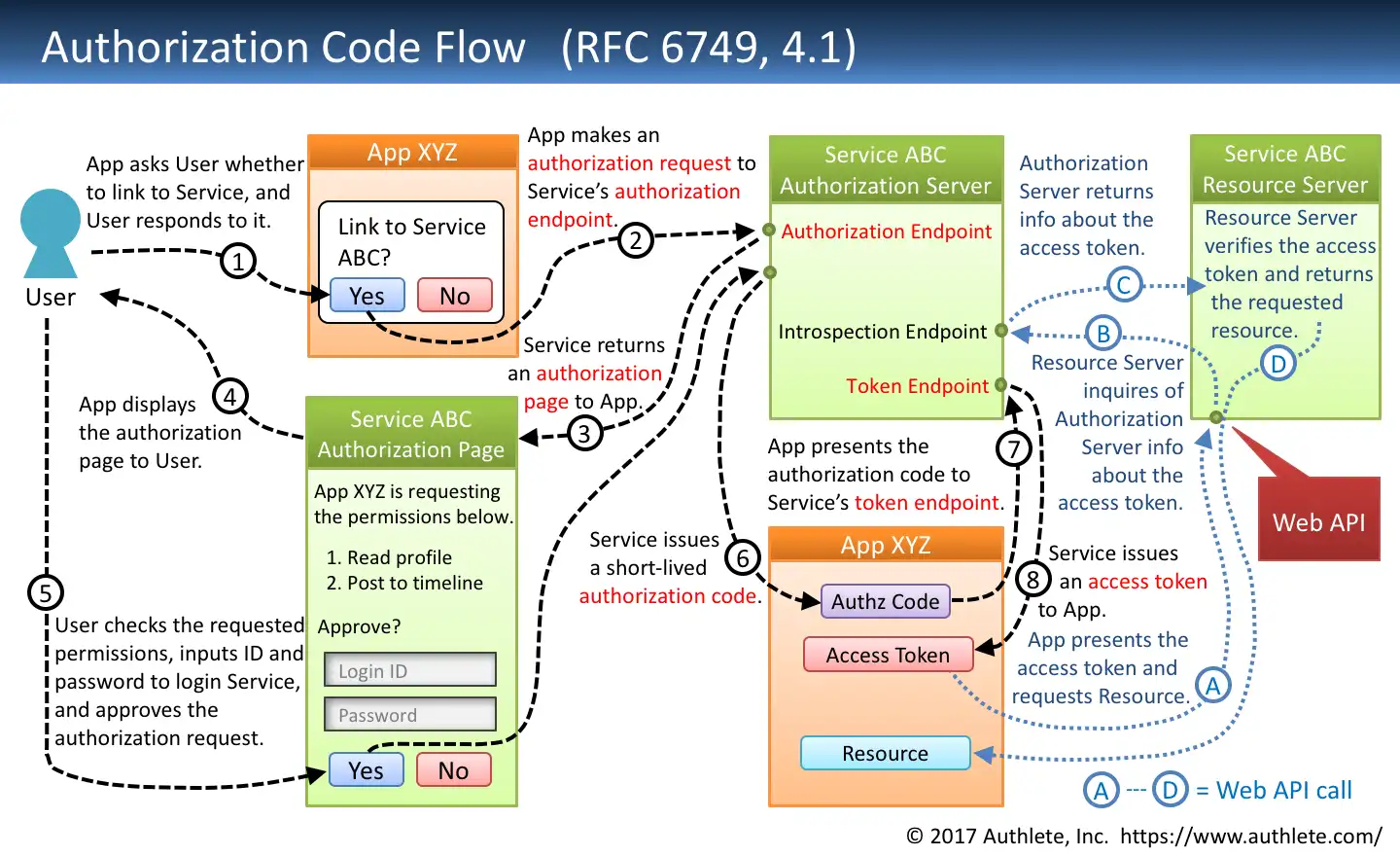
The browser submits credentials.
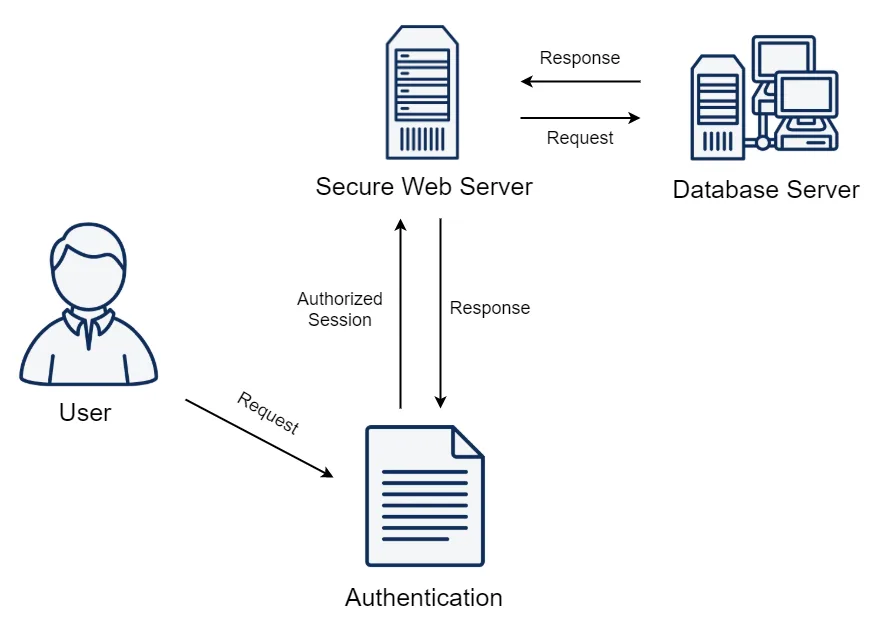
The server responds by setting authentication cookies, issuing CSRF or session tokens, and creating server-side session records.
At this stage, the session is only partially established.
Stage 2 – Client-Side Initialization
After login, JavaScript often fetches user metadata, stores identifiers in local or session storage, sets runtime flags, and initialises in-memory state.
This step is invisible if you only look at cookies, but it is critical.
Without it, the session feels incomplete.
Stage 3 – Ongoing Validation
Every request reinforces session legitimacy.
Cookies are validated, tokens are checked, request order is observed, and timing consistency is evaluated.
Sessions naturally degrade over time.
Abrupt restoration without continuity breaks expected behaviour.
Common Mistakes in Cookie Management
Most automation session failures come from predictable mistakes.
Mistake #1 – Blind Cookie Reuse
Cookies may expire silently, bind to a specific IP or device context, or depend on earlier request sequences.
Reusing them without restoring surrounding state often leads to silent invalidation.
Mistake #2 – Ignoring Client-Side Storage
Modern apps rely heavily on local storage, session storage, and IndexedDB.
If these are missing, JavaScript may trigger re-authentication even when cookies appear valid.
Mistake #3 – Cross-Environment Reuse
Using cookies across different machines, browser builds, or headed versus headless environments creates inconsistencies that servers detect quickly.
This often appears as situations where cookies work locally but fail on a server.
Real-World Session Strategies
1. Persistent Browser Profiles (Most Stable)
The bot reuses the same browser profile across multiple runs.
This preserves cookies, storage, and runtime continuity.
It mirrors real user behaviour and is usually the safest approach.
2. Controlled Session Restoration
Automation saves cookies, local and session storage, and context metadata, then restores them within a stable environment.
This requires careful timing and environment consistency.
3. Fresh Logins (Short Tasks)
For disposable workflows, bots may log in fresh during every run while limiting login frequency to avoid security triggers.
This trades continuity for simplicity.
This is also where Appilot becomes useful because it focuses heavily on maintaining persistent device state and stable session continuity across Android automation tasks. Instead of rebuilding context repeatedly, Appilot keeps workflows closer to how real users interact with apps over time.
The Technical Side of Session Handling
Cookie Attributes That Matter
Automation must respect attributes such as Expiry or Max-Age, SameSite, Secure, and HttpOnly.
Ignoring these often causes silent cookie rejection.
CSRF Tokens and Short-Lived Identifiers
Many platforms issue tokens that expire faster than cookies, bind to request order, or depend on earlier navigation.
Restoring cookies without regenerating tokens often breaks authenticated flows.
Browser Contexts & Profiles
Modern automation frameworks isolate sessions through browser contexts or profiles.
This mirrors how real users naturally separate sessions.
Profiles preserve full state while manual cookie injection usually does not.
When to Reuse Sessions — and When Not To
Reuse Sessions When:
Accounts are long-term, the environment is stable, and you want to reduce login friction.
Persistent profiles are ideal in these cases.
Avoid Reuse When:
The environment has changed, the IP or device context is significantly different, the session appears degraded, or tokens are close to expiring.
In these situations, a clean login is usually safer.
Tools That Help With Session Handling
There are several ways to manage browser sessions more effectively.
Playwright provides strong support for persistent contexts and session storage.
Puppeteer offers browser-level control and manual session restoration.
Selenium remains useful for broader browser compatibility.
Appilot is useful for mobile automation because it preserves device-level session continuity, stable app state, and long-term automation context on real Android devices.
The best choice depends on whether the focus is browser automation, mobile automation, or multi-account workflows.
Key Takeaways
Cookie management alone is not the same as session management.
Cookies are only part of browser sessions, client-side state matters just as much, tokens and timing reinforce legitimacy, and stable automation treats sessions as living context rather than static data.
If an automated browser keeps losing login state, the fix is usually not “more cookies.”
The fix is deeper session awareness.
If you are running automation across many Android devices, Appilot can simplify session management by maintaining persistent state, stable storage, and real-device continuity across workflows.
Frequently Asked Questions
Q: Are cookies enough to stay logged in during automation?
Sometimes, but many sites also require valid tokens and client-side state.
Q: Why do reused cookies expire faster in bots?
Because session continuity breaks or the environment changes.
Q: Should I store cookies manually or use browser profiles?
Profiles are usually safer because they preserve the full session context.
Q: Can cookie reuse trigger detection?
Yes, especially if reuse patterns do not align with normal session behaviour.
Q: When should I avoid reusing sessions?
When the environment, timing, or account context has