Discord Account Flagged for Spam? Recovery Steps
The Account Was Fine Until Discord Suddenly Restricted It
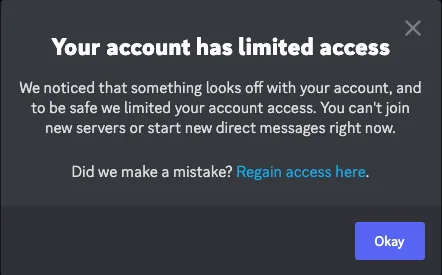
One of the most frustrating things on Discord is opening the app and suddenly seeing that the account has been flagged for spam. Messages may stop sending, friend requests may fail, servers may become inaccessible, and the account can feel partially restricted without much explanation.
This becomes especially confusing because Discord often gives very little detail about what exactly caused the problem. Instead of clearly pointing to one message or action, the platform may simply say the account showed suspicious or spam-like behavior.
That leaves you trying to figure out whether the issue came from direct messages, server joins, friend requests, account age, automation, or something else entirely.
The important thing to understand is that Discord usually flags accounts when the activity looks too aggressive, too repetitive, too automated, or too unusual.
Why Discord Flags Accounts For Spam
Most Discord spam flags happen because the account sends too many messages too quickly.
For example, sending the same DM repeatedly, joining many servers in a short period of time, adding too many friends, posting links too often, or sending large numbers of messages to people who do not respond can all increase spam risk.
The same thing can happen if the account is very new, uses suspicious IP addresses, changes devices constantly, or behaves differently than normal.
Discord wants accounts to look like real users.
If the activity feels too fast, too repetitive, or too promotional, the platform becomes much more likely to limit the account.
The Biggest Mistake: Continuing The Same Activity Immediately
One of the biggest mistakes people make is continuing the same behavior immediately after getting flagged.
For example, they may keep sending DMs, posting links, joining servers, or creating new accounts too quickly.
That usually makes the situation worse.
From Discord’s point of view, that behavior looks even more suspicious.
The stronger approach is slowing everything down.
Stop mass messaging. Reduce server joins. Avoid repetitive links. Use one device and one stable IP address. Let the account cool down before becoming active again.
Why New Accounts Trigger More Problems
A lot of Discord spam flags happen because the account is too new.
Discord trusts older accounts more than brand-new ones.
If a new account starts joining many servers, sending large numbers of friend requests, or messaging lots of people immediately, the platform often sees that as suspicious.
That is why warming up accounts matters.
A more natural pattern with slower activity, small conversations, and gradual server participation usually works much better than aggressive growth behavior.
How To Recover A Flagged Discord Account
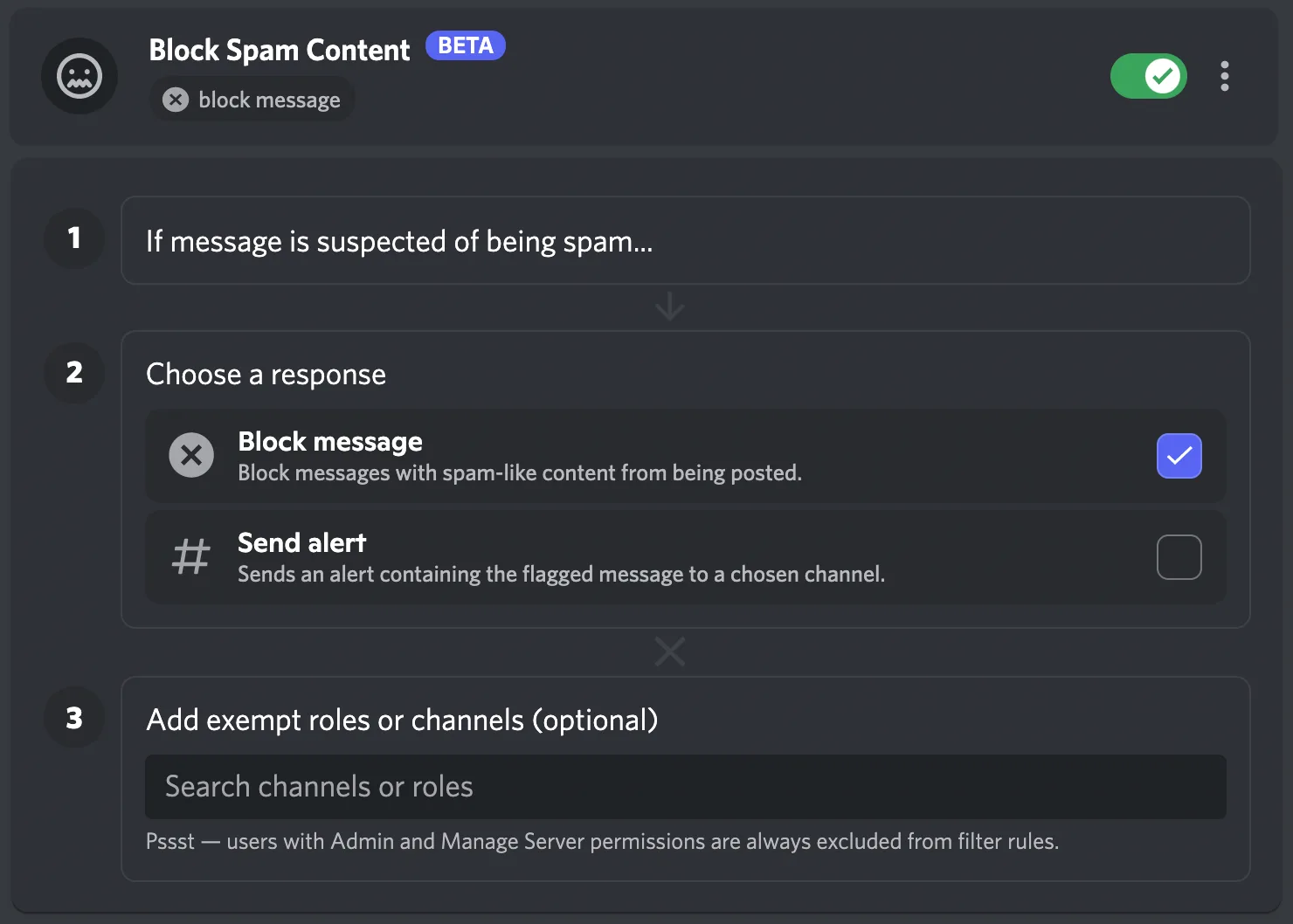
The best recovery approach is making the account activity look normal again.
Reduce messaging. Stop using repetitive content. Avoid mass joins and mass friend requests. Remove any suspicious automation tools. Stay on one stable device and IP address.
If Discord asks for phone verification or email verification, complete it.
If the account remains restricted, you may need to contact Discord support and explain that you removed any suspicious activity.
For example:
I reviewed the account activity and removed any behavior that may have looked spam-like or suspicious. I reduced messaging, stopped repetitive actions, and confirmed that the account now follows Discord guidelines. I respectfully request another review of the account restriction.
Why Better Systems Reduce Spam Risk
Discord account restrictions become much harder to manage when login history, account notes, server activity, messaging schedules, and recovery steps are spread across different systems. You may have one place for account access, another for DM schedules, another for server notes, and another for recovery attempts. That makes it difficult to see which behavior patterns are creating risk.
This is one of the reasons Appilot becomes useful when Discord operations start scaling. Instead of keeping browser workflows, Android automations, login history, messaging schedules, account notes, server activity, and task history spread across different systems, everything can stay visible from one dashboard. That makes it easier to monitor account behavior, reduce spam patterns, organize recovery workflows, and keep Discord accounts more stable across multiple profiles.
Conclusion: Discord Usually Flags Accounts That Look Too Aggressive Or Too Automated
If your Discord account was flagged for spam, the issue is usually not that Discord randomly decided to restrict the account. The problem is often that the behavior looked too repetitive, too fast, too promotional, or too unusual for a normal user.
Once you slow down the activity, reduce repetitive messaging, warm up the account more naturally, and use a more stable setup, it becomes much easier to recover the account and avoid future restrictions.