Dolphin Anty Mass Profile Import and Export via Appilot

Managing a few browser profiles manually is simple.
But once you start working with dozens or hundreds of browser profiles, importing and exporting them one by one becomes slow and inefficient.
Teams often need to move browser profiles between departments, clients, devices, team members, or browser environments.
Agencies may need to onboard new clients quickly. Social media teams may need to duplicate browser setups across different departments. E-commerce teams may need to transfer browser profiles between staff members.
This is where mass profile import and export becomes useful.
Dolphin Anty allows users to move browser profiles between different environments by importing and exporting profile data.
That can include cookies, proxies, browser settings, extensions, fingerprints, and other profile details.
But once profile operations become larger, handling all of that manually can take a significant amount of time.
That is where Appilot becomes useful.
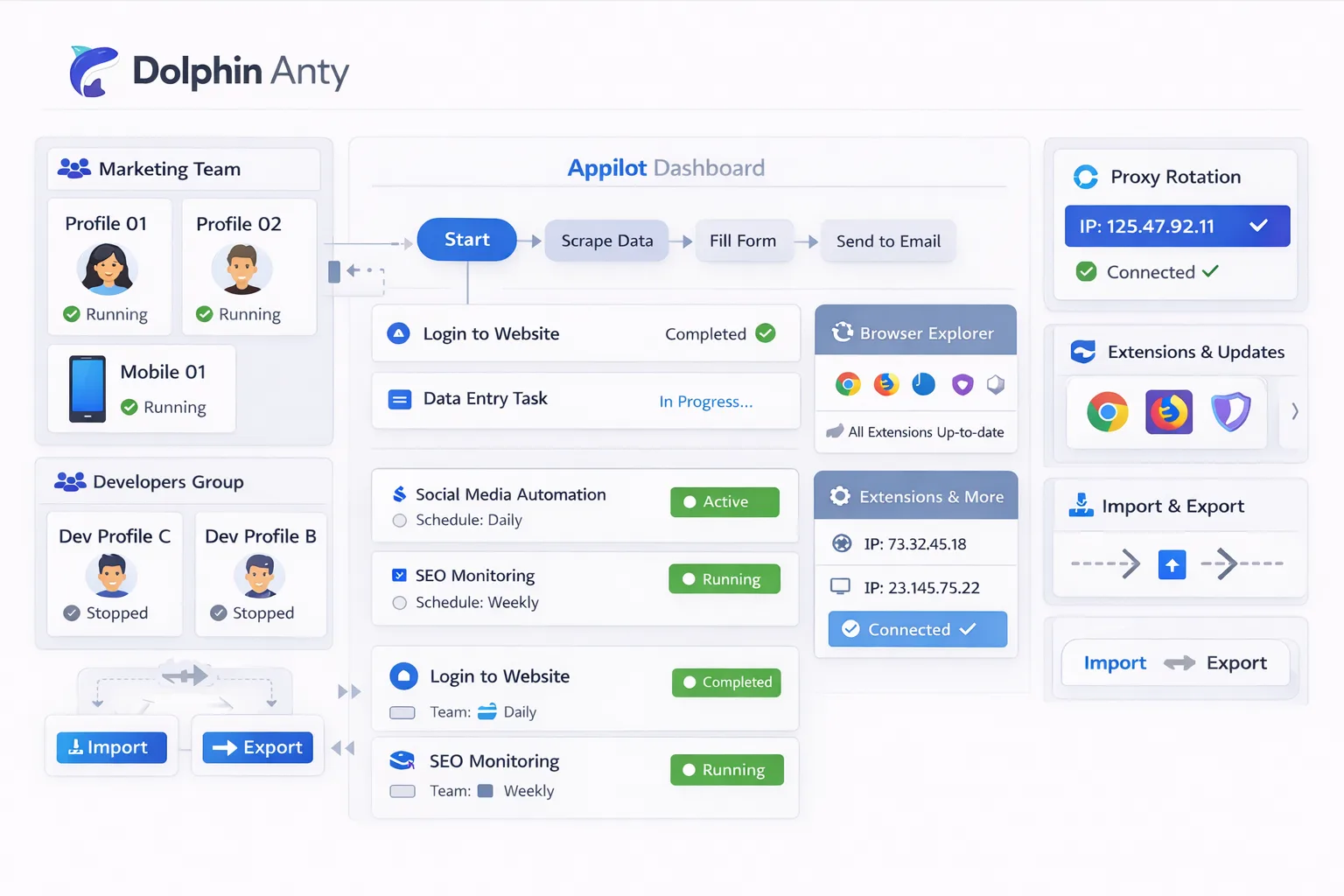
By combining Dolphin Anty mass profile import and export with Appilot automation, you can organize browser profile transfers, separate profile groups, automate workflow assignments, and make large-scale browser management much easier.
Why Mass Profile Import and Export Matters
Mass import and export is important because browser operations often grow quickly.
A team may start with ten browser profiles and then suddenly need to manage fifty more.
A new client may need an entire browser setup copied from an existing workflow.
A team member may leave and need their browser profiles transferred to someone else.
Without bulk import and export, these changes take a lot of time.
Every browser profile would need to be recreated manually.
That means rebuilding proxy settings, browser fingerprints, cookies, browser extensions, screen resolutions, and browser groups.
Mass import and export allows teams to move large groups of browser profiles much more quickly.
What Data Can Be Imported or Exported?
A browser profile contains more than just a username and password.
It can include cookies, local storage, browser extensions, fingerprints, proxy settings, timezone settings, browser versions, screen resolutions, and saved sessions.
When you export a browser profile, all of those details can move with it.
That means another team member or department can continue using the same browser environment without needing to start from scratch.
This is useful for agencies, e-commerce teams, affiliate marketers, social media teams, scraping operations, and customer support departments.
It is especially useful when browser profiles need to be duplicated across multiple users or teams.
How Appilot Helps with Profile Import and Export
Appilot helps organize browser profiles before and after they are imported.
Instead of storing everything in one large list, Appilot can help separate browser profiles by client, team, department, account type, or workflow.
For example, you could create one browser group for Facebook ad accounts, another for Shopify stores, another for research profiles, and another for scraping operations.
When those browser groups are imported into Appilot, they can be connected to the correct schedules and workflows automatically.
This makes the browser setup process much easier.
Instead of importing profiles and then manually organizing them later, the structure already exists.
Appilot can also help automate profile duplication.
For example, if you need ten browser profiles with similar settings, you can duplicate an existing browser group and make only the necessary changes.
Common Use Cases for Mass Import and Export
One common use case is agency onboarding.
An agency may create a browser environment for one client and then duplicate that structure for another client.
Another use case is employee transitions.
If one team member leaves, their browser profiles can be exported and transferred to someone else.
Social media teams may also need to duplicate browser profiles across different regions, campaigns, or departments.
E-commerce teams may need to export browser profiles from one store management team and import them into another.
Scraping operations can also benefit from import and export.
If a group of browser profiles is working well, that environment can be copied across multiple scraping systems.
This saves time and keeps browser environments more consistent.
Best Practices for Profile Import and Export
The most important rule is to keep browser groups organized.
If browser profiles are imported without labels, naming conventions, or workflow categories, the setup can become difficult to manage.
You should also keep profile naming clear.
Instead of generic names like “Profile 1” or “Account A,” use names that describe the profile purpose.
It is also important to review imported profiles before using them.
For example, check that proxies still work, cookies are valid, extensions are installed correctly, and browser settings are still accurate.
You should also avoid importing too many identical profiles.
If every browser profile uses the same fingerprint, proxy, screen resolution, and extension list, the environments may look too similar.
It is better to make small adjustments after importing browser groups.
Common Problems Teams Face
One common issue is broken proxies.
If a browser profile is exported with an old or expired proxy, it may stop working after being imported.
Another issue is invalid cookies.
If the exported session data is outdated, the browser profile may require a new login.
Teams also sometimes import browser profiles without organizing them.
That can make it difficult to know which browser profiles belong to which team or workflow.
Another common issue is importing duplicate profiles without changing important settings.
If too many profiles share the same environment, the accounts may appear too similar.
That is why browser diversity still matters.
Frequently Asked Questions
Q1: What can be included in a Dolphin Anty profile export?
A browser profile export can include cookies, browser settings, fingerprints, extensions, proxy information, and session data.
Q2: Can Appilot help organize imported browser profiles?
Yes. Appilot can help organize imported profiles into browser groups, workflows, and schedules.
Q3: Why is mass profile import useful?
Mass import saves time because browser profiles do not need to be rebuilt manually.
Q4: Should imported browser profiles be reviewed before use?
Yes. You should always review proxies, cookies, extensions, and browser settings after importing profiles.
Q5: What is the biggest mistake with profile import and export?
One of the biggest mistakes is importing too many identical browser profiles without making small adjustments to the environment.
Conclusion
Dolphin Anty mass profile import and export makes it much easier to move browser profiles between users, teams, devices, and workflows.
Once browser operations become larger, manually rebuilding profiles takes too much time.
By combining Dolphin Anty import and export features with Appilot automation, you can organize browser groups, automate workflow assignments, duplicate environments more efficiently, and scale browser management much faster.
This makes browser profile management more flexible, more organized, and much easier to scale.