Dolphin Anty Scenarios and Appilot: Advanced Workflow Integration
Once you move beyond basic browser profile management, the next challenge is building workflows.
Running a few browser profiles manually is manageable. But when you are dealing with dozens of accounts, multiple teams, rotating proxies, different schedules, and repeated actions, manual work quickly becomes inefficient.
That is where Dolphin Anty scenarios become useful.
Scenarios allow you to build repeatable browser workflows that can be reused across different profiles and teams.
Instead of manually opening a browser, logging into an account, visiting a page, and completing the same steps every day, you can create a structured sequence of actions.
When those scenarios are combined with Appilot, the workflow becomes even more powerful.
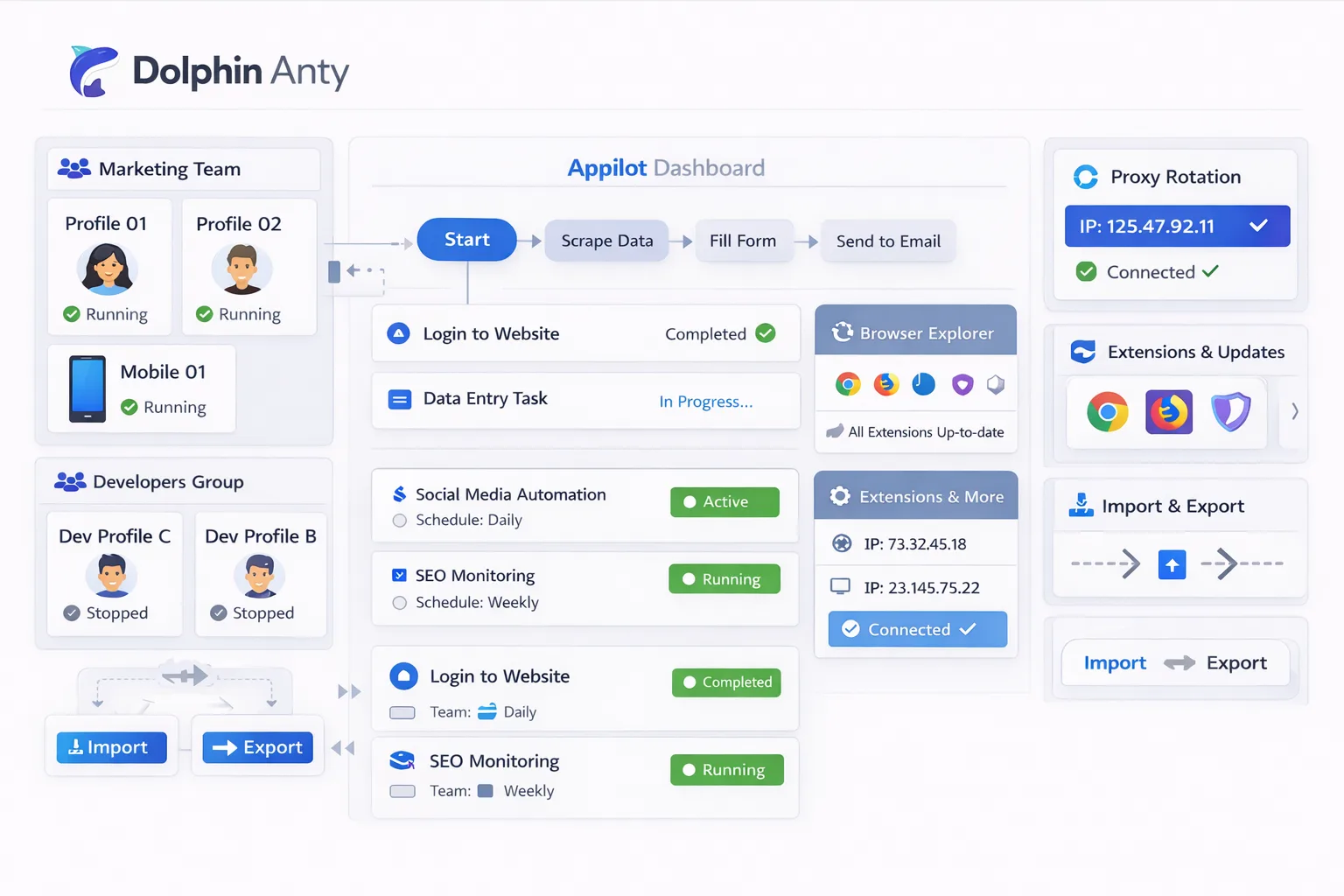
Appilot allows you to schedule browser scenarios, organize profile groups, automate launches, and control when workflows start and stop.
This makes it much easier to manage browser automation across multiple accounts, clients, and departments.
What Are Dolphin Anty Scenarios?
Dolphin Anty scenarios are predefined browser workflows.
Instead of manually performing the same steps repeatedly, you can create a scenario that follows a sequence of actions.
For example, a scenario could open a browser profile, log into a Facebook account, check campaign performance, visit a landing page, and then close the profile.
Another scenario could open a Shopify store, update product prices, review orders, and export data.
Scenarios are useful because they reduce repetitive work.
They also help create more consistent workflows because the same steps are repeated in the same order.
This is especially useful for agencies, social media teams, e-commerce businesses, affiliate marketers, and scraping operations.
Why Appilot Improves Dolphin Anty Scenarios
Dolphin Anty scenarios are useful on their own, but Appilot adds another layer of automation.
Instead of manually launching each scenario, Appilot allows you to automate when scenarios run and which browser profiles they use.
For example, you could schedule one scenario to run every morning for ad account checks while another scenario runs later in the day for competitor monitoring.
You can also separate scenarios by team, client, account type, or workflow category.
This makes browser management much more organized.
Instead of one large list of unrelated browser tasks, you can build structured workflows around profile groups.
Appilot also makes it easier to scale.
Instead of launching one browser profile at a time, you can automate groups of profiles and apply the same scenario across multiple accounts.
Common Scenario Types
One of the most common scenarios is social media management.
A social media workflow may include opening a browser profile, logging into an account, reviewing notifications, posting content, replying to comments, and closing the browser.
Another common scenario is e-commerce management.
This type of workflow may include checking product listings, updating prices, reviewing inventory, checking orders, and exporting reports.
Ad account management is another major use case.
A scenario may include logging into Facebook Ads Manager, checking campaign results, exporting reports, and monitoring budget performance.
Scraping operations can also benefit from scenarios.
A scraping workflow may include opening a browser profile, visiting a list of websites, collecting information, exporting data, and rotating proxies.
Research teams can also build scenarios around competitor analysis, trend monitoring, and content collection.
Building Advanced Workflows with Appilot
The real advantage of combining Dolphin Anty scenarios with Appilot is the ability to create larger workflows.
For example, you can create one scenario that launches a browser profile, checks a Shopify store, exports product data, and then sends the results into another workflow.
You can also chain scenarios together.
One scenario may handle browser launches and account checks while another scenario handles reporting or scraping.
Appilot can control the order of these workflows and decide when each scenario should start.
You can also create workflows based on time.
For example, social media scenarios may run every morning while scraping scenarios run overnight.
You can also build workflows around profile groups.
For example, one set of browser profiles may run Facebook scenarios while another set runs TikTok scenarios.
This helps keep browser environments organized.
Best Practices for Dolphin Anty Scenarios
The most important rule is to keep scenarios focused.
Instead of building one large workflow with too many actions, it is usually better to create smaller scenarios that are easier to manage.
You should also organize scenarios by purpose.
For example, social media scenarios, e-commerce scenarios, scraping scenarios, and reporting scenarios should all be separated.
It is also important to add randomized delays between actions.
If every browser profile performs the exact same steps at the exact same speed, the activity can look unnatural.
You should also keep browser environments consistent.
If a profile normally uses a residential proxy in one location, avoid suddenly switching to a completely different country or device type.
Testing is also important.
Before rolling a scenario out to dozens of browser profiles, test it on a small group first.
This helps catch errors before they affect larger workflows.
Common Problems with Scenario Automation
One common issue is creating scenarios that are too large.
If one scenario contains too many actions, it can become difficult to manage and harder to troubleshoot.
Another issue is poor timing.
If multiple browser profiles launch at exactly the same second and perform identical actions, the workflow can look suspicious.
Proxy problems are another risk.
If the proxy does not match the browser fingerprint or location, accounts may trigger security warnings.
Teams also sometimes forget to update old scenarios.
If a platform changes its interface or login process, an outdated scenario may stop working.
That is why regular testing is important.
Frequently Asked Questions
Q1: What is a Dolphin Anty scenario?
A Dolphin Anty scenario is a repeatable browser workflow that follows a sequence of actions.
Q2: Can Appilot automate Dolphin Anty scenarios?
Yes. Appilot can automate when scenarios run, which browser profiles they use, and how workflows are organized.
Q3: What are the best use cases for browser scenarios?
Social media management, e-commerce tasks, ad account monitoring, scraping, and research are some of the most common use cases.
Q4: Should scenarios include randomized delays?
Yes. Randomized delays make browser activity look more natural and reduce obvious automation patterns.
Q5: What is the biggest mistake with scenario automation?
One of the biggest mistakes is creating overly large workflows that are difficult to manage and troubleshoot.
Conclusion
Dolphin Anty scenarios make it easier to create repeatable browser workflows for different tasks and departments.
Once those scenarios are combined with Appilot, browser automation becomes much more organized and scalable.
You can automate browser launches, schedule workflows, organize profile groups, and build larger browser operations without relying on manual work.
If you are managing multiple browser profiles across different teams or workflows, combining Dolphin Anty scenarios with Appilot can save time, reduce mistakes, and make your automation much more efficient.