Dolphin Anty Team Management Automation Using Appilot
Managing a few browser profiles is easy.
Managing dozens of browser profiles across multiple team members is where things become difficult.
Once several people are working on the same campaigns, accounts, stores, ad platforms, and browser environments, it becomes much harder to stay organized. Team members may accidentally open the wrong browser profile, use the wrong proxy, overwrite cookies, or perform actions on accounts they were not supposed to access.
This is where Dolphin Anty team management features become useful.
Dolphin Anty allows teams to organize browser profiles, separate workspaces, assign user permissions, and manage browser environments across different departments or users.
But even with those features, there is still a lot of manual work involved.
Someone still has to launch profiles, assign tasks, coordinate schedules, and make sure browser activity does not overlap.
That is where Appilot can help.
By combining Dolphin Anty team management with Appilot automation, you can organize profile access, automate browser workflows, assign profile groups to different departments, and reduce the amount of manual coordination needed every day.
Why Team Management Matters in Dolphin Anty
When only one person is using Dolphin Anty, browser profile management is relatively simple.
You create profiles, assign proxies, log into accounts, and use the browser environments when needed.
But once multiple people join the workflow, the process becomes more complicated.
One team member may be handling Facebook ad accounts while another is working on Shopify stores. A third person may be managing TikTok accounts while another team member is focused on scraping or research.
If everyone has access to every browser profile, mistakes become much more likely.
Someone may accidentally open the wrong account, change the proxy, delete cookies, or create unusual login patterns.
That is why Dolphin Anty includes team management features such as profile sharing, user permissions, role-based access, and separate workspaces.
These features help teams stay organized and reduce profile overlap.
How Appilot Improves Team Workflows
Dolphin Anty helps teams organize access, but Appilot helps automate how those profiles are used.
Instead of relying on team members to remember which browser profiles they need to open and when, Appilot allows you to build workflows around profile groups.
For example, your ad team could have one group of browser profiles that launch every morning for campaign checks while your support team uses another group for customer account management.
Your research team could have separate browser profiles that run competitor monitoring tasks later in the day.
This reduces the amount of manual communication needed between teams because each department already has its own browser environment, workflow schedule, and profile group.
It also reduces mistakes because people are not constantly switching between unrelated browser profiles.
Setting Up Team Workspaces in Dolphin Anty
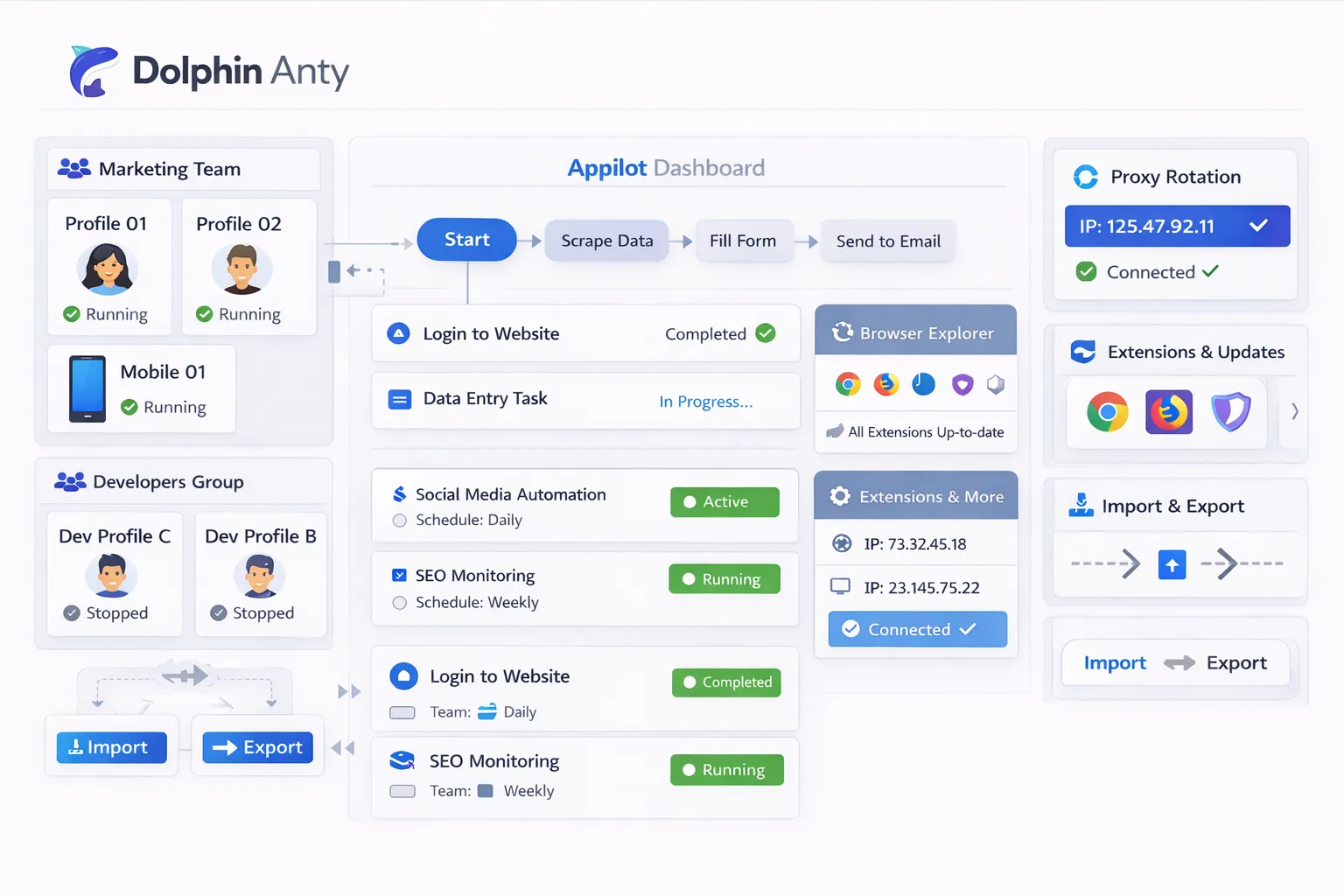
The first step is organizing browser profiles into separate workspaces.
You should avoid putting every browser profile into one shared environment.
Instead, separate profiles based on how your business operates.
For example, you could create one workspace for Facebook ad accounts, another for Shopify stores, another for TikTok profiles, and another for scraping tasks.
Agencies can also separate browser profiles by client.
This helps keep each client environment isolated and reduces the risk of accidentally using the wrong account.
Once workspaces are organized, you can assign permissions.
Some team members may only need access to certain browser groups while others may need full control over proxies, cookies, and profile settings.
This makes the workflow more secure and easier to manage.
Automating Browser Schedules with Appilot
Once your team structure is organized, Appilot can automate how browser profiles are used.
Instead of manually launching profiles every day, you can build schedules around different departments.
For example, ad account profiles can launch automatically every morning before reporting starts.
Research profiles can launch later in the day when competitor monitoring begins.
Support profiles can remain active during business hours and close automatically after the workday ends.
You can also add randomized delays between profile launches.
Instead of opening every browser profile at exactly the same time, Appilot can spread profile launches across several minutes.
This makes activity look more natural and reduces obvious automation patterns.
If your team works across multiple time zones, you can create different schedules for different regions.
That way, browser profiles only become active when the correct team is online.
Common Team Management Use Cases
One of the most common use cases is agency account management.
Agencies often have multiple people working across Facebook ads, e-commerce stores, Google accounts, affiliate dashboards, and social media pages.
By separating browser profiles into different workspaces and assigning each workspace to the correct team, agencies can reduce confusion and avoid account overlap.
E-commerce teams also benefit from this structure.
One group may handle inventory management while another handles customer support and another handles advertising.
Each team can have its own browser environment and workflow schedule.
Social media teams often separate content creation, posting, engagement, and reporting into different profile groups.
Research teams can also use separate browser environments for competitor analysis, trend monitoring, and data collection.
The more clearly browser profiles are organized, the easier the workflow becomes.
Best Practices for Dolphin Anty Team Automation
The most important rule is to avoid giving everyone access to everything.
The more people who share the same browser profiles, the more likely mistakes become.
You should create separate browser groups, assign permissions carefully, and keep workspaces organized from the beginning.
It is also important to use separate proxy pools whenever possible.
If every browser profile across every team uses the exact same proxy setup, browser version, timezone, and screen resolution, the environments can start to look too similar.
You should also keep naming conventions simple.
Instead of naming profiles with generic labels like “Profile 1” or “Account A,” use names that clearly describe the profile purpose.
This makes it easier for team members to find the correct browser profile quickly.
You should also organize workflows around departments instead of individual employees.
That way, if someone leaves or changes roles, the browser environment stays organized.
Common Problems Teams Face
One common problem is profile overlap.
If two people try to use the same browser profile at the same time, it can create session conflicts, cookie issues, or unusual login behavior.
Another common issue is poor organization.
If all browser profiles are placed into one large workspace without clear labels, people can easily use the wrong account.
Proxy mistakes are another risk.
If someone changes the proxy location or browser settings unexpectedly, the account may trigger a security check.
Teams also sometimes forget to update permissions.
A person who no longer works on a specific project may still have access to browser profiles they no longer need.
That creates unnecessary risk.
Frequently Asked Questions
Q1: Can multiple team members use the same Dolphin Anty profile?
Yes, but it is usually better to avoid simultaneous access because it can create session conflicts and cookie problems.
Q2: How should I organize browser profiles for a large team?
The best approach is to separate profiles by department, client, or workflow type.
Q3: Can Appilot automate schedules for different teams?
Yes. Appilot can create separate schedules for different browser profile groups and departments.
Q4: Should each team use different proxies?
Yes, if possible. Different proxy pools help reduce overlap between browser environments.
Q5: What is the biggest mistake teams make with Dolphin Anty?
The biggest mistake is placing every browser profile into one shared workspace without clear labels, permissions, or workflow separation.
Conclusion
Dolphin Anty team management features make it much easier to organize browser profiles across different users, departments, and workflows.
But organization alone is not enough.
Once your browser operation grows, you also need a way to automate schedules, profile launches, workflow timing, and browser activity.
That is where Appilot becomes useful.
By combining Dolphin Anty team management with Appilot automation, you can reduce manual coordination, improve organization, prevent profile overlap, and build a much more scalable browser management system.