DuckDuckGo Browser Automation with Appilot
DuckDuckGo Browser is built around a simple idea: browsing should be private by default. Instead of asking users to install multiple privacy extensions, change dozens of settings, or constantly clean up browser data, DuckDuckGo Browser aims to reduce tracking, block hidden data collection, and keep browsing activity more private from the start.
That makes it appealing to people who care about privacy, cleaner browsing sessions, and less background tracking. It can also be useful for marketers, researchers, social media managers, e-commerce operators, affiliate users, and teams that want a more controlled browsing environment for everyday browser tasks.
The challenge starts when private browsing still has to be paired with real work. Opening the same websites every day, checking dashboards, reviewing notifications, monitoring accounts, collecting information, and repeating the same actions across different browser sessions quickly becomes repetitive. Privacy on its own does not remove manual work.
This is where Appilot becomes useful. DuckDuckGo Browser helps provide the privacy-focused browsing environment, while Appilot helps automate repetitive browser workflows, schedule recurring tasks, organize browser sessions, and reduce the amount of manual effort required every day.
What Makes DuckDuckGo Browser Different
DuckDuckGo Browser is different from a standard browser because it is designed to reduce tracking and simplify privacy protections without making the user manage everything manually. It focuses on blocking third-party trackers, limiting hidden website behavior, and reducing stored browsing traces so that users can browse with less passive data collection happening in the background.
Instead of treating privacy as an optional extra, it treats it as a built-in part of the browsing experience. That makes it useful for users who want less clutter, fewer trackers, and more control over their browsing environment without having to build a complicated privacy stack on their own.
This kind of browser environment can be useful when you want cleaner browser sessions for research, client work, store monitoring, social media activity, campaign checks, or general workflow management. Even if the work itself is not highly sensitive, many users still prefer a browsing setup that reduces unnecessary tracking and keeps sessions more contained.
Why Combine DuckDuckGo Browser with Appilot?
DuckDuckGo Browser improves privacy and browsing cleanliness, but it does not automate workflows by itself. You still need to launch browser sessions, open target websites, review dashboards, check account activity, export information, and close sessions afterward.
That is manageable when you only have a few tasks. Once those tasks become daily or repeat across several accounts, platforms, or projects, the manual work starts taking more time than it should.
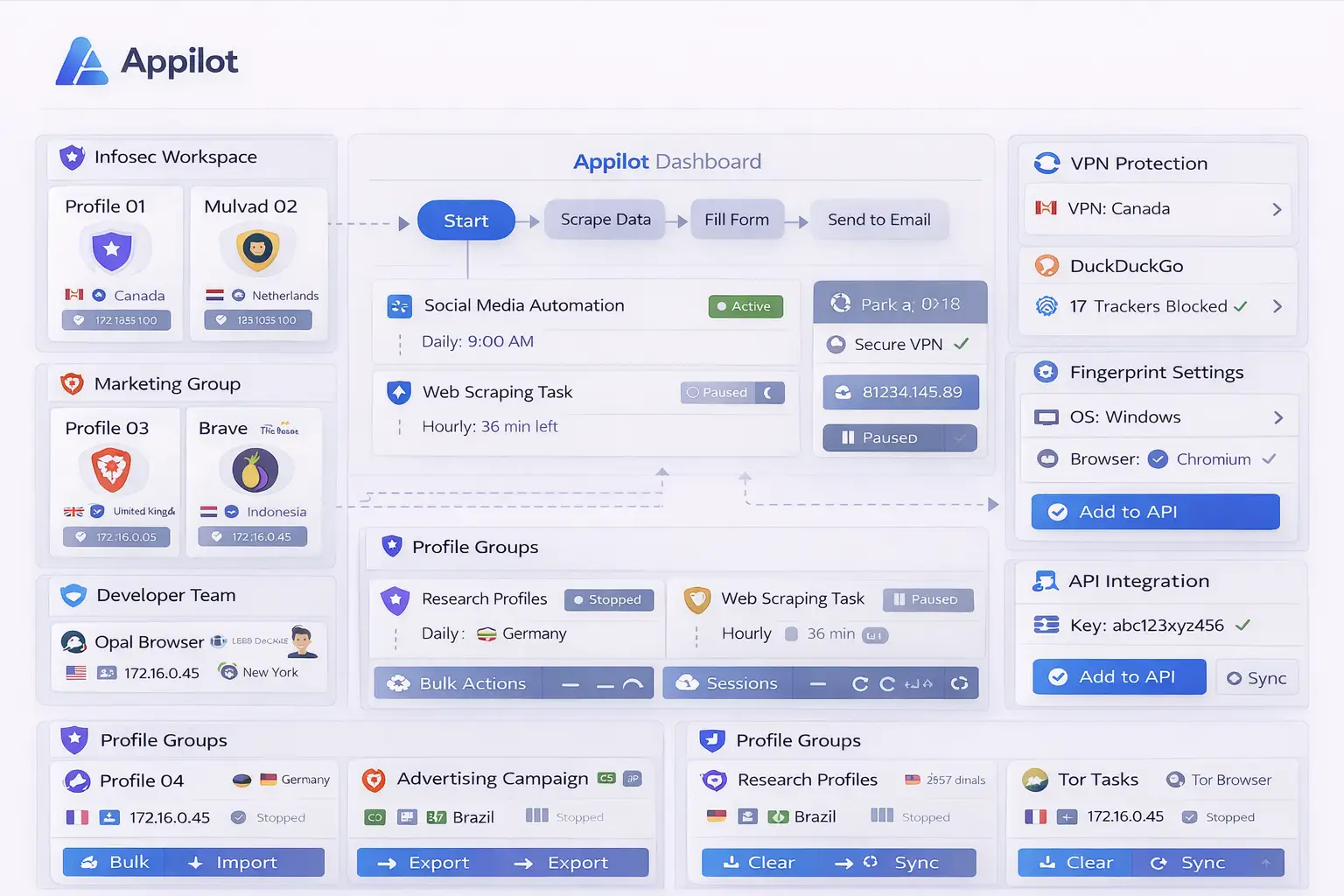
Appilot helps solve that part of the problem. Instead of opening the browser manually every day and repeating the same set of actions, you can use Appilot to structure those actions into repeatable workflows. A browser session can be launched at a scheduled time, specific pages can be opened, routine checks can happen in order, and the session can be closed when the workflow is finished.
This creates a more complete setup where privacy-focused browsing is combined with task automation. DuckDuckGo Browser helps keep the browsing environment cleaner, while Appilot helps keep the work itself more efficient.
Common DuckDuckGo Browser Workflows
One common use case is research. A researcher may need to open a group of websites every morning, review updates, compare pages, collect notes, and move through the same sequence of checks every day. DuckDuckGo Browser helps keep the browsing session more private, while Appilot helps automate the routine itself.
Another common use case is e-commerce monitoring. A seller may want to check store dashboards, supplier portals, product pages, shipping updates, or internal account panels on a recurring schedule. Instead of repeating the same process manually every day, Appilot can help automate those browser actions inside a cleaner browsing environment.
Social media managers may also benefit from this setup when they want to open browser sessions for content review, message checks, account monitoring, or reporting tasks while still using a browser that places more emphasis on privacy and reduced tracking.
Affiliate marketers and campaign managers often move through multiple dashboards, landing pages, and analytics views on a recurring basis. In that kind of workflow, Appilot can help automate the repeated navigation while DuckDuckGo Browser keeps the browsing setup leaner and less exposed to unnecessary tracking behavior.
Setting Up Your First Automated Workflow
The best way to start is with a simple workflow that repeats a task you already do manually. For example, you may want to launch DuckDuckGo Browser every morning, open a small set of websites, review dashboard pages, check updates, and close the browser when everything is complete.
Starting with a simple routine makes it easier to test the workflow and spot any issues early. Once the first workflow works reliably, you can add more pages, more scheduled times, and more structured actions.
This gradual approach matters because browser automation usually becomes messy when people try to automate everything at once. A smaller workflow is easier to maintain, easier to troubleshoot, and easier to expand later.
Over time, that first workflow can grow into a broader routine for daily checks, reporting, account reviews, monitoring, or repeated browser-based tasks that no longer need to be done manually every time.
Benefits of Using DuckDuckGo Browser with Appilot
One major benefit is privacy. DuckDuckGo Browser helps reduce trackers, unnecessary background collection, and browsing exposure in a way that feels simpler than building a separate privacy setup from scratch.
Another major benefit is consistency. Appilot allows the same browser workflow to happen the same way every time. That reduces the chance of skipping a step, forgetting a page, opening the wrong site, or missing an important daily check.
There is also a clear time-saving advantage. Repetitive browser work often seems small in isolation, but once it happens every day it adds up quickly. Automating those actions helps reduce wasted time and lets you spend more attention on the parts of the workflow that actually require judgment.
The setup is also useful for organization. Instead of treating browser work as scattered manual activity, Appilot turns it into a structured process. That becomes more valuable as the number of repeated tasks grows.
Best Practices for DuckDuckGo Browser Automation
The best approach is to keep workflows simple at the beginning and build outward slowly. Automating one reliable routine is more useful than creating a large workflow that becomes hard to maintain.
It also helps to separate workflows by purpose. Research tasks should stay separate from social media checks, e-commerce reviews, affiliate campaign monitoring, or internal account work. That keeps browser sessions easier to understand and manage.
You should also keep the browsing environment clean. One of the strengths of DuckDuckGo Browser is simplicity, so it usually makes sense not to overload the setup with unnecessary changes or clutter that reduce that advantage.
Reviewing logs and workflow activity regularly is also important. Even a stable workflow can break if a website changes layout, a session expires, or the sequence of actions needs to be updated.
Keeping schedules realistic also helps. If too many workflows launch at once, it becomes harder to identify where a problem started. A smaller and cleaner workflow structure usually performs better over time.
Common Problems and Troubleshooting
One common issue is that websites may change their layout. If a button moves, a page flow changes, or a login step is updated, the workflow may stop behaving the way it did before.
Another issue is session expiration. If the browser workflow depends on an account login and that session expires, the routine may fail until the session is refreshed and tested again.
Users may also create workflows that are too broad too early. When too many actions are chained together from the start, it becomes harder to know which step is causing a failure. That is one of the main reasons simple workflows are usually better at the beginning.
Sometimes the problem is not the workflow itself but the expectation around privacy-focused browsing. Certain websites may behave differently depending on how they load content, scripts, or tracking systems. When that happens, the workflow may need small adjustments to remain stable.
Frequently Asked Questions
Q1: Why use DuckDuckGo Browser for automation workflows?
DuckDuckGo Browser is useful when you want a browsing environment that focuses more on privacy, cleaner sessions, and reduced tracking while still handling repeated browser tasks.
Q2: Can Appilot automate repetitive tasks inside DuckDuckGo Browser?
Yes. Appilot can help automate browser launches, recurring workflows, scheduled checks, and repeated browser-based tasks.
Q3: Is this setup useful for research and monitoring?
Yes. Research, monitoring, dashboard review, and repeated information-checking workflows are some of the most natural use cases for this setup.
Q4: Will every website behave the same way in a privacy-focused browser?
Not always. Some websites may behave differently depending on tracking behavior, scripts, or session requirements, so workflows sometimes need small adjustments.
Q5: What happens if a DuckDuckGo Browser workflow stops working?
You can review the workflow logs, check whether the target website changed, verify session status, and update the workflow where needed.
Conclusion
DuckDuckGo Browser provides a cleaner and more privacy-focused browsing environment, while Appilot helps automate the repetitive tasks that usually still require manual effort. On their own, each solves part of the problem. Together, they create a more practical setup for people who want both privacy and efficiency in their browser workflows.
That combination is useful for research, monitoring, e-commerce checks, campaign reviews, social media routines, and any repeated browser-based process that benefits from structure. Instead of manually repeating the same work every day, you can turn it into a scheduled, organized workflow while keeping the browsing environment simpler and more private.