Email Subject Line A/B Testing Automation

Email subject lines have a direct impact on whether campaigns get opened or ignored. A small change in wording, urgency, length, personalization, or tone can make a noticeable difference in open rates. That is why marketers often spend a large amount of time brainstorming and testing subject lines before sending campaigns.
The problem is that manual testing quickly becomes repetitive. One campaign tests urgency against curiosity. Another tests short subject lines against longer ones. A third tests personalization against product-focused messaging. As the number of campaigns grows, managing these tests manually becomes harder to maintain consistently.
The real issue is not just creating two versions of a subject line. It is keeping the testing process organized. One campaign may be tested carefully while another is sent without any testing at all. Results may not be recorded properly. Winning subject line patterns may never be reused because nobody had time to review the previous campaigns.
That is why more businesses want email subject line A/B testing automation. Instead of manually creating and reviewing tests each time, automation turns subject line testing into a structured workflow. With the right setup, campaigns can automatically test multiple variations, identify winners, record the results, and apply those learnings to future campaigns.
For this guide, I will use Appilot as the workflow automation layer because it fits naturally into repeated browser-based marketing tasks like this one. That does not mean messaging strategy should be left entirely to automation. It should not. The smart approach is to keep brand voice, campaign goals, and testing ideas human-led while using automation to handle the repetitive execution. That is where the biggest efficiency gain appears.
In this guide, you will learn why subject line A/B testing automation matters, what you need before getting started, how to structure the workflow step by step, what safety practices matter most, and what realistic outcomes you can expect once the system is stable.
Why Email Subject Line A/B Testing Automation Matters in 2026
Subject lines shape the first impression of every email campaign. If the subject line does not attract attention, even strong email content may never be seen. That is why small improvements in subject line performance can create a meaningful lift across the entire email program.
For small email lists or occasional campaigns, manual testing may still be manageable. But once campaigns become more frequent, subject line testing often becomes inconsistent. Some campaigns are tested carefully, while others are sent quickly without experimentation.
The real cost is not only lower open rates. It is the missed opportunity to learn what actually works. Without a structured testing process, marketers repeat the same guesses over and over instead of building a stronger understanding of what their audience responds to.
Automation matters because it creates structure. Instead of asking whether someone remembered to test a campaign, the business can define subject line testing rules, launch experiments consistently, and keep a record of what works best.
The Manual Approach vs. the Automated Approach
The manual approach to subject line testing usually depends on campaign-by-campaign review. A marketer writes two subject lines, sends them to small audience segments, checks which one performs better, and then sends the winning version to the rest of the list. This works for occasional campaigns, but it becomes repetitive as email volume grows.
The biggest weakness of the manual approach is that it depends on time and attention. If the team is busy with content creation, segmentation, or reporting, subject line testing may get skipped entirely.
The automated approach changes that structure. Instead of manually managing each test, the business defines the testing workflow in advance. That may include automatically generating two or more subject line variations, splitting the audience, measuring open rates, selecting the winner, and logging the results.
This does not remove human control. The marketer still decides what kind of messaging to test and which metrics matter most. Automation simply removes the repetitive admin work required to apply those decisions consistently.
What You Need to Get Started
Before you automate email subject line testing, you need a clear testing strategy. Decide what kinds of variations you want to compare. Some businesses may want to test urgency versus curiosity. Others may want to compare short subject lines against longer ones, or personalized messaging against generic phrasing.
The second requirement is a reliable email platform with strong reporting. Open rate, click-through rate, and campaign performance data need to be accurate before you automate testing decisions.
The third requirement is a structured naming system. Each test should have a clear label so the team can track what was tested and which version won.
The fourth requirement is a stable browser environment. If you manage multiple brands or email platforms, each should have its own browser profile so tests happen in the correct account every time.
This is where Appilot becomes useful in a practical way. It helps transform repeated browser-side email testing tasks into a more manageable workflow without forcing the business into a large custom build for what is essentially recurring campaign maintenance.
Finally, you need a logging system. Subject line tests should remain visible so the team can review which variations were tested, which version won, and which patterns should be reused later.
Step-by-Step: Setting Up Email Subject Line A/B Testing Automation
The first step is deciding which campaigns should be tested. Not every email necessarily needs the same type of experiment. Some businesses may want to test all promotional campaigns, while others may focus only on newsletters, abandoned cart emails, or product launches.
The second step is deciding what kind of subject line variations should be compared. One workflow may compare short subject lines against long ones. Another may compare urgency against curiosity. A third may test emojis, personalization, or discount-focused wording.
The third step is defining how success will be measured. Most businesses begin with open rate, but some may care more about click-through rate, conversions, or downstream revenue.
The fourth step is organizing the email platform environment. If you manage one brand, a stable browser setup may be enough. If you manage multiple brands or clients, each should have its own browser profile so the workflow always operates in the correct account.
Next, connect that environment to your workflow system. In this example, Appilot acts as the operational layer that helps execute repeated browser-side testing tasks once your testing rules are already defined. That makes sense because the challenge is not deciding what ideas to test. The challenge is consistently running those tests without turning the process into repetitive manual work.
Now define the workflow sequence clearly. A typical setup begins by opening the correct email platform profile, creating two or more subject line variations, assigning each version to a test audience segment, sending the campaign, measuring the results after a defined period, selecting the winning subject line, sending the winner to the remaining audience, and then logging the outcome.
The safest rollout begins with a small number of campaigns. Test the workflow on one email type first. Review whether the audience split worked properly, whether the correct subject line won, whether the winning version was sent automatically, and whether the action log recorded everything correctly.
After the first batch works, refine the rules. You may discover that certain types of subject lines work better for newsletters than promotions, or that different audience segments respond differently. That is normal. Good testing automation becomes stronger as the business learns which patterns matter most.
Once the workflow proves stable, expand gradually. Add more campaigns, more test variations, and more brands if needed. Some businesses may automate only simple A/B tests, while others may automate more advanced multivariate testing once the rules prove reliable.
A practical implementation usually works like this. First, the business defines which campaigns need testing. Second, testing rules and success metrics are mapped clearly. Third, the workflow launches the correct email platform environment. Fourth, the system runs the subject line test. Fifth, the results are logged. Sixth, the team reviews the winners and refines the process over time.
That is how subject line testing stops being repetitive campaign maintenance and becomes a structured email optimization workflow.
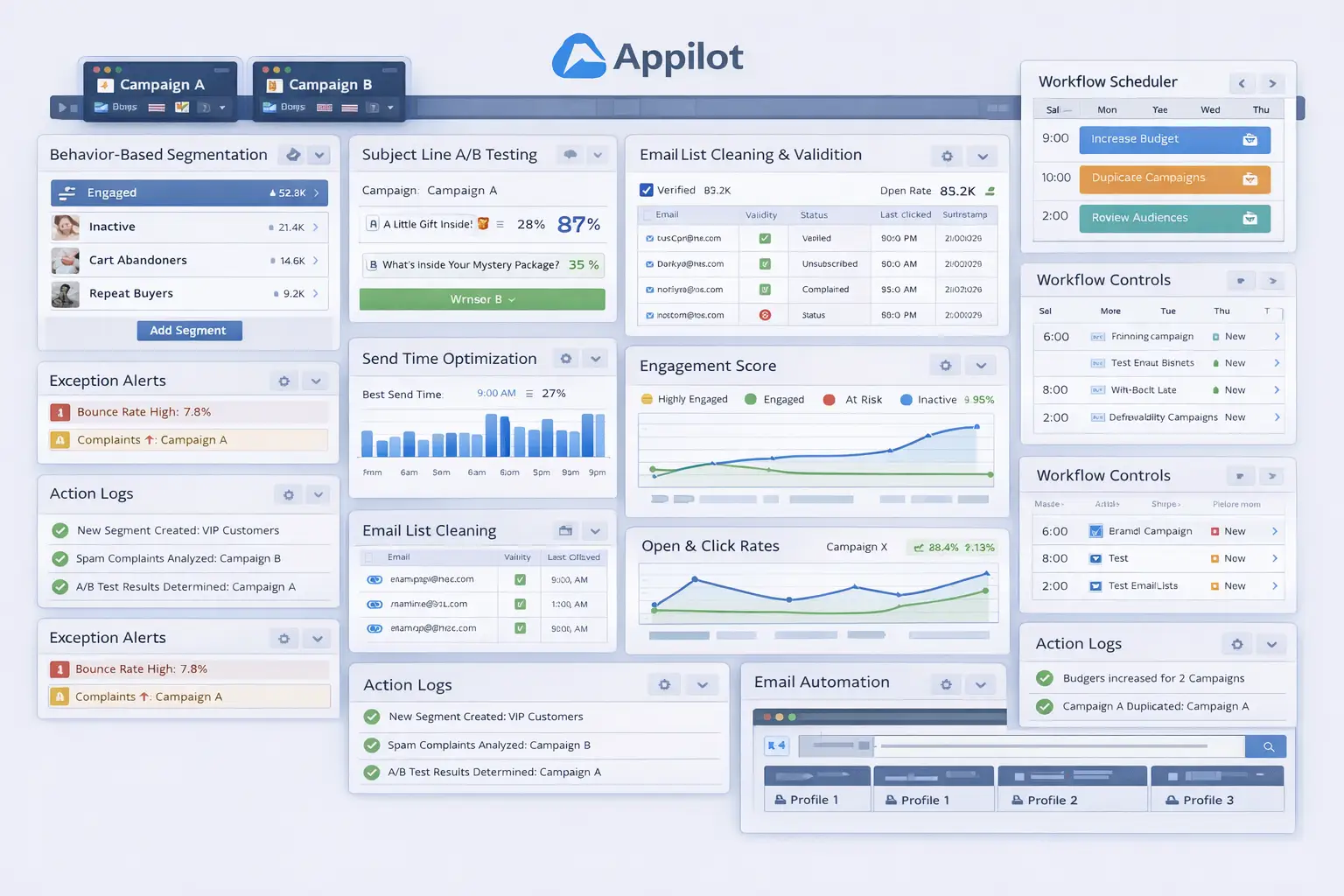
Safety and Best Practices for Subject Line Testing Automation
The first rule is to keep messaging strategy human-led. Automation should apply the testing rules, but the business should decide what messaging angles are worth testing.
The second rule is to avoid testing too many variables at once. If multiple elements change together, it becomes harder to understand what caused the performance difference.
The third rule is to use meaningful sample sizes. Very small audience segments can produce misleading results.
The fourth rule is to log every test result. This makes it easier to review which subject line patterns perform best over time.
The fifth rule is to start small. Test the workflow on a few campaigns first, then expand only when the process proves reliable.
Real Results: What to Expect
During the first week, expect more setup and validation than dramatic gains. You will spend time defining test rules, checking audience splits, and making sure the workflow only touches the right campaigns.
By the second and third weeks, the operational benefit becomes clearer. Campaigns that once skipped testing begin moving through a more structured optimization process. The team spends less time manually setting up experiments and more time reviewing only the results.
By the second month, the biggest win is usually consistency. More campaigns are tested regularly, subject line performance becomes easier to improve, and the business starts building a clearer understanding of which messaging patterns work best.
The realistic result is not that every subject line will outperform immediately. The realistic result is a more disciplined and scalable testing process that reduces repetitive admin work and improves campaign performance over time.
Common Problems and Solutions
One common problem is testing too many things at once. This usually happens when marketers change subject line length, tone, and personalization all in one experiment. The fix is to isolate one variable at a time.
Another issue is weak audience segmentation. If the audience split is uneven, the results become less reliable. The solution is to use balanced test groups.
A third issue is ignoring the winning patterns. Even when tests work, some teams fail to apply those learnings to future campaigns. The fix is to build a strong logging and review process.
The last major issue is weak reporting. Without clear logs, it becomes hard to know which subject lines performed best and which still need improvement. The fix is to make logging part of the core workflow.
Choosing the Right Tools for Email Subject Line A/B Testing Automation
The right setup depends on email volume, campaign frequency, and how often subject line performance changes. A very small business with occasional campaigns may still manage testing manually for a while. A growing business with frequent campaigns benefits much more from a workflow that combines clear testing rules with repeatable browser-side execution.
For this use case, a stable browser environment combined with a workflow layer is often the most practical option. Appilot fits naturally because it helps transform repeated subject line testing tasks into a manageable process without forcing the business into a large custom build.
This is also a natural place in your final publishing version to connect related resources such as email send-time optimization, browser integration guides, campaign reporting workflows, and broader email marketing content, because businesses struggling with subject lines often face other campaign-optimization challenges too.
Scaling Beyond Basic Subject Line Tests
At a small scale, teams can still review most email subject lines manually without too much difficulty. As the campaign calendar grows, testing becomes a systems problem. The challenge is no longer whether one campaign can be tested correctly. The challenge becomes whether many campaigns can stay optimized without creating a constant manual burden.
That is where automation becomes especially valuable. It creates a repeatable testing layer. Instead of waiting for someone to remember to test a campaign, the business can operate with a more dependable optimization process.
The businesses that benefit most are usually the ones already sending frequent campaigns but failing to learn from previous results. For them, automation is not just a convenience. It is part of building a more organized and scalable email program.
Frequently Asked Questions
Q1: Can email subject line A/B testing really be automated?
Yes. If you define clear testing rules and success metrics, much of the repetitive subject line testing process can be automated in a practical way.
Q2: What should I automate first?
Start with one campaign type, such as newsletters or promotions. A narrow rollout is easier to validate than trying to automate every email immediately.
Q3: Why is Appilot relevant for this use case?
Because this is a repeated browser workflow problem after the testing rules are already defined. Appilot fits naturally as the operational layer that helps apply those tests consistently.
Q4: Do I still need manual review?
Yes. Testing automation reduces repetitive work, but the team should still review subject line performance, audience behavior, and campaign goals regularly.
Q5: What is the biggest requirement for success?
Clear testing rules. Strong audience splits and success metrics matter much more than just turning automation on.
Q6: How much time can this save?
That depends on campaign volume, but businesses with frequent email sends usually save significant time once testing stops depending on repeated manual setup.
Conclusion
If you want email subject line A/B testing automation, the biggest opportunity is not just saving time. It is creating consistency in how your business improves campaign performance. Manual testing leads to missed experiments, uneven optimization, and too much dependence on repetitive admin work. A structured workflow replaces that with a more reliable system.
The best path is to define which campaigns matter most, build clear testing rules and success metrics, start with a narrow rollout, and use a workflow layer like Appilot where it naturally helps with repeated browser execution. Then test the results carefully, review performance regularly, and expand only when the workflow proves stable.
When done properly, subject line testing automation does not reduce control over your email strategy. It strengthens control by making it easier to improve the right campaigns as the business grows.