Facebook Group Post Approval Automation

Facebook groups can grow very quickly. A small group with a few posts per day is easy to manage manually, but once the group reaches thousands of members, post approval becomes difficult and time-consuming.
Many Facebook groups rely on post approval to control spam, remove low-quality content, block scams, and keep discussions relevant. This is especially important for ecommerce communities, local business groups, affiliate marketing groups, job boards, real estate groups, and niche interest communities.
The challenge is that manually reviewing every post can take hours every day. A group owner may need to check whether a post is relevant, whether it contains spam, whether it includes banned links, or whether it breaks the group rules.
This becomes even more difficult when you are managing multiple groups at once. One group may focus on local business promotions, another on affiliate marketing, and another on community support or ecommerce discussions. Each group may have different rules and different approval standards.
This is where automation becomes valuable. Instead of manually reviewing every pending post one by one, you can build workflows that detect keywords, filter content, flag risky posts, and approve safe posts automatically.
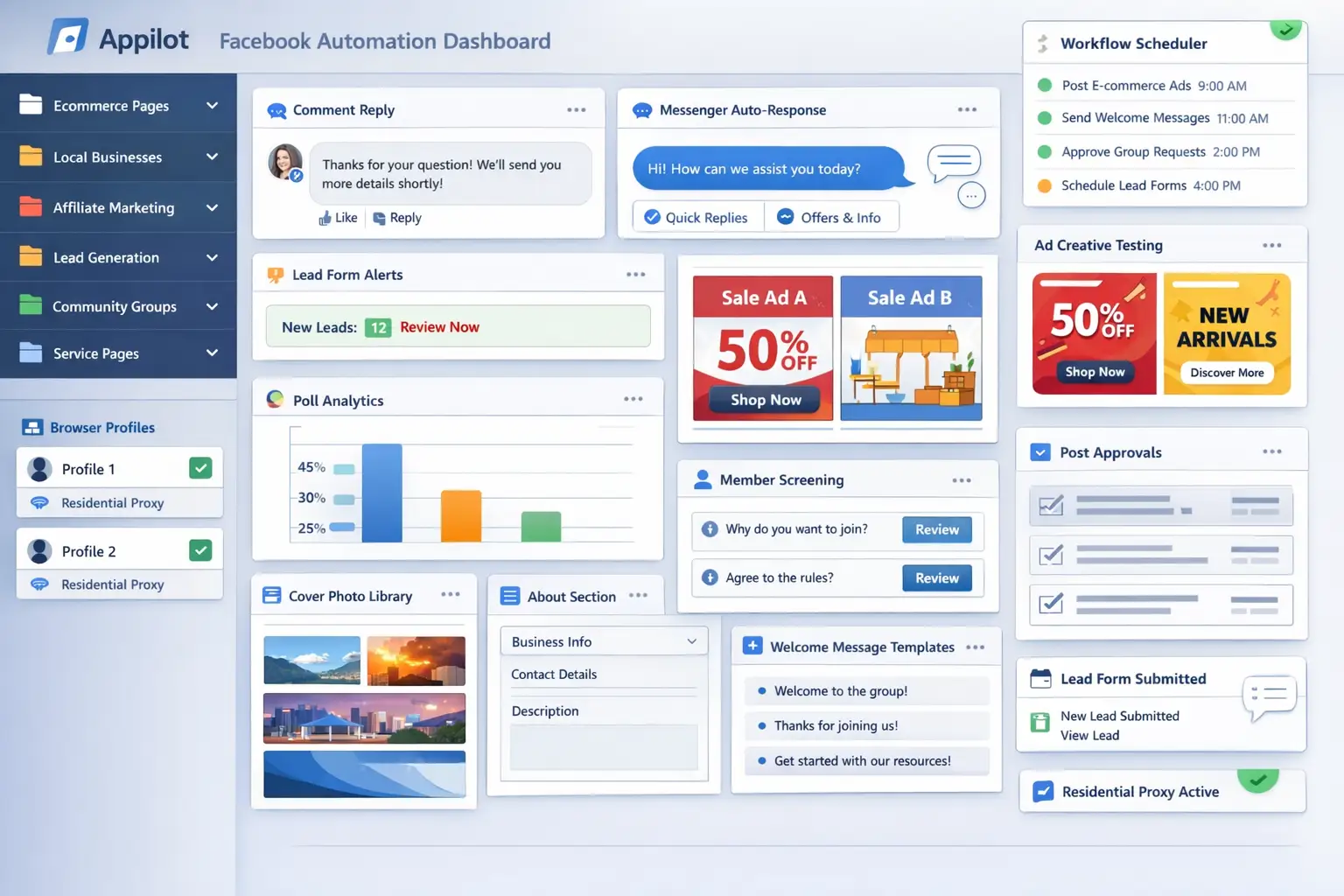
For this guide, I will use Appilot as the main workflow platform. Appilot helps automate browser workflows and Android actions from one dashboard, making it easier to manage Facebook group moderation across multiple browser profiles and group categories.
In this guide, you will learn why Facebook group post approval automation matters, how to organize moderation rules, how to connect Facebook groups with Appilot, and how to automate post approvals safely at scale.
Setup Time: Around 45 to 60 minutes
Difficulty: Intermediate
Estimated Time Saved: 10 to 20 hours weekly
Why Facebook Group Post Approval Automation Matters
Post approval helps maintain the quality of a Facebook group.
For example, a group may want to block:
Spam links
Repeated promotions
Irrelevant content
Scam posts
Offensive language
Fake giveaways
Duplicate posts
At the same time, the group may want to approve:
Relevant questions
Useful discussions
Product recommendations
Local business offers
Community updates
Educational posts
The problem is that manual moderation becomes harder as the group grows. A group with thousands of members may receive dozens or hundreds of pending posts every day.
Without a system, it becomes easy to:
Miss spam posts
Delay approvals
Reject useful posts accidentally
Overload moderators
Create inconsistent moderation rules
Reduce engagement because of slow approval times
Automation helps solve these problems by turning post approval into a repeatable workflow.
The manual approach may work for smaller groups, but it becomes difficult once post volume increases.
With automation, you can create workflows that detect suspicious posts, approve safe content automatically, and flag risky posts for manual review.
The biggest advantage is not only saving time. It is improving moderation quality and making sure good posts appear faster.
What You Need to Get Started
To automate Facebook group post approval, you need a few tools working together.
The first requirement is an antidetect browser such as GoLogin, AdsPower, Multilogin, or Dolphin Anty. These browsers help manage multiple Facebook accounts and groups separately while keeping cookies, browser fingerprints, and proxies isolated.
The second requirement is residential or mobile proxies. Proxies help make moderation activity look more natural and reduce the risk of multiple accounts appearing from the same IP address.
The third requirement is Appilot. Appilot helps connect browser profiles, organize Facebook groups, automate moderation tasks, and manage repetitive workflows from one dashboard.
You should also create a moderation guide before building workflows. This can include banned keywords, blocked links, risky phrases, spam indicators, and group-specific rules.
A typical setup for Facebook group automation usually costs between $150 and $400 per month depending on the number of groups, browser profiles, and workflows involved.
Step-by-Step: Setting Up Group Post Approval Automation
Step 1: Organize Your Facebook Groups
Before creating workflows, organize your groups into categories.
For example, you may have ecommerce groups, local business groups, affiliate marketing groups, community groups, job groups, or real estate groups.
Different group types usually require different moderation rules.
A local business group may allow promotions from nearby businesses, while a community group may block promotional posts entirely.
The more organized your group categories become, the easier it becomes to create useful moderation workflows.
Step 2: Define Approval Rules
Once your group categories are ready, define the types of content that should be approved automatically and the types that should be blocked or reviewed manually.
For example, safe content may include helpful questions, educational discussions, local updates, and member recommendations.
Risky content may include suspicious links, repeated promotions, offensive language, scam offers, or spam comments.
The goal is to create clear rules so the automation can make better decisions.
Step 3: Connect Browser Profiles to Appilot
Once your browser profiles are ready, connect them to Appilot using your browser API key.
Inside Appilot, you can organize profile groups such as:
ecommerce-groups
local-business-groups
affiliate-groups
community-groups
job-groups
This makes it easier to assign different moderation workflows to different group types.
Step 4: Create a Post Approval Workflow
Once everything is connected, you can create a workflow that reviews pending posts automatically.
For example, you may want the workflow to:
Detect banned keywords
Check for blocked links
Identify duplicate posts
Approve safe content automatically
Flag risky posts for review
Reject spam posts
const workflow = {
  name: "Facebook Group Post Approval",
  groups: "community-groups",
  actions: [
    "Monitor pending posts",
    "Check keywords and links",
    "Identify spam risks",
    "Approve safe posts",
    "Flag risky posts for review"
  ],
  schedule: "Continuous"
};
The strongest workflows are usually simple and focused. Instead of trying to automate every moderation decision, it is better to automate obvious approvals and obvious rejections first.
Step 5: Test Before Scaling
Before applying automation to every group, test the workflow on a small group first.
Choose one group and monitor how the moderation performs.
Check whether safe posts are being approved correctly, spam is being blocked, duplicate posts are being detected, and risky content is being flagged properly.
Once everything works correctly, you can gradually expand to more groups and more moderation categories.
This helps reduce mistakes and gives you time to improve the workflow before scaling further.
Best Practices for Facebook Group Post Approval Automation
The best moderation workflows focus on speed and consistency.
It is important to approve useful posts quickly because delays can reduce engagement and frustrate group members.
You should also avoid making the moderation rules too strict. If too many useful posts are rejected, the group can start to feel inactive.
Another important practice is reviewing flagged posts manually. Even if the workflow is working well, some posts will still require a human decision.
It is also useful to update moderation rules regularly. Spam methods, scam links, and group behavior often change over time.
Real Example: Scaling Moderation Across 12 Facebook Groups
One agency managed 12 Facebook groups across ecommerce, local business, and affiliate marketing niches.
At first, post approval was handled manually. Team members spent hours every day reviewing pending posts, removing spam, and checking links.
As the groups grew, approval times became slower and some spam posts slipped through.
The agency eventually switched to a workflow using GoLogin, residential proxies, and Appilot. Groups were organized by category, and automated moderation workflows were created for each group type.
After 60 days, the agency reduced manual moderation work by more than 70 percent while improving approval speed and group quality.
The biggest improvement was not just saving time. It was making sure useful posts appeared faster and spam was blocked more consistently.
Common Mistakes to Avoid
One common mistake is making moderation rules too strict. If too many posts are blocked, group engagement can decrease.
Another mistake is relying entirely on automation without reviewing flagged posts. Some content still needs a manual decision.
Some teams also forget to update spam filters regularly. New spam patterns and scam links appear all the time.
It is also important not to approve every post too quickly. Small delays can make moderation activity feel more natural.
FAQ
Q1: How many Facebook groups can I manage with automated post approval?
Most users can comfortably manage 10 to 50 Facebook groups with structured workflows. Larger teams can support even more groups by organizing them into categories.
Q2: What types of posts should be approved automatically?
Helpful questions, educational content, local updates, and relevant discussions are usually the safest posts to approve automatically.
Q3: What types of posts should be flagged for review?
Spam links, repeated promotions, offensive language, suspicious offers, and duplicate posts are usually best flagged for manual review.
Q4: Should every group use the same moderation rules?
No. Different group types usually require different approval standards and blocked content rules.
Q5: Which browser is best for Facebook group automation?
GoLogin is usually best for smaller operations, AdsPower works well for larger profile groups, and Multilogin is useful for enterprise teams.
Conclusion
Facebook group post approval automation helps businesses, agencies, and community managers save time while keeping groups active, relevant, and free from spam.
Instead of manually reviewing every pending post one by one, you can create workflows that approve useful content, block obvious spam, and flag risky posts for manual review.
The key is to organize groups carefully, create clear moderation rules, test workflows gradually, and continue reviewing flagged posts regularly.
For ecommerce groups, local business communities, affiliate marketing groups, and niche discussion groups, post approval automation can become one of the most useful systems for improving moderation quality at scale.