Facebook Marketing Automation with Dolphin Anty and Appilot
Running Facebook marketing campaigns across multiple accounts can become difficult very quickly. If you are managing ad accounts, business managers, pages, groups, personal profiles, or client campaigns, you already know how much time is spent switching between accounts, checking notifications, monitoring campaigns, and repeating the same actions every day.
Facebook also makes multi-account management more complicated because it closely monitors browser fingerprints, login behavior, IP addresses, device settings, and account activity. If multiple accounts appear too similar, they can become linked together and trigger restrictions.
That is why many marketers use Dolphin Anty. Dolphin Anty helps isolate Facebook accounts by giving each browser profile its own fingerprint, proxy, cookies, timezone, and browser environment. This makes it easier to keep accounts separated and reduce the risk of detection.
The challenge comes after that. Once you are managing dozens of Facebook profiles and campaigns, you still need a way to automate repetitive work. That is where Appilot becomes useful. Appilot adds scheduling, workflow automation, task management, and profile coordination so you can manage Facebook operations more efficiently.
With the right setup, Dolphin Anty and Appilot can save hours of manual work every week while making your Facebook marketing workflows much easier to scale.
Why Facebook Marketers Use Dolphin Anty and Appilot
Facebook is one of the strictest platforms when it comes to account monitoring. It tracks login patterns, browser fingerprints, IP consistency, account relationships, device settings, and behavior over time.
If you are running multiple Facebook ad accounts or business managers from the same browser environment, there is a higher chance that Facebook will connect those accounts together. This can lead to restrictions, security checks, account verification requests, or even bans.
Dolphin Anty solves this problem by isolating each Facebook account inside a separate browser profile. Each profile can have its own fingerprint, cookies, proxy, browser version, timezone, language settings, and browsing history.
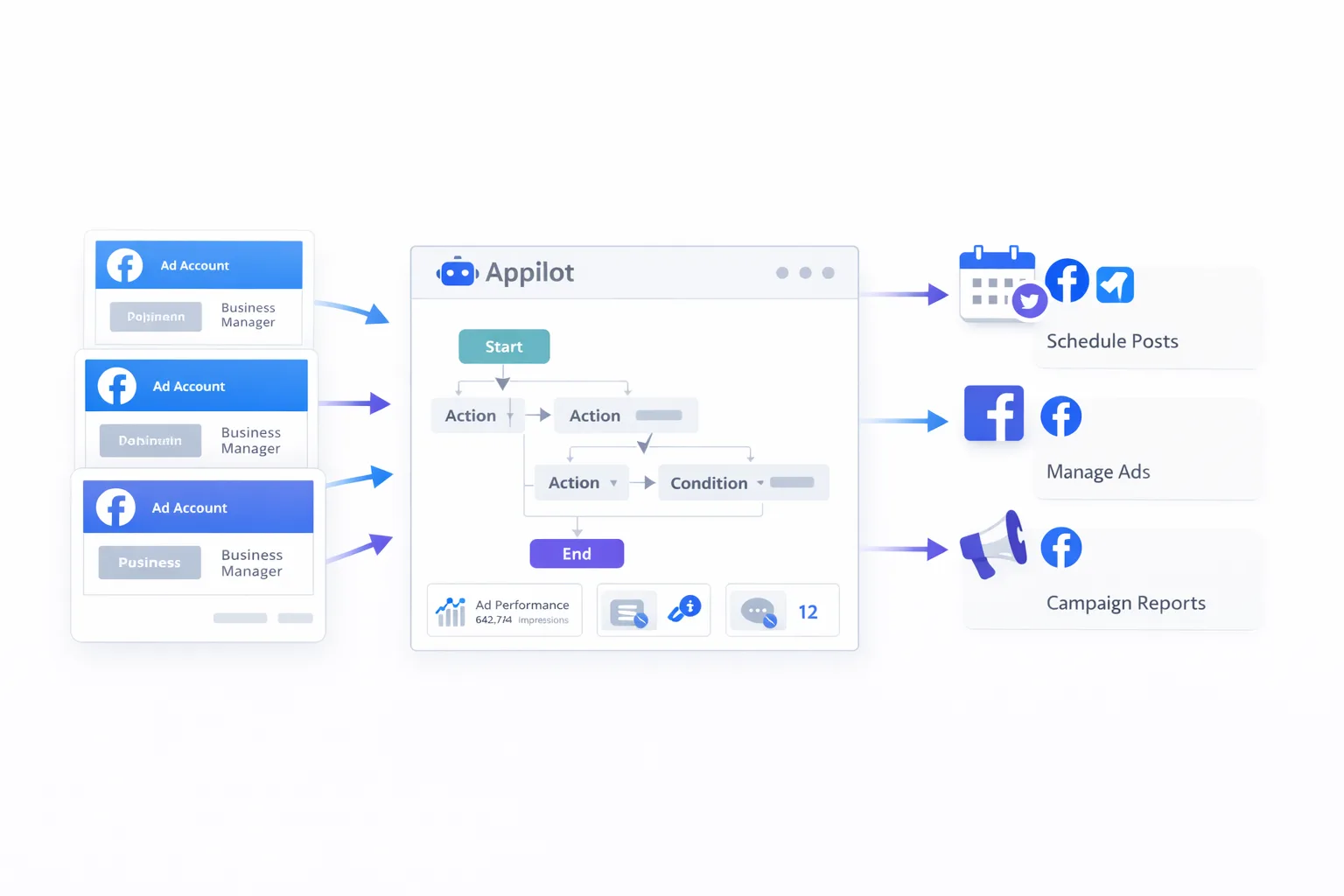
Appilot takes that setup further by helping you automate your daily Facebook marketing tasks. Instead of manually opening profiles one by one, checking campaigns, replying to messages, reviewing ad performance, or logging into multiple business managers, you can create workflows that handle these actions automatically.
Common Facebook Marketing Tasks You Can Automate
Facebook marketing involves a lot of repetitive work, especially when multiple accounts are involved. Many marketers spend hours every day opening browser profiles, checking campaigns, reviewing notifications, monitoring ad performance, responding to messages, and visiting client pages.
With Dolphin Anty and Appilot, many of these tasks can be scheduled and automated.
For example, you can create workflows that automatically launch browser profiles every morning, open Facebook Business Manager, review campaign dashboards, check notifications, visit ad account pages, monitor budget usage, and then close the session.
You can also create separate workflows for different Facebook pages, business managers, or ad accounts. This makes it easier to manage clients, separate campaigns, and keep different marketing operations organized.
Some marketers also use Appilot workflows to monitor comments, reply to inbox messages, review page notifications, open reporting dashboards, or rotate between different Facebook profiles throughout the day.
Setting Up Facebook Marketing Workflows
The first step is organizing your Facebook accounts inside Dolphin Anty. Most marketers create separate browser profiles for every Facebook page, ad account, business manager, or client.
For example, one browser profile may be dedicated to a single Facebook page, while another profile may be used for a specific ad account or client campaign. This keeps browser fingerprints, cookies, and sessions separated from each other.
Once your profiles are organized, connect Dolphin Anty with Appilot and import the browser profiles you want to automate.
After importing the profiles, create different workflow groups. You may want one group for ad account monitoring, another group for Facebook page management, and another for business manager logins.
This makes it much easier to assign different schedules and tasks to different profile groups.
Examples of Facebook Marketing Automation
One of the most common workflows is daily campaign monitoring. In this setup, Appilot opens a group of Facebook ad account profiles every morning, logs into Business Manager, reviews campaign performance, checks ad spend, monitors notifications, and closes the session.
Another common workflow is page management. This can include logging into multiple Facebook pages, checking messages, reviewing comments, monitoring notifications, and opening creator studio dashboards.
Agencies often use Dolphin Anty and Appilot to manage multiple clients at once. Instead of logging into every client account manually, they can schedule browser profiles to open automatically, review campaign dashboards, check alerts, and organize tasks throughout the day.
Some users also create workflows for lead generation. They may open Facebook groups, check inboxes, review comments, visit target profiles, or monitor page activity as part of their daily routine.
Best Practices for Facebook Marketing Automation
The most important thing is to keep your workflows realistic. Facebook pays close attention to behavior patterns, so opening too many accounts at the exact same time or repeating identical actions across every profile can look suspicious.
It is better to use random delays, staggered profile launches, different workflow times, and slightly different browser activity for each account.
You should also make sure your proxies match your browser fingerprints and timezone settings. If your browser profile claims to be in one country while your proxy is coming from another region, that inconsistency may increase the risk of triggering account reviews.
Another good practice is to keep different clients, ad accounts, and business managers separated into their own browser profiles. Mixing accounts together increases the chance of accidental overlap.
Starting with a small number of automated workflows and expanding gradually is always safer than launching aggressive automation immediately.
Common Problems and How to Avoid Them
One common issue is launching too many Facebook profiles at once. This can slow down your machine, overload your proxies, and create suspicious behavior patterns.
Another common problem is using low-quality proxies. Cheap proxies often fail, become blacklisted, or trigger extra login checks.
Some marketers also run into timezone mismatches between browser profiles and proxies. If your profile says you are in one country but your IP address is in another, Facebook may flag the account.
Expired cookies and inactive sessions can also create login issues. If a Facebook account has not been used for a long time, you may need to manually log in again before the automation continues.
The safest approach is to monitor your workflows regularly, keep browser profiles updated, and make changes slowly rather than all at once.
Frequently Asked Questions
Q1: Can I automate multiple Facebook accounts with Dolphin Anty and Appilot?
Yes. Dolphin Anty allows you to keep Facebook accounts separated into individual browser profiles, while Appilot allows you to automate tasks across multiple profiles.
Q2: Is Facebook marketing automation safe?
Automation can reduce a lot of manual work, but it should be used carefully. Using realistic browser profiles, good proxies, and staggered actions is much safer than running aggressive automation.
Q3: Can I manage Facebook ad accounts and pages separately?
Yes. Most users create separate Dolphin Anty browser profiles for ad accounts, pages, business managers, and client accounts.
Q4: Do I need coding skills to use Dolphin Anty and Appilot?
No. Most users can create browser profiles, import them into Appilot, and automate workflows without writing code.
Q5: Can Dolphin Anty and Appilot be used for agencies?
Yes. Agencies often use this setup to manage multiple client accounts, separate browser sessions, and automate daily Facebook marketing tasks.
Conclusion
Facebook marketing becomes much harder once you start managing multiple accounts, ad managers, pages, and campaigns at the same time. Dolphin Anty helps by keeping browser profiles separated, while Appilot helps by automating repetitive work.
Together, they create a much cleaner workflow for Facebook marketers, agencies, affiliate teams, and e-commerce brands.
The best way to start is by organizing your browser profiles carefully, creating simple workflows, and scaling slowly over time. This gives you a safer and more reliable setup without overwhelming your accounts or triggering unnecessary problems.