GoLogin Proxy Management and Rotation with Appilot Automation
GoLogin profiles often rely on proxies to keep browser sessions separate and maintain different online identities. Each browser profile can have its own proxy settings, location, IP address, cookies, fingerprint, and session data.
This makes proxies one of the most important parts of any browser automation setup.
Without stable proxy management, browser profiles can become unreliable, log out unexpectedly, trigger verification checks, or create unusual account behavior.
Managing a few proxies manually is usually simple. However, once you start working with dozens or hundreds of browser profiles, proxy management becomes much harder.
Different profiles may require different proxy types, different countries, different IP rotation schedules, and different providers.
This is where Appilot becomes useful.
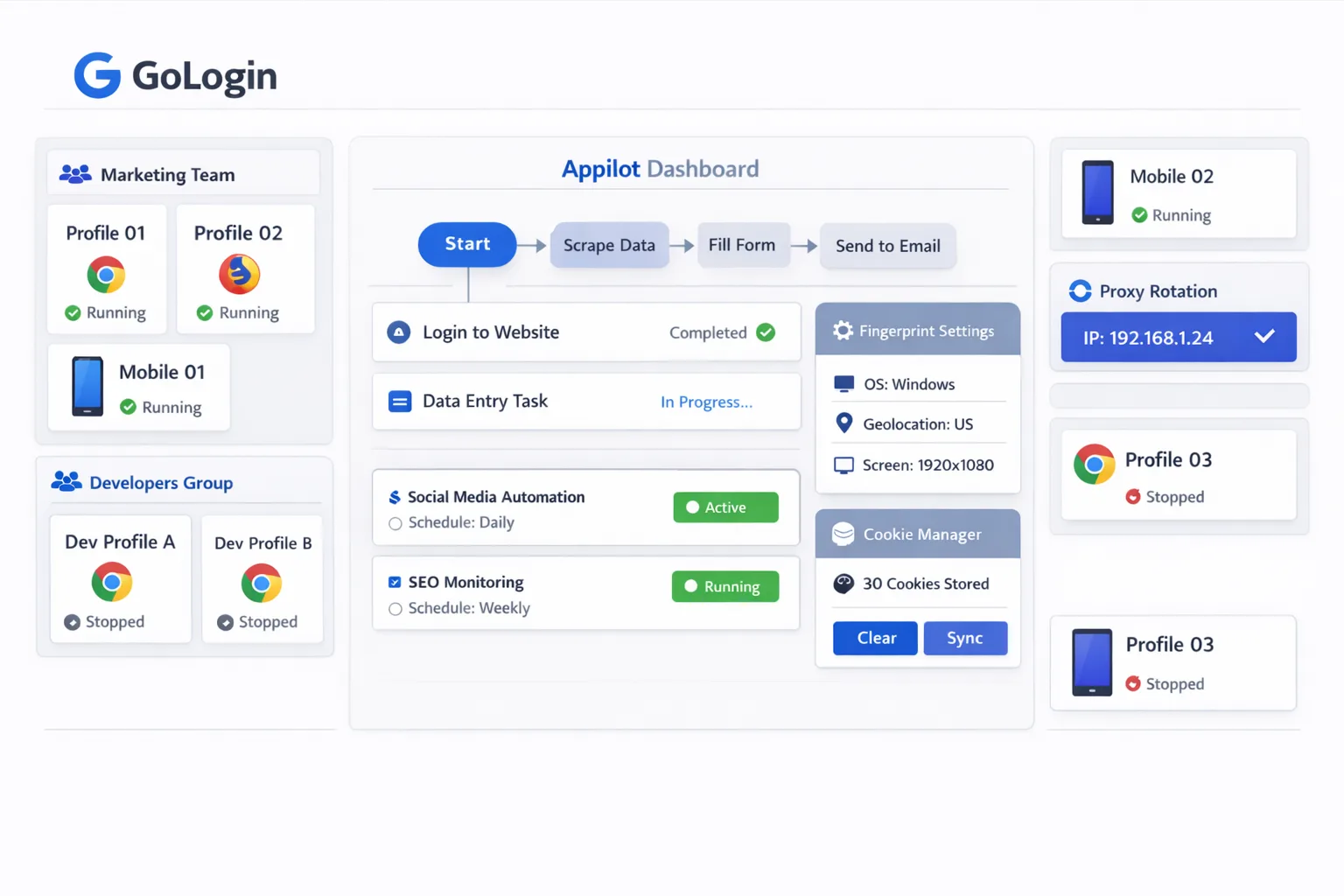
Appilot helps automate GoLogin proxy management so you can organize proxy assignments, rotate IP addresses, manage profile groups, and monitor browser activity from one dashboard.
Why Proxy Management Matters
Every GoLogin profile needs a stable identity.
If multiple browser profiles share the same IP address, the accounts can become linked together. This creates a larger footprint and increases the risk of detection.
Using different proxies for different profiles helps keep browser sessions separate.
It also makes it easier to assign different countries, regions, and IP types to specific workflows.
For example, one group of profiles may require United States residential proxies, another may need United Kingdom mobile proxies, and another may use datacenter proxies for scraping workflows.
Without a clear system, managing these assignments manually becomes very difficult.
How Appilot Helps Manage GoLogin Proxies
Appilot acts as the organization and automation layer above GoLogin.
First, you assign proxies to browser profiles inside GoLogin. Each profile can have its own IP address, location, proxy type, and browser fingerprint.
Once profiles are ready, Appilot can help organize them into groups based on country, platform, campaign, or workflow type.
Inside Appilot, you can schedule proxy rotation windows, assign different proxies to different profile groups, and monitor profile activity from one place.
For example, one profile group may use residential proxies for social media accounts, another may use datacenter proxies for scraping, and another may use mobile proxies for ad verification.
Each group can have its own proxy rules, timing windows, and rotation schedules.
This makes it much easier to manage large numbers of GoLogin profiles without manually updating every proxy one by one.
Common Proxy Rotation Workflows
Different workflows often require different proxy strategies.
For example, social media accounts usually need stable residential or mobile proxies that stay attached to one browser profile for long periods of time.
Scraping workflows may need rotating datacenter proxies that change more frequently.
Affiliate campaigns may require location-based residential proxies for specific countries or cities.
Ad verification workflows may need mobile proxies to simulate real user traffic from different regions.
Appilot makes it easier to build separate workflows for each proxy type and apply them across multiple GoLogin profile groups automatically.
This saves time and also helps reduce errors.
Benefits of Proxy Automation
One major benefit is better organization.
Instead of manually tracking proxies in spreadsheets, you can group browser profiles by country, proxy type, provider, or workflow.
Another major benefit is time savings.
Appilot can help automate proxy assignments, schedule rotation windows, and manage profile groups without requiring constant manual work.
Automation also helps reduce mistakes.
It becomes easier to avoid duplicate proxies, incorrect country assignments, forgotten IP rotations, and proxy overlap between accounts.
Another important advantage is easier scaling.
Once a proxy management workflow is built, you can apply it to additional GoLogin profiles without rebuilding everything from scratch.
Best Practices for Proxy Rotation
One of the most important rules is to avoid sharing the same proxy across too many browser profiles.
Using the same IP address across multiple accounts creates larger footprints and increases detection risks.
You should also keep proxies stable for profiles that need long-term consistency.
For example, social media profiles usually perform better when they keep the same proxy for longer periods of time.
Another important rule is to match proxy types to workflow types.
Residential proxies usually work best for social media and account management. Mobile proxies are often useful for ad testing and mobile workflows. Datacenter proxies are often more suitable for scraping and faster automation tasks.
It is also important to review proxy health regularly because proxies expire, fail, slow down, or change locations over time.
Finally, start with a small number of profiles before scaling. It is much easier to test proxy setups with five profiles than with fifty.
Common Mistakes to Avoid
One common mistake is using the same proxy across too many profiles.
Another mistake is rotating proxies too often for accounts that need stability.
Some users also assign the wrong proxy type to the wrong workflow, which can create unusual behavior and lower performance.
Poor organization is another major issue. Without clear proxy labels, profile groups, and workflow assignments, proxy management becomes much harder to control.
The best approach is to stay organized, keep profile assignments consistent, and scale gradually.
Frequently Asked Questions
Q1: Why are proxies important for GoLogin profiles?
Proxies help keep browser profiles separate by giving each profile its own IP address, location, and online identity.
Q2: Can Appilot manage proxy rotation for GoLogin profiles?
Yes. Appilot can help organize proxy groups, assign rotation schedules, and manage profile activity from one dashboard.
Q3: Which proxy type is best for social media profiles?
Residential and mobile proxies are usually better for social media workflows because they provide more stable and natural-looking traffic.
Q4: Should every browser profile use a different proxy?
In most cases, yes. Using different proxies helps reduce overlap between browser profiles and lowers detection risks.
Q5: What is the biggest mistake in proxy management?
The biggest mistake is using the same proxy across too many profiles because it creates larger footprints and increases detection risks.
Conclusion
GoLogin proxies are one of the most important parts of browser profile management because they help keep accounts separated and reduce overlap between sessions.
Appilot helps simplify this process by giving you one place to organize proxy groups, manage IP rotation schedules, assign browser profiles, and monitor browser activity.
The best approach is to keep proxy assignments stable, avoid sharing IP addresses across too many profiles, and scale gradually as your automation setup becomes more advanced.