Google Ads Campaign Budget Adjustment Automation

Managing Google Ads campaign budgets manually can work when you only have a few campaigns and a small advertising budget. But once campaigns begin scaling, new products are added, seasonality changes performance, and multiple campaign types start competing for spend, budget management becomes one of the most repetitive parts of running paid advertising.
The real issue is not just the time required to update budgets. It is the inconsistency that appears when budget decisions depend entirely on manual review. One campaign may receive more budget because someone noticed strong performance. Another campaign may continue overspending because nobody checked it recently. High-performing campaigns may miss out on additional traffic, while weak campaigns continue consuming spend longer than they should.
That is why more advertisers want to automate Google Ads campaign budget adjustments. Instead of relying on manual budget changes and occasional reviews, automation turns budget management into a structured workflow. With the right setup, campaigns can be reviewed automatically, spend can be shifted based on performance conditions, underperforming campaigns can be controlled, and overall account management becomes easier to scale.
For this guide, I will use Appilot as the workflow automation layer because it fits naturally into repeated browser-based advertising tasks like this one. That does not mean budget strategy should be left entirely to automation. It should not. The smart approach is to keep overall budget priorities, profitability targets, and campaign goals human-led while using automation to handle the repetitive browser-side execution. That is where the biggest efficiency gain appears.
In this guide, you will learn why Google Ads budget automation matters, what you need before getting started, how to structure the workflow step by step, what safety practices matter most, and what realistic outcomes you can expect once the system is stable.
Why Google Ads Budget Automation Matters in 2026
Campaign budgets directly affect how much traffic your campaigns can capture, how competitive your ads remain, and how efficiently your spend is allocated across the account. A strong campaign with an overly restricted budget may lose valuable traffic, while a weak campaign with too much budget may continue wasting spend.
For a small account, manual budget adjustments may still be manageable. But once you are dealing with many campaigns, multiple networks, different product categories, and changing seasonal demand, reviewing budgets manually becomes repetitive and difficult to maintain consistently.
The real cost is not just wasted time. It is inconsistency. Some campaigns may receive regular attention while others are ignored. High-performing campaigns may stay budget-limited because nobody increased spend. Low-performing campaigns may continue wasting budget because nobody reduced them. Over time, this weakens account performance and creates unnecessary manual work.
Automation matters because it creates structure. Instead of asking whether someone remembered to review budgets this week, the business can define which campaigns deserve more spend, which should be reduced, and what conditions should trigger those changes.
The Manual Approach vs. the Automated Approach
The manual approach to campaign budgets usually depends on periodic account reviews. A marketer checks campaign performance, compares spend, conversions, cost per acquisition, and return on ad spend, then manually adjusts budgets one campaign at a time. This works when the account is small, but it becomes inefficient as campaign volume grows.
The biggest weakness of the manual approach is that it depends on time and attention. If the team is busy with reporting, creative testing, keyword optimization, or landing page work, campaign budgets often go untouched. This can lead to missed opportunities and wasted spend.
The automated approach changes that structure. Instead of manually reviewing every campaign, the business defines the budget rules in advance. That may include increasing budgets for campaigns with strong return on ad spend, reducing budgets for campaigns with high spend and weak conversions, pausing campaigns that exceed a target cost per lead, or shifting spend between branded and non-branded campaigns.
This does not remove human control. The advertiser still decides which metrics matter and what thresholds should trigger action. Automation simply removes the repetitive admin work required to apply those decisions consistently across the account.
What You Need to Get Started
Before you automate Google Ads campaign budgets, you need a clear account strategy. Decide what success looks like for your campaigns. Some businesses care most about total conversion volume, while others focus on cost per acquisition, return on ad spend, or impression share.
The second requirement is clear performance thresholds. You need to define the conditions that should trigger budget changes. For example, you may want to increase budgets for campaigns that consistently hit a profitable return on ad spend, reduce budgets for campaigns with high spend and no conversions, or pause campaigns that exceed a certain cost per lead.
The third requirement is reliable reporting. Your workflow depends on clean campaign data. That means conversion tracking, revenue tracking, spend visibility, and campaign-level reporting all need to be accurate before you begin automating budget decisions.
The fourth requirement is a stable browser environment. If you manage multiple Google Ads accounts, each should have its own browser profile so budget updates happen in the correct account every time.
This is where Appilot becomes useful in a practical way. It helps transform repeated browser-side budget update tasks into a more manageable workflow without forcing the business into a large custom build for what is essentially recurring campaign maintenance.
Finally, you need a logging system. Budget changes should remain visible so the team can review which campaigns were adjusted, which rules triggered the change, and which accounts still need attention.
Step-by-Step: Setting Up Google Ads Campaign Budget Adjustment Automation
The first step is deciding which campaigns should be included. Not every campaign needs the same level of automation. Some businesses may want to begin with search campaigns, while others may focus first on shopping campaigns, retargeting campaigns, or branded campaigns.
The second step is deciding what kind of budget rules should be applied. One workflow may increase budgets for campaigns with strong return on ad spend. Another may reduce budgets when cost per acquisition exceeds a target. A third may pause campaigns that spend heavily without producing conversions.
The third step is defining the thresholds clearly. This matters because weak thresholds create weak automation. Decide exactly how much spend, how many conversions, or how much return on ad spend should trigger a budget increase, decrease, or pause.
The fourth step is organizing the Google Ads environment. If you manage one account, a stable browser setup is usually enough. If you manage multiple client accounts, each should have its own browser profile so the workflow always operates in the correct account.
Next, connect that environment to your workflow system. In this example, Appilot acts as the operational layer that helps execute repeated browser-side budget update tasks once your performance rules are already defined. That makes sense because the challenge is not deciding which campaigns matter. The challenge is consistently applying those budget decisions across many campaigns without turning the process into repetitive manual work.
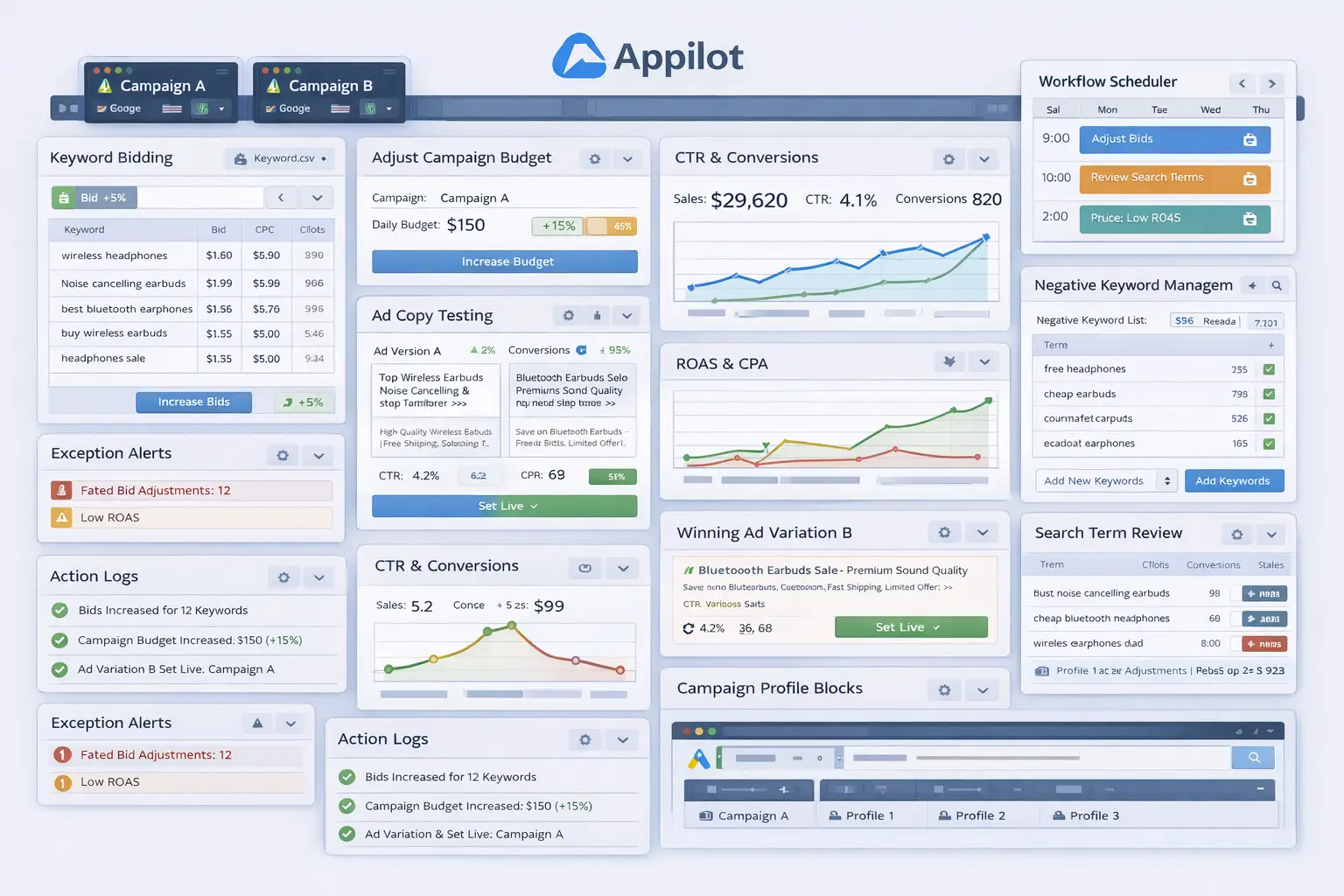
Now define the workflow sequence clearly. A typical setup begins by opening the correct Google Ads account profile, reviewing campaign performance metrics, filtering campaigns based on the approved rules, applying the relevant budget adjustments, saving the changes, and then logging the result. That logging step matters because it helps the team track which campaigns were adjusted and why.
The safest rollout begins with a small group of campaigns. Test the workflow on a limited set first. Review whether the correct campaigns received budget increases, whether weak campaigns were reduced properly, whether pause conditions worked correctly, and whether the action log recorded everything accurately.
After the first batch works, refine the rules. You may discover that branded campaigns need different thresholds, or that seasonal campaigns require more flexible budget increases during peak periods. That is normal. Good budget automation becomes stronger as the business learns which patterns matter most.
Once the workflow proves stable, expand gradually. Add more campaigns, more budget rules, and more accounts if needed. Some businesses may automate only low-risk budget changes, while others may automate most campaign-level management once the rules prove reliable.
A practical implementation usually works like this. First, the business defines which campaigns matter most. Second, performance thresholds and budget rules are mapped clearly. Third, the workflow launches the correct Google Ads account environment. Fourth, the system updates the approved budgets. Fifth, the results are logged. Sixth, the team reviews exceptions and refines the process over time.
That is how campaign budget management stops being repetitive maintenance and becomes a structured advertising workflow.
Safety and Best Practices for Budget Automation
The first rule is to keep budget strategy human-led. Automation should apply the approved budget rules, but the business should decide which metrics matter before anything goes live.
The second rule is to avoid making large budget changes too quickly. Sudden increases or decreases can create unstable campaign performance. Strong workflows use gradual adjustments.
The third rule is to separate campaign types. Branded, shopping, retargeting, and non-branded campaigns often behave differently and should not always follow the same budget logic.
The fourth rule is to log every budget update. This makes it easier to review which campaigns were changed and helps prevent unnecessary or duplicate adjustments.
The fifth rule is to start small. Test the workflow on a small number of campaigns first, then expand only when the process proves reliable.
Real Results: What to Expect
During the first week, expect more setup and validation than dramatic performance gains. You will spend time defining thresholds, checking reporting accuracy, and making sure the workflow only touches the right campaigns.
By the second and third weeks, the operational benefit becomes clearer. Campaigns that once relied on inconsistent manual review begin moving through a more structured budget-management process. The team spends less time manually adjusting budgets and more time reviewing only the exceptions.
By the second month, the biggest win is usually consistency. High-performing campaigns receive stronger support, weak campaigns become more controlled, and the account feels more organized because budget management no longer depends on random manual attention.
The realistic result is not that every campaign will become profitable immediately. The realistic result is a more disciplined and scalable budget-management process that reduces repetitive admin work and keeps spend more aligned with performance.
Common Problems and Solutions
One common problem is using weak thresholds. This usually happens when budget rules are too broad or not specific enough. The fix is to use clear conversion, spend, and return on ad spend conditions before scaling the workflow.
Another issue is changing too many budgets at once. Even if the rules are correct, too many adjustments at the same time can make it hard to understand what is working. The solution is to start with one campaign group first.
A third issue is ignoring campaign type. Branded, competitor, retargeting, and non-branded campaigns often perform differently and should not always follow the same logic. The fix is to build segmentation into the workflow.
The last major issue is weak logging. Without clear logs, it becomes hard to know which campaigns were adjusted and which still need review. The fix is to make logging part of the core workflow.
Choosing the Right Tools for Google Ads Campaign Budget Automation
The right setup depends on account size, campaign volume, and how frequently budgets need to change. A very small account with only a handful of campaigns may still manage budgets manually for a while. A growing account with many campaigns, multiple product lines, or changing seasonal demand benefits much more from a workflow that combines clear performance rules with repeatable browser-side execution.
For this use case, a stable browser environment combined with a workflow layer is often the most practical option. Appilot fits naturally because it helps transform repeated campaign budget adjustment tasks into a manageable process without forcing the business into a large custom build.
This is also a natural place in your final publishing version to connect related resources such as Google Ads keyword bidding automation, browser integration guides, campaign reporting workflows, and broader PPC optimization content, because businesses struggling with budgets often face other campaign-management challenges too.
Scaling Beyond Basic Budget Adjustment Workflows
At a small scale, teams can still review most campaign budgets manually without too much difficulty. As the account grows, budget management becomes a systems problem. The challenge is no longer whether one campaign can be adjusted correctly. The challenge becomes whether many campaigns can stay aligned with account goals without creating a constant maintenance burden.
That is where automation becomes especially valuable. It creates a repeatable budget-management layer. Instead of waiting for someone to notice that a campaign is overspending or underfunded, the account can operate with a more dependable update process.
The businesses that benefit most are usually the ones already losing efficiency because budget updates are being delayed or forgotten. For them, automation is not just a convenience. It is part of keeping the account operationally organized as campaign volume grows.
Frequently Asked Questions
Q1: Can Google Ads campaign budgets really be automated?
Yes. If you define clear performance thresholds and budget rules, much of the repetitive campaign budget update process can be automated in a practical way.
Q2: What should I automate first?
Start with a small group of campaigns. A narrow rollout is easier to validate than trying to automate the full account immediately.
Q3: Why is Appilot relevant for this use case?
Because this is a repeated browser workflow problem after the budget rules are already defined. Appilot fits naturally as the operational layer that helps apply those updates consistently.
Q4: Do I still need manual review?
Yes. Budget automation reduces repetitive work, but the team should still review campaign performance, spend efficiency, and seasonality regularly.
Q5: What is the biggest requirement for success?
Clear thresholds. Strong ROAS, CPA, spend, and conversion rules matter much more than just turning automation on.
Q6: How much time can this save?
That depends on account size and campaign volume, but larger accounts usually save significant time once budget updates stop depending on repeated manual editing.
Conclusion
If you want Google Ads campaign budget adjustment automation, the biggest opportunity is not just saving time. It is creating consistency in how your account manages spend. Manual budget changes lead to missed opportunities, uneven campaign performance, and too much dependence on repetitive admin work. A structured workflow replaces that with a more reliable system.
The best path is to define which campaigns matter most, build clear budget rules and performance thresholds, start with a narrow rollout, and use a workflow layer like Appilot where it naturally helps with repeated browser execution. Then test the results carefully, review campaign performance regularly, and expand only when the workflow proves stable.
When done properly, campaign budget automation does not reduce control over your account. It strengthens control by making it easier to keep the right campaigns aligned with business goals as the account grows.