Hardened Brave Browser Automation with Appilot
Brave Browser is already known for its strong privacy protections, built-in ad blocking, tracker prevention, and focus on user security. Many people use Brave because it reduces the amount of tracking that happens during normal browsing and provides more control over privacy settings than most standard browsers.
A hardened Brave Browser setup takes that a step further. Instead of only using Brave with its default settings, users can customize privacy protections, disable unnecessary browser features, control fingerprint exposure, manage cookies more carefully, and isolate browsing sessions.
This is especially useful for people managing multiple accounts, browser sessions, research projects, scraping tasks, social media profiles, e-commerce stores, or crypto activities.
The challenge is that once you begin working with multiple Brave Browser profiles and separate browsing environments, the amount of repetitive work grows quickly. Launching browser profiles, opening websites, checking dashboards, reviewing accounts, assigning proxies, and repeating the same tasks every day becomes difficult to manage manually.
This is where Appilot becomes useful. Brave Browser can provide a more secure and privacy-focused browsing environment, while Appilot helps automate browser workflows, profile launches, scheduling, and repetitive browser tasks.
What Is a Hardened Brave Browser Setup?
A hardened Brave Browser setup is a Brave environment that has been configured with stronger privacy and security protections than the default browser settings.
This often includes disabling unnecessary browser features, blocking trackers more aggressively, reducing browser fingerprint exposure, isolating cookies between profiles, limiting browser extensions, and controlling which scripts or permissions websites can access.
Some users also combine Brave Browser with separate browser profiles, proxy assignments, VPNs, or isolated browser environments to make tracking more difficult.
This type of setup is useful for anyone who wants more control over privacy, account isolation, or browser security.
For example, a social media manager may want separate Brave profiles for different client accounts. An e-commerce seller may want isolated profiles for different storefronts. A crypto user may want a dedicated browser environment for exchange accounts and wallet activity.
Why Combine Brave Browser with Appilot?
Brave Browser can improve privacy and security, but it does not remove the repetitive work involved in browser management.
You still need to launch browser profiles, open websites, check dashboards, review notifications, log into accounts, export reports, and close browser sessions.
When you only have a few browser profiles, this is still manageable manually. Once the number of profiles increases, the work becomes much harder to organize.
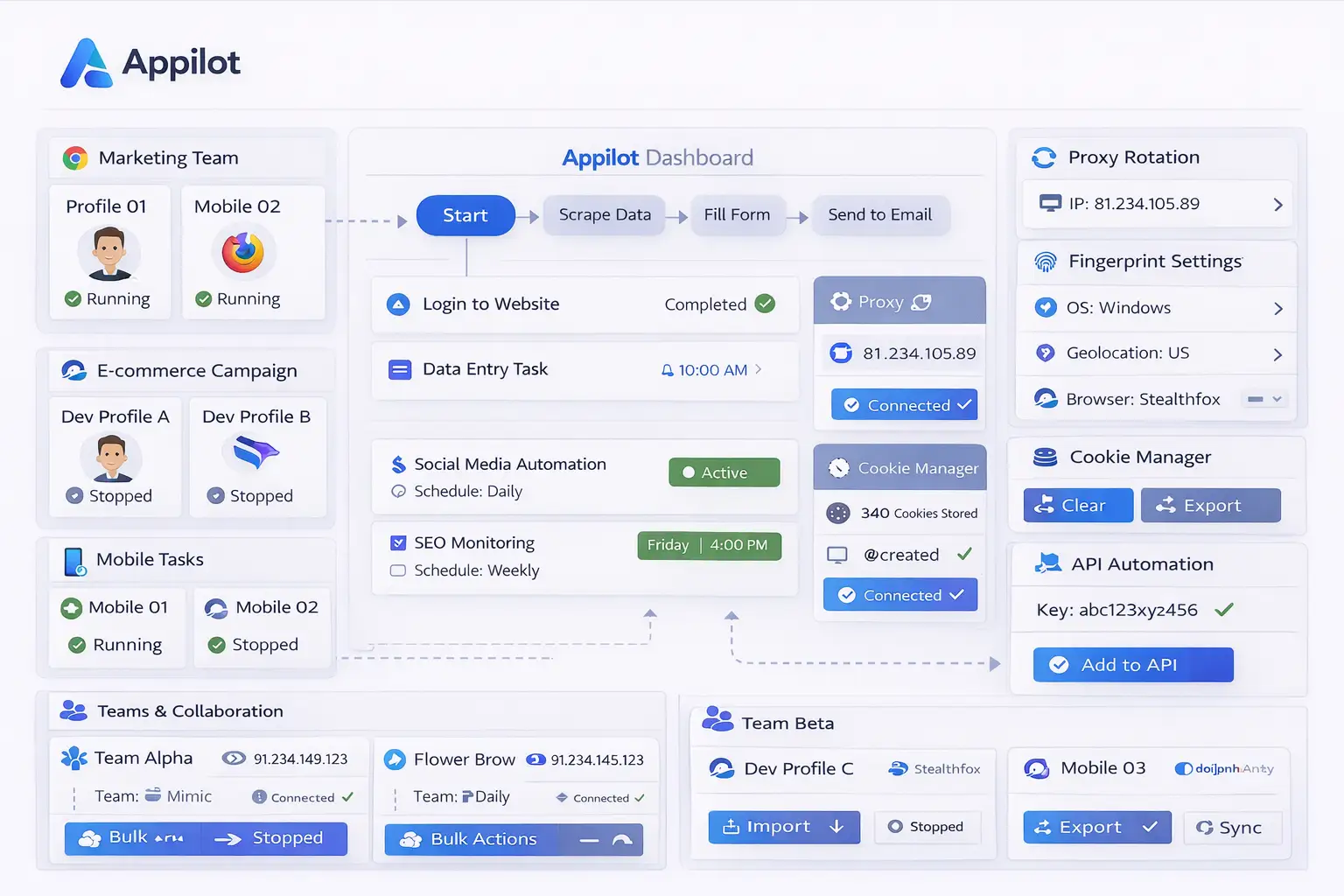
Appilot helps solve this problem by allowing you to automate browser workflows.
Instead of opening browser sessions manually every day, you can create workflows that launch selected Brave Browser profiles, run actions, monitor results, and close the sessions afterward.
This creates a more organized system where privacy-focused browser environments can also benefit from automation.
Common Brave Browser Workflows
One common use case is social media management. A team may use separate Brave Browser profiles for different client accounts and use Appilot to automate profile launches, notification checks, content reviews, and browser workflows.
E-commerce sellers can use Brave Browser for managing separate Shopify stores, Amazon dashboards, supplier accounts, and payment portals. Appilot can automate browser launches, inventory checks, report exports, and store monitoring tasks.
Affiliate marketers often use separate browser environments for advertising accounts, landing pages, and campaign tracking dashboards. Appilot can automate repetitive actions such as logging into accounts, checking campaign performance, and reviewing reports.
Crypto users may use Brave Browser because of its stronger privacy features while managing exchanges, wallets, NFT tools, and research accounts. Appilot can help automate browser launches, dashboard reviews, and repetitive monitoring tasks.
Researchers and web scraping teams can also use Brave Browser profiles for isolated browsing sessions while Appilot helps automate browser launches, page visits, and workflow management.
Setting Up Your First Automated Brave Workflow
The easiest way to begin is with a simple workflow.
For example, you might create a morning routine where Appilot launches several Brave Browser profiles, opens selected dashboards, checks websites, reviews notifications, and closes the browser sessions afterward.
You can begin with only a few profiles so that it is easier to test the setup. Once the workflow works correctly, you can gradually add more browser profiles, more actions, and more complex schedules.
It is usually better to keep the first workflow simple because this makes troubleshooting easier.
Once the workflow is stable, you can build more advanced browser tasks around specific use cases such as social media management, e-commerce monitoring, crypto research, or web scraping.
Benefits of Using Hardened Brave Browser with Appilot
One of the biggest benefits is privacy. Brave Browser helps reduce trackers, limit unwanted scripts, and improve browsing security.
Another benefit is browser isolation. Separate profiles can be used for separate accounts so that browser sessions remain more organized.
Appilot adds workflow automation on top of that environment. Instead of repeating the same actions manually every day, browser workflows can happen automatically.
This saves time and reduces the chance of mistakes such as opening the wrong profile, mixing browser sessions together, or forgetting important tasks.
The combination is also useful for scaling because larger groups of browser profiles can be managed from one dashboard.
Best Practices for Brave Browser Automation
The best approach is to keep browser profiles organized from the beginning.
Use separate Brave Browser profiles for separate account categories such as social media, e-commerce, affiliate marketing, crypto, research, or client projects.
You should also avoid installing too many unnecessary browser extensions because they can increase browser fingerprint uniqueness and reduce privacy.
Using separate proxies for separate profiles is also important because it helps reduce the chance of account linking.
It is also a good idea to review browser activity, task logs, and login sessions regularly because websites may change layout or login requirements over time.
Starting with smaller workflows before scaling up is usually the safest approach.
Common Problems and Troubleshooting
One common issue is that a workflow may stop working because the target website changed its layout. If buttons, menus, or login fields move, the browser automation may need to be updated.
Another issue is that users sometimes add too many browser extensions or custom settings, which can make the browser profile more unique and easier to identify.
Proxy problems can also affect workflows. If a proxy stops working or becomes blocked, browser sessions may fail to load correctly.
Users may also accidentally mix account sessions if they do not keep Brave Browser profiles clearly separated.
Keeping profiles organized and reviewing browser activity regularly can help prevent these issues.
Frequently Asked Questions
Q1: Why use Brave Browser for browser automation?
Brave Browser provides stronger privacy protections, tracker blocking, and more control over browser security than many standard browsers.
Q2: Can Appilot automate tasks across multiple Brave Browser profiles?
Yes. Appilot can automate browser launches, workflows, scheduling, and repetitive tasks across multiple Brave Browser profiles.
Q3: Is this setup useful for social media management?
Yes. Social media managers can use separate Brave Browser profiles for different accounts and automate repetitive tasks.
Q4: Should every Brave Browser profile use a different proxy?
Using separate proxies for separate profiles is usually safer because it reduces the chance of account linking.
Q5: What happens if a Brave Browser workflow stops working?
You can review browser logs, check the website layout, update the workflow, and verify that the proxy and browser session are still working correctly.
Conclusion
Brave Browser provides strong privacy, browser security, and profile isolation features, while Appilot helps automate repetitive browser workflows and tasks.
Together, they create a more organized system for managing multiple browser profiles, secure browsing sessions, and repetitive browser activities.
This makes it easier to scale browser operations while keeping privacy and workflow management under control.