How Artists and Illustrators Use TikTok Bots to Sell Digital Products
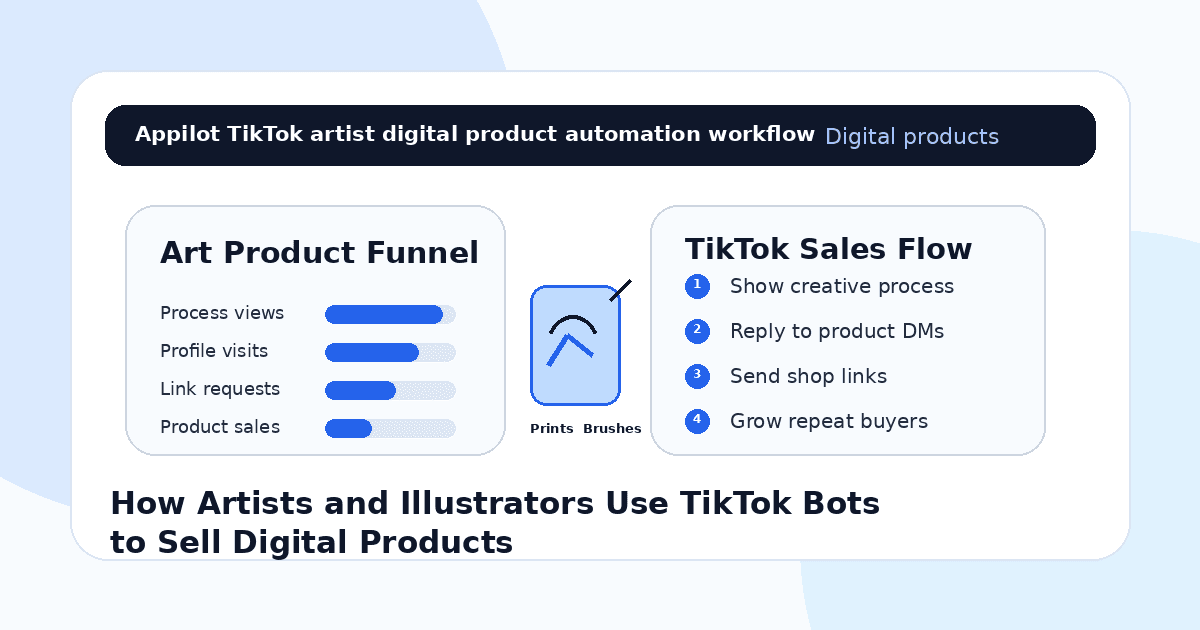
You post a short art process video on TikTok. The sketch turns into a finished illustration, the colors come together, and the caption points people toward your shop.
A few people like it. Someone asks what brush you used. Another wants to know if the print is available. A few viewers visit your profile, but most leave before buying your digital products, joining your email list, or following for future drops.
That is the challenge for artists and illustrators on TikTok. The platform can create huge visibility, but attention only turns into income when viewers know what you sell, how to buy it, and why your work is worth supporting.
TikTok bots help artists manage repeated comments, reply to product questions, send shop links, and keep warm buyers moving toward digital products without manually answering every message all day.
The goal is not to fake interest or spam followers. The goal is to help real fans find your art products while their excitement is fresh.
Why TikTok Works for Artists and Illustrators
TikTok is powerful for artists because people love watching creative work unfold.
A finished illustration is beautiful, but the process creates connection. Viewers enjoy seeing sketches, mistakes, color choices, brush tests, time-lapses, packaging, behind-the-scenes clips, and before-and-after transformations.
That makes TikTok ideal for selling digital products like printable wall art, Procreate brushes, digital planners, clipart packs, coloring pages, texture packs, icon sets, templates, art tutorials, sticker files, and design assets.
But views do not automatically become sales.
A viewer may love the art but not know where to buy it. They may ask for the brush pack and never get a reply. They may save the video but forget to visit the shop. They may want the template but need a direct link.
Automation helps close that gap.
What TikTok Bots Mean for Digital Product Sellers
TikTok bots can support repeated actions like comment replies, DM routing, keyword triggers, profile engagement, shop-link delivery, product FAQ replies, and lead magnet delivery.
For artists and illustrators, the safest use is not mass commenting or cold messaging. It is controlled automation around warm interest. That means replying when someone comments “brush,” “print,” “template,” “shop,” “link,” “tutorial,” or “download.”
Real-device automation is useful because it runs through the TikTok mobile app on Android devices or emulators. This behaves more like normal mobile usage than fragile desktop scripts or risky shortcuts.
A platform like Appilot is built for this kind of workflow. It lets artists run TikTok automation on Android devices or emulators from a browser dashboard, without coding, ADB setup, or keeping a phone connected all day. That means creators can keep product replies moving while focusing on drawing, designing, filming, packaging, and launching new products.
Automation should support the creative business. It should not replace the creator’s voice.
Step 1: Choose the Digital Products You Want to Sell
Before automating anything, define what your TikTok content is meant to sell.
A vague shop with random products can be hard to promote. A stronger setup focuses on a clear product type, such as Procreate brushes for illustrators, printable nursery art, tattoo flash sheets, digital planners, coloring pages, Canva templates, sticker files, or art tutorials.
This matters because automation magnifies your product positioning.
If your products are unclear, the bot may send people to a shop where they feel confused. If your products are specific, automation can guide viewers to exactly what they asked for.
Your TikTok videos, captions, profile bio, pinned videos, and comment triggers should all make the product path obvious.
A clear product line makes every view more valuable.
Step 2: Use Process Videos to Create Product Demand
Artists sell digital products best when viewers see the product being used.
Instead of only posting the final brush pack, show the brush in action. Instead of only listing printable art, show the sketch becoming the finished print. Instead of only promoting a template, show how it saves time or improves a design.
Process content creates desire because viewers see the result before they see the offer.
A Procreate artist can show a brush creating texture. A digital planner seller can show a weekly layout being built. A clipart creator can show how assets look inside a project. A coloring page artist can show a page being colored.
Automation can support the interest that follows by replying quickly when people ask for the link.
The video creates curiosity. The bot helps deliver the product path.
Step 3: Turn Comment Keywords Into Shop Links
Comments often show buyer intent.
If someone writes “link,” “brush,” “print,” “template,” “shop,” “download,” “tutorial,” or “where can I buy this,” they are asking for the next step.
TikTok bots can help reply quickly and send the right resource.
For example, a comment saying “brush” can trigger a reply or DM with the brush pack link. A comment saying “print” can send the printable art page. A comment saying “tutorial” can send the class or guide.
This is where Appilot fits naturally. Artists can run TikTok workflows through Android devices or emulators while managing product replies and shop routing from one dashboard.
Do not send random links to everyone. Use automation when the viewer asks or shows clear interest.
Step 4: Use Freebies to Build an Email List
Not every viewer will buy immediately.
A freebie can turn a casual viewer into a future buyer. Artists can offer free sample brushes, mini coloring pages, wallpaper downloads, starter templates, printable stickers, or a small design asset pack.
Automation can deliver the freebie when someone comments a keyword or sends a DM.
For example, a story or video can say, “Comment FREEBIE and I’ll send the sample brush.” Once the viewer gets the free product, they can be invited to join the email list for future drops, launches, and discounts.
This is useful because TikTok reach can be unpredictable. An email list gives artists a more stable way to promote new digital products.
TikTok brings discovery. The email list builds repeat buyers.
Step 5: Answer Product Questions Fast
Digital product buyers often ask simple but important questions.
They want to know what app the file works with, whether the product is instant download, whether it works on iPad, whether commercial use is included, whether refunds are available, what file type is included, and whether beginners can use it.
These questions are perfect for automation because they repeat.
If someone asks “does this work in Procreate?” the bot can answer. If someone asks about commercial use, it can send licensing details. If someone asks how to download, it can send the help page.
Keep answers short and clear.
A buyer who gets fast answers is more likely to purchase before the moment passes.
Step 6: Keep the Creator Voice Human
Artists grow because people connect with the person behind the work.
If every reply sounds like a generic sales bot, the account can lose charm. Automated messages should feel like your natural tone, not a corporate script.
A good workflow handles the repetitive step, then lets you step in when the conversation becomes personal.
For example, the bot can send the shop link. But if someone shares how your art inspired them, asks about a commission, or wants a custom project, a human reply matters.
Automation opens the door. Your personality keeps fans connected.
Step 7: Promote Product Drops With Story and Video Triggers
Digital product drops work well on TikTok when they are built around anticipation.
You can tease the product, show the making process, share test versions, ask followers to vote on colors, reveal the final pack, and then launch with a clear keyword trigger.
For example, “Comment DROP for the brush pack,” “Comment PRINT for the new wall art collection,” or “Reply TEMPLATE for the launch link.”
Automation can help manage the launch rush by sending the right link to people who ask.
Appilot-style workflows are useful here because they help creators manage repeated TikTok actions without scripts, command-line setup, or manual device work.
Launches move quickly. Fast replies help capture demand.
Step 8: Track What Actually Sells
Do not measure TikTok bot success only by views or likes.
For artists and illustrators, better metrics include shop-link requests, freebie downloads, email signups, product page clicks, cart starts, purchases, repeat buyers, product questions, and launch conversion rate.
You should also track which content creates sales. A satisfying process video may get views. A tutorial may create trust. A product demo may drive clicks. A behind-the-scenes post may build loyalty. A customer-use example may convert buyers.
Automation gives you more signals. Tracking tells you which signals create revenue.
Common Mistakes Artists Should Avoid
Sending Shop Links Too Aggressively
Do not send product links to everyone. Use automation when someone comments, replies, or asks for the product.
Selling Before Showing the Value
Show the brush, template, print, or digital file in use before asking people to buy it.
Ignoring Licensing Questions
Digital product buyers care about personal use, commercial use, file types, and compatibility. Answer these clearly.
Sounding Too Robotic
Your art brand depends on personality. Keep automated replies short, warm, and aligned with your natural voice.
Measuring Only Views
Views are useful, but product clicks, downloads, email signups, and sales matter more.
Is TikTok Automation Right for Artists and Illustrators?
TikTok automation is a good fit if you already post art content, receive product questions, sell digital downloads, or want to build an audience around your creative process. It works especially well for illustrators, Procreate artists, digital planners, sticker creators, print sellers, template designers, clipart sellers, and art educators.
It may not be right if your shop is unclear, your product links are confusing, or your videos do not show what you sell. Automation can help route interest, but the product and content still need to be strong.
Think of TikTok bots as creative sales assistants. They help fans find the right product, but your art creates the demand.
Final Thoughts
Artists and illustrators use TikTok bots to sell digital products by turning creative attention into simple buying paths.
The strongest workflow starts with clear products, process videos, comment triggers, freebies, fast product replies, human creator voice, launch automation, and sales tracking. Automation handles repeated actions while the artist keeps the creative connection human.
If you want to run TikTok automation without coding, ADB setup, or manual device management, Appilot gives artists and illustrators a browser-based way to control Android devices, emulators, and ready-to-use bots for TikTok and other platforms. You can check it out at appilot.app.
FAQs
Q1: Can artists use TikTok bots to sell digital products?
Yes, bots can help artists reply to product requests, send shop links, deliver freebies, and route warm fans toward digital downloads.
Q2: What should artists automate first on TikTok?
Start with replies for “link,” “brush,” “print,” “template,” “shop,” “freebie,” “tutorial,” and common product questions.
Q3: Is TikTok automation safe for artists?
It is safer when replies are gradual, relevant, and triggered by real interest. Spammy cold messages can hurt trust and account health.
Q4: Can Appilot help artists automate TikTok?
Yes, Appilot can run TikTok workflows on Android devices or emulators from a browser dashboard without coding or ADB setup.
Q5: Does automation replace the artist’s personality?
No. Automation handles repeated replies and links, but your art style, process, voice, and real conversations build loyal buyers.