How Law Firms Use LinkedIn Automation to Generate Client Inquiries
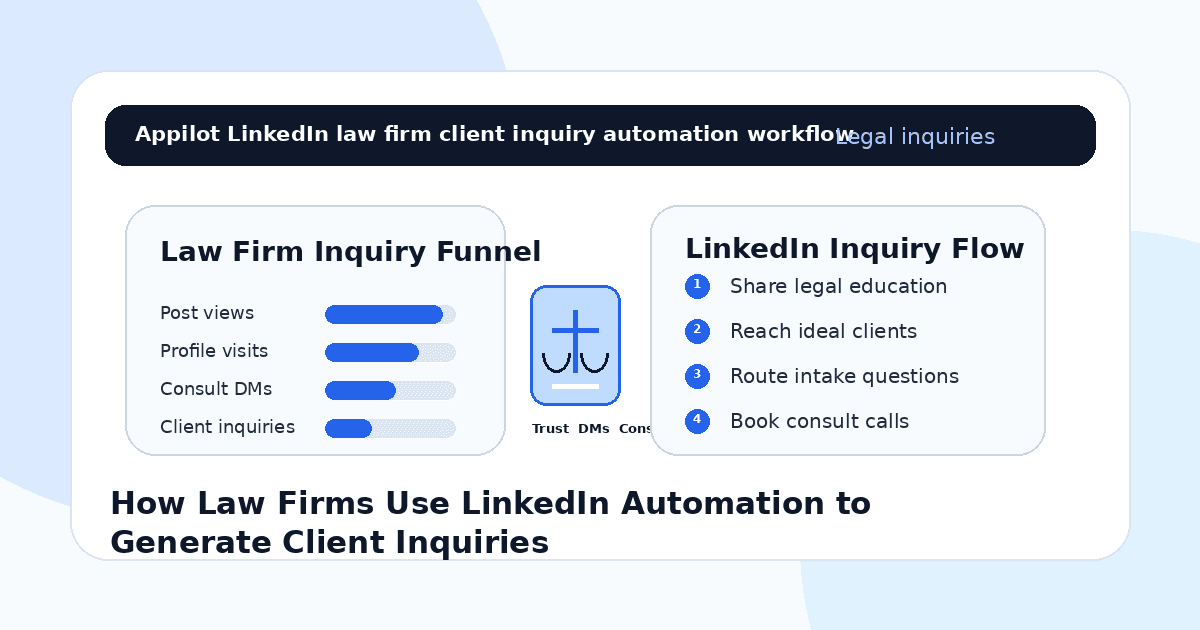
You publish a LinkedIn post explaining a legal risk, contract mistake, compliance issue, employment dispute, business formation question, immigration update, intellectual property concern, or estate planning topic.
A few professionals engage. Someone asks a question in the comments. A founder visits your profile. A business owner sends a message asking if your firm handles their type of matter, but the conversation gets buried under other notifications.
That is the challenge for law firms on LinkedIn. The platform is full of business owners, executives, founders, HR leaders, investors, professionals, and referral partners, but client inquiries do not come from one post or one cold message. They come from repeated visibility, helpful education, professional trust, and a clear intake path.
LinkedIn automation helps law firms manage the repeatable parts of that process. It can support profile discovery, connection requests, light follow-ups, content engagement, resource delivery, and inquiry routing without forcing lawyers or marketing teams to manually prospect all day.
The goal is not to automate legal advice. The goal is to help the right people discover the firm, understand its expertise, and take the proper next step.
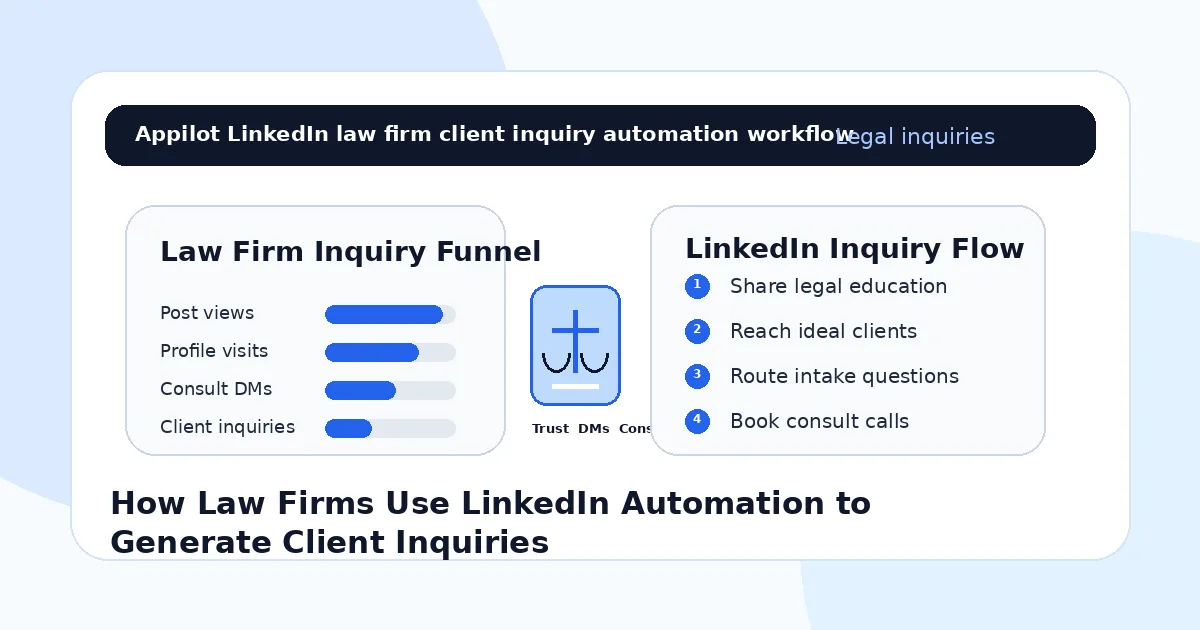
Why LinkedIn Works for Law Firms
LinkedIn works well for law firms because people use it in a professional mindset.
Business owners think about contracts, hiring, compliance, funding, partnerships, acquisitions, disputes, taxes, intellectual property, and risk. Executives think about governance, employment matters, regulation, and vendor agreements. Professionals think about immigration, estate planning, workplace issues, and long-term legal protection.
These are the moments where legal expertise becomes relevant.
A law firm can use LinkedIn to build authority by explaining legal topics clearly, showing industry knowledge, educating potential clients, and staying visible to referral partners.
But legal services are trust-heavy. A person does not usually hire a lawyer because of one message. They need to see credibility, relevance, professionalism, and a safe way to ask for help.
Automation works best when it supports that trust-building process.
What LinkedIn Automation Means for Law Firms
LinkedIn automation means using software to support repeated actions like profile discovery, connection requests, profile visits, content engagement, approved follow-ups, resource sharing, and lead routing.
For law firms, the safest use is professional networking and general education. Automation can help connect with relevant business audiences, share approved resources, invite people to webinars, route intake inquiries, or follow up with warm contacts.
Real-device automation is useful because it runs workflows through Android devices or emulators instead of relying only on fragile browser scripts or risky shortcuts. This makes LinkedIn activity easier to manage in a controlled way.
A platform like Appilot is built for this kind of workflow. It lets law firms run LinkedIn automation on Android devices or emulators from a browser dashboard, without coding, ADB setup, or keeping a laptop connected all day. That means firms can stay visible while attorneys and staff focus on client work, consultations, case strategy, and intake quality.
Automation should support professional trust. It should not provide legal advice or replace attorney review.
Step 1: Define the Client Segment Clearly
Before using LinkedIn automation, the firm needs to define who it wants to reach.
A vague audience like “people who need legal help” is too broad. A stronger target is “startup founders needing contract support,” “employers managing HR risk,” “real estate investors needing transaction counsel,” “healthcare clinics needing compliance help,” “families planning estates,” or “companies preparing for fundraising.”
This matters because automation magnifies targeting.
If the audience is broad, messages feel generic and inquiries are harder to qualify. If the audience is clear, content and outreach can speak directly to real legal concerns.
A business law firm should not run the same workflow as an immigration firm, family law practice, estate planning firm, employment law firm, or litigation boutique.
Clear targeting makes LinkedIn automation more useful and less intrusive.
Step 2: Make the Firm Profile Trustworthy
Automation can send more people to a LinkedIn profile, but the profile must earn confidence.
A law firm’s profile should clearly explain practice areas, industries served, location or jurisdiction where relevant, attorney credibility, consultation path, and the type of clients the firm helps.
The featured section can include approved articles, webinars, legal guides, practice pages, attorney interviews, case education, or consultation links.
Avoid exaggerated claims, guaranteed outcomes, aggressive language, or messaging that could create confusion about attorney-client relationships.
A strong LinkedIn presence should feel professional, calm, and specific. When someone visits the profile, they should understand what the firm does and how to contact it.
Step 3: Use Legal Education Instead of Hard Selling
Law firms build LinkedIn authority through helpful education.
A firm can explain common contract mistakes, compliance changes, employment law risks, founder legal basics, estate planning myths, business disputes, intellectual property issues, real estate transaction risks, or questions clients should ask before signing an agreement.
The content should be general education, not personalized legal advice.
For example, a firm can explain why businesses should review vendor agreements carefully, but should not evaluate a person’s specific contract in the comments. A firm can explain common employment compliance risks, but should not tell a specific employer what to do without proper review.
Automation can support visibility around this content, but the legal judgment must stay human.
Helpful legal education creates trust before the inquiry happens.
Step 4: Send Relevant Connection Requests
A LinkedIn connection request should not feel like a legal sales pitch.
The first message should create professional context and relevance. It should be short, respectful, and tied to the person’s business or role.
For example, a business law firm might say, “Hi Sarah, we share practical legal notes for founders and growing companies around contracts, hiring, and risk. Thought it made sense to connect.”
An employment law firm might say, “Hi David, I often share updates for business owners and HR leaders around workplace compliance and employment risk. Thought it would be useful to connect.”
This is where Appilot’s LinkedIn automation can fit naturally. Law firms can run targeted connection workflows through Android devices or emulators while controlling audience, pacing, and message quality from one dashboard.
The outreach should feel professional, not automated.
Step 5: Follow Up With Value, Not Pressure
Follow-ups should be careful in legal marketing.
Do not push a consultation immediately after someone accepts a connection. Instead, share a useful resource, invite them to read an educational post, or ask a light professional question.
For example, a firm might say, “Thanks for connecting. We often share practical notes for business owners on contracts, hiring, and risk prevention. Is there a legal topic you would find useful to see more often?”
This opens a conversation without making the person feel sold to.
Automation can help send approved light follow-ups, but serious legal questions should quickly move to a human-reviewed intake process.
The goal is to create trust and relevance before asking for a meeting.
Step 6: Route Inquiries Into a Proper Intake Process
When someone shows real interest, make the next step clear.
A LinkedIn message may start with “Do you handle this type of case?” or “Can I ask a legal question?” or “How much is a consultation?” Automation can help route the person to the firm’s intake form, consultation page, phone number, email address, or scheduling link.
But bots should not assess the legal matter, give advice, or decide whether someone has a claim.
A safe automated response might say, “This may require attorney review. The best next step is to complete the intake form or schedule a consultation so the team can understand the facts properly.”
This protects the firm and the prospective client.
Automation organizes the inquiry. Lawyers and trained intake staff handle the legal review.
Step 7: Stay Compliant and Professional
Legal marketing requires care.
Law firms should avoid misleading claims, guaranteed results, improper solicitation, confidential information, unauthorized practice issues, jurisdiction confusion, and messaging that creates an unintended attorney-client relationship.
Automation should use approved language, approved resources, and clear disclaimers where needed.
Bots can share general information, firm resources, event links, and intake paths, but they should not interpret legal facts, recommend legal action, or promise outcomes.
A responsible law firm treats compliance as part of trust, not a barrier to growth.
Step 8: Track Qualified Inquiries, Not Just Connections
Do not measure LinkedIn automation only by connection count.
For law firms, better metrics include profile visits from target clients, accepted connections from relevant segments, engagement from decision-makers, guide downloads, webinar registrations, intake form submissions, consultation requests, qualified matters, referral conversations, and signed clients.
You should also track which content creates better inquiries. Contract posts may attract founders. Employment law updates may attract HR leaders. Estate planning content may attract families. Compliance posts may attract regulated businesses.
Automation gives the firm more visibility. Tracking shows which visibility creates real client opportunities.
Common Mistakes Law Firms Should Avoid
Automating Legal Advice
Bots should not interpret facts, assess claims, recommend legal action, or answer personal legal questions. Route those inquiries to intake.
Sending Generic Sales Messages
Legal buyers respond better to credibility, relevance, and education than pushy outreach.
Targeting Too Broadly
A clear client segment creates stronger conversations than broad legal networking.
Ignoring Compliance
Legal marketing rules, confidentiality, jurisdiction, and solicitation standards must be handled carefully.
Measuring Only Network Size
Connections do not equal clients. Qualified inquiries, consultations, referrals, and signed matters matter more.
Is LinkedIn Automation Right for Law Firms?
LinkedIn automation is a good fit if your firm serves professionals, founders, business owners, executives, HR leaders, investors, healthcare operators, real estate clients, or other audiences active on LinkedIn. It works especially well when the firm has clear practice areas, approved messaging, useful educational content, and a proper intake process.
It may not be right if the firm has unclear positioning, no compliance review process, or no system for handling inbound inquiries. Automation can increase visibility, but it cannot replace legal judgment, attorney credibility, or client trust.
Think of LinkedIn automation as a professional visibility and intake assistant. It helps open doors, but the law firm still earns the relationship.
Final Thoughts
Law firms use LinkedIn automation to generate client inquiries by making professional visibility more consistent.
The strongest workflow starts with a clear client segment, a trustworthy profile, useful legal education, relevant connection requests, value-led follow-ups, safe intake routing, compliance review, and inquiry tracking. Automation handles repeated visibility and reply actions while lawyers keep legal judgment human.
If you want to run LinkedIn automation without coding, ADB setup, or manual device management, Appilot gives law firms a browser-based way to control Android devices, emulators, and ready-to-use bots for LinkedIn and other platforms. You can check it out at appilot.app.
FAQs
Q1: Can law firms use LinkedIn automation?
Yes, law firms can use automation for professional networking, content engagement, approved follow-ups, and intake routing.
Q2: What should law firms automate first?
Start with profile discovery, relevant connection requests, approved follow-ups, resource sharing, webinar invites, and intake links.
Q3: Is LinkedIn automation safe for law firms?
It is safer when messaging is compliant, educational, gradual, and avoids personal legal advice or misleading claims.
Q4: Can Appilot help law firms automate LinkedIn?
Yes, Appilot can run LinkedIn workflows on Android devices or emulators from a browser dashboard without coding or ADB setup.
Q5: Should bots answer legal questions?
No. Bots should not give legal advice. They should route personal legal questions to a proper attorney-reviewed intake process.