How Online Course Creators Use Instagram Automation to Drive Enrollments
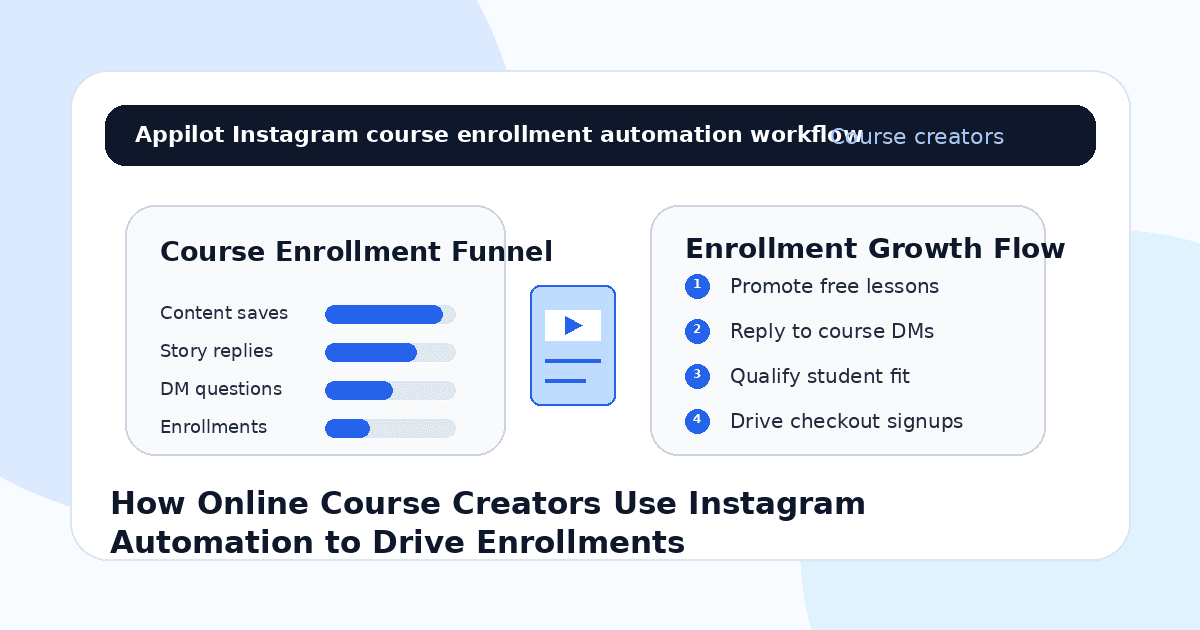
You post a useful reel, share a student result, explain a lesson from your course, and invite people to DM you for the free training or enrollment details.
A few people save the post. Someone comments “send the link.” Another replies to your story asking if the course is beginner-friendly. A few people click through your profile but never enroll.
Then the launch momentum slows down.
That is the challenge for online course creators on Instagram. People may be interested in learning, but they often need education, trust, reminders, answers, and a clear next step before they buy.
Instagram automation helps course creators turn content engagement into structured conversations. It can deliver lead magnets, answer common questions, qualify students, send enrollment links, and guide warm followers toward checkout without manually replying to every message all day.
The goal is not to spam people with course links. The goal is to help interested learners understand whether the course is right for them and enroll while their intent is fresh.
Why Instagram Works for Online Course Enrollments
Instagram is powerful for course creators because education sells through trust.
People want to see how you teach, what you know, who you help, what results students get, and whether your style feels clear. Reels, carousels, stories, lives, testimonials, and DMs all help build that trust.
A person may not buy from one post. They may watch your tips for weeks, save a tutorial, reply to a story, ask about the course, download a free guide, and then enroll during the next launch window.
That means course sales are conversational.
Most creators lose enrollments because they rely only on content and checkout links. They post valuable lessons, but they do not have a consistent system for turning engagement into leads and leads into students.
Automation helps create that system.
What Instagram Automation Means for Course Creators
Instagram automation means using workflows that respond to comments, story replies, DMs, keyword triggers, polls, and lead magnet requests.
For online course creators, that can include sending free lessons, delivering webinar links, sharing course details, answering FAQs, qualifying student fit, sending checkout pages, and following up with interested prospects.
Real-device automation is useful because it runs through the actual Instagram app on Android devices or emulators. This behaves more like normal mobile app usage than fragile desktop scripts or risky shortcuts.
A platform like Appilot is built for this kind of workflow. It lets course creators run Instagram automation on Android devices or emulators from a browser dashboard, without coding, ADB setup, or keeping a laptop connected all day. That means enrollment conversations can keep moving while the creator focuses on teaching, content, student support, and launch strategy.
Automation should support your teaching funnel. It should not replace your voice or credibility.
Step 1: Build Automation Around Warm Triggers
The best Instagram automation starts when someone shows interest.
A warm trigger might be someone commenting “course,” replying “lesson” to a story, asking for the webinar link, requesting a free template, voting in a poll, or DMing “price.”
These actions show that the person is curious.
For example, a creator can post a reel explaining a common beginner mistake and say, “Comment GUIDE and I’ll send the free starter checklist.” When someone comments, the automation sends the resource and asks what they are trying to learn.
This works because the prospect starts the conversation. The bot simply responds faster.
Cold course pitches usually feel pushy. Warm-trigger automation feels helpful.
Step 2: Use Lead Magnets That Match the Course
A lead magnet should not be random. It should connect directly to the paid course.
If you sell a design course, offer a free design audit checklist. If you sell a coding course, offer a beginner project guide. If you sell a business course, offer a pricing calculator, launch checklist, or client acquisition template. If you sell a language course, offer a practice worksheet or short lesson.
Automation can deliver the resource instantly when someone comments or replies.
After delivery, the DM can ask a simple question like, “Are you just starting, or are you already working on this?” That helps you understand the learner’s level and guide them toward the right next step.
This is where Appilot fits naturally. Course creators can run Instagram lead magnet workflows through Android devices or emulators while managing replies and campaigns from one dashboard.
The lead magnet opens the door. The course offer continues the path.
Step 3: Qualify Student Fit Before Sending the Offer
Not everyone who downloads a free resource is ready to enroll.
Some people are beginners. Some are advanced. Some need a different course. Some are not ready to invest. Some are serious and just need the right explanation.
A simple qualification flow helps.
Ask what they want to learn, what they have already tried, what level they are at, what result they want, and whether they want self-paced lessons, live coaching, or a structured program.
For example, a course creator might ask, “Are you looking to learn the basics, improve a current skill, or use this to get clients?” That single question can reveal the buyer’s intent.
Automation can collect the first answer, but serious course questions should still get a human reply when needed.
Good qualification protects the student experience and improves conversions.
Step 4: Answer Common Enrollment Questions Fast
Course buyers often ask the same questions.
They ask about price, duration, access, certificates, refunds, skill level, support, templates, community, payment plans, live calls, deadlines, and whether the course works for their situation.
These questions are perfect for automation because they repeat and directly affect sales.
If someone asks “price,” the workflow can explain the offer and link to the enrollment page. If someone asks “beginner?” it can explain who the course is for. If someone asks “payment plan?” it can send the available options.
Keep answers short and clear.
A person asking about your course does not need a long sales page in the DM. They need the answer and the next step.
Step 5: Use Stories During Launch Windows
Stories are powerful during course launches.
You can use them to share student wins, lesson previews, objection answers, behind-the-scenes content, countdowns, bonuses, FAQs, and enrollment reminders.
Story automation makes this more effective because people can reply with simple keywords.
A story can say “Reply SYLLABUS for the course outline,” “Reply BONUS for the launch bonus,” or “Reply ENROLL for the checkout link.” Once someone replies, automation sends the right information immediately.
This keeps the launch moving even when you are busy creating content, hosting webinars, or answering student questions.
Appilot-style workflows are useful here because they help creators manage repeated Instagram actions without coding, command-line tools, or manual device work.
Launch windows are short. Fast replies matter.
Step 6: Follow Up Without Sounding Desperate
Follow-up is important, but it should not feel pushy.
A person may be interested but distracted. They may need to compare options, check budget, or confirm timing. A gentle follow-up can help them decide.
A useful follow-up might say, “Just checking if you still wanted the course outline or had questions about whether it fits your level.” Another might say, “Enrollment closes tomorrow, so I wanted to make sure you had the details.”
One or two follow-ups are usually enough.
Automation can help ensure warm leads do not fall through the cracks, but the tone should stay helpful. Course sales work best when the learner feels supported, not pressured.
Step 7: Move Enrolled Students Into Onboarding
The automation should not stop at checkout.
Once someone enrolls, the next step should be clear. They need login instructions, course access, community links, start dates, bonus details, support channels, and expectations for completing the program.
Instagram can help with pre-enrollment conversations, but the student should move into email, course platform, community, or onboarding system after purchase.
This keeps the student experience organized.
If the first experience after payment is confusing, refunds and drop-off can increase. A smooth onboarding process makes the course feel more professional.
Automation drives enrollments. Onboarding protects student satisfaction.
Step 8: Track What Actually Drives Enrollments
Do not measure Instagram automation only by followers, likes, or comments.
For course creators, better metrics include lead magnet requests, story replies, DM conversations, webinar signups, syllabus requests, checkout clicks, enrollment conversions, refund rate, and student completion.
You should also track which content creates the best buyers. A tutorial reel may bring beginners. A case study may bring serious students. A pricing story may bring high-intent buyers. A free template may bring many leads but fewer enrollments.
This helps you improve the funnel over time.
Automation gives you more signals. Tracking tells you which signals create students.
Common Mistakes Course Creators Should Avoid
Sending Course Links Too Early
Do not push the enrollment page before the learner understands the value. Start with education, context, and fit.
Using Weak Lead Magnets
A lead magnet should connect directly to the course outcome. Random freebies may attract people who never enroll.
Making DM Flows Too Long
People do not want a full sales page in their inbox. Keep messages short, useful, and easy to answer.
Ignoring Serious Questions
Automation can answer basics, but detailed questions about fit, outcomes, or objections should get human attention.
Forgetting Student Onboarding
Enrollment is not the end. New students need clear access, instructions, support, and next steps.
Is Instagram Automation Right for Course Creators?
Instagram automation is a good fit if you already create educational content, get story replies, receive course questions, or use lead magnets to attract students. It works especially well for coaches, educators, creators, consultants, skill teachers, online academies, and niche experts.
It may not be right if your course offer is unclear, your profile has no proof, or your content does not connect to the course outcome. Automation can speed up conversations, but it cannot fix weak positioning or a confusing offer.
Think of automation as an enrollment assistant. It helps organize interest, but your teaching value drives the sale.
Final Thoughts
Online course creators use Instagram automation to turn content engagement into enrollments.
The strongest workflow starts with warm triggers, useful lead magnets, fast FAQ replies, simple qualification, launch story flows, gentle follow-up, and clear student onboarding. Automation handles the repetitive steps while the creator keeps the teaching voice and trust human.
If you want to run Instagram automation without coding, ADB setup, or manual device management, Appilot gives course creators a browser-based way to control Android devices, emulators, and ready-to-use bots for Instagram and other platforms. You can check it out at appilot.app.
FAQs
Q1: Can Instagram automation help sell online courses?
Yes, it can deliver lead magnets, answer course questions, qualify learners, send enrollment links, and follow up with warm prospects.
Q2: What should course creators automate first?
Start with comment keywords, story replies, free resource delivery, course FAQ replies, webinar links, and checkout link requests.
Q3: Is Instagram automation safe for course creators?
It is safer when replies are triggered by real interest and messages stay relevant. Spammy cold DMs can still hurt account trust.
Q4: Can Appilot help course creators automate Instagram?
Yes, Appilot can run Instagram workflows on Android devices or emulators from a browser dashboard without coding or ADB setup.
Q5: Should bots handle course sales completely?
No. Bots can answer basics and guide leads, but serious fit questions and high-value sales should still get human replies.