How Property Management Companies Use LinkedIn Bots to Find Tenants
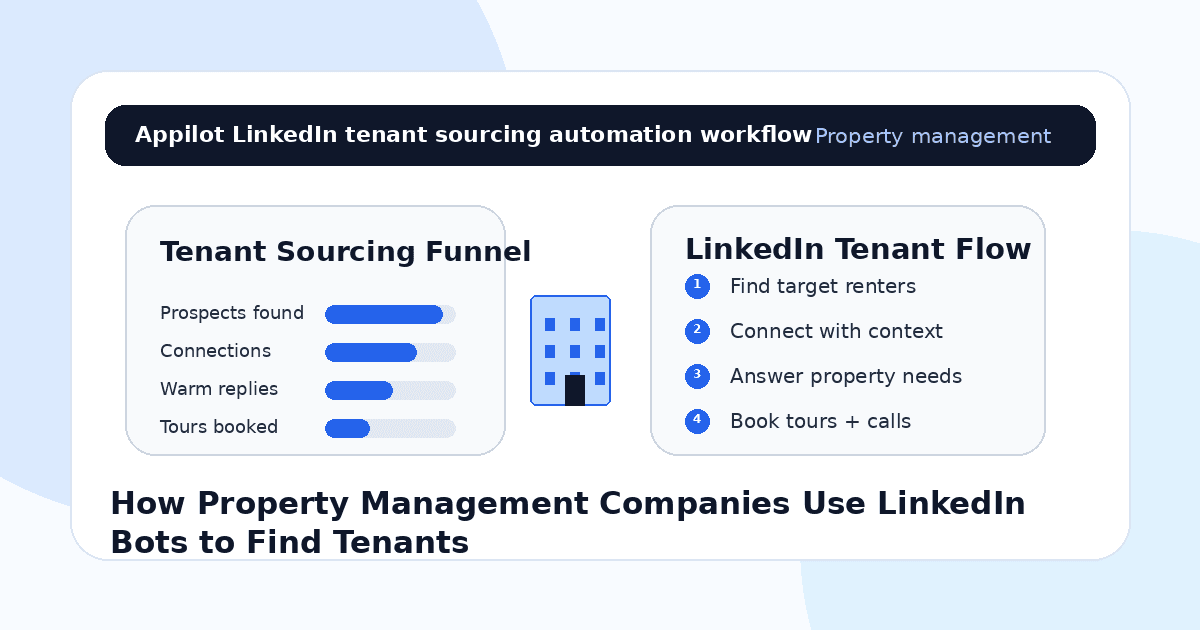
You have available units, commercial spaces, serviced apartments, or rental properties that need qualified tenants.
You post listings on property portals, update your website, share a few social posts, and wait for inquiries. Some leads come in, but many are unqualified, slow to respond, or not serious enough to schedule a tour.
That is why property management companies are starting to use LinkedIn bots as part of their tenant-sourcing workflow. LinkedIn is not only for recruiters and B2B sales teams. It is also full of professionals, business owners, relocation contacts, HR managers, founders, office managers, brokers, and corporate decision-makers who may need housing, office space, staff accommodation, or rental solutions.
Used carefully, LinkedIn automation helps property teams find the right people, start relevant conversations, and move serious prospects toward tours, calls, applications, or leasing discussions.
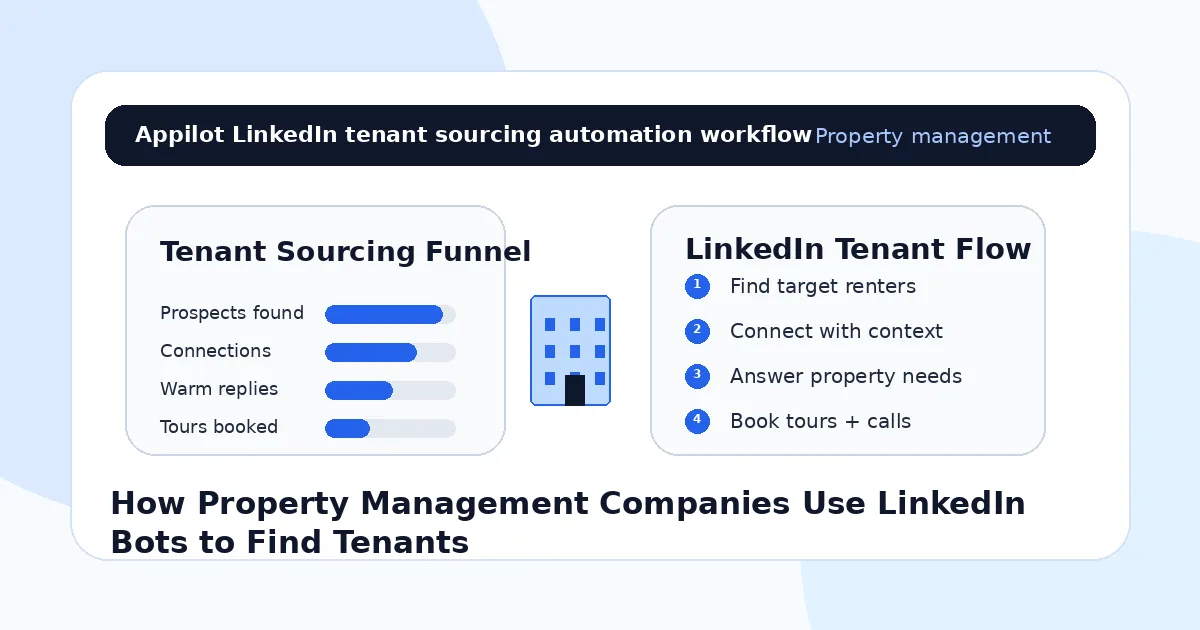
Why LinkedIn Works for Tenant Sourcing
Property management is local, relationship-driven, and timing-sensitive.
A person may need an apartment because they are relocating for work. A founder may need a small office. A company may need staff housing. A clinic, agency, salon, or retail business may be looking for a better commercial space. A broker may know clients actively searching.
LinkedIn helps property teams find these people before they submit a public inquiry.
The platform also gives more context than many listing portals. You can see job roles, companies, industries, locations, relocation signals, hiring activity, business expansion, and professional networks.
Most property companies get this wrong when they send generic listing messages to everyone. That feels spammy. A better approach is to use LinkedIn bots to support targeted discovery, then start conversations with context.
The goal is not to pitch every property to every connection. The goal is to match the right space with the right tenant need.
What LinkedIn Bots Do for Property Management Companies
LinkedIn bots automate repeated actions like profile discovery, connection requests, profile visits, follow-ups, message routing, and lead tracking.
For property management companies, this can support tenant sourcing for residential rentals, serviced apartments, corporate housing, office space, retail space, co-working units, warehouses, and mixed-use properties.
Real-device automation is useful because it runs through Android devices or emulators instead of relying only on fragile browser scripts or risky API shortcuts. This makes it easier to manage LinkedIn outreach in a mobile-style workflow.
A platform like Appilot is built for this kind of setup. It lets property teams run LinkedIn automation on Android devices or emulators from a browser dashboard, without coding, ADB setup, or keeping a laptop connected all day. That means leasing teams can keep sourcing activity active while humans handle tours, applications, negotiations, and tenant relationships.
Automation should create more qualified leasing conversations. It should not replace the human trust needed to close leases.
Step 1: Define the Tenant Type Before Automating
Before launching any LinkedIn bot workflow, define the tenant profile clearly.
A vague target like “people looking for rentals” is too broad. A stronger target is “professionals relocating to Dubai,” “HR managers arranging staff housing,” “startup founders looking for small offices,” “clinic owners looking for commercial space,” or “retail operators expanding into a new neighborhood.”
This matters because automation magnifies your targeting.
If your audience is broad, you will get weak replies. If the tenant profile is clear, automation helps you reach more relevant prospects without wasting time.
Your criteria should include location, property type, budget range, lease type, move-in timeline, business category, decision-maker role, and likely reason for needing space.
Good leasing automation starts with a clear tenant match.
Step 2: Build Lists Around Real Tenant Sources
LinkedIn tenant sourcing should not only target individual renters.
For residential rentals, useful sources can include relocation professionals, HR teams, employees moving into the city, university administrators, medical professionals, expat communities, and corporate housing contacts.
For commercial properties, useful sources can include founders, business owners, franchise operators, clinic managers, retailers, agency owners, office managers, and brokers.
For staff accommodation, useful sources can include HR managers, operations managers, hospitality companies, construction firms, healthcare organizations, and service businesses.
This is where Appilot’s LinkedIn automation can fit naturally. Property teams can run repeated LinkedIn workflows through Android devices or emulators while managing target segments, message angles, and campaign timing from one dashboard.
The stronger your list segments, the easier it becomes to send relevant messages.
Step 3: Send Connection Requests With Context
A LinkedIn connection request should not look like a property ad.
Its job is to create enough relevance for the person to accept. A message to an HR manager should not sound like a message to a renter. A message to a retail operator should not sound like a message to a broker.
For example, a property team targeting HR managers might say, “Hi Sara, I saw you support hiring and operations in Dubai. We manage furnished units often used for staff and relocation housing, so I thought it made sense to connect.”
A message to a founder might say, “Hi Ahmed, noticed your team is growing in Lahore. We manage flexible office and commercial spaces in the area, so I thought it would be useful to connect.”
The message should feel relevant, short, and professional.
Automation can send the request, but the targeting and wording still need human judgment.
Step 4: Use Follow-Ups to Understand Needs
Once someone accepts, do not immediately push a property link.
Start with a simple question.
For residential leads, ask whether they are looking now, relocating soon, or browsing for later. For commercial leads, ask whether they are expanding, renewing a lease, or comparing locations. For corporate housing leads, ask whether they manage housing internally or use outside vendors.
A good follow-up might say, “Curious, do you ever need short-term furnished units for team members relocating into the city?” Another might say, “Are you currently looking for commercial space, or just keeping options open for future expansion?”
These questions create a conversation.
One reason teams use Appilot-style workflows is that the dashboard helps manage repeated follow-ups while keeping the leasing conversation human. The bot keeps the rhythm consistent. The leasing team handles serious replies.
Step 5: Qualify Tenant Fit Before Sending Listings
Not every reply deserves a listing link.
Some prospects have the wrong budget. Some need a different location. Some are not ready. Some are only researching. Some are highly qualified and should be moved quickly to a showing or application.
A simple qualification step saves time.
Ask about preferred location, property type, timeline, budget, lease length, move-in date, number of occupants, business use, or required amenities. For commercial tenants, ask about square footage, frontage, parking, foot traffic, zoning needs, or fit-out requirements.
Do not overload the prospect with too many questions at once.
The best flow collects enough information to recommend the right property or next step.
Step 6: Move Serious Leads Into Tours and Applications
LinkedIn is a starting point, not the full leasing process.
When a prospect shows serious interest, move them into a proper leasing workflow. That might be a phone call, WhatsApp conversation, CRM record, viewing calendar, application form, property sheet, or tenant screening process.
A serious residential lead might ask for move-in date options, viewing times, or lease terms. A serious commercial tenant might ask for floor plans, rent, fit-out conditions, or location details.
At that point, a human should take over.
Automation can start the conversation and collect basic context, but the leasing team needs to handle trust, negotiation, documentation, and compliance.
Step 7: Use Content to Make Outreach More Credible
LinkedIn automation works better when the company profile looks trustworthy.
A property management company should not rely only on outbound messages. The profile should show available properties, managed communities, neighborhood insights, tenant tips, maintenance standards, leasing updates, market education, and proof that the company is active.
When a prospect receives a message and checks the company page, they should quickly understand what the company manages and why it is credible.
Content also warms up future outreach.
If someone has already seen your market updates, relocation tips, or commercial space insights, your connection request feels less random.
Automation brings people to your profile. Content helps them trust it.
Step 8: Track Leasing Outcomes, Not Just Connections
Do not measure LinkedIn bot success only by connection count.
For property management companies, better metrics include accepted connections, qualified replies, tour bookings, applications started, leases signed, corporate housing conversations, broker referrals, commercial inquiries, and occupancy impact.
You should also track which segments respond best. HR managers may be better for corporate housing. Founders may be better for flexible offices. Brokers may create referral flow. Local business owners may be stronger for retail spaces.
Automation gives you more conversations. Tracking tells you which conversations produce tenants.
Common Mistakes Property Teams Should Avoid
Sending Generic Listing Messages
A message that could be sent to anyone usually gets ignored. Tailor outreach by tenant type, location, and property need.
Targeting Too Broadly
LinkedIn works best when you target specific renters, business roles, corporate contacts, brokers, or relocation-related audiences.
Sending Listings Too Early
Ask about need and timing before sending property links. Otherwise the message can feel like spam.
Failing to Track Follow-Ups
Leasing conversations can take time. Without CRM tracking, warm prospects may disappear.
Letting Bots Handle Serious Leads
Once someone asks for pricing, tours, lease terms, or applications, a human should step in quickly.
Is LinkedIn Automation Right for Property Management?
LinkedIn automation is a good fit if your properties serve professionals, businesses, corporate tenants, relocation needs, commercial tenants, or staff housing demand. It works especially well for serviced apartments, commercial leasing, co-working spaces, office rentals, corporate housing, and property managers with recurring vacancies.
It may not be right if your leasing process depends only on walk-ins or consumer rental portals. Even then, LinkedIn can still help with corporate and referral-based tenant sources.
Think of LinkedIn bots as tenant-sourcing assistants. They help open conversations, but the leasing team still closes the lease.
Final Thoughts
Property management companies use LinkedIn bots to find tenants by turning professional networks into a structured sourcing channel.
The best workflow starts with clear tenant profiles, segmented lists, contextual connection requests, useful follow-ups, basic qualification, and fast handoff to tours or applications. Automation keeps sourcing consistent, while humans manage trust, leasing details, and closing.
If you want to run LinkedIn automation without coding, ADB setup, or manual device management, Appilot gives property management teams a browser-based way to control Android devices, emulators, and ready-to-use bots for LinkedIn and other platforms. You can check it out at appilot.app.
FAQs
Q1: Can property management companies use LinkedIn bots to find tenants?
Yes, LinkedIn bots can help find renters, corporate housing contacts, business tenants, brokers, and relocation-related leads.
Q2: What tenant sources work best on LinkedIn?
HR managers, founders, office managers, brokers, business owners, relocation contacts, and local professionals can all be useful sources.
Q3: Is LinkedIn automation safe for property managers?
It is safer when outreach is targeted, gradual, and professional. Generic mass listing messages can damage trust and account health.
Q4: Can Appilot help property teams automate LinkedIn?
Yes, Appilot can run LinkedIn workflows on Android devices or emulators from a browser dashboard without coding or ADB setup.
Q5: Do LinkedIn bots replace leasing agents?
No. Bots help start and organize conversations, but leasing agents still handle tours, applications, negotiation, and tenant trust.